本文要写的Android Quick Return Bar导航条其实是直播app开发用Toolbar取代ActionBar。
如果打算继承自AppCompatActivity,直播app开发用Toolbar取代ActionBar,需要在AndroidManifest.xml中定义这个activity时候声明Theme:
android:theme="@style/Theme.AppCompat.Light.NoActionBar"

随后在自己的java代码中:
...
Toolbar toolbar = (Toolbar) findViewById(R.id.toolbar);
setSupportActionBar(toolbar);
...
这样在直播app开发中,就可以向下兼容将Toolbar取代ActionBar使用了。
给出代码。
测试的activity MainActivity.java:
package zhangphil.demo;
import android.os.Bundle;
import android.support.v7.app.AppCompatActivity;
import android.support.v7.widget.Toolbar;
import android.view.Menu;
import android.view.MenuItem;
public class MainActivity extends AppCompatActivity {
	@Override
	protected void onCreate(Bundle savedInstanceState) {
		super.onCreate(savedInstanceState);
		setContentView(R.layout.activity_main);
		Toolbar toolbar = (Toolbar) findViewById(R.id.toolbar);
		setSupportActionBar(toolbar);
		getSupportActionBar().setDisplayHomeAsUpEnabled(true);
	}
	@Override
	public boolean onCreateOptionsMenu(Menu menu) {
		getMenuInflater().inflate(R.menu.main, menu);
		return true;
	}
	@Override
	public boolean onOptionsItemSelected(MenuItem item) {
		int id = item.getItemId();
		if (id == R.id.action_settings) {
			return true;
		}
		return super.onOptionsItemSelected(item);
	}
}
MainActivity.java需要的布局文件activity_main.xml:
<?xml version="1.0" encoding="utf-8"?>
<android.support.design.widget.CoordinatorLayout xmlns:android="http://schemas.android.com/apk/res/android"
    xmlns:app="http://schemas.android.com/apk/res-auto"
    android:layout_width="match_parent"
    android:layout_height="match_parent" >
    <android.support.design.widget.AppBarLayout
        android:id="@+id/appBarLayout"
        android:layout_width="match_parent"
        android:layout_height="wrap_content" >
        <android.support.v7.widget.Toolbar
            android:id="@+id/toolbar"
            android:layout_width="match_parent"
            android:layout_height="?attr/actionBarSize"
            android:layout_alignParentTop="true"
            app:layout_scrollFlags="scroll|enterAlways"
            android:background="#1e88e5"
            android:theme="@style/ThemeOverlay.AppCompat.Dark.ActionBar"
            app:popupTheme="@style/ThemeOverlay.AppCompat.Light" />
    </android.support.design.widget.AppBarLayout>
    <android.support.v4.widget.NestedScrollView
        android:layout_width="match_parent"
        android:layout_height="match_parent"
        android:layout_below="@+id/appBarLayout"
        app:layout_behavior="@string/appbar_scrolling_view_behavior" >
        <LinearLayout
            android:layout_width="match_parent"
            android:layout_height="match_parent"
            android:orientation="vertical" >
            <TextView
                android:layout_width="match_parent"
                android:layout_height="100dip"
                android:text="0" />
            <TextView
                android:layout_width="match_parent"
                android:layout_height="100dip"
                android:text="1" />
            <TextView
                android:layout_width="match_parent"
                android:layout_height="100dip"
                android:text="2" />
            <TextView
                android:layout_width="match_parent"
                android:layout_height="100dip"
                android:text="3" />
            <TextView
                android:layout_width="match_parent"
                android:layout_height="100dip"
                android:text="4" />
            <TextView
                android:layout_width="match_parent"
                android:layout_height="100dip"
                android:text="5" />
            <TextView
                android:layout_width="match_parent"
                android:layout_height="100dip"
                android:text="6" />
        </LinearLayout>
    </android.support.v4.widget.NestedScrollView>
</android.support.design.widget.CoordinatorLayout>
同时,MainActivity.java需要的res/menu/main.xml文件:
<menu xmlns:android="http://schemas.android.com/apk/res/android"
    xmlns:app="http://schemas.android.com/apk/res-auto"
    xmlns:tools="http://schemas.android.com/tools"
    tools:context="zhangphil.demo.MainActivity" >

    <item
        android:id="@+id/action_settings"
        android:orderInCategory="100"
        android:title="设置"
        app:showAsAction="never"/>

</menu>
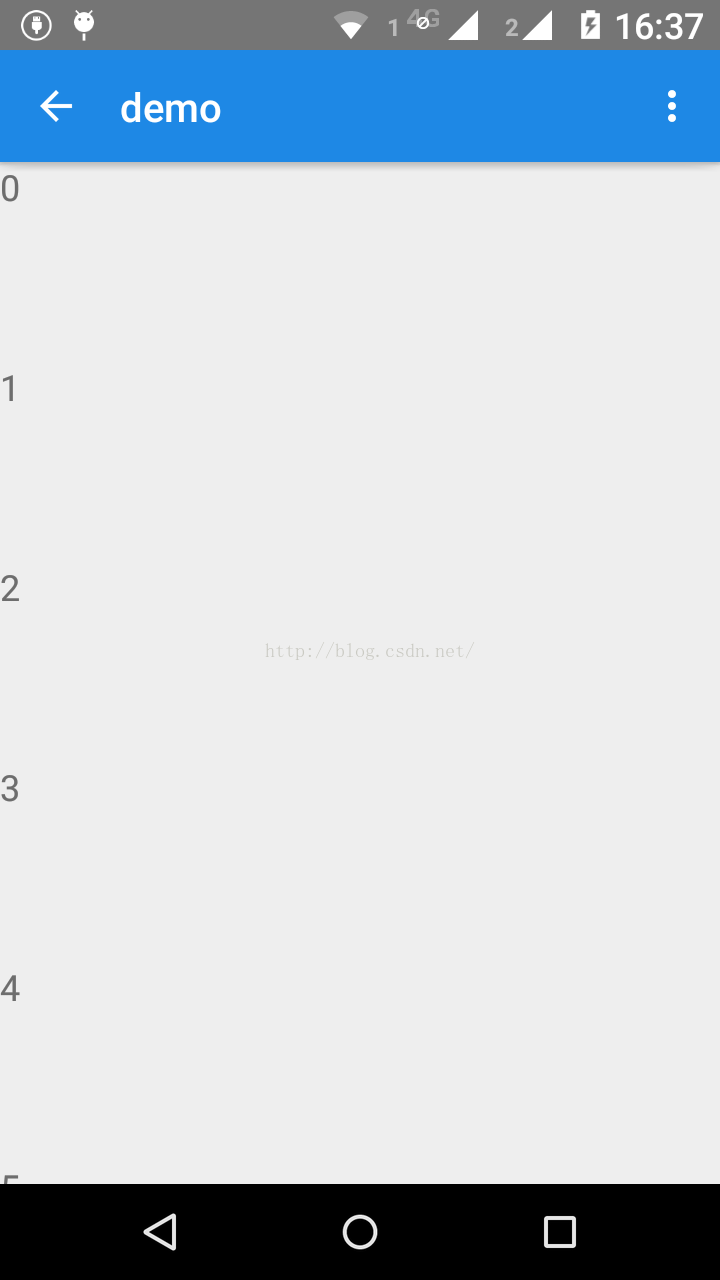
Main.xml里面定义的菜单将换在取代ActionBar的Toolbar中以相同样式表现。
直播app开发的代码运行结果:
声明:本文由云豹科技转发自开开心心过博客,如有侵权请联系作者删除
来自 “ ITPUB博客 ” ,链接:https://blog.itpub.net/70002045/viewspace-2793840/ ,如需转载,请注明出处,否则将追究法律责任。

