一 oracle 数据库的安装环境
1.oracle1#vi /etc/hosts
# Do not remove the following line, or various programs
# that require network functionality will fail.
127.0.0.1 localhost.localdomain localhost
::1 localhost6.localdomain6 localhost6
192.168.1.1 oracle1
192.168.1.2 oracle2
2. 修改用户的SHELL 的限制,修改/etc/security/limits.conf 文件
[root@sd_db1 ~]#vi /etc/security/limits.conf
oracle soft nproc 2047
oracle hard nproc 16384
oracle soft nofile 1024
oracle hard nofile 65536
3. 修改/etc/pam.d/login 文件
[root@sd_db1 ~]#vi /etc/pam.d/login
session required /lib/security/pam_limits.so
session required pam_limits.so
4. 修改linux 内核文件(参数大的, 不做修改, 修改完毕,输入:sysctl -p 生效)
[root@sd_db1 ~]#vi /etc/sysctl.conf
fs.file-max = 6815744
fs.aio-max-nr = 1048576
kernel.shmall = 2097152
kernel.shmmax = 2147483648
kernel.shmmni = 4096
kernel.sem = 250 32000 100 128
net.ipv4.ip_local_port_range = 9000 65500
net.core.rmem_default = 4194304
net.core.rmem_max = 4194304
net.core.wmem_default = 262144
net.core.wmem_max = 1048576
5. 编辑 /etc/profile, 添加
[root@sd_db1 ~]#vi /etc/profile
if [ $USER = "oracle" ]; then
if [ $SHELL = "/bin/ksh" ]; then
ulimit -p 16384
ulimit -n 65536
else
ulimit -u 16384 -n 65536
fi
fi
6. 创建相关用户和组
groupadd oinstall
groupadd dba
useradd -g oinstall -g dba -m oracle
passwd oracle
7. 创建数据库软件目录和数据文件存放目录,目录的位置
mkdir /home/oracle/app
mkdir /home/oracle/app/oracle
mkdir /home/oracle/app/oradata
mkdir /home/oracle/app/oracle/product
8. 更改目录属主为Oracle 用户所有
chown -R oracle:oinstall /home/oracle/
9.su – oracle, 编辑 .bash_profile
[oracle@sd_db1 ~]#Cd /home/oracle
[oracle@sd_db1 ~]#vi .bash_profile
export ORACLE_BASE=/home/oracle/app
export ORACLE_HOME=$ORACLE_BASE/oracle/product/11.2.0/dbhome_1
export ORACLE_SID=orcl
export PATH=$PATH:$HOME/bin:$ORACLE_HOME/bin
export LD_LIBRARY_PATH=$ORACLE_HOME/lib:/usr/lib
10. 拷贝oracle 压缩文件到/home/oracle ,解压缩
[root@sd_db1 ~]#Cp -r /root/oracle11g /home/oracle
[root@sd_db1 ~]#Unzip linux.x64_11gR2_database_1of2.zip
[root@sd_db1 ~]#Unzip linux.x64_11gR2_database_2of2.zip
13. 安装oracle 数据库
[root@sd_db1~]# su -oracle
[oracle@sd_db1oracle]$ cd /data/oracle/database
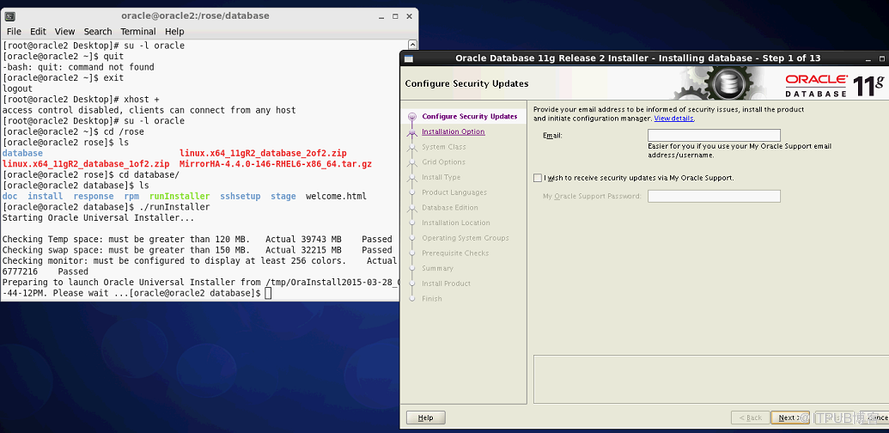
[oracle@sd_db1database]$ ./runInstaller
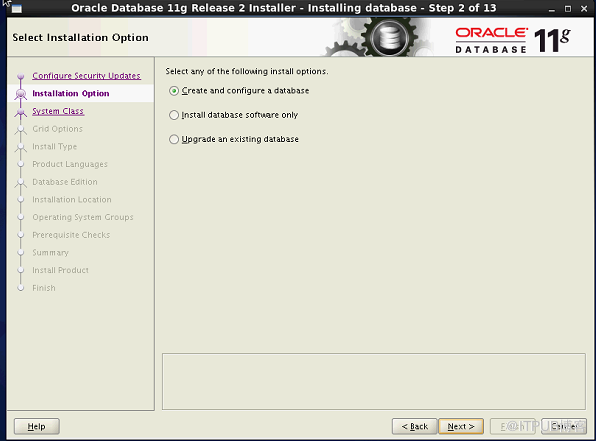
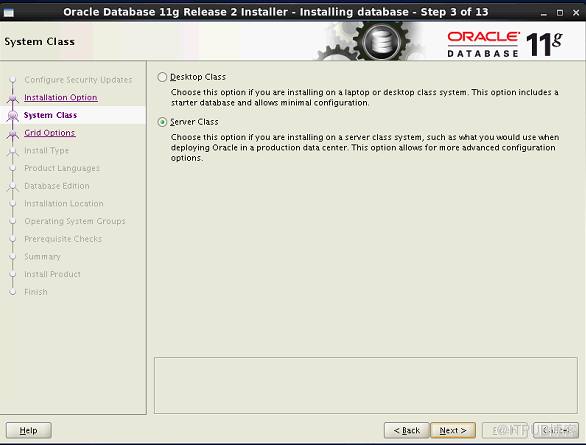
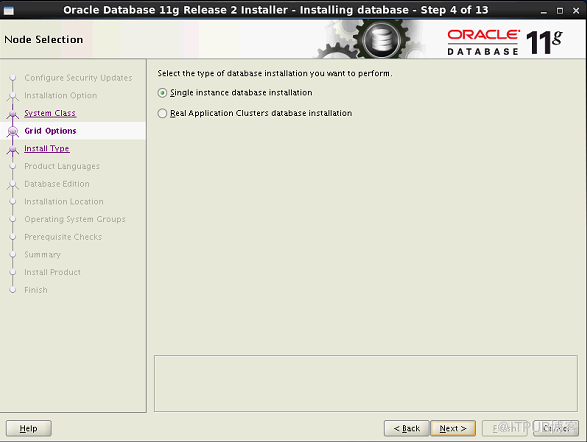
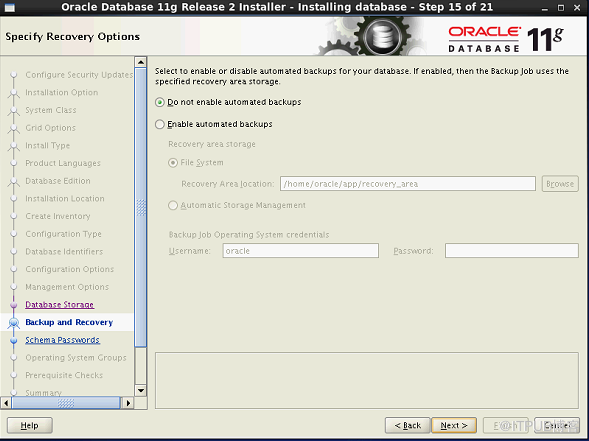
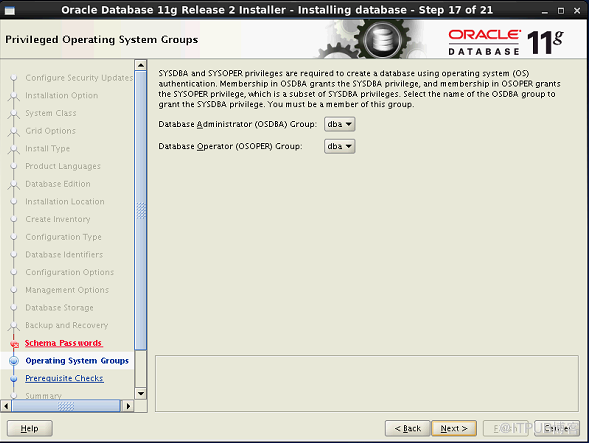
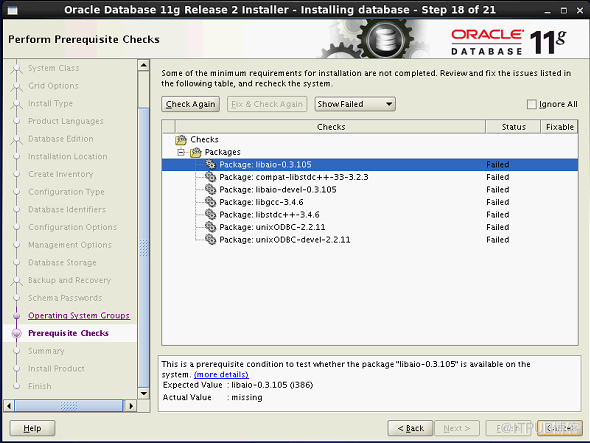
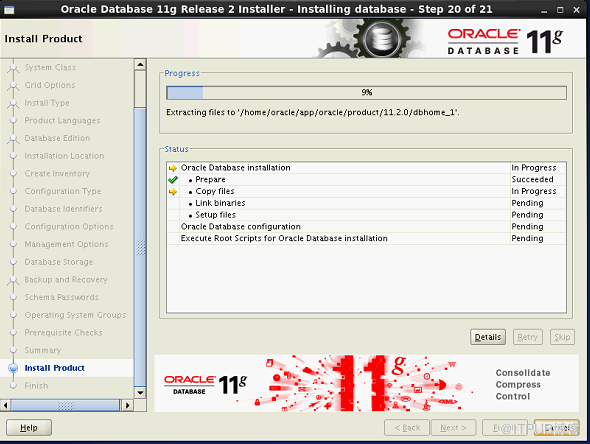
二 安装oracle 数据库
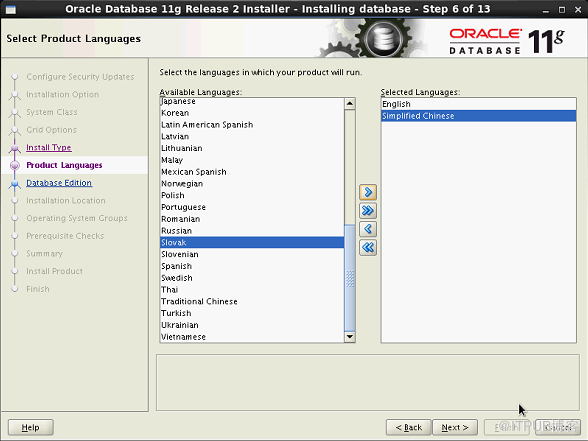
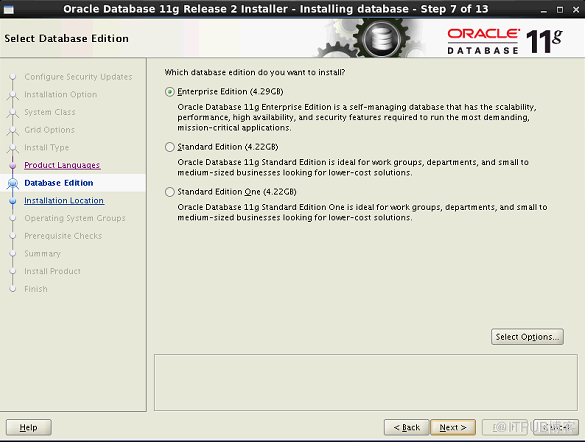
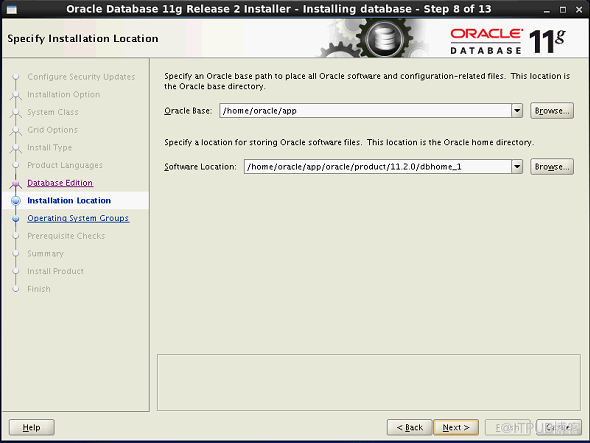
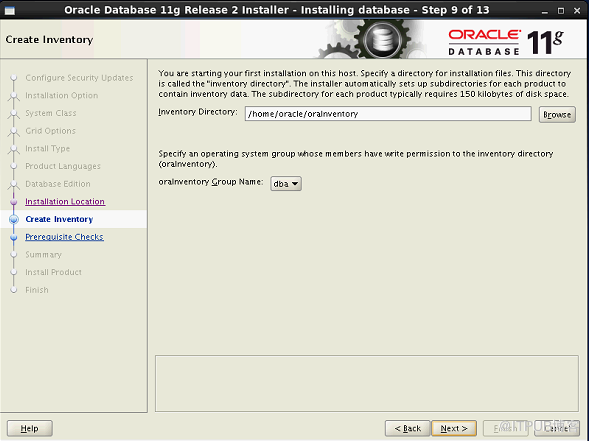
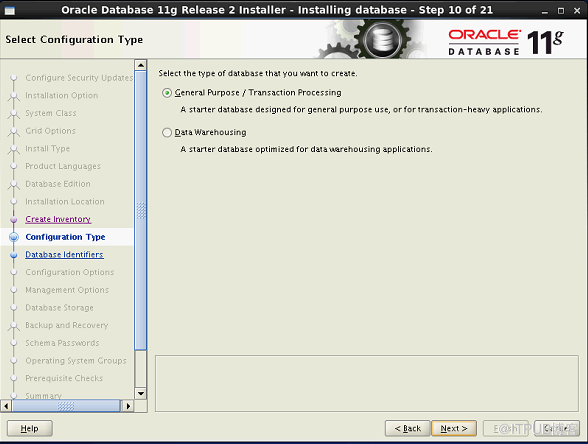
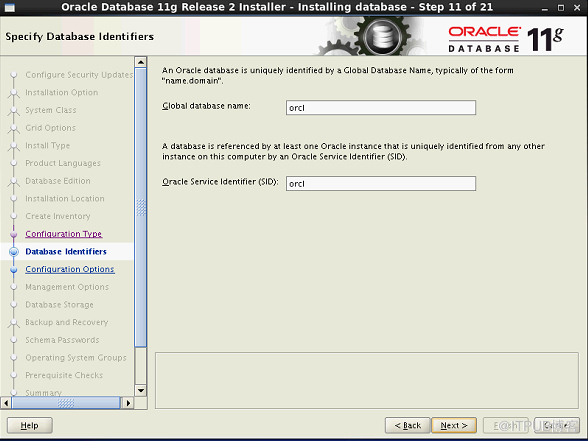
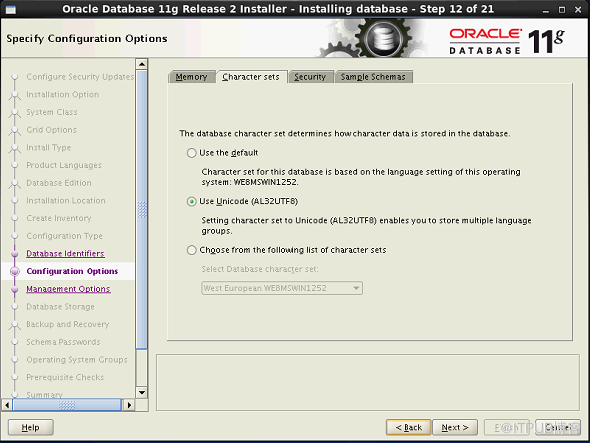
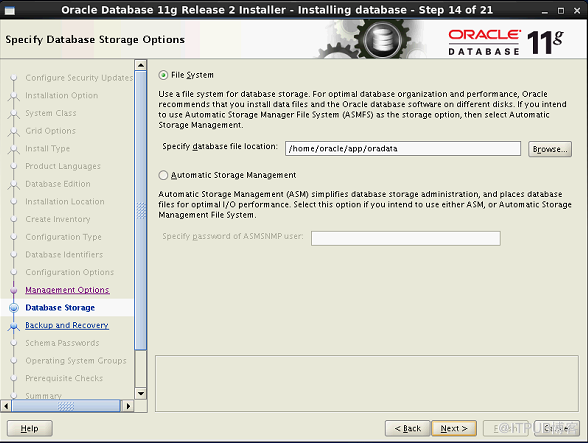
三 Rose Mirror HA 安装
[root@test1 Desktop]# ls
MirrorHA-4.4.0-146-RHEL6-x86_64.tar.gz
[root@test1 Desktop]# tar -zxvf MirrorHA-4.4.0-146-RHEL6-x86_64.tar.gz
MirrorHA-4.4.0-146-RHEL6-x86_64/
MirrorHA-4.4.0-146-RHEL6-x86_64/install
MirrorHA-4.4.0-146-RHEL6-x86_64/resource.tar
[root@test1 Desktop]# ls
MirrorHA-4.4.0-146-RHEL6-x86_64 MirrorHA-4.4.0-146-RHEL6-x86_64.tar.gz
[root@test1 Desktop]# cd MirrorHA-4.4.0-146-RHEL6-x86_64
[root@test1 MirrorHA-4.4.0-146-RHEL6-x86_64]# ls
install resource.tar
[root@test1 MirrorHA-4.4.0-146-RHEL6-x86_64]# ./install
MirrorHA Installation
-----------------------------------
Version: 4.4.0 B146
Components list:
1. MirrorHA Driver and Service
2. MirrorHA Control Center (RCC)
3. ALL (both 1 and 2)
Q. Quit
Your Choice [1, 2, 3, Q]: 3
Please specify the path to install, [/opt/]:
in order to make better the job that MirrorHA with in oracle,sybase,etc applications,we need you config some environment variables of application runtime(you can also edit the '/etc/appenv.conf' file manually later),will you do it now? [y/n]: n
Please select the character set for Service encoding:
1. Chinese [Simple]
2. Chinese [Taiwan]
3. Chinese [HongKong]
4. Japanese [JIS]
5. Japanese [EUC]
6. English [UTF-8]
Q. Quit
Your Choice [1, 2, 3, 4, 5, 6(def), Q]:
Please select circumstance of NIS in the Server
1. NIS - None
2. NIS - Server
3. NIS - Client
Q. Quit
Your Choice [1(def), 2, 3, Q]:
Please specify the authentication options.
Your name:
Company name:
installing........OK
Starting MirrorHA driver: [ OK ]
[ OK ] MirrorHA services: [ OK ]
[ OK ] HA daemon: [ OK ]
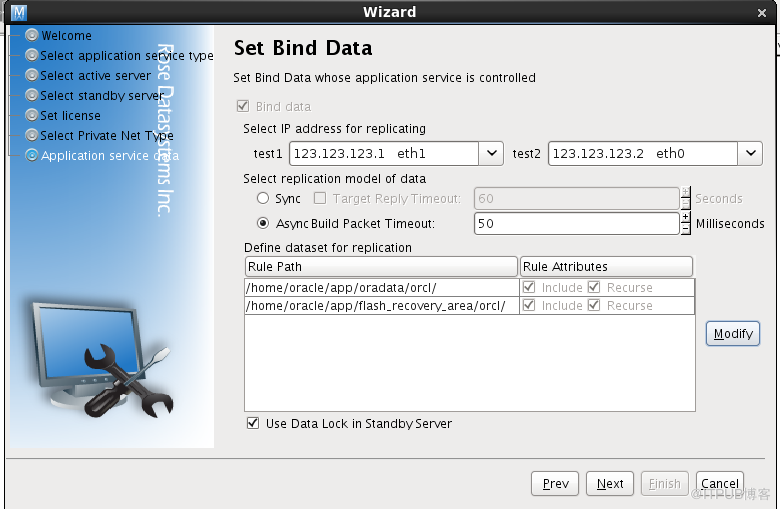
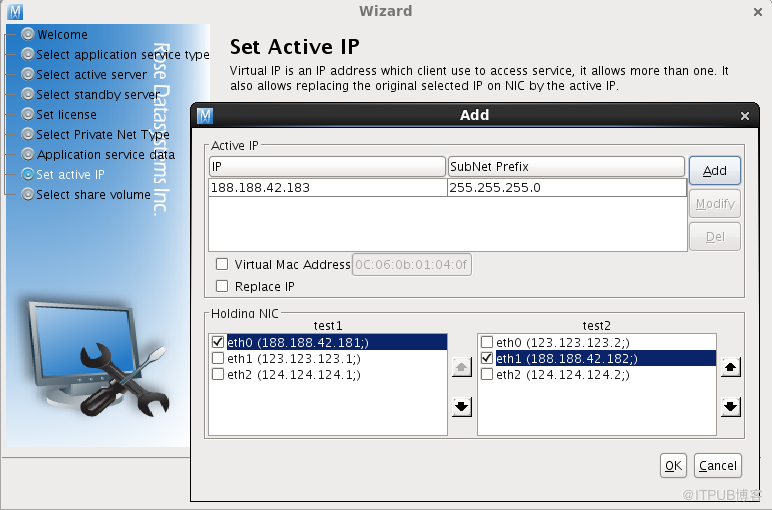
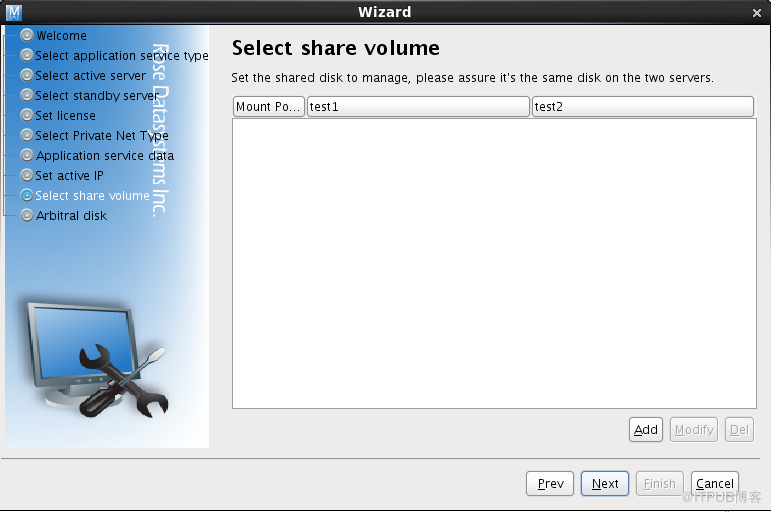
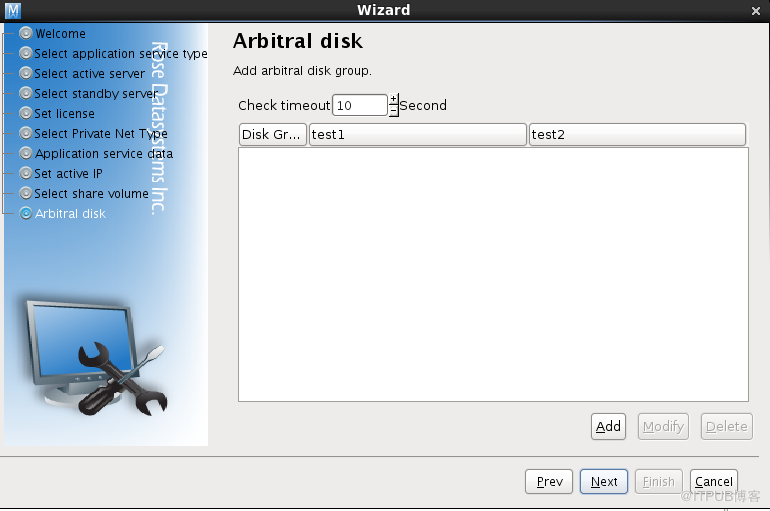
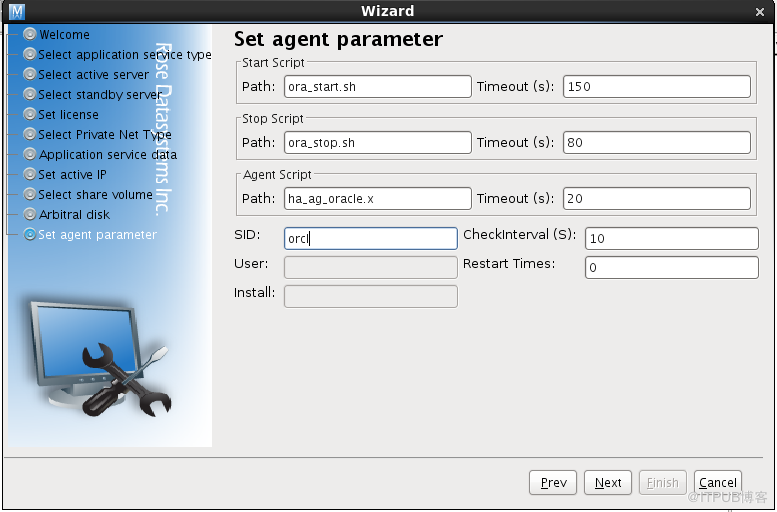
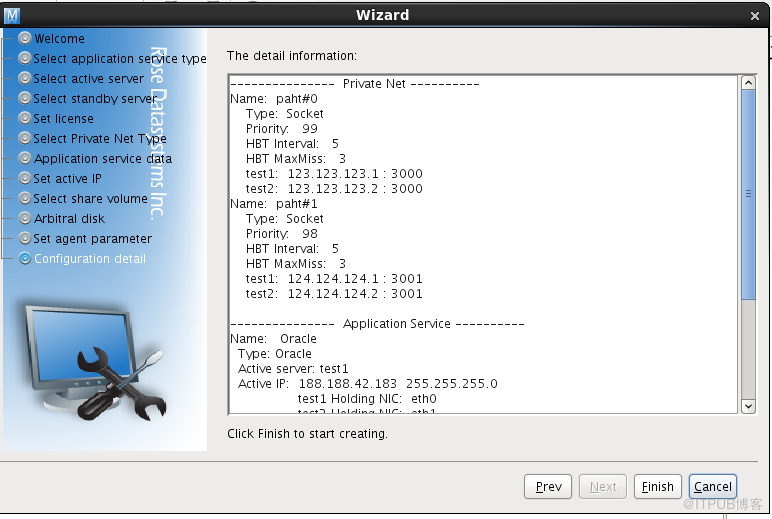
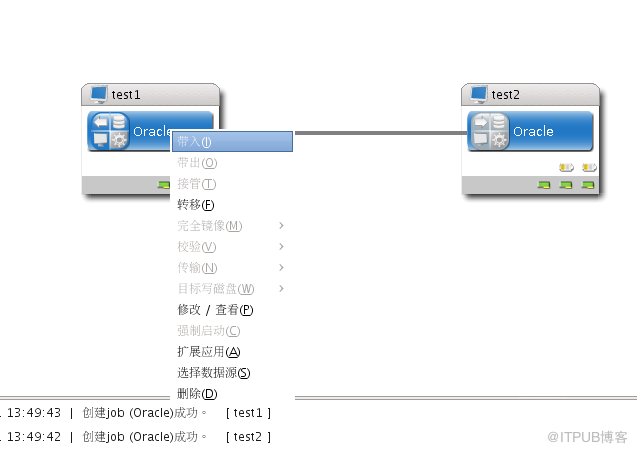
四 Rose Mirror HA 配置
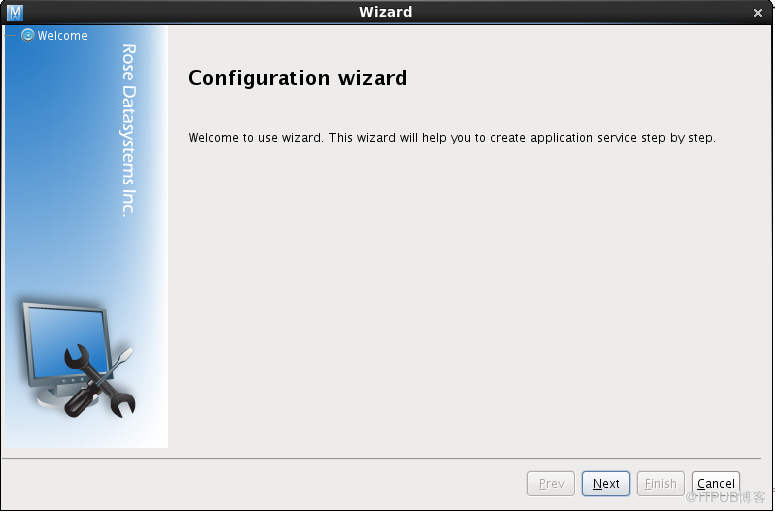
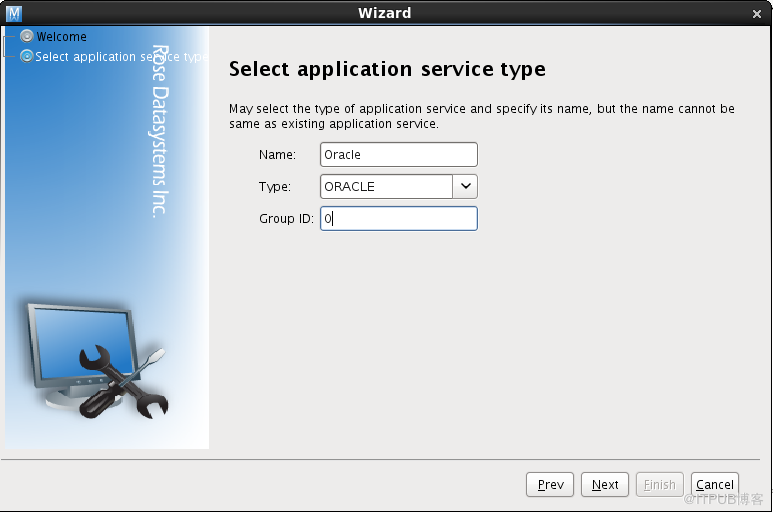
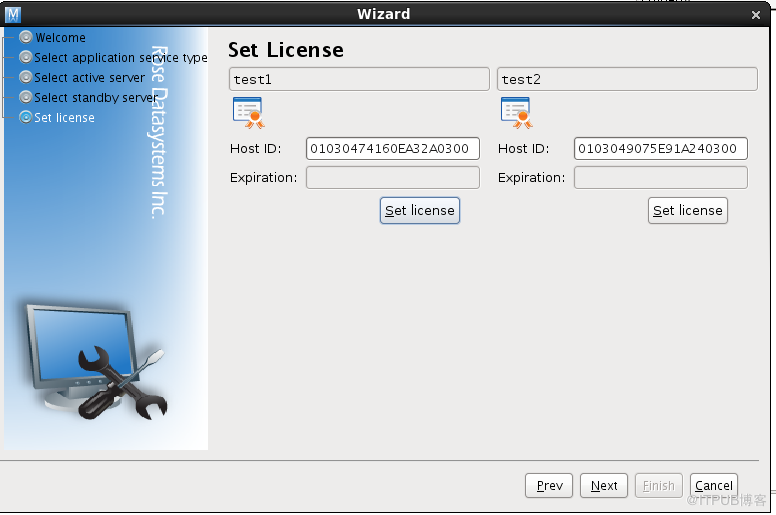
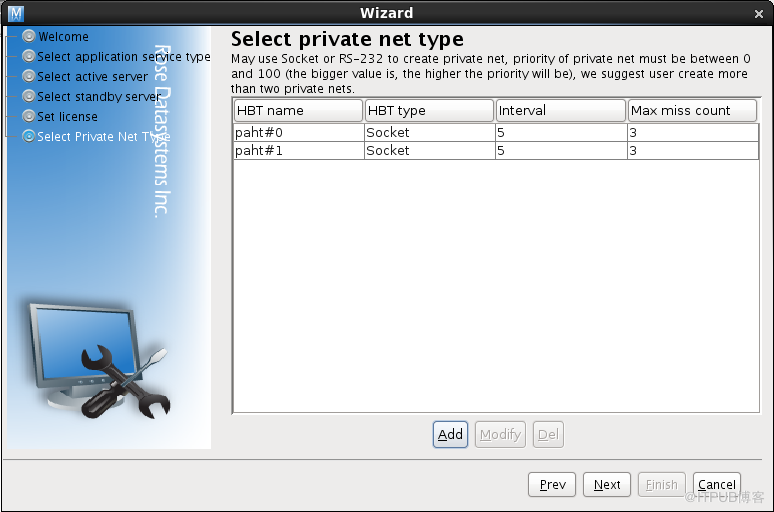
运行rcc 命令,开启配置向导
来自 “ ITPUB博客 ” ,链接:https://blog.itpub.net/69976387/viewspace-2705864/ ,如需转载,请注明出处,否则将追究法律责任。

最新文章
- ORA-39082: Object type ALTER_FUNCTION:"XXXX"."F_cccc" created with compilation
- ORA-00445: background process "m000" did not start after 120 seconds host:xxxx
- MYSQL : ERROR 1045 (28000): Access denied for user 'root'@'localhost'
- ORA-00235: control file read without a lock inconsistent due to concurrent updat
- ORA-31693 ORA-00001
- 由于IMPDP...APPEND引起的 enq: TM – contention
- ORACLE-RMAN自动备份和恢复
- Oracle 11g RAC + DG安装详解--05
- Oracle 11g RAC + DG安装详解--04
- Oracle 11g RAC + DG安装详解--03
