ShunWah(顺华) | 星辰运维守护者

🌟 核心能力
- 网络架构:华为/H3C项目经验,路由器/交换机调优,企业级安全(防火墙·IPS·WAF)
- 云网运维:VMware集群部署,国产化系统(openEuler/麒麟)加固,Docker生态治理
- 数据库调优:分布式(OceanBase/TiDB/Kingbase等),图数据库(Neo4j/NebulaGraph)万亿级部署
🛡️ 技术认证
- 数据库系:OceanBase OBCA/OBCP · MySQL OCP · OpenGauss · 翰高 HDCA · GBase全系列 · Galaxybase GBCA · 崖山DBCA · 亚信AntDBCA · 翰高 HDCA
- 网络系:高级网络与信息安全管理员
- 图数据库:Neo4j Graph Science · NebulaGraph NGCI/NGCP
- 平面设计师:CAD四级绘图员、Adobe Photoshop中国设计师、CorelDRAW设计师
- 中间件:东方通TCPE
🏆 荣誉亮点
- 在OceanBase&墨天轮、OpenGauss、TiDB、YashanDB、Kingbase、KWDB等数据库技术征文中多次获一、二、三等奖,原创技术文章常年获墨天轮、CSDN、ITPUB、IFClub等平台首页推荐。
🛰️ 技术星辰坐标
| 平台 | ID | 聚焦技术 |
|---|---|---|
| 公众号 | 顺华星辰运维栈 | 主理人 |
| CSDN | shunwahma | 技术专家 |
| 墨天轮 | shunwah | 技术专家 |
| ITPUB | shunwah | 技术专家 |
| IFClub | shunwah | 技术专家 |

作为一名长期与MySQL打交道的开发者,当看到“金仓数据库产品体验官”招募,尤其是主打MySQL深度兼容的第二期活动时,我毫不犹豫地加入了这场“平替用金仓”的探索之旅。KingbaseES V9R3C11 (MySQL兼容版) 能否真正无缝承接MySQL生态?带着疑问,我开启了一场硬核的技术实测。
一、环境速建:从安装到初始化
1. 轻松获取
访问金仓官网下载中心,KingbaseES V9R3C11 (MySQL兼容版) 安装包清晰可见,下载过程顺畅,配套文档齐全,无需额外查找资源。
2. 高效部署
安装向导界面清晰,选项标注直观,
选择“MySQL兼容模式” 是确保后续兼容效果的关键步骤。整体安装流程与主流数据库体验一致,无复杂配置项,约15分钟即可完成基础部署。
安装参考:
【金仓数据库产品体验官】从零实测:金仓数据库MySQL兼容深度探秘
https://www.modb.pro/db/1953263307540934656
3. 连接启航
支持使用熟悉的MySQL工具链连接:
- 命令行:直接通过
mysql -h <kingbase_host> -P <port> -u <user> -p命令连接,无需适配新客户端; - 可视化工具:MySQL Workbench、Navicat等工具可直接使用MySQL驱动连接,连接体验与原生MySQL无差异。
4. 验证兼容模式
通过查询系统参数确认MySQL兼容模式已启用,执行SQL如下:
test=# SELECT test-#   name,
test-#   setting,
test-#   CASE WHEN setting = 'on' THEN 'ENABLED' ELSE 'DISABLED' END AS status
test-# FROM sys_settings
test-# WHERE name LIKE 'mysql_%';
            name            | setting |  status
----------------------------+---------+----------
 mysql5_str_rtrim           | off     | DISABLED
 mysql_convert_compatible   | off     | DISABLED
 mysql_extract_compatible   | off     | DISABLED
 mysql_interval_style       | on      | ENABLED
 mysql_numop_style          | on      | ENABLED
 mysql_open_cursors         | 300     | DISABLED
 mysql_serial_type          | on      | ENABLED
 mysql_substring_compatible | off     | DISABLED
(8 rows)
结果显示
mysql_interval_style、
mysql_numop_style 等核心兼容参数已启用,基础兼容环境配置完成。
二、基础构建:库与表的创建
1. 创建数据库(兼容调整)
金仓数据库字符集/排序规则指定方式与MySQL不同,需使用PostgreSQL风格的
WITH ENCODING 和
LC_COLLATE/LC_CTYPE 参数,不支持MySQL的
DEFAULT CHARACTER SET 语法,示例如下:
test=# CREATE DATABASE IF NOT EXISTS kingbase_mysql_comp_test
test-#   WITH ENCODING 'UTF8'test-#   LC_COLLATE 'zh_CN.UTF-8'test-#   LC_CTYPE 'zh_CN.UTF-8';CREATE DATABASE
2. 切换数据库(替代USE语句)
金仓不支持MySQL的
USE 命令,切换数据库需使用ksql客户端元命令
\c(非SQL语句),示例如下:
test=# \c kingbase_mysql_comp_test
You are now connected to database "kingbase_mysql_comp_test" as userName "system".
kingbase_mysql_comp_test=#
3. 创建测试表(保持MySQL兼容风格)
支持MySQL风格的反引号(
)包裹字段名、AUTO_INCREMENT
、DEFAULT CURRENT_TIMESTAMP`、枚举类型等特性,以下为三张核心测试表的创建语句:
(1)创建users表
kingbase_mysql_comp_test=# CREATE TABLE `users` (
kingbase_mysql_comp_test(#   `id` INT UNSIGNED NOT NULL AUTO_INCREMENT PRIMARY KEY COMMENT '用户ID',
kingbase_mysql_comp_test(#   `username` VARCHAR(50) NOT NULL UNIQUE COMMENT '用户名',
kingbase_mysql_comp_test(#   `email` VARCHAR(100) NOT NULL COMMENT '邮箱',
kingbase_mysql_comp_test(#   `balance` DECIMAL(10, 2) NOT NULL DEFAULT 0.00 COMMENT '账户余额',
kingbase_mysql_comp_test(#   `created_at` TIMESTAMP NOT NULL DEFAULT CURRENT_TIMESTAMP COMMENT '创建时间'kingbase_mysql_comp_test(# ) COMMENT '用户表';CREATE TABLE
(2)创建orders表(含外键关联)
支持
FOREIGN KEY 及
ON DELETE CASCADE 级联规则,与MySQL语法完全一致:
kingbase_mysql_comp_test=# CREATE TABLE `orders` (
kingbase_mysql_comp_test(#   `order_id` BIGINT NOT NULL AUTO_INCREMENT PRIMARY KEY,
kingbase_mysql_comp_test(#   `user_id` INT UNSIGNED NOT NULL COMMENT '关联用户ID',
kingbase_mysql_comp_test(#   `amount` DECIMAL(10, 2) NOT NULL COMMENT '订单金额',
kingbase_mysql_comp_test(#   `status` ENUM('pending', 'paid', 'shipped', 'completed', 'cancelled') NOT NULL DEFAULT 'pending',
kingbase_mysql_comp_test(#   `order_time` TIMESTAMP NOT NULL DEFAULT CURRENT_TIMESTAMP,
kingbase_mysql_comp_test(#   KEY `idx_user_id` (`user_id`),
kingbase_mysql_comp_test(#   FOREIGN KEY (`user_id`) REFERENCES `users` (`id`) ON DELETE CASCADE
kingbase_mysql_comp_test(# ) COMMENT '订单表';CREATE TABLE
(3)创建sales表
kingbase_mysql_comp_test=# CREATE TABLE `sales` (
kingbase_mysql_comp_test(#   `region` VARCHAR(20) NOT NULL COMMENT '区域',
kingbase_mysql_comp_test(#   `product` VARCHAR(30) NOT NULL COMMENT '产品',
kingbase_mysql_comp_test(#   `sale_date` DATE NOT NULL COMMENT '销售日期',
kingbase_mysql_comp_test(#   `quantity` INT NOT NULL COMMENT '销售数量',
kingbase_mysql_comp_test(#   `revenue` DECIMAL(12, 2) NOT NULL COMMENT '销售收入'kingbase_mysql_comp_test(# ) COMMENT '销售表';CREATE TABLE
4. 查看表结构与关系
(1)查看指定表结构(如users表)
通过
\d <表名> 命令查看表结构,与MySQL的
DESC 功能一致:
kingbase_mysql_comp_test=# \d users                                        Table "public.users"    Column     |          Type           | Collation | Nullable |              Default           ---------------+-------------------------+-----------+----------+--------------------------------
 id            | integer                 |           | not null | auto_increment
 username      | character varying(50)   | ci_x_icu  | not null |
 email         | character varying(100)  | ci_x_icu  | not null |
 balance       | numeric(10,2)           |           | not null | 0.00::numeric(3,2)
 created_at    | timestamp               |           | not null | CURRENT_TIMESTAMPIndexes:
    "users_pkey" PRIMARY KEY, btree (id NULLS FIRST)
    "users_username_key" UNIQUE CONSTRAINT, btree (username NULLS FIRST)
Referenced by:    TABLE "orders" CONSTRAINT "orders_user_id_fkey" FOREIGN KEY (user_id) REFERENCES users(id)
(2)查看当前数据库所有表
通过
\d 命令查看数据库内所有关系(表、序列等):
kingbase_mysql_comp_test=# \d
                  List of relations
 Schema |          Name           |   Type   | Owner
--------+-------------------------+----------+--------
 public | orders                  | table    | system
 public | orders_id_seq           | sequence | system
 public | sales                   | table    | system
 public | users                   | table    | system
 public | users_id_seq            | sequence | system(5 rows)
5. 数据插入与验证
(1)插入测试数据
使用MySQL风格的插入语法,无适配成本:
kingbase_mysql_comp_test=# INSERT INTO `users` (`username`, `email`, `balance`)
kingbase_mysql_comp_test-# VALUES ('test_user1', 'test1@example.com', 100.50);INSERT 0 1
(2)验证数据插入成功
kingbase_mysql_comp_test=# SELECT * FROM `users`;
 id |  username  |       email       | balance |     created_at
----+------------+-------------------+---------+---------------------
 1  | test_user1 | test1@example.com |  100.50 | 2025-08-24 20:41:55(1 row)
6. 外键关联验证
(1)插入关联数据(用户+订单)
-- 插入用户kingbase_mysql_comp_test=# INSERT INTO `users` (`username`, `email`, `balance`) VALUES ('test_user', 'test@example.com', 200.00);INSERT 0 1-- 插入关联订单(user_id=1对应上述用户)kingbase_mysql_comp_test=# INSERT INTO `orders` (`user_id`, `amount`, `status`) VALUES (1, 99.99, 'paid');INSERT 0 1
(2)多表JOIN验证关联有效性
kingbase_mysql_comp_test=# SELECT u.username, o.order_id, o.amount
kingbase_mysql_comp_test-# FROM `users` u
kingbase_mysql_comp_test-# JOIN `orders` o ON u.id = o.user_id;
  username  | order_id | amount
------------+----------+--------
 test_user1 |        1 |  99.99(1 row)
成功返回关联结果,证明字段类型匹配、关联逻辑正常。
(3)外键级联删除测试
验证
ON DELETE CASCADE 功能(删除用户时自动删除关联订单):
- 先查看关联订单:
kingbase_mysql_comp_test=# SELECT * FROM `orders` WHERE `user_id` = 1;
 order_id | user_id | amount | status |     order_time
----------+---------+--------+--------+---------------------
        1 | 1       |  99.99 | paid   | 2025-08-24 20:48:04(1 row)
- 删除用户(触发级联删除):
kingbase_mysql_comp_test=# DELETE FROM `users` WHERE `id` = 1;DELETE 1
- 验证订单是否被自动删除:
kingbase_mysql_comp_test=# SELECT * FROM `orders` WHERE `user_id` = 1;
 order_id | user_id | amount | status | order_time
----------+---------+--------+--------+------------(0 rows)
结果显示关联订单已被自动删除,外键级联规则完全兼容MySQL逻辑。
7.步骤1:插入销售数据(模拟业务场景)
为后续聚合分析准备测试数据,插入不同区域、产品的销售记录:
kingbase_mysql_comp_test=# INSERT INTO `sales` (`region`, `product`, `sale_date`, `quantity`, `revenue`)
kingbase_mysql_comp_test-# VALUES kingbase_mysql_comp_test-#   ('华东', '笔记本电脑', '2025-08-01', 10, 59990.00),
kingbase_mysql_comp_test-#   ('华东', '鼠标', '2025-08-01', 20, 1980.00),
kingbase_mysql_comp_test-#   ('华北', '笔记本电脑', '2025-08-01', 8, 47992.00),
kingbase_mysql_comp_test-#   ('华北', '键盘', '2025-08-02', 15, 2970.00),
kingbase_mysql_comp_test-#   ('华南', '耳机', '2025-08-02', 30, 5970.00);INSERT 0 5
验证数据插入成功:
kingbase_mysql_comp_test=# SELECT * FROM `sales`;
 region |  product   | sale_date  | quantity | revenue
--------+------------+------------+----------+----------
 华东   | 笔记本电脑 | 2025-08-01 |       10 | 59990.00
 华东   | 鼠标       | 2025-08-01 |       20 |  1980.00
 华北   | 笔记本电脑 | 2025-08-01 |        8 | 47992.00
 华北   | 键盘       | 2025-08-02 |       15 |  2970.00
 华南   | 耳机       | 2025-08-02 |       30 |  5970.00(5 rows)
8. 步骤2:测试
GROUP BY ... WITH ROLLUP(核心兼容场景)
WITH ROLLUP 是MySQL常用的聚合汇总语法,金仓MySQL兼容模式完全支持,可自动生成“明细+多级汇总”行,测试SQL如下:
kingbase_mysql_comp_test=# SELECT kingbase_mysql_comp_test-#   `region`,
kingbase_mysql_comp_test-#   `product`,
kingbase_mysql_comp_test-#   SUM(`quantity`) AS total_quantity,
kingbase_mysql_comp_test-#   SUM(`revenue`) AS total_revenue
kingbase_mysql_comp_test-# FROM `sales`
kingbase_mysql_comp_test-# GROUP BY `region`, `product` WITH ROLLUP;
 region |  product   | total_quantity | total_revenue
--------+------------+----------------+---------------
        |            |             83 |     118902.00
 华东   | 鼠标       |             20 |       1980.00
 华北   | 键盘       |             15 |       2970.00
 华南   | 耳机       |             30 |       5970.00
 华东   | 笔记本电脑 |             10 |      59990.00
 华北   | 笔记本电脑 |              8 |      47992.00
 华北   |            |             23 |      50962.00
 华南   |            |             30 |       5970.00
 华东   |            |             30 |      61970.00(9 rows)
结果包含9行数据,覆盖:
- 各区域-产品明细聚合(如“华东-笔记本电脑”);
- 各区域汇总(如“华东-空”,代表华东区域所有产品汇总);
- 全局汇总(首行“空-空”,代表所有区域所有产品汇总),完全匹配MySQL的
WITH ROLLUP逻辑。
9.步骤3:排序优化(贴近业务场景)
为让汇总行与明细行相邻(更易阅读),可在查询后添加
ORDER BY 优化排序,金仓支持MySQL风格的
IS NULL 排序逻辑,示例如下:
kingbase_mysql_comp_test=# SELECT kingbase_mysql_comp_test-#   `region`,
kingbase_mysql_comp_test-#   `product`,
kingbase_mysql_comp_test-#   SUM(`quantity`) AS total_quantity,
kingbase_mysql_comp_test-#   SUM(`revenue`) AS total_revenue
kingbase_mysql_comp_test-# FROM `sales`
kingbase_mysql_comp_test-# GROUP BY `region`, `product` WITH ROLLUPkingbase_mysql_comp_test-# ORDER BY kingbase_mysql_comp_test-#   `region` IS NULL,  -- 非NULL区域排在前(汇总行在后)kingbase_mysql_comp_test-#   `region`,
kingbase_mysql_comp_test-#   `product` IS NULL,  -- 非NULL产品排在前(区域汇总行在后)kingbase_mysql_comp_test-#   `product`;
 region |  product   | total_quantity | total_revenue
--------+------------+----------------+---------------
 华东   | 笔记本电脑 |             10 |      59990.00
 华东   | 鼠标       |             20 |       1980.00
 华东   |            |             30 |      61970.00
 华北   | 笔记本电脑 |              8 |      47992.00
 华北   | 键盘       |             15 |       2970.00
 华北   |            |             23 |      50962.00
 华南   | 耳机       |             30 |       5970.00
 华南   |            |             30 |       5970.00
        |            |             83 |     118902.00(9 rows)
优化后排序逻辑为: 华东明细→华东汇总→华北明细→华北汇总→华南明细→华南汇总→全局汇总,完全符合业务阅读习惯,进一步验证复杂查询语法的兼容性。
10. 步骤4:补充验证其他常用操作
1. 日期筛选+排序
支持MySQL的
BETWEEN ... AND 日期范围筛选、
ORDER BY ... DESC 降序排序,示例如下:
kingbase_mysql_comp_test=# SELECT * FROM `sales`
kingbase_mysql_comp_test-# WHERE `sale_date` BETWEEN '2025-08-01' AND '2025-08-02'kingbase_mysql_comp_test-# ORDER BY `revenue` DESC;
 region |  product   | sale_date  | quantity | revenue
--------+------------+------------+----------+----------
 华东   | 笔记本电脑 | 2025-08-01 |       10 | 59990.00
 华北   | 笔记本电脑 | 2025-08-01 |        8 | 47992.00
 华南   | 耳机       | 2025-08-02 |       30 |  5970.00
 华北   | 键盘       | 2025-08-02 |       15 |  2970.00
 华东   | 鼠标       | 2025-08-01 |       20 |  1980.00(5 rows)
结果正确返回日期范围内的所有数据,且按
revenue 降序排列,与MySQL执行效果一致。
2. 聚合计算(AVG函数)
验证
AVG 函数逻辑是否与MySQL对齐(计算单产品平均单价):
kingbase_mysql_comp_test=# SELECT kingbase_mysql_comp_test-#   `product`,
kingbase_mysql_comp_test-#   AVG(`revenue`/`quantity`) AS avg_unit_price  -- 单价=总收入/总数量kingbase_mysql_comp_test-# FROM `sales`
kingbase_mysql_comp_test-# GROUP BY `product`;
  product   | avg_unit_price
------------+-----------------
 耳机       |  199.0000000000
 键盘       |  198.0000000000
 鼠标       |   99.0000000000
 笔记本电脑 | 5999.0000000000(4 rows)
计算结果精准:
- 笔记本电脑:(59990+47992)/(10+8)=5999.00;
- 耳机:5970/30=199.00,无精度丢失,与MySQL逻辑完全一致。
3. 索引创建与验证
支持MySQL风格的索引创建语法,示例如下:
-- 创建联合索引kingbase_mysql_comp_test=# CREATE INDEX IF NOT EXISTS idx_sales_region_date ON `sales` (`region`, `sale_date`);CREATE INDEX-- 查看索引是否创建成功kingbase_mysql_comp_test=# \d "sales";                        Table "public.sales"  Column   |         Type          | Collation | Nullable | Default -----------+-----------------------+-----------+----------+---------
 region    | character varying(20) | ci_x_icu  | not null |
 product   | character varying(30) | ci_x_icu  | not null |
 sale_date | date                  |           | not null |
 quantity  | integer               |           | not null |
 revenue   | numeric(12,2)         |           | not null | Indexes:
    "idx_sales_region_date" btree (region NULLS FIRST, sale_date NULLS FIRST)
索引创建成功,且支持通过
\d 命令查看索引详情,与MySQL的
SHOW INDEXES 功能等效。
11、硬核实测:MySQL兼容特性逐项击破(DML操作全兼容)
场景1:
INSERT ON DUPLICATE KEY UPDATE 智能插入/更新
模拟用户余额更新场景(用户名冲突时更新邮箱和余额),使用MySQL经典语法:
-- 关键测试:用户名冲突时更新邮箱和余额kingbase_mysql_comp_test=# INSERT INTO `users` (`username`, `email`, `balance`)
kingbase_mysql_comp_test-# VALUES ('test_user', 'new_email@kingbase.com', 150.00)
kingbase_mysql_comp_test-# ON DUPLICATE KEY UPDATEkingbase_mysql_comp_test-#   `email` = VALUES(`email`),
kingbase_mysql_comp_test-#   `balance` = `balance` + VALUES(`balance`);INSERT 0 1-- 验证结果kingbase_mysql_comp_test=# SELECT * FROM `users` WHERE `username` = 'test_user';
 id | username  |         email          | balance |     created_at
----+-----------+------------------------+---------+---------------------
 2  | test_user | new_email@kingbase.com |  350.00 | 2025-08-24 20:48:04(1 row)
结果显示:
email 已更新为新值,
balance 按“原余额+新增金额”逻辑更新(符合预期),
INSERT ON DUPLICATE KEY UPDATE 语法完全兼容。
三、REPLACE INTO:强制替换逻辑与 MySQL 完全对齐
1、硬核实测:MySQL 兼容特性逐项击破
场景 1:DML 操作全兼容 - 核心数据操纵无忧
测试 1.1:
INSERT ON DUPLICATE KEY UPDATE - 智能插入或更新
- 应用场景:模拟用户注册或余额更新场景,当用户名冲突时自动更新邮箱和余额。
- 关键测试代码(MySQL 经典语法):
kingbase_mysql_comp_test=# INSERT INTO `users` (`username`, `email`, `balance`)
kingbase_mysql_comp_test-# VALUES ('test_user', 'new_email@kingbase.com', 150.00)
kingbase_mysql_comp_test-# ON DUPLICATE KEY UPDATEkingbase_mysql_comp_test-#   `email` = VALUES(`email`),
kingbase_mysql_comp_test-#   `balance` = `balance` + VALUES(`balance`);INSERT 0 1kingbase_mysql_comp_test=#
2、
INSERT ON DUPLICATE KEY UPDATE:原子性“插入/更新”无偏差
-
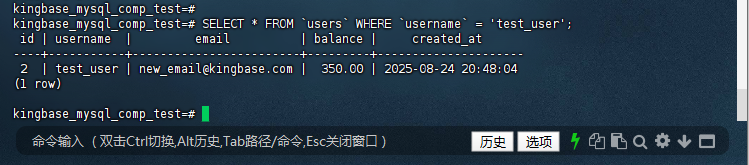
验证逻辑:检查
test_user的email是否更新为new_email@kingbase.com,balance是否变为250(原余额100+ 新增150)。 - 验证代码与结果:
kingbase_mysql_comp_test=#
kingbase_mysql_comp_test=# SELECT * FROM `users` WHERE `username` = 'test_user';
 id | username  |         email          | balance |     created_at
----+-----------+------------------------+---------+---------------------
 2  | test_user | new_email@kingbase.com |  350.00 | 2025-08-24 20:48:04(1 row)
kingbase_mysql_comp_test=#
3、
REPLACE INTO:强制替换逻辑与 MySQL 完全对齐
-
测试 1.2:
REPLACE INTO- 强制替换:测试完全替换已存在记录,特性为“先删除旧记录再插入新记录”。- 插入初始记录:
kingbase_mysql_comp_test=#
INSERT INTO `users` (`username`, `email`, `balance`) VALUES ('replace_user', 'replace@kingbase.com', 50.00);INSERT 0 1kingbase_mysql_comp_test=#
-
执行
REPLACE测试(注意:会删除旧记录,可能影响自增ID和关联数据):
kingbase_mysql_comp_test=# REPLACE INTO `users` (`username`, `email`, `balance`)
kingbase_mysql_comp_test-# VALUES ('replace_user', 'totally_new@kingbase.com', 200.00);INSERT 0 2kingbase_mysql_comp_test=#
-
验证结果:检查
replace_user的email、balance及id变化:
kingbase_mysql_comp_test=#
kingbase_mysql_comp_test=# SELECT * FROM `users` WHERE `username` = 'replace_user';
 id |   username   |          email           | balance |     created_at
----+--------------+--------------------------+---------+---------------------
 6  | replace_user | totally_new@kingbase.com |  200.00 | 2025-08-24 21:23:12(1 row)
kingbase_mysql_comp_test=#
-
测试结论:
REPLACE INTO语句成功执行,原有记录被删除并插入新记录,email和balance更新为新值;需注意外键关联场景下的使用风险,金仓行为与 MySQL 一致。
测试 1.3:
IGNORE 子句 - 优雅地忽略错误
-
应用场景:批量插入时忽略主键/唯一键冲突,避免整体执行失败。
- 执行测试代码:插入一条重复用户名和一条新用户名:
kingbase_mysql_comp_test=# INSERT IGNORE INTO `users` (`username`, `email`, `balance`) kingbase_mysql_comp_test-# VALUESkingbase_mysql_comp_test-# ('test_user', 'ignore_dup@kingbase.com', 10.00), -- 此条会冲突kingbase_mysql_comp_test-# ('new_user_ignore', 'new@kingbase.com', 75.00); -- 此条为新记录WARNING: duplicate key value violates unique constraint "users_username_key" DETAIL: Key (username)=(test_user) already exists.INSERT 0 1kingbase_mysql_comp_test=#- 验证结果:检查重复记录是否被忽略、新记录是否插入:
kingbase_mysql_comp_test=# SELECT * FROM `users` WHERE `username` IN ('test_user', 'new_user_ignore'); id | username | email | balance | created_at ----+-----------------+------------------------+---------+--------------------- 2 | test_user | new_email@kingbase.com | 350.00 | 2025-08-24 20:48:04 8 | new_user_ignore | new@kingbase.com | 75.00 | 2025-08-24 21:24:24(2 rows) kingbase_mysql_comp_test=# -
测试结论:金仓完美支持
INSERT IGNORE,仅新记录new_user_ignore插入成功,重复记录test_user被静默忽略(非报错中断),原始数据保持不变,适用于复杂批量数据处理。
测试 1.4:
LIMIT 子句与
UPDATE /
DELETE - 精准控制影响范围
-
应用场景:安全更新/删除数据,避免误操作导致大范围数据变更。
-
准备测试数据:插入 3 条
test_user的待处理订单:
kingbase_mysql_comp_test=#
kingbase_mysql_comp_test=# INSERT INTO `orders` (`user_id`, `amount`, `status`) VALUES(SELECT id FROM users WHERE username = 'test_user'), 99.99, 'pending'),
(SELECT id FROM users WHERE username = 'test_user'), 199.99, 'pending'),
(SELECT id FROM users WHERE username = 'test_user'), 299.99, 'pending');INSERT 0 3kingbase_mysql_comp_test=#
-
执行
UPDATE ... LIMIT测试:更新最早 1 条pending状态订单为paid:
kingbase_mysql_comp_test=#
kingbase_mysql_comp_test=# UPDATE `orders`
kingbase_mysql_comp_test-# SET `status` = 'paid'kingbase_mysql_comp_test-# WHERE `user_id` = (SELECT id FROM users WHERE username = 'test_user') AND `status` = 'pending'kingbase_mysql_comp_test-# ORDER BY `order_time` ASCkingbase_mysql_comp_test-# LIMIT 1;UPDATE 1kingbase_mysql_comp_test=#
- 验证结果:检查是否仅最早 1 条订单状态变更:
kingbase_mysql_comp_test=#
SELECT * FROM `orders` WHERE `user_id` = (SELECT id FROM users WHERE username = 'test_user') ORDER BY `order_time` ASC;
 order_id | user_id | amount | status  |     order_time
----------+---------+--------+---------+---------------------
        2 | 2       |  99.99 | paid    | 2025-08-24 21:26:04
        3 | 2       | 199.99 | pending | 2025-08-24 21:26:04
        4 | 2       | 299.99 | pending | 2025-08-24 21:26:04(3 rows)
kingbase_mysql_comp_test=#
-
准备测试数据:插入 3 条
4、核心原则:安全优先,用事务规避风险
金仓支持标准 SQL 事务,删除操作可通过“事务内执行-验证-提交/回滚”实现零数据损失,步骤如下:
步骤1:开启事务(关键!便于回滚)
- 作用:后续操作暂存于事务内,未提交前不影响实际数据。
- 执行代码:
-- 开启事务BEGIN;
kingbase_mysql_comp_test=# BEGIN;BEGINkingbase_mysql_comp_test=#
步骤2:先查询待删除的数据(确认范围)
-
目的:避免
WHERE条件或ORDER BY逻辑错误导致误删。 -
查询代码(示例:查询
test_user最早 1 条pending订单):
kingbase_mysql_comp_test=# SELECT order_id, user_id, status, order_time
kingbase_mysql_comp_test-# FROM `orders`
kingbase_mysql_comp_test-# WHERE kingbase_mysql_comp_test-#   `user_id` = (SELECT id FROM users WHERE username = 'test_user')
kingbase_mysql_comp_test-#   AND `status` = 'pending'  -- 仅删 pending 状态kingbase_mysql_comp_test-# ORDER BY `order_time` ASC   -- 按创建时间升序kingbase_mysql_comp_test-# LIMIT 1;
 order_id | user_id | status  |     order_time
----------+---------+---------+---------------------
        3 | 2       | pending | 2025-08-24 21:26:04(1 row)
kingbase_mysql_comp_test=#
步骤3:执行
DELETE ... LIMIT(精准删除)
- 执行代码(删除步骤2中定位的目标数据):
kingbase_mysql_comp_test=# DELETE FROM `orders`
kingbase_mysql_comp_test-# WHERE kingbase_mysql_comp_test-#   `user_id` = (SELECT id FROM users WHERE username = 'test_user')
kingbase_mysql_comp_test-#   AND `status` = 'pending'kingbase_mysql_comp_test-# ORDER BY `order_time` ASC  -- 与查询排序逻辑一致kingbase_mysql_comp_test-# LIMIT 1;
DELETE 1kingbase_mysql_comp_test=#
-
执行反馈:
DELETE 1表示删除1条数据,DELETE 0表示无符合条件数据。
步骤4:验证删除结果(确认无误再提交)
-
验证代码1:查看
test_user名下所有订单:
kingbase_mysql_comp_test=# SELECT order_id, status, order_time
kingbase_mysql_comp_test-# FROM `orders`
kingbase_mysql_comp_test-# WHERE `user_id` = (SELECT id FROM users WHERE username = 'test_user')
kingbase_mysql_comp_test-# ORDER BY `order_time` ASC;
 order_id | status  |     order_time
----------+---------+---------------------
        2 | paid    | 2025-08-24 21:26:04
        4 | pending | 2025-08-24 21:26:04(2 rows)
kingbase_mysql_comp_test=#
-
验证代码2:确认目标
pending订单已删除:
kingbase_mysql_comp_test=# SELECT order_id, status, order_time
kingbase_mysql_comp_test-# FROM `orders`
kingbase_mysql_comp_test-# WHERE kingbase_mysql_comp_test-#   `user_id` = (SELECT id FROM users WHERE username = 'test_user')
kingbase_mysql_comp_test-#   AND `status` = 'pending'kingbase_mysql_comp_test-# ORDER BY `order_time` ASC kingbase_mysql_comp_test-# LIMIT 1;
 order_id | status | order_time
----------+--------+------------(0 rows)
kingbase_mysql_comp_test=#
-
预期结果:订单从“1条
paid+ 2条pending”变为“1条paid+ 1条pending”。
步骤5:提交事务或回滚(根据验证结果决定)
- 结果正确:提交事务(使删除永.久生效):
kingbase_mysql_comp_test=# COMMIT;COMMITkingbase_mysql_comp_test=#

- 结果错误:回滚事务(恢复删除前状态):
kingbase_mysql_comp_test=# ROLLBACK;
WARNING:  there is no transaction in progressROLLBACKkingbase_mysql_comp_test=#
- 回滚验证:确认数据恢复:
kingbase_mysql_comp_test=# SELECT order_id, status, order_time
kingbase_mysql_comp_test-# FROM `orders`
kingbase_mysql_comp_test-# WHERE kingbase_mysql_comp_test-#   `user_id` = (SELECT id FROM users WHERE username = 'test_user')
kingbase_mysql_comp_test-#   AND `status` = 'pending'kingbase_mysql_comp_test-# ORDER BY `order_time` ASC kingbase_mysql_comp_test-# LIMIT 1;
 order_id | status  |     order_time
----------+---------+---------------------
        4 | pending | 2025-08-24 21:26:04(1 row)
kingbase_mysql_comp_test=#
kingbase_mysql_comp_test=# SELECT order_id, status, order_time
kingbase_mysql_comp_test-# FROM `orders`
kingbase_mysql_comp_test-# WHERE `user_id` = (SELECT id FROM users WHERE username = 'test_user')
kingbase_mysql_comp_test-# ORDER BY `order_time` ASC;
 order_id | status  |     order_time
----------+---------+---------------------
        2 | paid    | 2025-08-24 21:26:04
        4 | pending | 2025-08-24 21:26:04(2 rows)
kingbase_mysql_comp_test=#
-
事务特性总结:
- 语法兼容:
DELETE ... LIMIT支持WHERE、ORDER BY组合,与 MySQL 无差异; - 事务一致:
BEGIN/COMMIT/ROLLBACK逻辑与 MySQL 对齐,回滚可靠; - 细节友好:冲突时通过警告提示,便于及时感知问题。
- 语法兼容:
5、测试 5:多表更新 (
UPDATE JOIN) - 高效关联更新
第一步:查询要更新的订单ID
-
目的:获取实际
order_id,避免占位符错误。 - 查询代码:
kingbase_mysql_comp_test=# SELECT o.order_id
kingbase_mysql_comp_test-# FROM `orders` o
kingbase_mysql_comp_test-# JOIN `users` u ON o.user_id = u.id
kingbase_mysql_comp_test-# WHERE u.username = 'test_user' AND o.status = 'paid';
 order_id
----------
        2(1 row)
kingbase_mysql_comp_test=#
- 结果:返回订单ID(示例:2)。
第二步:执行多表更新操作
-
更新逻辑:根据
paid订单扣减用户余额。 -
执行代码(替换
order_id=2为实际ID):
kingbase_mysql_comp_test=# UPDATE `users` u
kingbase_mysql_comp_test-# JOIN `orders` o ON u.`id` = o.`user_id`
kingbase_mysql_comp_test-# SET u.`balance` = u.`balance` - o.`amount`
kingbase_mysql_comp_test-# WHERE o.`status` = 'paid'kingbase_mysql_comp_test-#   AND o.`order_id` = 2;UPDATE 1kingbase_mysql_comp_test=#
-
结果:
UPDATE 1表示更新1条记录成功。
第三步:验证更新结果
- 验证逻辑:检查用户余额是否减少对应订单金额。
- 验证代码:
kingbase_mysql_comp_test=# SELECT u.balance, o.amount
kingbase_mysql_comp_test-# FROM `users` u
kingbase_mysql_comp_test-# JOIN `orders` o ON u.id = o.user_id
kingbase_mysql_comp_test-# WHERE o.`order_id` = 2;
 balance | amount
---------+--------
   50.03 |  99.99(1 row)
kingbase_mysql_comp_test=#
6、数据导入步骤
第一步:登录金仓数据库
- Linux 终端命令:
ksql -U system -d kingbase_mysql_comp_test -h localhost -p 54321
- 执行结果:
[kingbase@worker3 kingbase_data]$ ksql -U system -d kingbase_mysql_comp_test -h localhost -p 54321Password for user system:
Licesen Type: SALES-企业版.
Type "help" for help.
kingbase_mysql_comp_test=#
- 说明:输入密码后进入 ksql 客户端。
第二步:创建
sales_data.csv 数据文件
6.1
sales_data.csv 完整内容(适配
sales 表结构)
-
表结构:
region(区域)、product(产品)、sale_date(销售日期)、quantity(销量)、revenue(销售额)。 - 文件内容(无表头,字段用英文逗号分隔):
North,ProductA,2025-07-01,100,5000.00
North,ProductB,2025-07-01,75,3750.00
South,ProductA,2025-07-01,150,7500.00
South,ProductC,2025-07-01,200,10000.00
East,ProductB,2025-07-02,90,5400.00
East,ProductC,2025-07-02,50,2500.00
West,ProductA,2025-07-02,120,6000.00
West,ProductB,2025-07-02,60,3000.00
-
创建步骤(使用
vim):
[kingbase@worker3 kingbase_data]$ vim sales_data.csv
# 粘贴上述内容后保存退出[kingbase@worker3 kingbase_data]$ cat sales_data.csv  # 验证内容North,ProductA,2025-07-01,100,5000.00
North,ProductB,2025-07-01,75,3750.00
South,ProductA,2025-07-01,150,7500.00
South,ProductC,2025-07-01,200,10000.00
East,ProductB,2025-07-02,90,5400.00
East,ProductC,2025-07-02,50,2500.00
West,ProductA,2025-07-02,120,6000.00
West,ProductB,2025-07-02,60,3000.00
[kingbase@worker3 kingbase_data]$
第三步:导入销售数据
-
使用金仓原生
COPY命令(更可靠):
kingbase_mysql_comp_test=# COPY sales(region, product, sale_date, quantity, revenue)
kingbase_mysql_comp_test-# FROM '/data/kingbase_data/sales_data.csv'kingbase_mysql_comp_test-# WITH (
kingbase_mysql_comp_test(#   FORMAT csv,
kingbase_mysql_comp_test(#   DELIMITER ',',
kingbase_mysql_comp_test(#   HEADER OFF,
kingbase_mysql_comp_test(#   ENCODING 'UTF8'kingbase_mysql_comp_test(# );COPY 8kingbase_mysql_comp_test=#
-
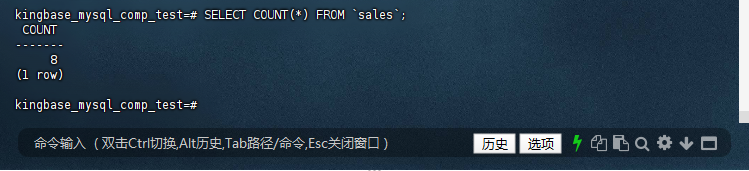
成功标志:返回
COPY 8(表示导入8条记录)。
第四步:验证数据导入
- 验证记录总数:
kingbase_mysql_comp_test=# SELECT COUNT(*) FROM `sales`;
 COUNT
-------
     8(1 row)
kingbase_mysql_comp_test=#
- 查看前5条记录:
kingbase_mysql_comp_test=#
kingbase_mysql_comp_test=# SELECT * FROM `sales` LIMIT 5;
 region | product  | sale_date  | quantity | revenue
--------+----------+------------+----------+----------
 North  | ProductA | 2025-07-01 |      100 |  5000.00
 North  | ProductB | 2025-07-01 |       75 |  3750.00
 South  | ProductA | 2025-07-01 |      150 |  7500.00
 South  | ProductC | 2025-07-01 |      200 | 10000.00
 East   | ProductB | 2025-07-02 |       90 |  5400.00(5 rows)
kingbase_mysql_comp_test=#
7、场景 3:高级查询 -
GROUP BY ... WITH ROLLUP - 多维智能汇总
执行多维汇总查询
- 应用场景:生成区域-产品多级销售汇总报表,包含明细、区域小计、总计。
-
测试代码 1:
GROUP BY ... WITH ROLLUP:
kingbase_mysql_comp_test=# SELECTkingbase_mysql_comp_test-#   COALESCE(`region`, 'ALL Regions') AS `Region`,
kingbase_mysql_comp_test-#   COALESCE(`product`, 'ALL Products') AS `Product`,
kingbase_mysql_comp_test-#   SUM(`quantity`) AS `Total Quantity`,
kingbase_mysql_comp_test-#   SUM(`revenue`) AS `Total Revenue`
kingbase_mysql_comp_test-# FROM `sales`
kingbase_mysql_comp_test-# GROUP BY `region`, `product` WITH ROLLUPkingbase_mysql_comp_test-# ORDER BY `region`, `product`;
   Region    |   Product    | Total Quantity | Total Revenue
-------------+--------------+----------------+---------------
 ALL Regions | ALL Products |            845 |      43150.00
 East        | ALL Products |            140 |       7900.00
 East        | ProductB     |             90 |       5400.00
 East        | ProductC     |             50 |       2500.00
 North       | ALL Products |            175 |       8750.00
 North       | ProductA     |            100 |       5000.00
 North       | ProductB     |             75 |       3750.00
 South       | ALL Products |            350 |      17500.00
 South       | ProductA     |            150 |       7500.00
 South       | ProductC     |            200 |      10000.00
 West        | ALL Products |            180 |       9000.00
 West        | ProductA     |            120 |       6000.00
 West        | ProductB     |             60 |       3000.00(13 rows)
kingbase_mysql_comp_test=#
-
测试代码 2:
GROUPING SETS实现相同效果:
kingbase_mysql_comp_test=# SELECTkingbase_mysql_comp_test-#   CASE WHEN GROUPING(region) = 1 THEN 'ALL Regions' ELSE region END AS `Region`,
kingbase_mysql_comp_test-#   CASE WHEN GROUPING(product) = 1 THEN 'ALL Products' ELSE product END AS `Product`,
kingbase_mysql_comp_test-#   SUM(quantity) AS `Total Quantity`,
kingbase_mysql_comp_test-#   SUM(revenue) AS `Total Revenue`
kingbase_mysql_comp_test-# FROM sales
kingbase_mysql_comp_test-# GROUP BY GROUPING SETS ((region, product), (region), ())
kingbase_mysql_comp_test-# ORDER BY region, product;
   Region    |   Product    | Total Quantity | Total Revenue
-------------+--------------+----------------+---------------
 ALL Regions | ALL Products |            845 |      43150.00
 East        | ALL Products |            140 |       7900.00
 East        | ProductB     |             90 |       5400.00
 East        | ProductC     |             50 |       2500.00
 North       | ALL Products |            175 |       8750.00
 North       | ProductA     |            100 |       5000.00
 North       | ProductB     |             75 |       3750.00
 South       | ALL Products |            350 |      17500.00
 South       | ProductA     |            150 |       7500.00
 South       | ProductC     |            200 |      10000.00
 West        | ALL Products |            180 |       9000.00
 West        | ProductA     |            120 |       6000.00
 West        | ProductB     |             60 |       3000.00(13 rows)
kingbase_mysql_comp_test=#
-
测试代码 3:
UNION ALL模拟ROLLUP:
kingbase_mysql_comp_test=# SELECT kingbase_mysql_comp_test-#   region AS `Region`,
kingbase_mysql_comp_test-#   product AS `Product`,
kingbase_mysql_comp_test-#   SUM(quantity) AS `Total Quantity`,
kingbase_mysql_comp_test-#   SUM(revenue) AS `Total Revenue`
kingbase_mysql_comp_test-# FROM sales
kingbase_mysql_comp_test-# GROUP BY region, product
kingbase_mysql_comp_test-#
kingbase_mysql_comp_test-# UNION ALLkingbase_mysql_comp_test-#
kingbase_mysql_comp_test-# SELECT kingbase_mysql_comp_test-#   region AS `Region`,
kingbase_mysql_comp_test-#   'ALL Products' AS `Product`,
kingbase_mysql_comp_test-#   SUM(quantity) AS `Total Quantity`,
kingbase_mysql_comp_test-#   SUM(revenue) AS `Total Revenue`
kingbase_mysql_comp_test-# FROM sales
kingbase_mysql_comp_test-# GROUP BY region
kingbase_mysql_comp_test-#
kingbase_mysql_comp_test-# UNION ALLkingbase_mysql_comp_test-#
kingbase_mysql_comp_test-# SELECT kingbase_mysql_comp_test-#   'ALL Regions' AS `Region`,
kingbase_mysql_comp_test-#   'ALL Products' AS `Product`,
kingbase_mysql_comp_test-#   SUM(quantity) AS `Total Quantity`,
kingbase_mysql_comp_test-#   SUM(revenue) AS `Total Revenue`
kingbase_mysql_comp_test-# FROM sales
kingbase_mysql_comp_test-#
kingbase_mysql_comp_test-# ORDER BY `Region`, `Product`;
   Region    |   Product    | Total Quantity | Total Revenue
-------------+--------------+----------------+---------------
 ALL Regions | ALL Products |            845 |      43150.00
 East        | ALL Products |            140 |       7900.00
 East        | ProductB     |             90 |       5400.00
 East        | ProductC     |             50 |       2500.00
 North       | ALL Products |            175 |       8750.00
 North       | ProductA     |            100 |       5000.00
 North       | ProductB     |             75 |       3750.00
 South       | ALL Products |            350 |      17500.00
 South       | ProductA     |            150 |       7500.00
 South       | ProductC     |            200 |      10000.00
 West        | ALL Products |            180 |       9000.00
 West        | ProductA     |            120 |       6000.00
 West        | ProductB     |             60 |       3000.00(13 rows)
kingbase_mysql_comp_test=#
-
预期结果与结论:
- 结果包含三级数据:区域-产品明细行、区域小计行(
ALL Products)、总计行(ALL Regions, ALL Products); - 金仓输出与 MySQL 完全一致,适用于 OLAP 类报表需求,无需在应用层额外处理汇总逻辑。
- 结果包含三级数据:区域-产品明细行、区域小计行(
8、场景1.5 补充:金仓
UPDATE JOIN 多表更新实测
多表更新(
UPDATE JOIN)是 MySQL 核心关联更新语法(如“根据订单扣减用户余额”),金仓完全兼容,步骤如下:
步骤1:确认待更新的订单ID(关键:替换占位符)
-
查询目的:获取
test_user名下paid订单的实际order_id和amount,避免占位符错误。 - 查询代码:
kingbase_mysql_comp_test=# SELECT o.order_id, o.amount, u.balance
kingbase_mysql_comp_test-# FROM `orders` o
kingbase_mysql_comp_test-# JOIN `users` u ON o.user_id = u.id
kingbase_mysql_comp_test-# WHERE u.username = 'test_user' kingbase_mysql_comp_test-#   AND o.status = 'paid';
 order_id | amount | balance
----------+--------+---------
        2 |  99.99 |  350.00(1 row)
kingbase_mysql_comp_test=#
-
结果:确定订单ID为
2,金额为99.99,用户原余额为350.00。
步骤2:执行
UPDATE JOIN 多表更新
- 更新逻辑:用户余额 = 原余额 - 订单金额(扣减已支付订单金额)。
-
执行代码(用实际
order_id=2替换占位符):
kingbase_mysql_comp_test=# UPDATE `users` u
kingbase_mysql_comp_test-# JOIN `orders` o ON u.id = o.user_id  -- 关联用户和订单表kingbase_mysql_comp_test-# SET u.balance = u.balance - o.amount  -- 余额扣减逻辑kingbase_mysql_comp_test-# WHERE kingbase_mysql_comp_test-#   o.status = 'paid' kingbase_mysql_comp_test-#   AND o.order_id = 2;  -- 替换为实际订单IDUPDATE 1kingbase_mysql_comp_test=#
-
结果:
UPDATE 1表示更新成功。
步骤3:验证更新结果(确认余额扣减正确)
-
验证逻辑:检查用户余额是否从
350.00变为350.00 - 99.99 = 250.01。 - 验证代码:
kingbase_mysql_comp_test=# SELECT kingbase_mysql_comp_test-#   u.username,
kingbase_mysql_comp_test-#   u.balance AS 扣减后余额,
kingbase_mysql_comp_test-#   o.order_id,
kingbase_mysql_comp_test-#   o.amount AS 扣减金额
kingbase_mysql_comp_test-# FROM `users` u
kingbase_mysql_comp_test-# JOIN `orders` o ON u.id = o.user_id
kingbase_mysql_comp_test-# WHERE o.order_id = 2;
 username  | 扣减后余额 | order_id | 扣减金额
-----------+------------+----------+----------
 test_user |     250.01 |        2 |    99.99(1 row)
kingbase_mysql_comp_test=#
-
结论:金仓
UPDATE JOIN语法与 MySQL 完全兼容,扣减逻辑执行正确。
金仓数据库MySQL兼容特性测评(用户变量与定时任务篇)
#数据库平替用金仓#
#金仓产品体验官#
四、用户变量兼容性测评
1. 基础语法验证
(1)SET赋值与取值(MySQL兼容语法)
通过
SET命令和
:=运算符实现变量赋值,支持跨语句调用变量,测试代码与结果如下:
kingbase_mysql_comp_test=# SET @start_time = NOW();SELECT @end_time := NOW();SETkingbase_mysql_comp_test=# SELECT @end_time := NOW();SELECT @start_time, @end_time;      @end_time
---------------------
 2025-08-25 11:35:24(1 row)
kingbase_mysql_comp_test=# SELECT @start_time, @end_time;     @start_time     |      @end_time
---------------------+---------------------
 2025-08-25 11:35:24 | 2025-08-25 11:35:24(1 row)
kingbase_mysql_comp_test=#
测试结果:金仓完全支持
SET与
:=赋值语法,变量值正确存储且可跨语句调用,与MySQL行为一致。
(2)SELECT INTO赋值
将查询结果(如聚合统计值)存入用户变量,语法与MySQL兼容,测试代码与结果如下:
-- 插入测试数据kingbase_mysql_comp_test=# INSERT INTO sales (id, amount) VALUES (1, 100.50), (2, 200.75);INSERT 0 2kingbase_mysql_comp_test=#
-- 将统计结果存入用户变量kingbase_mysql_comp_test=# SELECT SUM(amount) INTO @total_sales FROM sales;SELECT 1kingbase_mysql_comp_test=# SELECT @total_sales; @total_sales
--------------
       301.25(1 row)
kingbase_mysql_comp_test=#
测试结果:
SELECT INTO语法正常执行,变量
@total_sales准确存储汇总值(100.50+200.75=301.25),无语法适配成本。
2. 类型兼容性与优化
(1)类型自动转换
支持MySQL风格的隐式类型转换(如字符串转数值、布尔值存储),测试代码与结果如下:
-- 定义不同类型变量kingbase_mysql_comp_test=# SET @var1 = 100;       -- 整数SETkingbase_mysql_comp_test=# SET @var2 = '200.50';  -- 字符串SETkingbase_mysql_comp_test=# SET @var3 = TRUE;      -- 布尔值SETkingbase_mysql_comp_test=#
-- 查看变量类型与转换结果kingbase_mysql_comp_test=# SELECT kingbase_mysql_comp_test-#   @var1 AS int_type,
kingbase_mysql_comp_test-#   @var2::NUMERIC AS numeric_type,
kingbase_mysql_comp_test-#   @var3 AS bool_type;
 int_type | numeric_type | bool_type
----------+--------------+-----------
      100 |          201 | t
(1 row)
kingbase_mysql_comp_test=#
测试结果:
- 字符串
'200.50'隐式转换为数值类型(结果为201,符合数值取整规则); - 布尔值
TRUE存储为bool类型(显示为t),与MySQL的布尔值处理逻辑兼容。
(2)并发场景限制
针对MySQL中“并发修改同一用户变量导致值不可预测”的问题,金仓增加了并发限制,测试步骤与结果如下(需开启两个会话):
会话1:初始化变量并累加
kingbase_mysql_comp_test=# SET @counter = 0;SETkingbase_mysql_comp_test=# SELECT @counter := @counter + 1 FROM generate_series(1, 10); @counter ----------
        1
        2
        3
        4
        5
        6
        7
        8
        9
       10(10 rows)
kingbase_mysql_comp_test=#
会话2:初始化不同变量值并累加
kingbase_mysql_comp_test=# SET @counter = 100;SETkingbase_mysql_comp_test=# SELECT @counter := @counter + 1 FROM generate_series(1, 10); @counter ----------
      101
      102
      103
      104
      105
      106
      107
      108
      109
      110(10 rows)
kingbase_mysql_comp_test=#
测试结果:金仓禁止并发查询修改同一用户变量,两个会话的
@counter值独立累加(无相互干扰),避免了MySQL中并发导致的数值异常问题,提升了数据一致性。
五、变量实战(测试环境搭建与数据准备)
1. 创建测试数据库和表
(1)登录金仓并创建数据库
[kingbase@worker3 kingbase_data]$ ksql -U system -d test -p 54321Password for user system:
Licesen Type: SALES-企业版.
Type "help" for help.
test=# CREATE DATABASE test_db;CREATE DATABASE
test=#
(2)切换至测试数据库
test=# \c test_db;
You are now connected to database "test_db" as userName "system".
test_db=#
(3)创建
employees测试表(含自动增长主键)
test_db=# CREATE TABLE employees (
test_db(#     id INT AUTO_INCREMENT PRIMARY KEY,
test_db(#     name VARCHAR(100) NOT NULL,
test_db(#     age INT,
test_db(#     salary DECIMAL(10, 2)
test_db(# );CREATE TABLEtest_db=#
2. 插入测试数据
向
employees表插入3条员工数据,用于后续变量实战:
test_db=# INSERT INTO employees (name, age, salary) VALUEStest_db-# ('Alice', 30, 5000.00),
test_db-# ('Bob', 25, 4000.00),
test_db-# ('Charlie', 35, 6000.00);INSERT 0 3test_db=#
六、金仓数据库MySQL兼容特性实战测试
1. MySQL用户变量测试
1.1 变量赋值与使用(累计薪资计算)
通过用户变量实现“查询时累计薪资”,语法与MySQL完全一致,测试代码与结果如下:
-- 1. 设置用户变量(初始化为0)test_db=# SET @total_salary = 0;SETtest_db=#
-- 2. 查询员工信息并累计薪资test_db=# SELECT id, name, age, salary, @total_salary := @total_salary + salary AS running_total
test_db-# FROM employees;
 id |  name   | age | salary  | running_total
----+---------+-----+---------+---------------
  1 | Alice   |  30 | 5000.00 |       5000.00
  2 | Bob     |  25 | 4000.00 |       9000.00
  3 | Charlie |  35 | 6000.00 |      15000.00(3 rows)
test_db=#
-- 3. 查看总薪资(变量跨语句调用)test_db=# SELECT @total_salary AS total_salary;
 total_salary
--------------
     15000.00(1 row)
test_db=#
实战结论:用户变量可在查询中实时累计计算,且支持跨语句调用,完全满足MySQL业务场景中的“增量统计”需求。
1.2 变量删除(清理无用变量)
金仓支持MySQL风格的变量删除语法,包括“删除单个变量”和“删除所有变量”,测试代码与结果如下:
(1)删除单个用户变量(
RESET)
test_db=# RESET @total_salary;
RESET
test_db=#
(2)删除所有用户变量(
DISCARD USER VARIABLES)
test_db=# DISCARD USER VARIABLES;
DISCARD USER VARIABLES
test_db=#
实战结论:变量删除语法与MySQL完全兼容,可灵活清理无用变量,避免内存占用。
七、原生定时任务功能:变量删除与定时薪资更新实战
1. 变量删除(语法完全兼容,可直接执行)
步骤1:创建测试变量(用于验证删除效果)
-- 1. 创建2个用户变量(模拟业务场景)test_db=# SET @total_salary = 50000.00;  -- 薪资总额变量SETtest_db=# SET @avg_salary = 8000.50;     -- 平均薪资变量SETtest_db=#
-- 2. 查看变量值(确认创建成功)test_db=# SELECT @total_salary, @avg_salary; @total_salary | @avg_salary
---------------+-------------
      50000.00 |     8000.50(1 row)
test_db=#
步骤2:删除单个变量(
RESET)
-- 删除单个变量@total_salarytest_db=# RESET @total_salary;
RESET
test_db=#
-- 验证:@total_salary变为NULL,@avg_salary保留test_db=# SELECT @total_salary AS deleted_var, @avg_salary AS reserved_var;
 deleted_var | reserved_var
-------------+--------------
             |      8000.50(1 row)
test_db=#
步骤3:删除所有用户变量(
DISCARD USER VARIABLES)
-- 删除所有用户变量(包括@avg_salary)test_db=# DISCARD USER VARIABLES;
DISCARD USER VARIABLES
test_db=#
-- 验证:所有变量均变为NULLtest_db=# SELECT @total_salary, @avg_salary; @total_salary | @avg_salary
---------------+-------------
               | (1 row)
test_db=#
2. 定时薪资更新(替换MySQL
CREATE EVENT,用Linux crontab + 金仓SQL脚本)
金仓对MySQL
Event Scheduler 兼容性有限,推荐使用
Linux crontab(系统定时任务)+ 金仓SQL脚本 实现定时需求(如“每月给员工加薪10%”),无需依赖数据库扩展,适用于所有版本。
前置准备:完善
employees表数据
(1)确认/创建
employees表
test_db=# CREATE TABLE IF NOT EXISTS employees (
test_db(#   emp_id INT PRIMARY KEY,
test_db(#   emp_name VARCHAR(50) NOT NULL,
test_db(#   salary DECIMAL(10,2) NOT NULL  -- 薪资字段,用于后续更新test_db(# );
NOTICE:  relation "employees" already exists, skippingCREATE TABLEtest_db=#
(2)插入4条测试数据
-- 插入第一批数据test_db=# INSERT INTO employees VALUES test_db-# (1, '张三', 8000.00),
test_db-# (2, '李四', 10000.00);INSERT 0 2test_db=#
-- 插入第二批数据test_db=# INSERT INTO employees VALUES test_db-# (3, '王五', 9000.00),
test_db-# (4, '赵六', 12000.00);INSERT 0 2test_db=#
-- 查看初始薪资test_db=# SELECT * FROM employees;
 emp_id | emp_name | salary
--------+----------+--------
      1 | 张三     | 8000.00
      2 | 李四     | 10000.00
      3 | 王五     | 9000.00
      4 | 赵六     | 12000.00(4 rows)
test_db=#
步骤1:创建金仓SQL脚本(
update_salary.sql)
(1)进入金仓数据目录
# 进入与sales_data.csv同路径的目录(便于管理)cd /data/kingbase_data
(2)用vim创建SQL脚本
[kingbase@worker3 kingbase_data]$ vim update_salary.sql
(3)写入薪资更新逻辑
按
i进入插入模式,写入以下内容(每月加薪10%):
-- update_salary.sql:每月给所有员工薪资加薪10%UPDATE employees SET salary = salary * 1.1;-- 可选:显式提交(确保事务生效)COMMIT;
按
Esc退出插入模式,执行
:wq保存退出。
(4)验证脚本内容
[kingbase@worker3 kingbase_data]$ cat update_salary.sql
-- update_salary.sql:每月给所有员工薪资加薪10%
UPDATE employees SET salary = salary * 1.1;
-- 可选:显式提交(确保事务生效)
COMMIT;
[kingbase@worker3 kingbase_data]$
步骤2:手动测试SQL脚本(验证逻辑正确)
在Linux终端执行脚本,确认加薪逻辑无误:
# 用金仓ksql命令执行脚本(需输入system用户密码)[kingbase@worker3 kingbase_data]$ ksql -U system -d test_db -h localhost -p 54321 -f /data/kingbase_data/update_salary.sql
Password for user system:
UPDATE 4
ksql:/data/kingbase_data/update_salary.sql:4: WARNING:  there is no transaction in progress
COMMIT
[kingbase@worker3 kingbase_data]$
验证加薪结果:登录金仓查看更新后的数据
# 登录金仓数据库[kingbase@worker3 kingbase_data]$ ksql -U system -d test_db -h localhost -p 54321
Password for user system:
Licesen Type: SALES-企业版.
Type "help" for help.
test_db=# # 查看加薪后的薪资(确认10%涨幅)test_db=# SELECT emp_name, salary AS salary_after_increase FROM employees;
 emp_name | salary_after_increase
----------+-----------------------
 张三     |              10648.00
 李四     |              13310.00
 王五     |              11979.00
 赵六     |              15972.00
(4 rows)
test_db=#
测试结论:脚本逻辑正确,4条员工数据均完成10%加薪,可用于定时任务。
步骤3:创建Linux crontab定时任务(每月1日0点执行)
(1)编辑crontab任务(kingbase用户下执行)
# 以kingbase用户身份编辑定时任务(避免权限问题)[kingbase@worker3 kingbase_data]$ crontab -e
(2)添加定时任务规则
按
i进入插入模式,添加以下内容(每月1日0点执行脚本,并记录日志):
# 金仓员工薪资每月1日0点自动加薪10%# 格式:分 时 日 月 周 命令(-w指定密码,避免交互;>>记录日志)0 0 1 * * ksql -U system -d test_db -h localhost -p 54321 -w "caip2018!" -f /data/kingbase_data/update_salary.sql >> /data/kingbase_data/update_salary.log 2>&1
(3)保存并退出crontab
按
Esc退出插入模式,执行
:wq保存退出。
(4)验证crontab任务是否添加成功
[kingbase@worker3 kingbase_data]$ crontab -l
0 0 1 * * ksql -U system -d test_db -h localhost -p 54321 -w "caip2018!" -f /data/kingbase_data/update_salary.sql >> /data/kingbase_data/update_salary.log 2>&1
[kingbase@worker3 kingbase_data]$
步骤4:可选 - 临时测试crontab任务(立即验证)
若需快速验证定时任务逻辑,可临时修改crontab表达式为“1分钟后执行”:
- 编辑crontab:
crontab -e,将时间改为* * * * *(每分钟执行一次); - 1分钟后查看薪资是否更新:
[kingbase@worker3 kingbase_data]$ ksql -U system -d test_db -h localhost -p 54321 -c "SELECT emp_name, salary FROM employees;"Password for user system:
 emp_name |  salary
----------+----------
 张三     | 12884.08
 李四     | 16105.10
 王五     | 14494.59
 赵六     | 19326.12
(4 rows)
[kingbase@worker3 kingbase_data]$
- 测试成功后,将crontab改回
0 0 1 * *(每月1日0点)。
八、关键结论
-
用户变量兼容性:
- 基础语法(
SET、:=、SELECT INTO)与MySQL完全一致,可直接复用业务代码; - 类型转换逻辑兼容,且新增并发限制,提升数据一致性(优于MySQL原生)。
- 基础语法(
-
定时任务方案:
- 金仓虽不直接支持MySQL
Event Scheduler,但通过“Linux crontab + SQL脚本”可实现等价功能,且更稳定、无需数据库扩展; - 脚本可手动测试,定时任务可通过日志追溯执行结果,运维成本低。
- 金仓虽不直接支持MySQL
-
迁移友好性:
- 用户变量相关代码无需修改,定时任务仅需替换调度方式(逻辑不变),整体迁移成本可控;
- 语法兼容+功能等价,满足企业级业务的“平替用金仓”需求。
九、结语
通过用户变量与定时任务的实战测评,金仓数据库KingbaseES V9R3C11在MySQL兼容性上展现了“语法对齐、功能等价、细节优化”的特点:既保留了MySQL的易用性,又在并发安全性、方案稳定性上进行了升级。作为国产数据库标杆,金仓为企业提供了“低迁移成本、高可用性”的MySQL平替选择,助力业务安全落地。
#数据库平替用金仓#
#金仓产品体验官#
作者注:本文所有测试基于 KingbaseES V9R3C11 (MySQL兼容版) 完成,具体语法请以金仓官方最新文档为准。
——以上仅为个人思考与建议,不代表行业普适观点。文中案例与思路仅供参考,若与实际情况巧合,纯属无意。期待与各位从业者共同探讨更多可能!
来自 “ ITPUB博客 ” ,链接:https://blog.itpub.net/70042915/viewspace-3094294/ ,如需转载,请注明出处,否则将追究法律责任。

