Scrapy是一个被广泛应用于爬取网站和提取结构化数据的应用框架,例如数据挖掘、信息处理等等。其设计之处就是为了网站爬虫,发展到现在已经可以使用 APIs 来提取数据,是一个通用的网站爬取工具。
🚀安装
在kali中,因为已经安装了python环境,所以我们用下面的命令可以直接安装。
pip install Scrapy
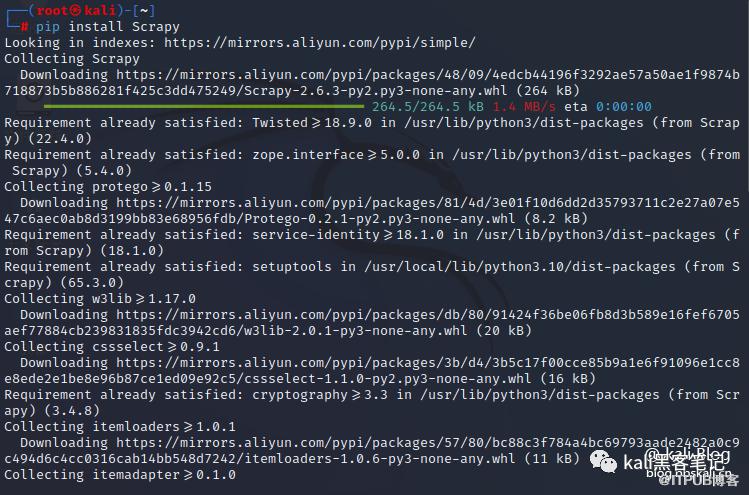 安装是不是很简单呢?现在我们通过官方的小demo来演示如何爬虫。将下面的文件保存为
22.py文件
import scrapy
class QuotesSpider(scrapy.Spider):
    name = 'quotes'
    start_urls = [
        'https://quotes.toscrape.com/tag/humor/',
    ]
    def parse(self, response):
        for quote in response.css('div.quote'):
            yield {
                'author': quote.xpath('span/small/text()').get(),
                'text': quote.css('span.text::text').get(),
            }

        next_page = response.css('li.next a::attr("href")').get()
        if next_page is not None:
            yield response.follow(next_page, self.parse)
执行下面命令
scrapy runspider 22.py -o bbskali.jl
爬虫结果会保存到bbskali.jl文件中。保存数据格式为json。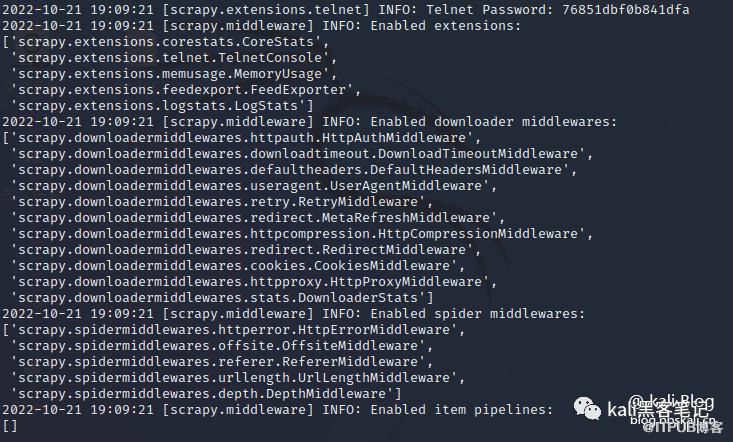
爬虫结果
⛪代码分析
现在我们对代码进行分析
首先来看看官方提供的demo页面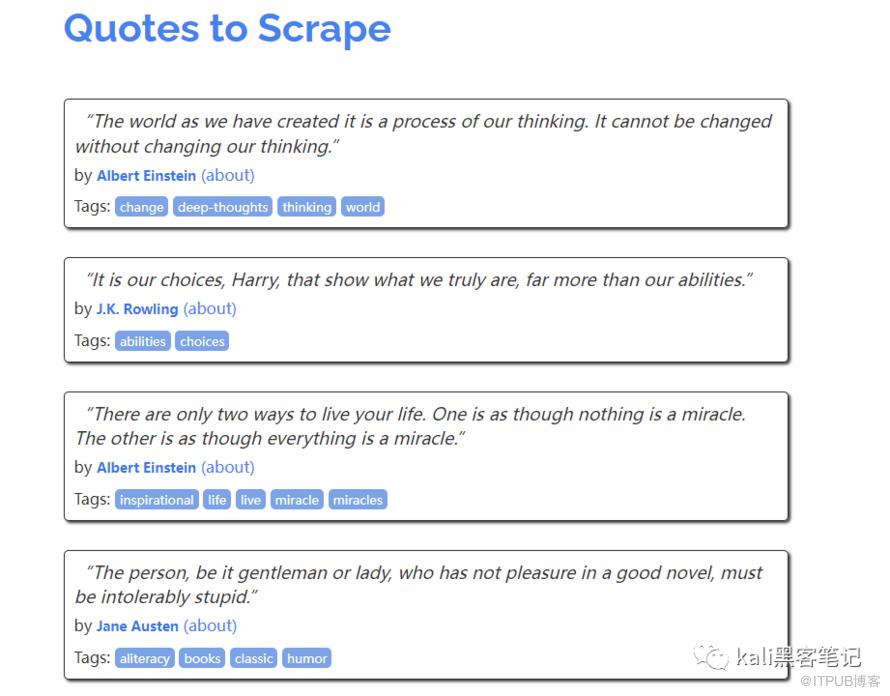 对于的代码如下
<div class="quote" itemscope="" itemtype="http://schema.org/CreativeWork">
        <span class="text" itemprop="text">“The world as we have created it is a process of our thinking. It cannot be changed without changing our thinking.”</span>
        <span>by <small class="author" itemprop="author">Albert Einstein</small>
        <a href="/author/Albert-Einstein">(about)</a>
        </span>
        <div class="tags">
            Tags:
            <meta class="keywords" itemprop="keywords" content="change,deep-thoughts,thinking,world">
            <a class="tag" href="/tag/change/page/1/">change</a>
            <a class="tag" href="/tag/deep-thoughts/page/1/">deep-thoughts</a>
            <a class="tag" href="/tag/thinking/page/1/">thinking</a>
            <a class="tag" href="/tag/world/page/1/">world</a>
        </div>
    </div>
现在我们对爬虫代码分析
#导入爬虫模块
import scrapy
class QuotesSpider(scrapy.Spider):
#定义了name和start_urls两个变量。其中start_urls就是爬虫的目标网站。
    name = 'quotes'
    start_urls = [
        'https://quotes.toscrape.com/',
    ]

    def parse(self, response):
#遍历使用css为quote的元素
        for quote in response.css('div.quote'):
# 生成包含提取的quote文本和作者的字典
#获取DIV下author和text的值
            yield {
                'author': quote.xpath('span/small/text()').get(),
                'text': quote.css('span.text::text').get(),
            }
#查找指向下一页的链接
        next_page = response.css('li.next a::attr("href")').get()
        if next_page is not None:

            yield response.follow(next_page, self.parse)
quote.xpath('span/small/text()') 深度遍历获取目标 div 下的 span 标签,span标签下的 small 标签,并传入 text ()。使用 get ()函数获取其文本值
对于的DIV如下
<span>by <small class="author" itemprop="author">Albert Einstein</small>
quote.css('span.text::text').get(),获取css下的span元素下的css为text元素的值。对于的DIV如下:
<span class="text" itemprop="text">“The world as we have created it is a process of our thinking. It cannot be changed without changing our thinking.”</span>
同样,我们可以写出获取tag标签的值。
<div class="tags">
   <a class="tag" href="/tag/humor/page/1/">humor</a>
</div>
'tags': quote.css('a.tag::text').getall() 这里的getall是获取全部。
🌈牛刀小试
这里我们爬取大表哥论坛中的会员排行榜为例
import scrapy
class QuotesSpider(scrapy.Spider):
    name = 'quotes'
    start_urls = [
        'https://bbskali.cn/portal.php',
    ]

    def parse(self, response):
        for quote in response.css('div.z'):
            yield {
              'z': quote.xpath('p/a/text()').get(),
              'z1': quote.css('p::text').get(),
            }

        next_page = response.css('li.next a::attr("href")').get()
        if next_page is not None:
            yield response.follow(next_page, self.parse)
爬取结果如下: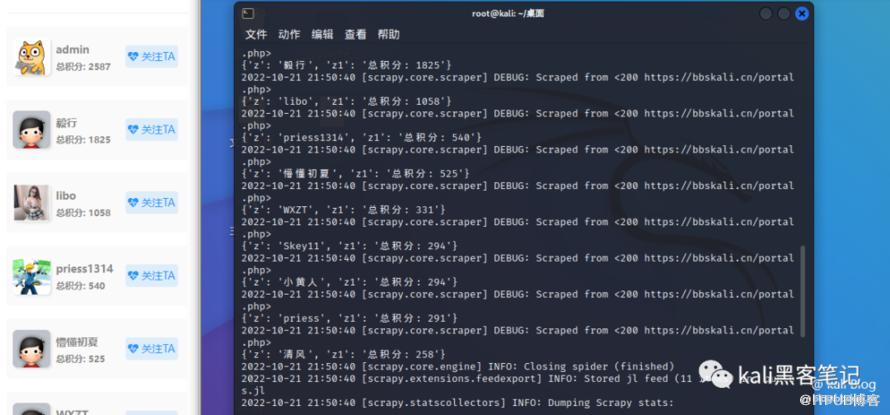
需要注意的是汉字会Unicode编码
好了,后面我们还会对此款工具做详细的介绍。尽情期待!!!
更多精彩教程 欢迎关注我们
原文作者:Kali笔记;如有侵权,请联系管理员删除。
上一篇:
Kali中那些优秀的web漏洞扫描工具
下一篇:
Kali中那些优秀的子域名扫描工具

请登录后发表评论
登录
全部评论
