关于jupyter
Jupyter Notebook 的本质是一个 Web 应用程序,便于创建和共享程序文档,支持实时代码,数学方程,可视化和 markdown。用途包括:数据清理和转换,数值模拟,统计建模,机器学习等等。
本节将演示如何安装使用jupyter,实现在线Pyhton编程:
1、执行命令查看jupyter的配置文件位置
其实看控制台可以发现默认会安装在/root/anaconda3目录,且jupyter的配置文件在: /root/.jupyter/jupyter_notebook_config.py 这里。如果你没看到这些也没关系。可以通过如下这个命令找到(生成)这个配置文件。
1. 如果是root用户:
[root@djt_37_152 wj]$ jupyter notebook --generate-config --allow-root
#控制台输出类似信息:Writing default config to: /root/.jupyter/jupyter_notebook_config.py12
2、非root用户:
[biztech@djt_37_152 wj]$ jupyter notebook --generate-config
#控制台输出类似信息:同上
2、安装jupyter的相关插件
先执行pip install jupyter_contrib_nbextensions
再执行jupyter contrib nbextension install --user
[root@djt_37_152 wj]# pip install jupyter_contrib_nbextensions
[root@djt_37_152 wj]# jupyter contrib nbextension install --user
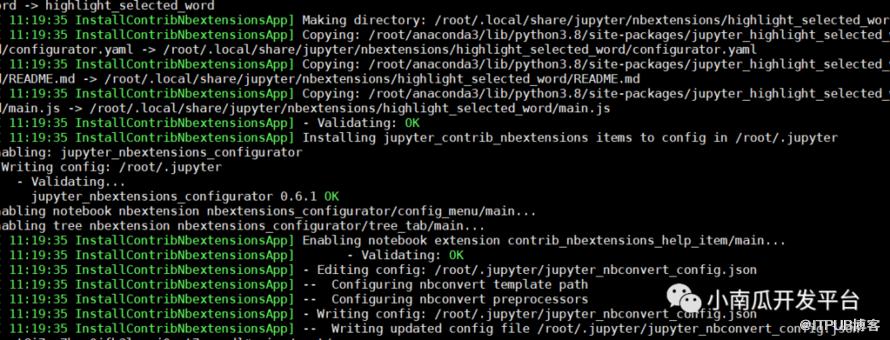
安装成功后输入如下信息
3、环境配置
打开ipython,生成密码
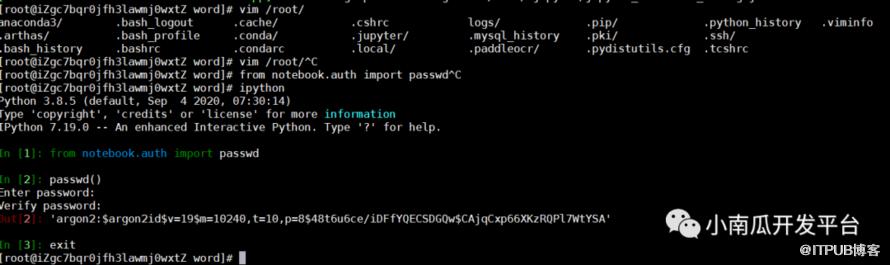
[root@iZgc7bqr0jfh3lawmj0wxtZ word]# ipython

Python 3.8.5(default, Sep  42020,07:30:14)

Type 'copyright','credits'or'license'for more information

IPython 7.19.0-- An enhanced Interactive Python. Type '?'forhelp.


In [1]:from notebook.auth import passwd


In [2]: passwd()

Enter password: 输入密码
Verify password: 输入密码
Out[2]:'argon2:$argon2id$vsdfdsfsdfd40,t=10sfdfiDFfYQECSDGQw$CAjqCxp66XKsdfWsdfA'


In [3]:
4、编辑配置文件jupyter_notebook_config.py
[root@djt_37_152 wj]# vim /root/.jupyter/jupyter_notebook_config.py
#改几个地方:
c.NotebookApp.ip = 'xx.xxx.xx.xxx'            即对外提供访问的ip(不能是公网的IP,需要内网的ip,可以用ifconfig获取)
c.NotebookApp.port = 5555                     即对外提供访问的端口
c.NotebookApp.open_browser = False            False即启动不打开浏览器
c.NotebookApp.password = u'argon2:$argon2id$v=19$m=10sdfdsfpsdf/suYvnQ3+2wdq2SGpw$bZNkHCGYqg/JrTQRZsXaQA'   这个就是上面生成的秘钥
c.NotebookApp.notebook_dir = u'/root' 即设置jupyter启动后默认的根目录
5、启动运行
启动jupyter
如果用root启动:
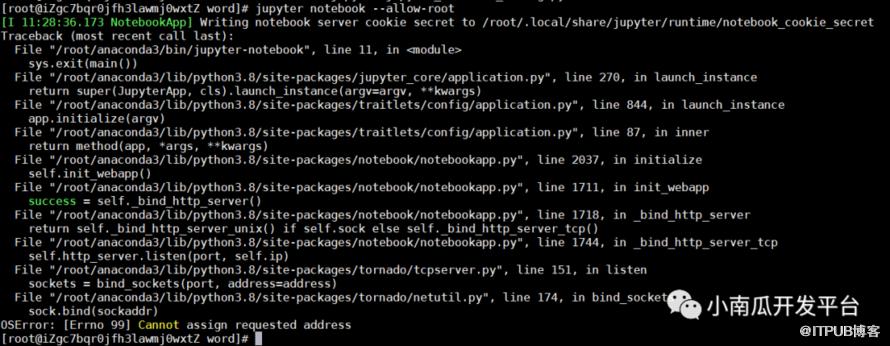
[root@djt_37_152 wj]$ jupyter notebook --allow-root
非root用户启动:
[biztech@djt_37_152 wj]$ jupyter notebook
6、后台运行
如果想让进程在后台运行,只需要在上面的命令后面加&即可,比如:
1.入门级: jupyter notebook --allow-root > jupyter.log 2>&1 &
2.进阶版: nohup jupyter notebook --allow-root > jupyter.log 2>&1 &

7、验证
输入密码即可登录

写在最后:
学习完本套课程,您将能单独完成OCR文字识别、人脸识别等人工智能技术。结合实际业务需求,可做出各类场景产品
原文作者:小南瓜开发平台;如有侵权,请联系管理员删除。

请登录后发表评论
登录
全部评论
