【YashanDB知识库】使用select * 创建的物化视图无法进行查询重写
问题现象
使用如下语句准备测试数据:
alter system set query_rewrite_enabled=force scope=both;
drop table test;
create table test(tid number, tname varchar2(30));
begin
  for i in 1..100000 loop
    insert into test values(i, i||'abcd');
  end loop;
end;
/
commit;
drop materialized view mv_1;
create materialized view mv_1
as
select * from test where tid = 66;
alter materialized view mv_1 enable query rewrite;
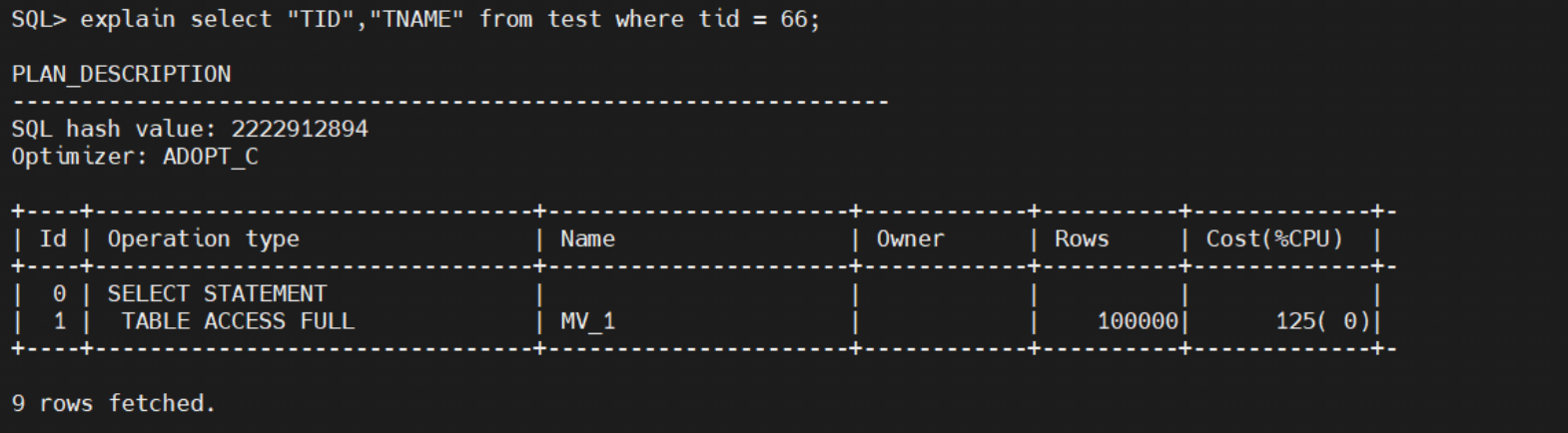
使用select * from test where tid = 66以及select tid,tname from test where tid = 66,均无法进行查询重写:

使用带双引号的大写字段名才可以进行查询重写:
问题的风险及影响
物化视图无法进行查询重写,影响查询性能
问题影响的版本
所有yashandb版本
问题发生原因
目前yashandb在进行物化视图的查询重写时,使用的是select中的列名匹配,未根据查询的语义进行匹配
解决方法及规避方式
在select中使用带双引号的大写列名
问题分析和处理过程
在存储物化视图时,create 物化视图如果下发的是select *,那么yashandb会将select *展开,存储为列名

在matchCompactedSQLText中,使用的是列名进行匹配。
1、如果后面想进行查询重写的语句是select *,目前的实现是在select *展开以前进行列的匹配,很明显,与dba_mviews中存储的select "TID","TNAME"是匹配不上的
2、如果后面想进行查询重写的语句是select tid,tname,因为大小写匹配不上
3、如果后面想进行查询重写的语句是select TID,TNAME,因为没有用双引号包含,依然匹配不上
以上三种情况均无法进行查询重写
经验总结
目前yashandb的物化视图查询重写功能还是比较弱,急需改进。
来自 “ ITPUB博客 ” ,链接:https://blog.itpub.net/70028812/viewspace-3023767/ ,如需转载,请注明出处,否则将追究法律责任。

最新文章
- 10亿美元收购Neon背后的技术风口:数据分支爆红,YashanDB正式发布数据沙箱
- 为AI Coding设计!YashanDB发布极简应用开发Skill套件
- 行业发布!企业级龙虾管控方案YashanClaw来了
- 图灵奖得主断言“AI Agent最后全是数据库问题”,YashanDB如何破解 AI落地困局
- YashanDB CREATE DATABASE LINK语句
- YashanDB COMMIT语句
- YashanDB COMMENT语句
- YashanDB BUILD DATABASE语句
- YashanDB BACKUP DATABASE函数
- YashanDB BACKUP ARCHIVELOG语句
