ELK日志分析平台中filebeat和packbeat的使用

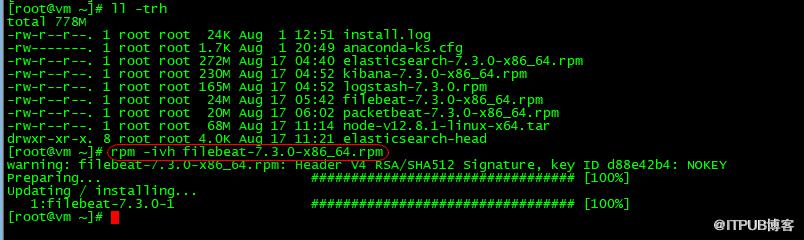
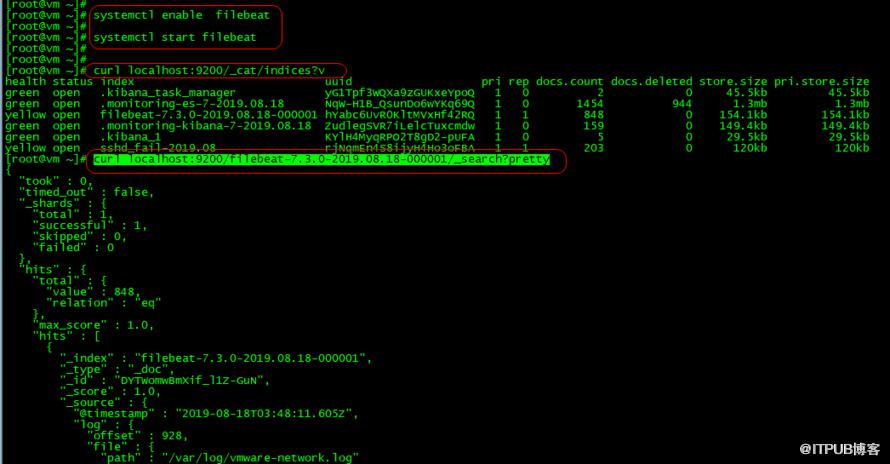
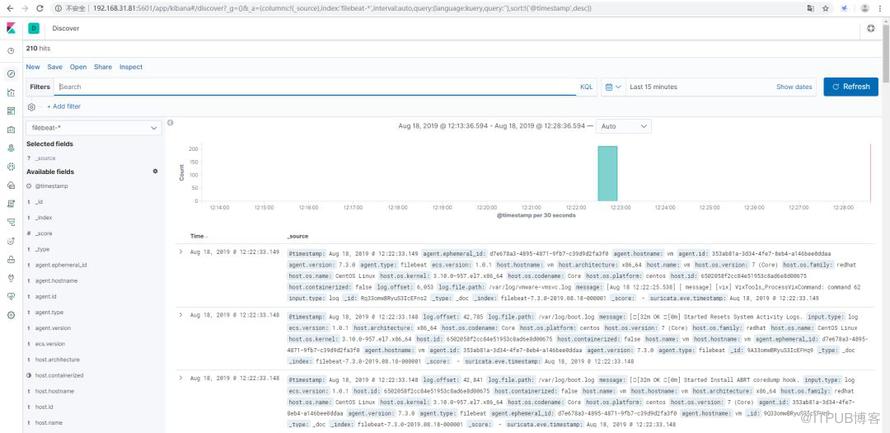
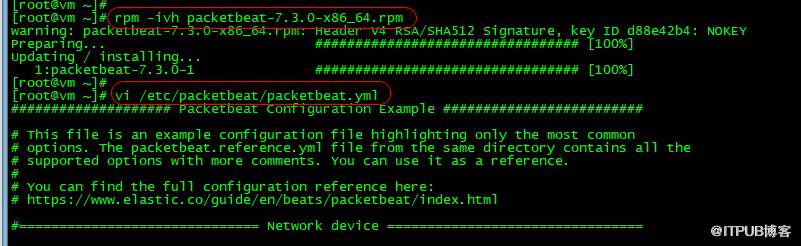
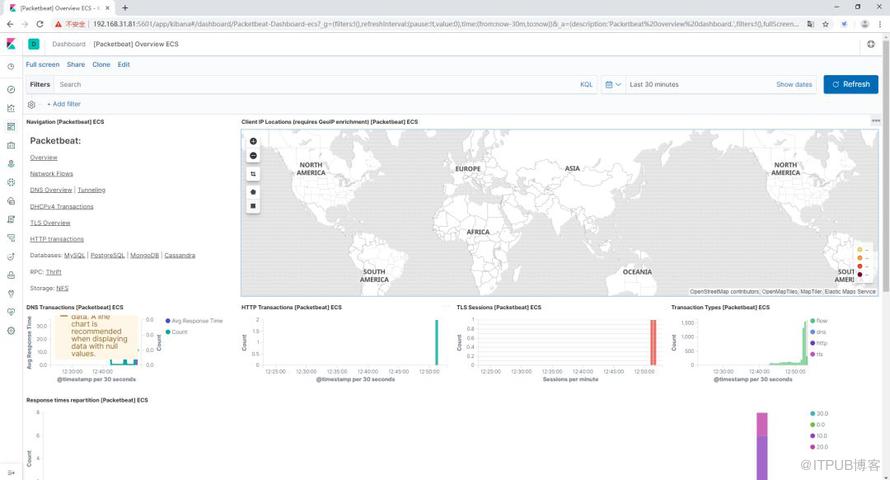
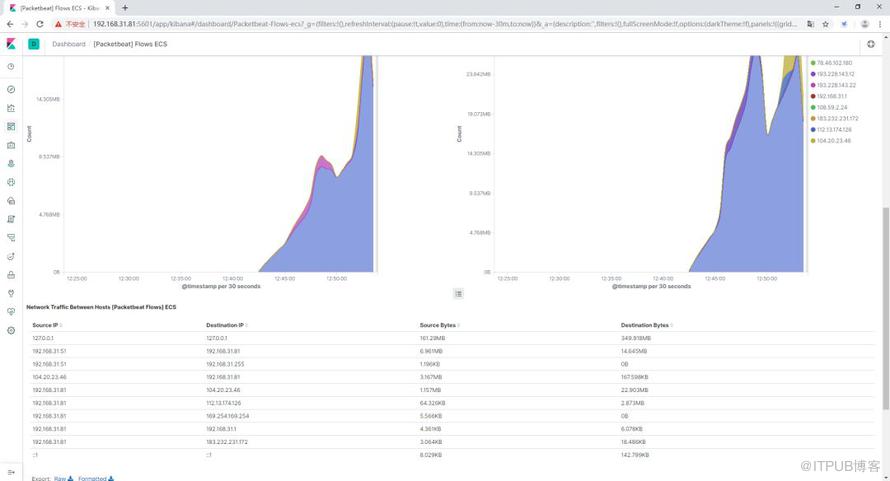
在上一篇文章CentOS7下ELK日志分析平台的简单搭建步骤的基础下,下面介绍filebeat和packetbeat的安装与使用
 vi /etc/filebeat/filebeat.yml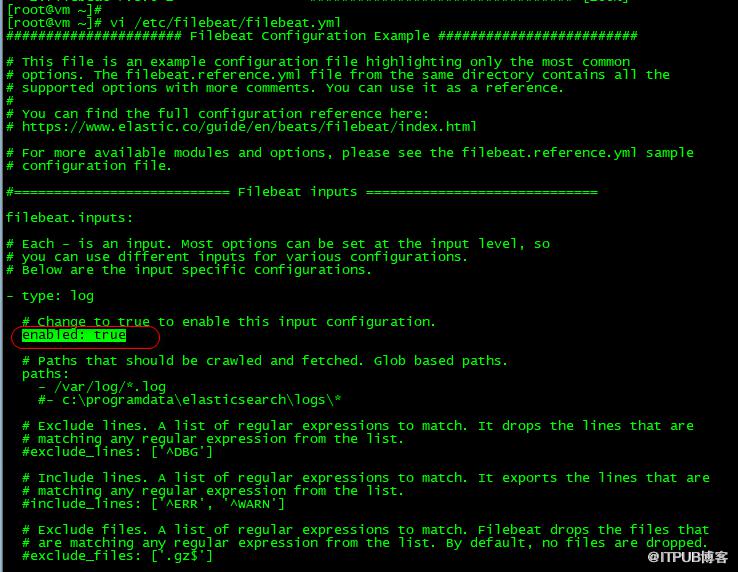

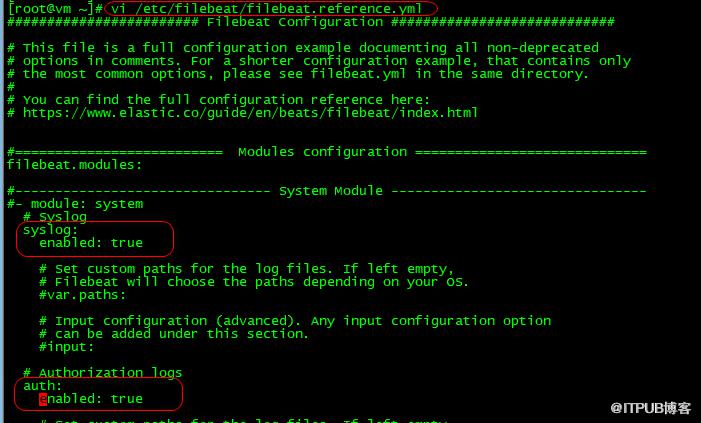
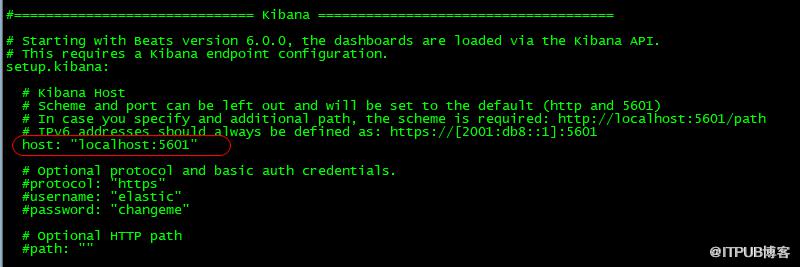




原文作者:WalkingCloud;如有侵权,请联系管理员删除。

请登录后发表评论
登录
全部评论
最新文章
- GrayLog常见问题收录-FAQ篇
- 使用GraylogDataNode作为内置OpenSearch日志存储的GrayLog6.1.2一键安装脚本
- 开源日志平台GrayLog最新版本6.1.0的一键安装脚本
- GrayLog6.0.X通过yum方式升级到最新版本
- 专业强大好用的SSH终端/SFTP客户端工具-Xshell8+XFTP8免费版
- GrayLog对接DLP并实现数据安全告警单独发送给员工主管
- 国产免费NAS系统-飞牛私有云fnOS安装初体验
- 使用RR(Redpill Recovery)引导安装最新群晖NAS系统DSM7.2.1
- 开源日志平台GrayLog最新稳定版本6.0.5的一键安装脚本
- shell脚本+webhook实现联动一键联动删除异常大小的文件
