How to invoke Standard Choose Organizations Form From your form
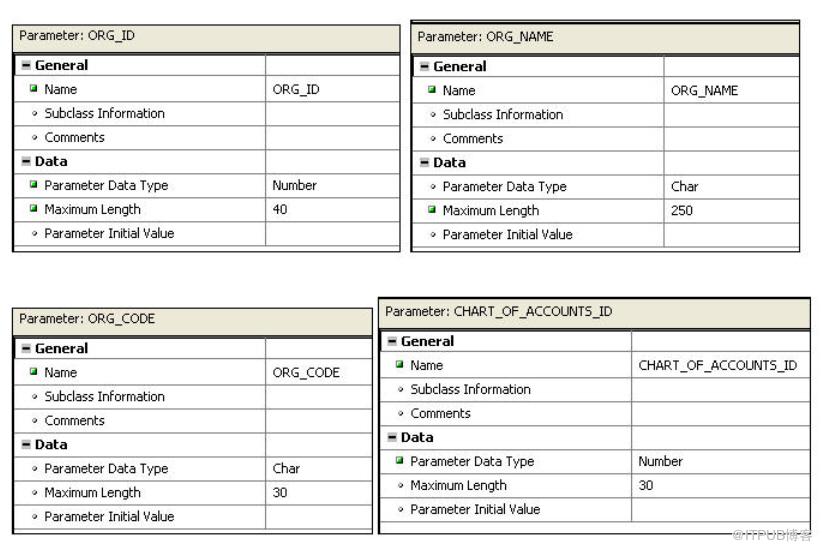
Step1: Create 4 parameters in your custom form,ORG_ID,ORG_CODE,ORG_NAME,CHART_OF_ACCOUNTS_ID
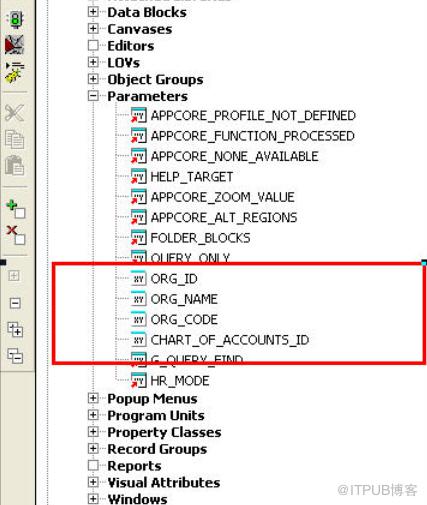
Attributes like below
Step2: Pre-Form Trigger, call FND_ORG.CHOOSE_ORG;
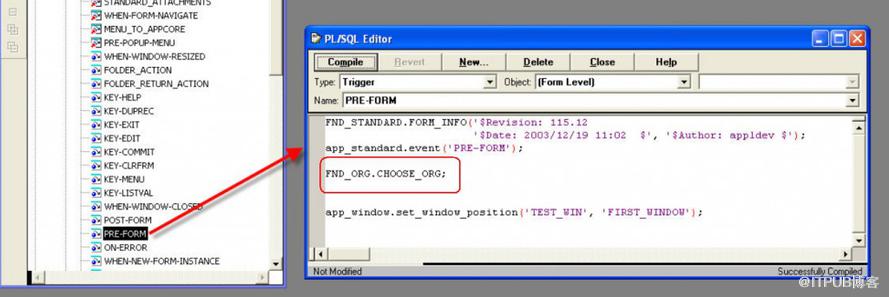
(FND_ORG.CHOOSE_ORG定义在FNDSQF.pll文件中)
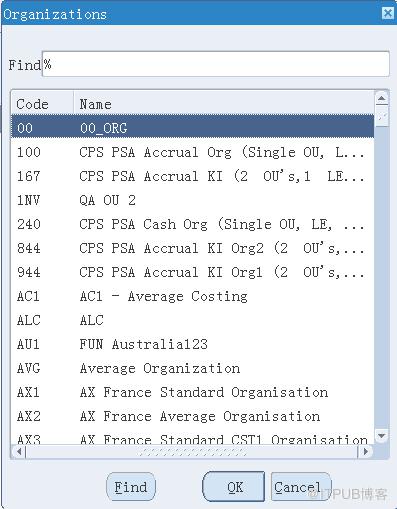
And you are all set, the list of Orgs appearing will be from the Organization Access defined for the current responsibility.
------------------------------------------------------------------------------------------------------
FND_ORG.CHOOSE_ORG
| Variable | Description |
|---|---|
| Summary | |
| Description | Call this procedure in PRE-FORM to ensure the organization parameters are set. If the local form has no organization parameters passed, the global defaults are used. If the global organization defaults are not set, the procedure opens the organization LOV to force an organization selection. |
| Variable | Description |
|---|---|
| allow_cancel | Allow cancelation of the LOV without forcing a choice. The default is FALSE. |
来自 “ ITPUB博客 ” ,链接:https://blog.itpub.net/26687597/viewspace-1207633/ ,如需转载,请注明出处,否则将追究法律责任。

