1. Profile \'FND: Diagnostics\' = Yes at user level.This will make \'Diagnostics\' menu display.

2. Login to Personal Home Page as that user and select the \'Diagnostics\' icon at the top of the page.
3. Select \'Set Trace Level\' and click Go
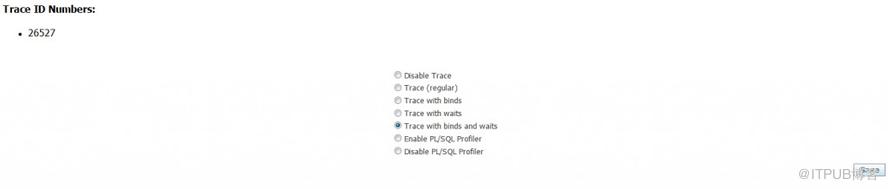
4. Select the desired trace level and click Save
5. Write down the trace id number(s).
6. Perform the activity that you want to trace
7. Return to the \'Diagnostics\' page.
8. Select `Set Trace Level\' and click Go
9. Select \'Disable Trace\' and click Go.
10. Write down the trace id number(s) if different.
11. Go to user_dump_dest for your database and collect the raw trace file(s) suffixes by the trace id number(s) you have recorded.
Note: you can identify the user_dump_dest directory in your environment by running the following SQL:
SQL> select name, value from v$parameter where name = \'user_dump_dest\';
来自 “ ITPUB博客 ” ,链接:https://blog.itpub.net/26687597/viewspace-1204882/ ,如需转载,请注明出处,否则将追究法律责任。

