How to Run Standard OA Framework Pages from JDeveloper
1.FTP Classes
FTP All the .class & .xml files from $JAVA_TOP/oracle to your local PC, and put them into jdev/jdevhome/myclasses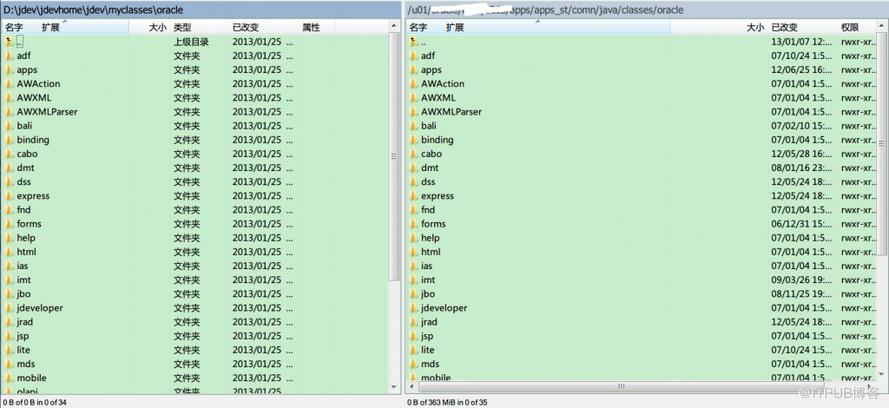
2.Source Files
From 1st step files,Also need copy necessary PROD files into source file directory: jdev\myprojects\oracle\apps\eg.If you want to run a WIP module page,Then you can only copy $JAVA_TOP/oracle/apps/wip/xxx/ to jdev\myprojects\oracle\apps\
For source files, we don\'t need class files, so we can delete all the *.class files from jdev\myprojects\oracle\apps\
NOTE:Remember dont copy unnecessary files and open them in your project. Because when you will run even your HelloWorld page, all these will try to compile and will give you thousands of errors...
Never solve these errors, as they don\'t exist at all. They are coming just because we have done something wrong....
3.mds Files
FTP files from $PRODUCT_TOP/mds to jdev\myprojects\oracle\apps\PROD, for example copy directories from $WIP_TOP/mds to jdev\myprojects\oracle\apps\wip(mds:Meta Data Service)
4.JDeveloper Setups and Run
You can follow article "JDeveloper Setup for OA Framework" to config JDEV,
Except above note, in project properties remove select compiler and in java uncheck the xml validation (it will throw error while compiling)
Path: Project Properties -> Compiler -> XML -> Uncheck XML Syntax on Make
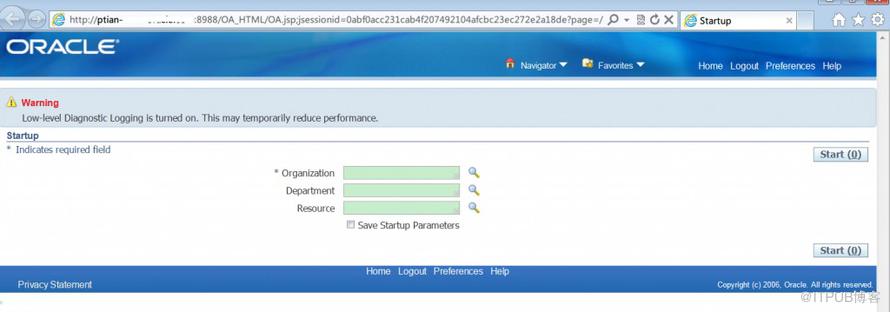
Now run the page you want, it will mostly work...
Forgot one thing, Keep patient, Run OAF files locally, This process(Compiling + OC4J Launching + OAF Page Open) may need long time,depends on your hardware,Enjoy,PTIAN
来自 “ ITPUB博客 ” ,链接:https://blog.itpub.net/26687597/viewspace-1204869/ ,如需转载,请注明出处,否则将追究法律责任。

