In SAP help, the determination of language code / locale is explained.
For example, when I access CRM application “My Appointment” with English language specified in url: Https://:/sap/bc/ui5_ui5/ui2/ushell/shells/abap/FioriLaunchpad.html?sap-client=001&sap-language=EN#Appointment-myAppointments&/newappointment/20151014/ZXXX/true The DatePicker looks like below:

When I try with Chinese: Https://:/sap/bc/ui5_ui5/ui2/ushell/shells/abap/FioriLaunchpad.html?sap-client=001&sap-language=ZH#Appointment-myAppointments&/newappointment/20151014/ZXXX/true
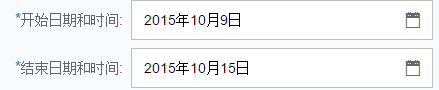
What I woud like to know is how is “2015年10月15日” displayed. Based on previous research on DatePicker, this task should be a little bit easier: – DateFormat in DatePicker control – More details of DatePicker
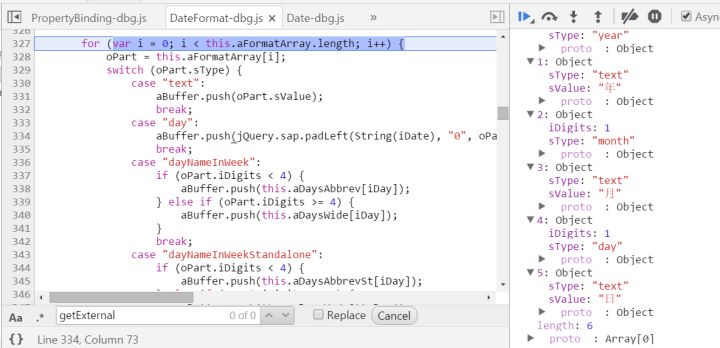
(1) The place holders for Date display ( 年 – year, 月 – month, 日 – day ) for Chinese are stored in this.aFormatArray in DateFormat.js file.
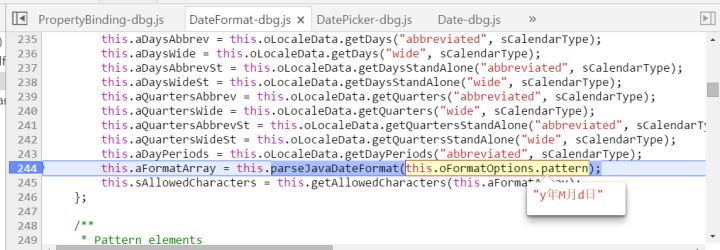
(2) this.aFormatArray is determined by this.oFormatOptions.pattern. For language = ZH, the patter is “y年M月d日”.
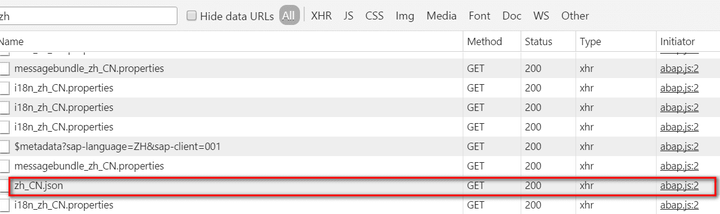
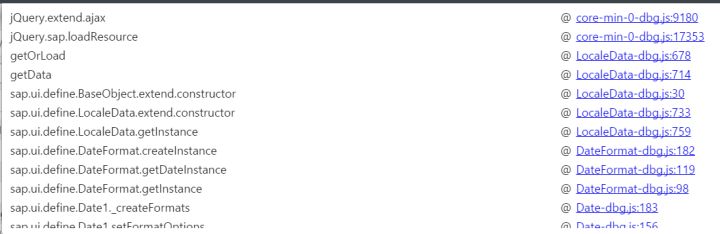
(3) In Chrome network tab, we can observe a http request for file zh_CN.son.
The callstack which triggers this file request:
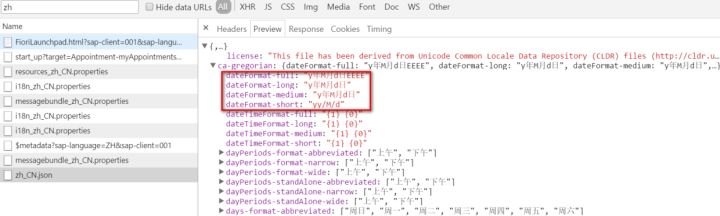
If we inspect the content of this file, we can find the “y年M月d日” in attribute dateFormat-medium and dateFormat-long:
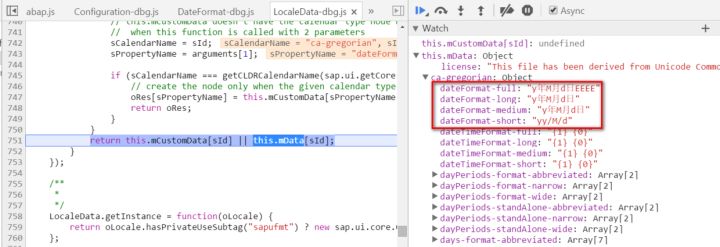
The content of this file is parsed and merged into this.mData, which will be used to populate aFormatArray mentioned above.
The complete url for zh_CN.json: https://:/sap/bc/ui5_ui5/ui2/ushell/resources/sap/ui/core/cldr/zh_CN.json
要获取更多Jerry的原创文章,请关注公众号"汪子熙":
来自 “ ITPUB博客 ” ,链接:https://blog.itpub.net/24475491/viewspace-2718377/ ,如需转载,请注明出处,否则将追究法律责任。

