选择SAP UI5应用的webapp文件夹,右键,选择New->SAP UI5 View, 新建一个UI5视图:
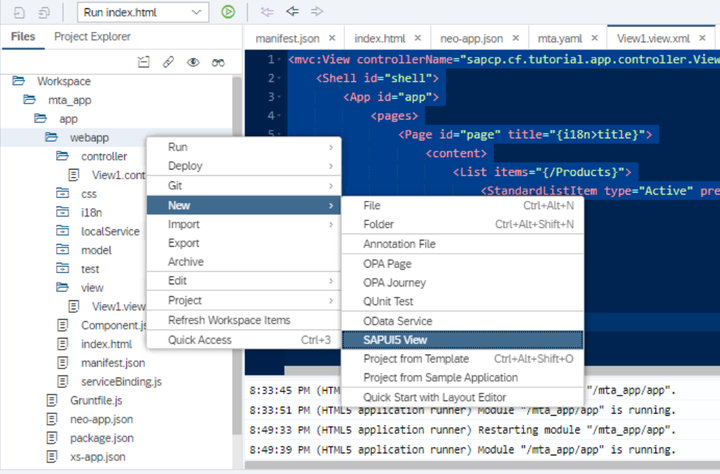
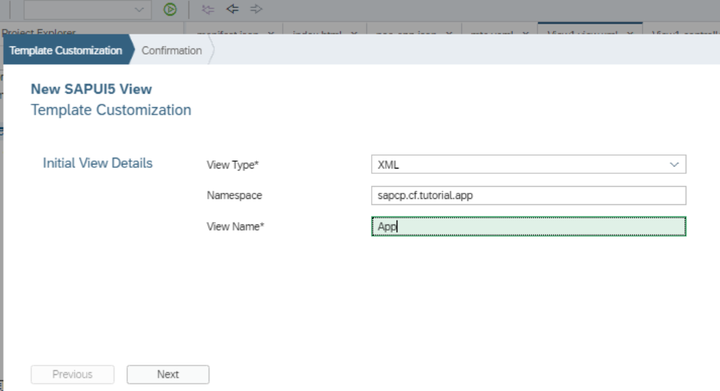
视图名称改成app:
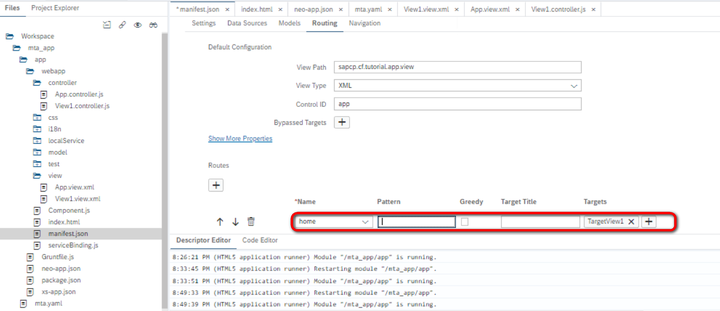
在manifest.json文件里编辑route区域,将默认的route重命名为home,清空Pattern字段,
路由的目标,设置成我们UI5应用里的另一个视图View1:
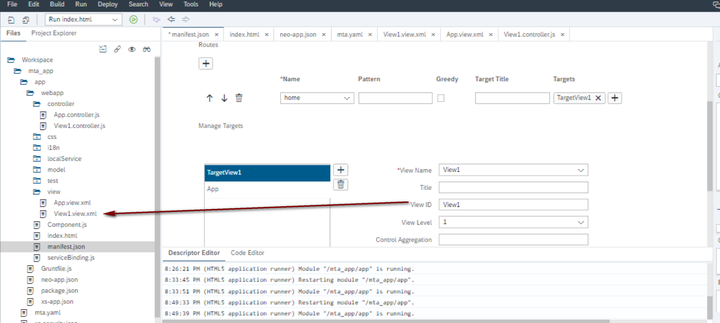
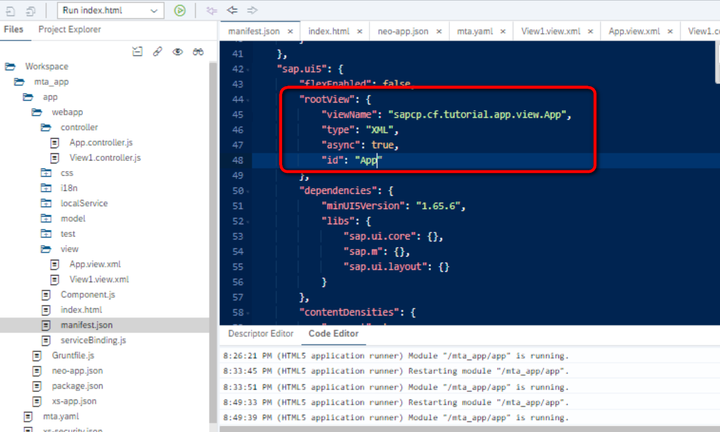
将我们刚才新建的视图设置成这个应用的root view:
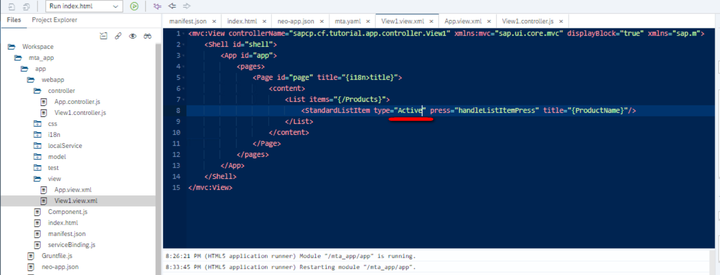
```JavaScript
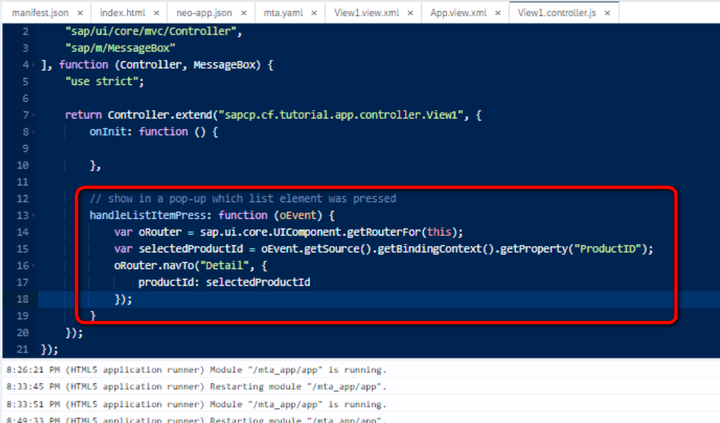
var oRouter = sap.ui.core.UIComponent.getRouterFor(this);
var selectedProductId = oEvent.getSource().getBindingContext().getProperty("ProductID");
oRouter.navTo("Detail", {
productId: selectedProductId
});
```
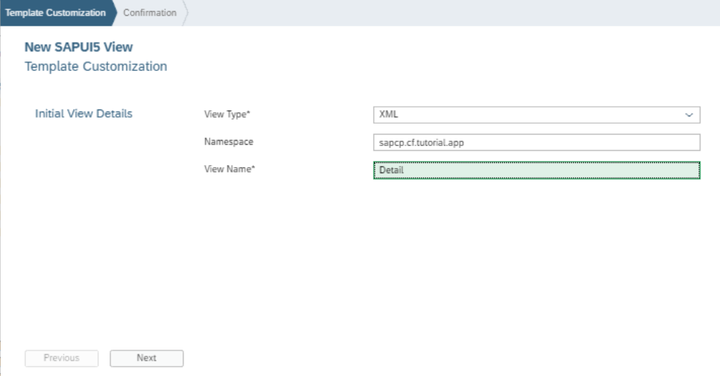
新建一个Detail view:
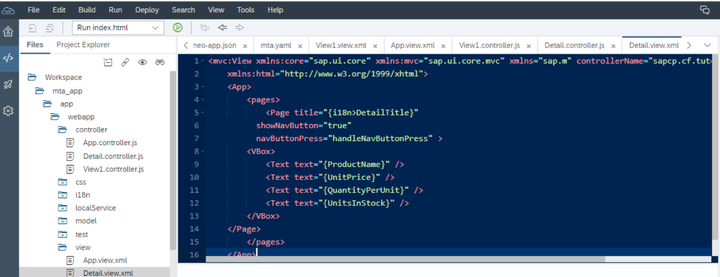
源代码:
```xml
<mvc:View xmlns:core="sap.ui.core" xmlns:mvc="sap.ui.core.mvc" xmlns="sap.m" controllerName="sapcp.cf.tutorial.app.controller.Detail"
	xmlns:html="http://www.w3.org/1999/xhtml">
	<App>
		<pages>
			<Page title="{i18n>DetailTitle}"
	      showNavButton="true"
	      navButtonPress="handleNavButtonPress" >
		<VBox>
			<Text text="{ProductName}" />
			<Text text="{UnitPrice}" />
			<Text text="{QuantityPerUnit}" />
			<Text text="{UnitsInStock}" />
		</VBox>
	</Page>
		</pages>
	</App>
</mvc:View>
```
在manifest.json文件里,新建一条路由规则:
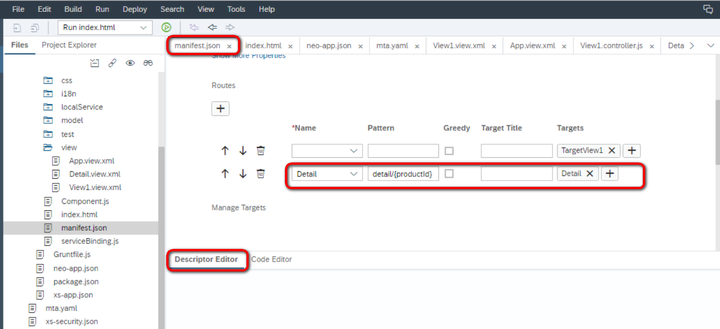
pattern:detail/{productId}
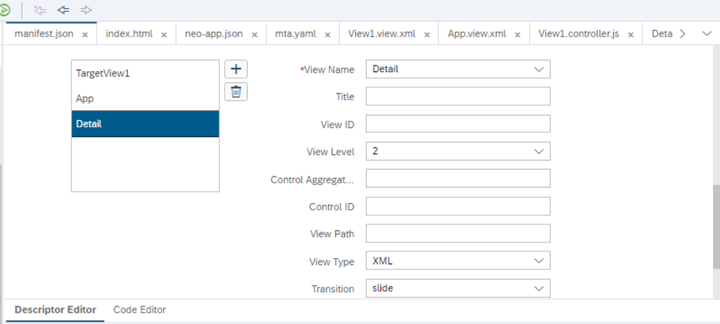
路由目标为Detail view,视图level为2:
运行时测试,我点了某个列表行项目之后:
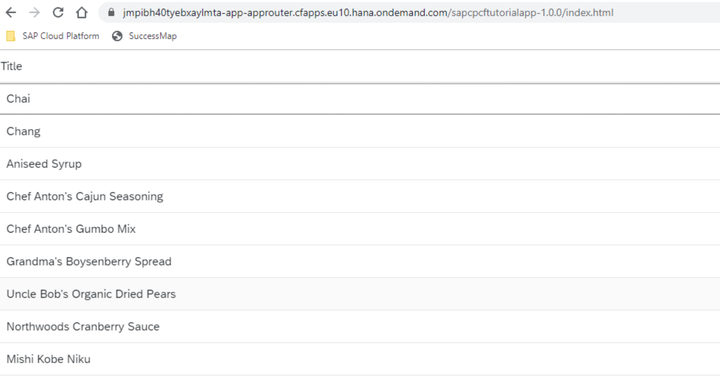
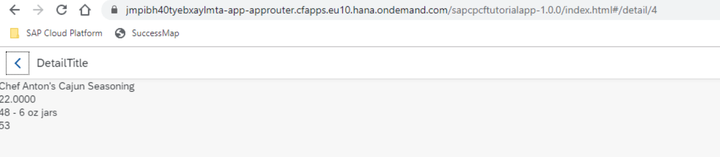
跳转到明细页面:
来自 “ ITPUB博客 ” ,链接:https://blog.itpub.net/24475491/viewspace-2677578/ ,如需转载,请注明出处,否则将追究法律责任。

