(1) In ERP, create one material 1468 "JVM":

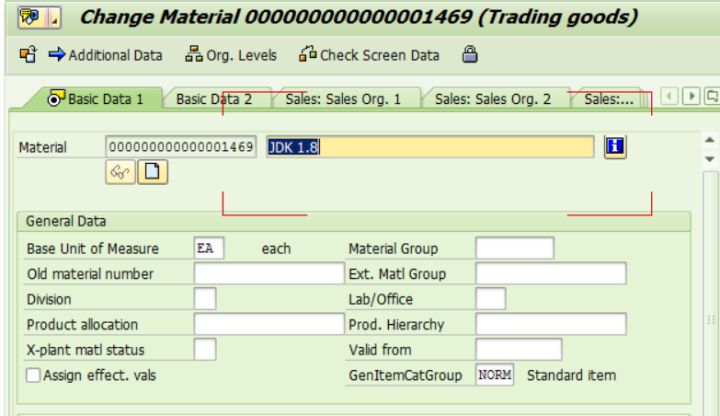
And another material 1469 "JDK 1.8":
(2) Create BOM via tcode CS01 based on material 1468 with the following settings:

Add 1469 as line item:

Once saved, there is one entry generated in table MAST:

(3) Create one download request in CRM via tcode R3AR2:
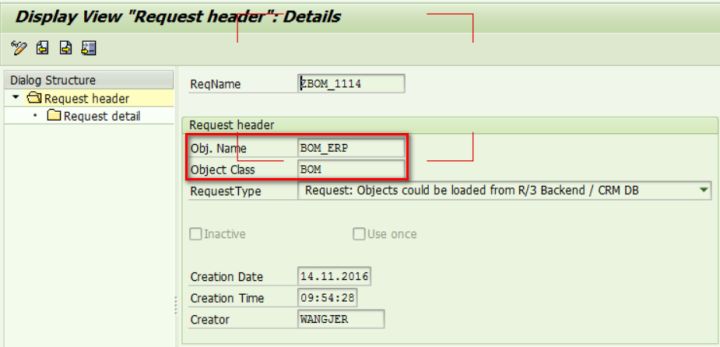
Specify MATNR to the material id of BOM header:

After I perform request download via this request, in WebUI I found that the assignment block "Components" is still empty.
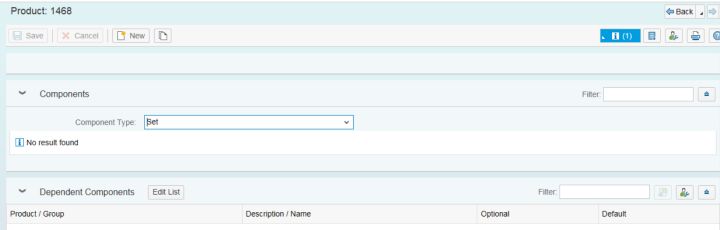
The reason is the dependent material 1469 is not downloaded to CRM yet.

(4) Then I first download material 1469 to CRM, and then I perform request download again via the request created in step 3.
After that in tcode SMW01 I can see necessary data for BOM structure, the relationship STRSET, is successfully downloaded.


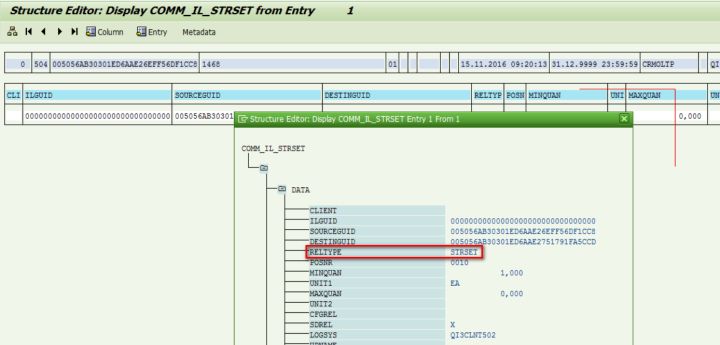
Now go back to WebUI, I can see the expected component structure as displayed below.

# keyword
BOM, MAST, CS01, STRSET, MATNR
来自 “ ITPUB博客 ” ,链接:https://blog.itpub.net/24475491/viewspace-2674848/ ,如需转载,请注明出处,否则将追究法律责任。

