Go to UI workbench:

And we can see the entries in search attribute drop down list is rendered via this method in controller:
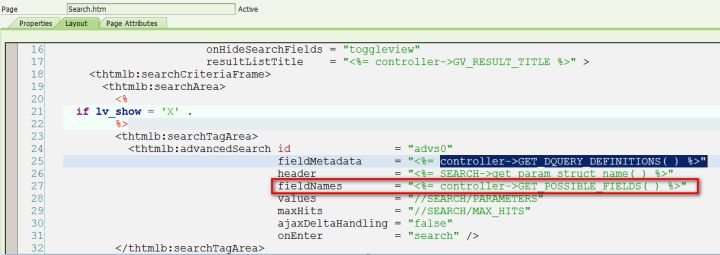
so we can just redefine controller method:
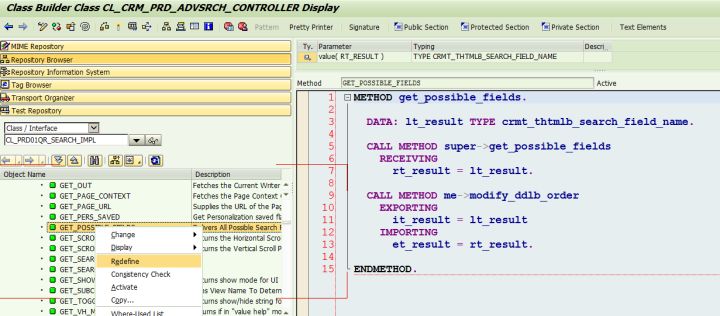
For example, if we DO NOT want the product_id appear in UI as search attribute, the solution is simple:
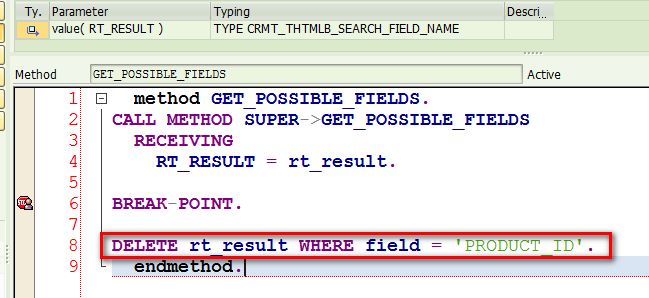
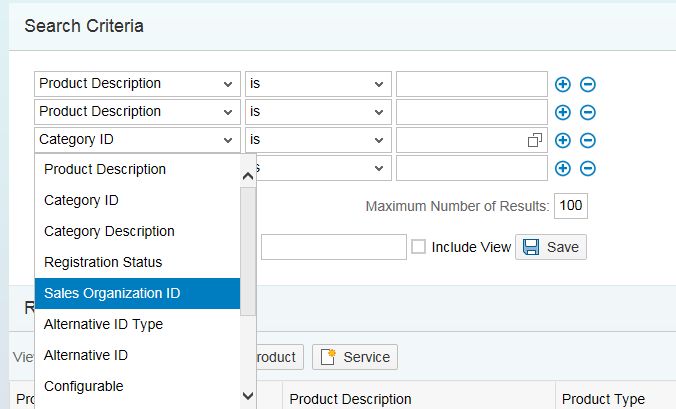
After that we cannot see product id in search attribute drop down list any more:
# Note
(1) There is NO WAY to remove these search fields from configuration in work bench via ABAP code
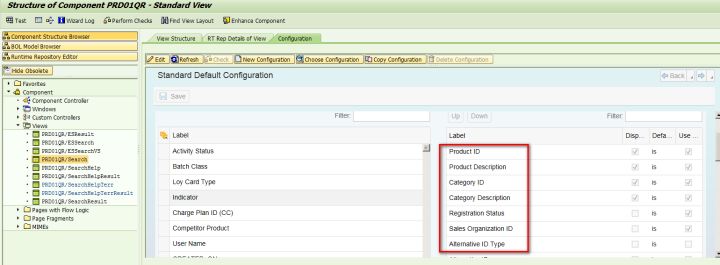
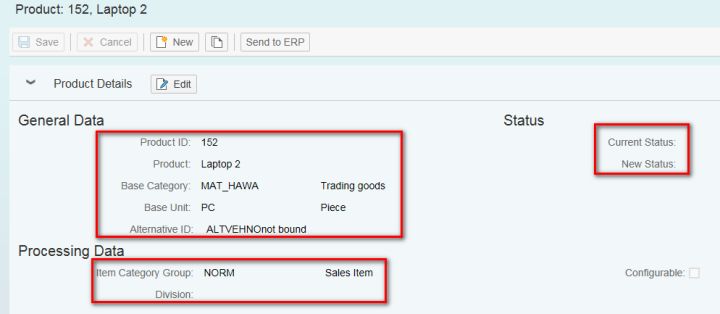
(2) There is NO WAY to hide those fields in overview page via ABAP code. The visibility control could only be done based on assignment block level, not field level.
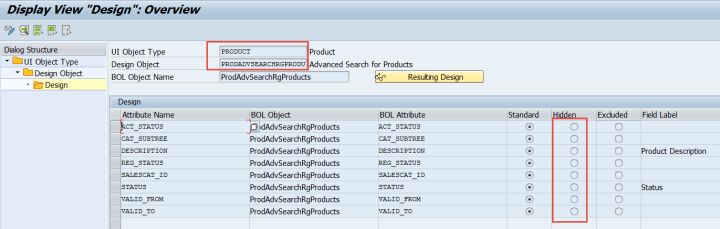
We can also configure the attributes by design layer.

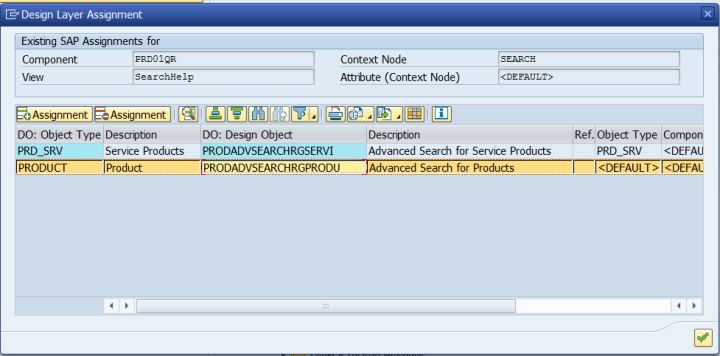
T-Code: BSP_DLC_SDESIGN
来自 “ ITPUB博客 ” ,链接:https://blog.itpub.net/24475491/viewspace-2674847/ ,如需转载,请注明出处,否则将追究法律责任。

