jieba是比较常用python的分词库,这里简单介绍它的基本用法。
-
最基础的用法 导入jieba库,对句子进行简单的分词。
import jieba
cut1 = jieba.cut("我来自湖北武汉,我现在在上海工作。", cut_all=True)
[i for i in cut1]
查看各词出现频次
从网上下载一篇文章,分析该文章词频结构。这里用了collections包,直接统计词频。
from collections import Counter
cut2=open('baogao.txt').read()
words = jieba.cut(cut2)     # 使用精简模式对文本进行分词
counts = []     # 获取其中的词
for word in words:
    if len(word)>=4:
        counts.append(word)
Counter(counts).most_common(20)#查看排前20的词
制作词云图
from wordcloud import WordCloud
import matplotlib.pyplot as plt
stop_words=['的','得']#停用词,以后可以增加
# 使用WordCloud生成词云
word_cloud = WordCloud(font_path="simsun.ttc",  # 设置词云字体
                       background_color="white", # 词云图的背景颜色
                       stopwords=stop_words,# 去掉的停词
                      collocations=False) #,去掉词云中的重复词,如果不填false,后面的词云图可能出现重复词。
text_cut = ' '.join(counts)
word_cloud.generate(text_cut)
plt.subplots(figsize=(12,8))
plt.imshow(word_cloud)
plt.axis("off")
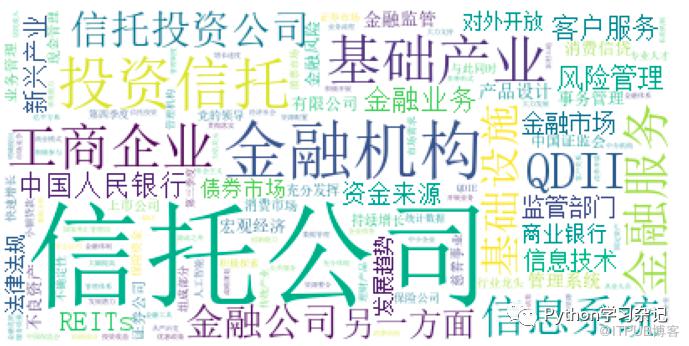 也可以用PIL包,把词云图制作成自己需要展示的图片形状,也很简单,导入PIL包,画图设置相应的背景即可。
原文作者:Python学习杂记;如有侵权,请联系管理员删除。
上一篇:
python可视化(一)
下一篇:
k-近邻算法介绍及实例

请登录后发表评论
登录
全部评论
