1、线上问题
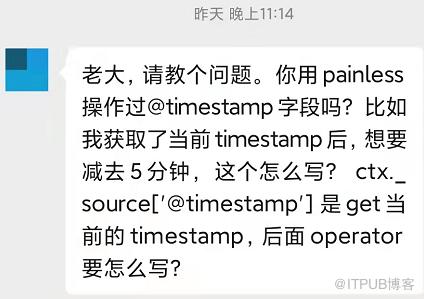
2、问题拆解
3、开搞,实战一把
3.1 步骤 1:创建索引,并导入一批含日期类型的数据。
DELETE logs
PUT logs
{
  "mappings": {
    "properties": {
      "name": {
        "type": "text"
      },
      "start_date": {
        "type": "date"
      },
      "close_date": {
        "type": "date"
      }
    }
  }
}

PUT logs/_bulk?refresh
{"index":{"_id":1}}
{"name":"Person AA","start_date":"2015-05-06T02:49:40.894Z","close_date":"2015-11-01T18:10:30Z"}
{"index":{"_id":2}}
{"name":"Person CC","start_date":"2015-05-06T02:49:40.894Z","close_date":"2015-11-02T13:10:30Z"}
3.2 步骤 2:更新处理尝试。
我的初始理解,获取时间,然后 - 5(代表 5 分钟的意思),不就搞定了吗。
试试看?simulate 仿真执行一下:
POST /_ingest/pipeline/_simulate
{
  "pipeline": {
    "description": "_description",
    "processors": [
      {
        "script": {
          "description": "add time",
          "lang": "painless",
          "source": """
             ctx.start_date = ctx.start_date - 5
          """
        }
      }
    ]
  },
  "docs": [
    {
      "_index": "index",
      "_id": 1,
      "_source": {
        "name": "Person AA",
        "start_date": "2015-05-06T02:49:40.894Z",
        "close_date": "2015-11-01T18:10:30Z"
      }
    }
  ]
}
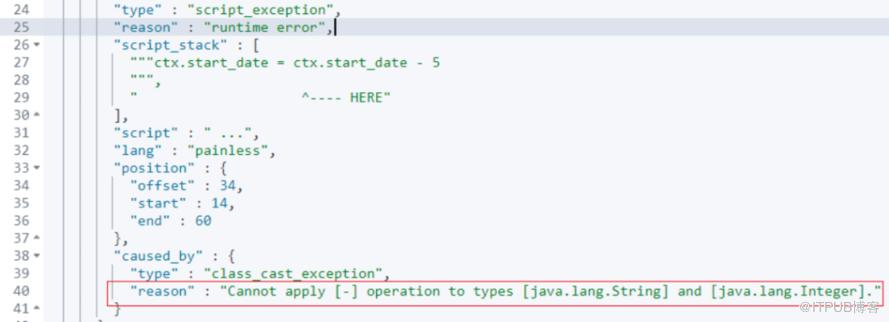
3.3 步骤 3:换个思路,从脚本部分再切入。
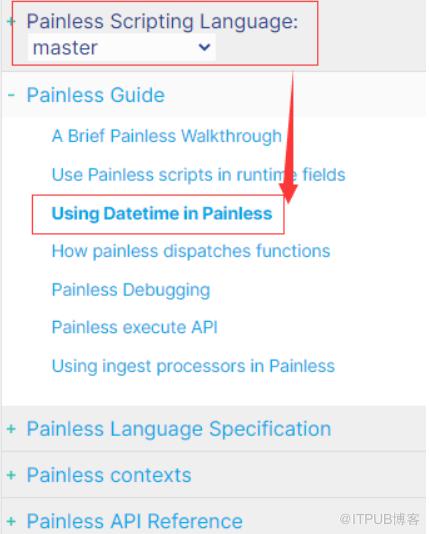
换个思路思考,既然:官方文档拿出 1 篇文章的篇幅讲解 Datetime 时间类型的 painless 的应用,说明这里还是有“文章”的。
-
类型1:numeric 时间戳类型,举例: 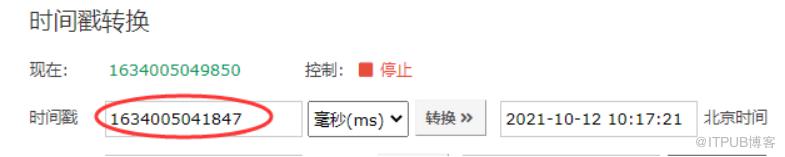
类型2:string 类型。举例:"2015-05-06T02:49:40.894Z"。
类型3:complex 类型。这种我们不常见,它是一种复杂对象类型。在 painless 中通常为:ZonedDateTime。

要强调的是如下一段话,切中选型要害!
在日期时间格式上述三种不同类型之间切换通常是实现脚本目标所必需的。
脚本中的典型应用是:将数字(numeric)或字符串(string)格式切换为 complex 日期格式,基于complex 日期格式做修改或比较,然后将其切换回数字或字符串日期格式进行存储或返回结果。
继续开搞吧:
PUT /_ingest/pipeline/time_pipeline
{
  "processors": [
    {
      "script": {
        "description": "add time",
        "lang": "painless",
        "source": """
           String datetime = ctx.start_date;
           ZonedDateTime zdt = ZonedDateTime.parse(datetime);
           zdt = zdt.minusMinutes(5);
           ctx.start_date = zdt;
          """
      }
    }
  ]
}

POST logs/_update_by_query?pipeline=time_pipeline
{
  "query": {
    "match_all": {}
  }
}

GET logs/_search
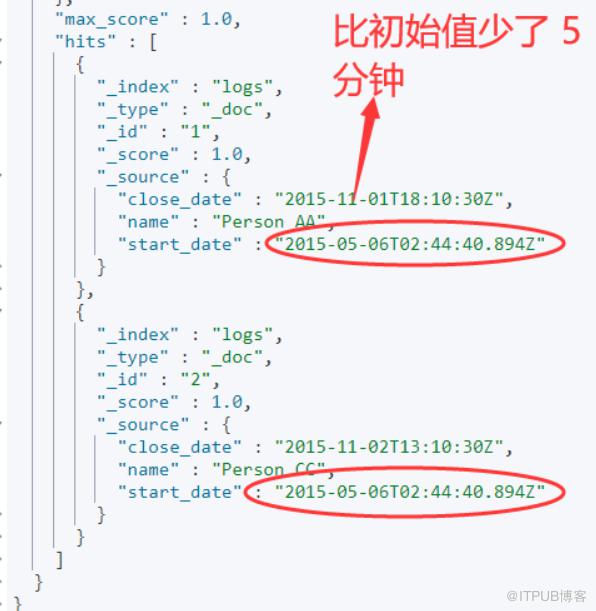
4、核心实现的语法解读
String datetime = ctx.start_date;
ZonedDateTime zdt = ZonedDateTime.parse(datetime);
zdt = zdt.minusMinutes(5);
ctx.start_date = zdt;
5、小结
参考
推荐

更短时间更快习得更多干货!
已带领70位球友通过 Elastic 官方认证!
中国仅通过百余人

原文作者:铭毅天下Elasticsearch;如有侵权,请联系管理员删除。

请登录后发表评论
登录
全部评论
最新文章
- Elasticsearch 使用误区之六——富文本内容写入前不清洗
- 《一本书讲透 Elasticsearch》被清华、北大等多所知名高校图书馆收录
- 经验贴:终于,通过了 Elastic 官方认证考试!!!
- 直播回放:如何系统化的备战 Elastic 认证专家考试?
- Elasticsearch 完整格式的 URL 进行分词,有什么好的解决方案吗?
- 一网打尽!处理 Elasticsearch 中未分配的分片问题(附完整 DSL 示例)
- Elasticsearch 使用误区之五——单次请求获取大量数据
- 深入解密 Elasticsearch 查询优化:巧用 Profile 工具/API 提升性能
- Elasticsearch 又更改开源协议了?为啥?对企业有什么影响?
- 探究:Elasticsearch 文档的 _id 是 Lucene 的 docid 吗?
