1、什么是跨集群复制?
跨集群复制(Cross-cluster replication,简称:CCR)指的是:索引数据从一个 Elasticsearch 集群复制到另一个 Elasticsearch 集群。
对于主集群的索引数据的任何修改都会直接复制同步到从索引集群。
2、跨集群复制最早发布版本
Elasticsearch 6.7 版本。
3、跨集群复制的好处?
3.1 支持灾难恢复(DR)、确保高可用性(HA)
3.2 降低延迟
3.3 水平可扩展性
3.4 集中式汇报
4、跨集群复制的核心概念
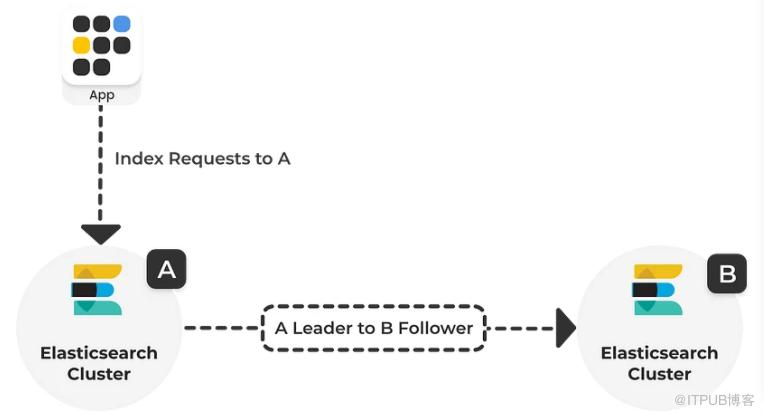
图片来源:opster.com
active-passive model:主动-被动模型。 leader index:主索引或领导者索引。 read-only follower indices:从索引或跟随者索引。
5、跨集群复制的设计原则
5.1 高安全性
5.2 准确性
5.3 高性能
5.4 最终一致性
5.5 资源使用率低
6、跨集群复制的实战一把
6.1 必备前置条件
6.1.1 前置条件1:激活License
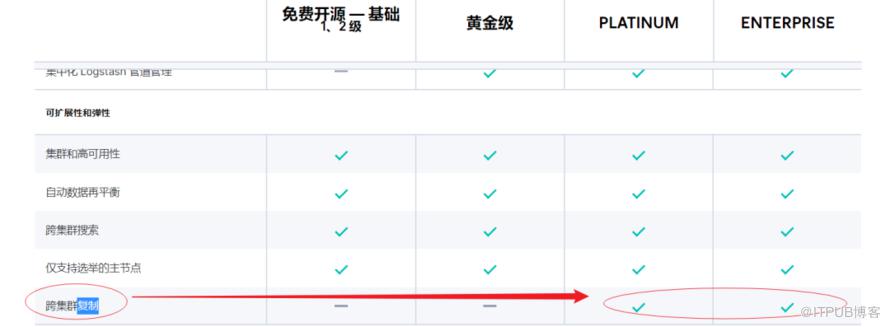
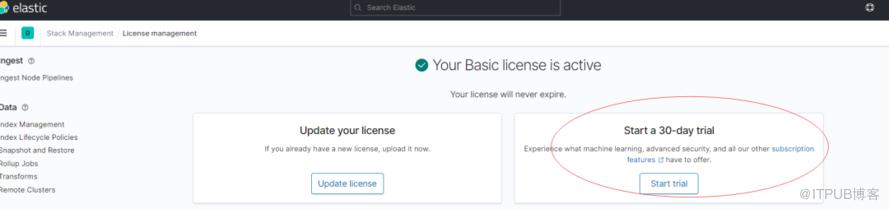
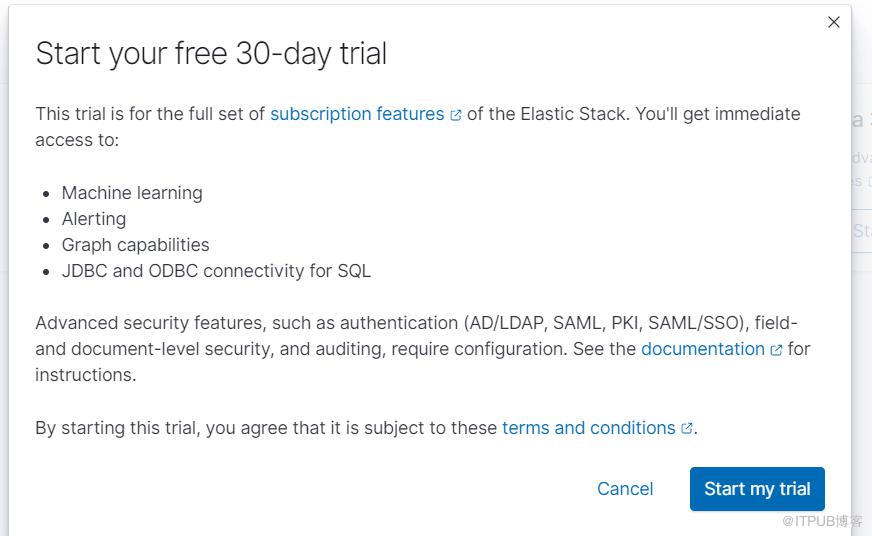
6.1.2 前置条件2:备好至少 2 个集群
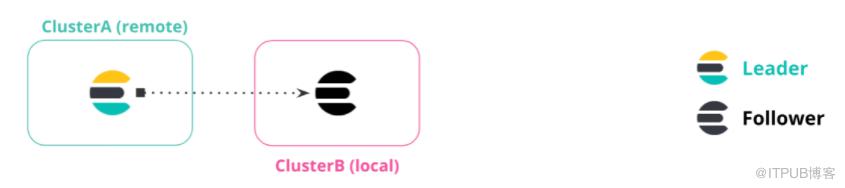
图片来自:elastic官方文档
● 集群A:远端集群,remote cluster leader
Elasticsearch: 172.21.0.14:19203
kibana:172.21.0.14:5613
● 集群B:本地集群,local cluster follower
Elasticsearch: 172.21.0.14:19202
kibana:172.21.0.14:5612
6.1.3前置配置:开启软删除
index.soft_deletes.enabled:true
6.1.4 前置配置:xpack 设置true
xpack.security.enabled: true
Changed password for user apm_system
PASSWORD apm_system = m5ob2a8OvoKuYpPPsiRd
Changed password for user kibana_system
PASSWORD kibana_system = xwdrhpVPSsbxxY1l0b50
Changed password for user kibana
PASSWORD kibana = xwdrhpVPSsbxxY1l0b50
Changed password for user logstash_system
PASSWORD logstash_system = 1zweZhAVEnqwh1flHBkz
Changed password for user beats_system
PASSWORD beats_system = 7Fo3bvmLISshjvHXTqAY
Changed password for user remote_monitoring_user
PASSWORD remote_monitoring_user = EvB4FkFs88gsCP073YGt
Changed password for user elastic
PASSWORD elastic = c7KmLqGTm6cyl2ABJPBY
否则会报错如下:
{
"error" : {
"root_cause" : [
{
"type" : "exception",
"reason" : "Security must be explicitly enabled when using a [trial] license. Enable security by setting [xpack.security.enabled] to [true] in the elasticsearch.yml file and restart the node."
}
],
"type" : "exception",
"reason" : "Security must be explicitly enabled when using a [trial] license. Enable security by setting [xpack.security.enabled] to [true] in the elasticsearch.yml file and restart the node."
},
"status" : 500
}
6.2 跨集群复制完整设置步骤
6.2.1 步骤1:从集群设置 remote cluster
PUT /_cluster/settings
{
  "persistent": {
    "cluster": {
      "remote": {
        "leader": {
          "seeds": [
            "172.21.0.14:19303"
          ]
        }
      }
    }
  }
}
从集群监测一下remote配置是否成功。
GET /_remote/info
检测是否配置成功。
6.2.2 步骤2:配置权限
6.2.2.1 remote 集群配置权限
POST /_security/role/remote-replication
{
  "cluster": [
    "read_ccr"
  ],
  "indices": [
    {
      "names": [
        "kibana_sample_data_logs"
      ],
      "privileges": [
        "monitor",
        "read"
      ]
    }
  ]
}
6.2.2.2 local 集群配置权限
POST /_security/role/remote-replication
{
  "cluster": [
    "manage_ccr"
  ],
  "indices": [
    {
      "names": [
        "kibana_sample_data_logs_follower"
      ],
      "privileges": [
        "monitor",
        "read",
        "write",
        "manage_follow_index"
      ]
    }
  ]
}
6.2.3 步骤3:创建自动跟踪模式以自动跟踪在远程集群中创建的索引
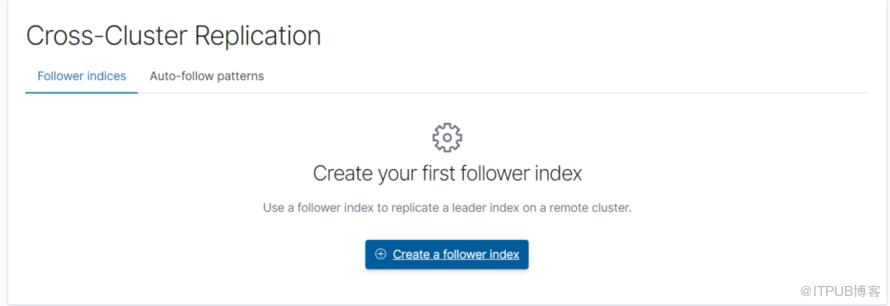
步骤2:配置 follower index。
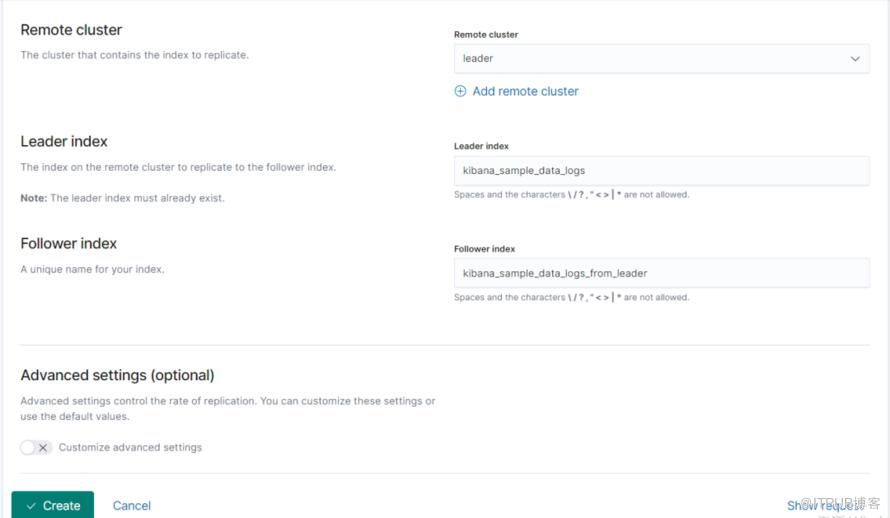
Remote cluster, 从集群对leader 的设置。
Leader index,主集群的索引。
Follower index,从集群的索引名称,与 Leader index 是一一对应的关系,是从 Leader 索引复制过来的数据。
执行成功后截图如下:
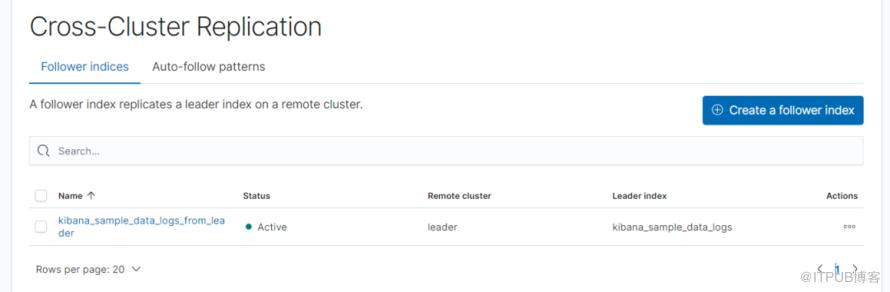
检查是否成功:
GET /kibana_sample_data_logs_from_leader/_ccr/stats
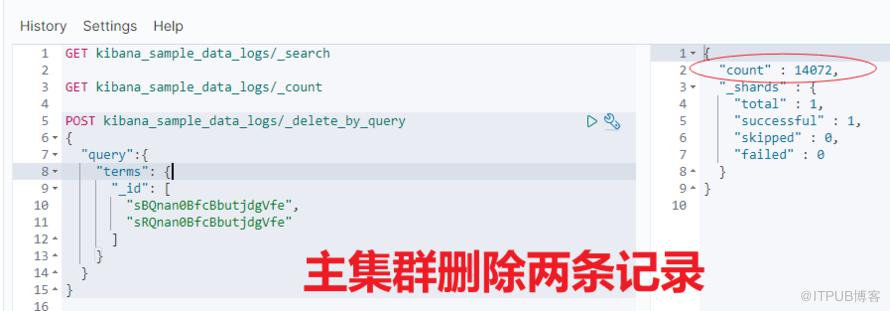
以上,跨集群同步设置成功之后,可以进一步做很多验证。
比如:主集群 leader 索引删除两条数据,从集群查看结果。对比发现,从集群也会跟着变化,这说明了跨集群复制已生效。


更多权限设置,推荐阅读:https://www.elastic.co/guide/en/elasticsearch/reference/current/security-privileges.html
7、跨集群复制常用命令清单
包含但不限于:检查复制进度、暂停和恢复复制、重新创建跟随者索引和终止复制。
7.1 检查复制进度
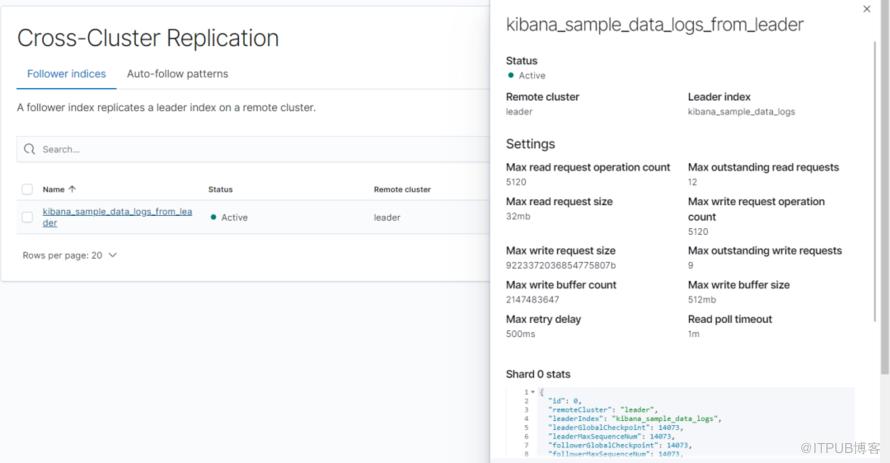
GET /kibana_sample_data_logs_from_leader/_ccr/stats
7.2 暂停和恢复复制

POST kibana_sample_data_logs_from_leader/_ccr/pause_follow
POST kibana_sample_data_logs_from_leader/_ccr/resume_follow
{
}
7.3 重新创建跟随者索引
分三步骤:
#暂停
POST /follower_index/_ccr/pause_follow
#关闭
POST /follower_index/_close?wait_for_active_shards=0
#重建
PUT /follower_index/_ccr/follow?wait_for_active_shards=1
{
"remote_cluster" : "remote_cluster",
"leader_index" : "leader_index"
}
7.4 终止复制

POST kibana_sample_data_logs_from_leader/_ccr/unfollow
8、小结
实战出真知,由于这部分是收费功能,可能会用的少。这块一直是新知盲点,实战一把,才知道究竟!
针对data stream 数据流的处理,跨集群也是支持的,限于篇幅原因,本文没有展开,更多内容推荐阅读官方文档。
耗时12小时+,希望对你有帮助!
参考
1、https://www.elastic.co/cn/blog/follow-the-leader-an-introduction-to-cross-cluster-replication-in-elasticsearch
2、https://opendistro.github.io/for-elasticsearch/blog/releases/2021/02/announcing-ccr/
3、https://www.elastic.co/guide/en/elasticsearch/reference/current/xpack-ccr.html
4、https://www.elastic.co/cn/blog/bi-directional-replication-with-elasticsearch-cross-cluster-replication-ccr
5、https://opster.com/blogs/elasticsearch-cross-cluster-replication-overview/
推荐
更短时间更快习得更多干货!
已带领72位球友通过 Elastic 官方认证!
中国仅通过百余人

原文作者:铭毅天下Elasticsearch;如有侵权,请联系管理员删除。

最新文章
- Elasticsearch 使用误区之六——富文本内容写入前不清洗
- 《一本书讲透 Elasticsearch》被清华、北大等多所知名高校图书馆收录
- 经验贴:终于,通过了 Elastic 官方认证考试!!!
- 直播回放:如何系统化的备战 Elastic 认证专家考试?
- Elasticsearch 完整格式的 URL 进行分词,有什么好的解决方案吗?
- 一网打尽!处理 Elasticsearch 中未分配的分片问题(附完整 DSL 示例)
- Elasticsearch 使用误区之五——单次请求获取大量数据
- 深入解密 Elasticsearch 查询优化:巧用 Profile 工具/API 提升性能
- Elasticsearch 又更改开源协议了?为啥?对企业有什么影响?
- 探究:Elasticsearch 文档的 _id 是 Lucene 的 docid 吗?
