1、认知前提
Elasticsearch 支持压缩,压缩方式默认为:LZ4 压缩算法。
具体参见:
The default value compresses stored data with LZ4 compression, but this can be set to best_compression which uses DEFLATE for a higher compression ratio, at the expense of slower stored fields performance.
中文翻译为:
默认值使用 LZ4 压缩压缩存储的数据,但这可以设置为 best_compression,它使用 DEFLATE 来获得更高的压缩率,但会降低存储字段的性能。
https://www.elastic.co/guide/en/elasticsearch/reference/8.14/index-modules.html#index-codec
这里要引申一下,这属于:静态配置,类似:number_of_shard 主分片数,不允许动态修改,除非重建索引。
2、动手验证一下压缩比到底能压缩多少?
2.1 样例数据准备
以 kibana_sample_flights 飞行数据为例进行验证。
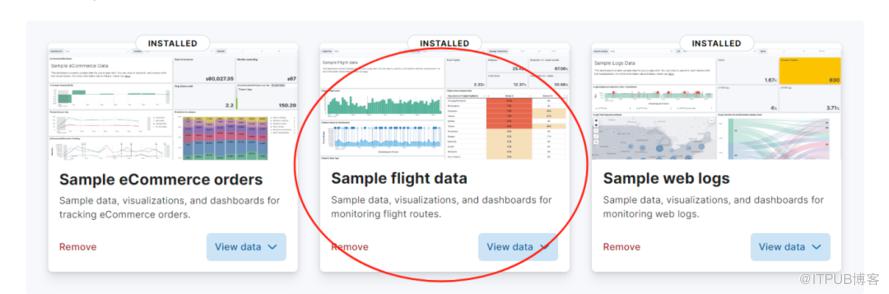
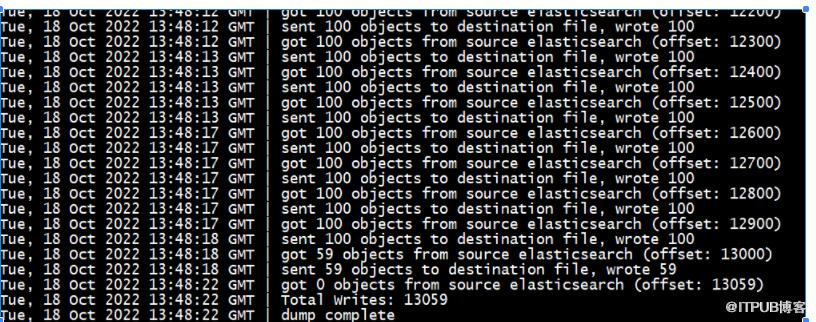
我们直接借助 elasticdump 进行导出,以json 存储,作为原始数据。
导出实现参考:
NODE_TLS_REJECT_UNAUTHORIZED=0 elasticdump \

  --input=https://elastic:@172.121.10.114:9200/kibana_sample_data_flights\

  --output=/www/elasticsearch_0801_20220713/test/flights.json \

  --type=data \

  --input-ca=/www/elasticsearch_0801_20220713/elasticsearch-8.1.0/config/certs/http_ca.crt
导出成功截图:
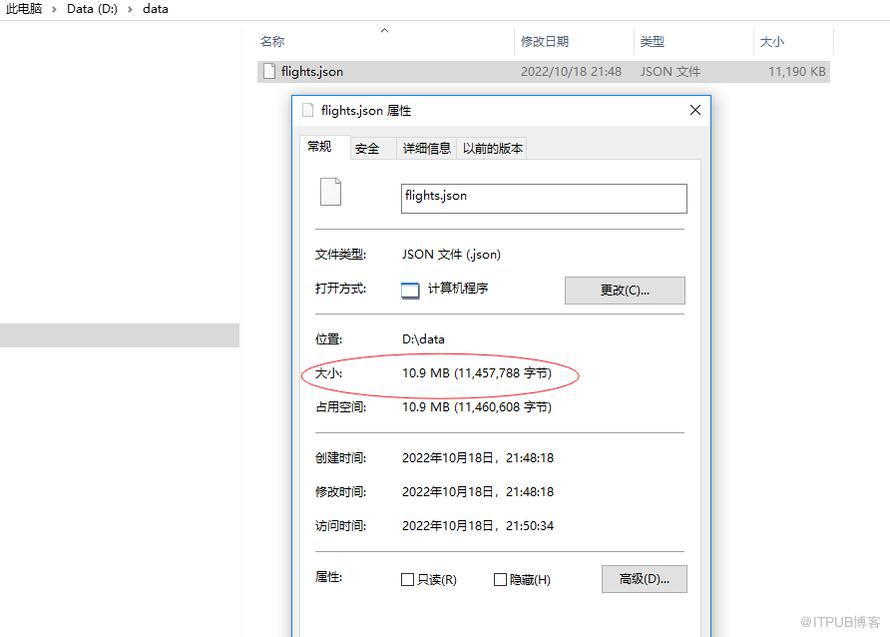
所占存储空间大小:
2.2 Elasticsearch 默认 LZ4 压缩算法的存储大小

2.3 如果修改为:best_compression压缩后,所占据存储空间大小如下
需要修改索引:
PUT kibana_sample_data_flights_ext
{
  "settings": {
    "index.codec": "best_compression"

  },

  "mappings": {

    "properties": {
......省略部分映射描述......
然后,reindex 迁移数据。
POST _reindex
{
  "source": {
    "index": "kibana_sample_data_flights"
  },
  "dest": {
    "index": "kibana_sample_data_flights_ext"
  }
}
3、初步结论
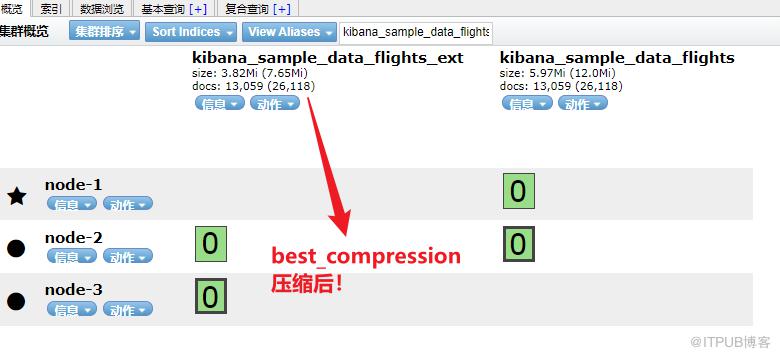
1)默认压缩LZ4 算法能压缩到一半!54.77%,能节省一半的存储!
新压缩算法 best_compression 压缩后,压缩为原始空间的:35%,也就是能省65%的空间。
压缩比要求高推荐使用:best_compression。
2)如果建模上(_source, store, 字段类型选型,doc_values, index 等参数)再优化,理论上还能压缩的更低一些!!

更短时间更快习得更多干货!
和全球超2000+ Elastic 爱好者一起精进!
elastic6.cn——ElasticStack进阶助手

原文作者:铭毅天下Elasticsearch;如有侵权,请联系管理员删除。

最新文章
- Elasticsearch 使用误区之六——富文本内容写入前不清洗
- 《一本书讲透 Elasticsearch》被清华、北大等多所知名高校图书馆收录
- 经验贴:终于,通过了 Elastic 官方认证考试!!!
- 直播回放:如何系统化的备战 Elastic 认证专家考试?
- Elasticsearch 完整格式的 URL 进行分词,有什么好的解决方案吗?
- 一网打尽!处理 Elasticsearch 中未分配的分片问题(附完整 DSL 示例)
- Elasticsearch 使用误区之五——单次请求获取大量数据
- 深入解密 Elasticsearch 查询优化:巧用 Profile 工具/API 提升性能
- Elasticsearch 又更改开源协议了?为啥?对企业有什么影响?
- 探究:Elasticsearch 文档的 _id 是 Lucene 的 docid 吗?
