读完需要
速读仅需 2 分钟
作者介绍
❝❞
Jorge
组内前端开发小哥哥(C位),在小程序、Vue开发方向上积累了丰富经验。另外对拼团、助力等营销活动有自己独特的见解。写得了一手好代码,炒得了一桌子好菜。
ios打包真机安装流程
1.配置证书
1.1 获取和配置证书流程
参考 03.iOS证书配置流程
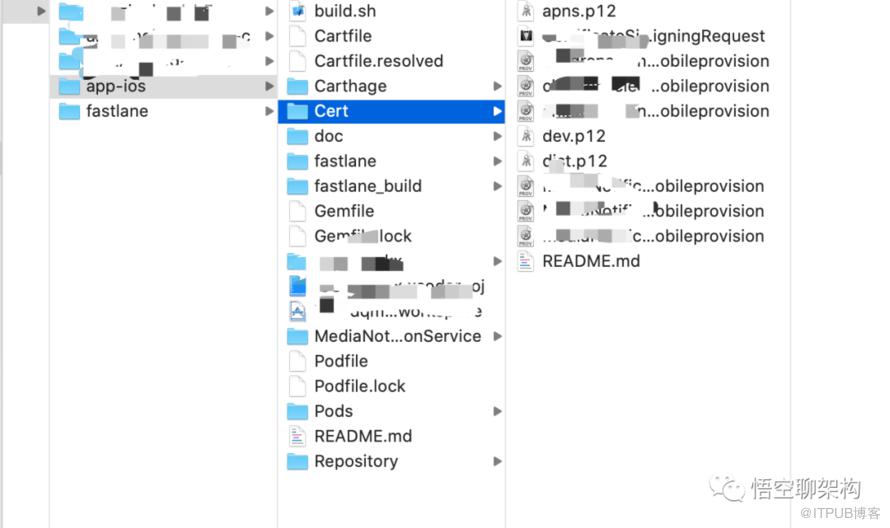
1.2 配置证书到Xcode项目中。
将项目的证书安装在本地钥匙串中,并点击描述文件(闪动即可)配置在Xcode中
在Xcode项目中配置好上一步安装好的证书和描述文件
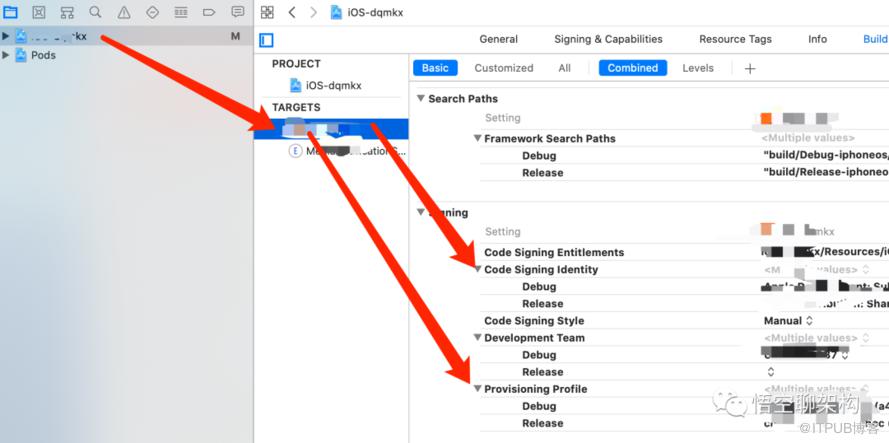
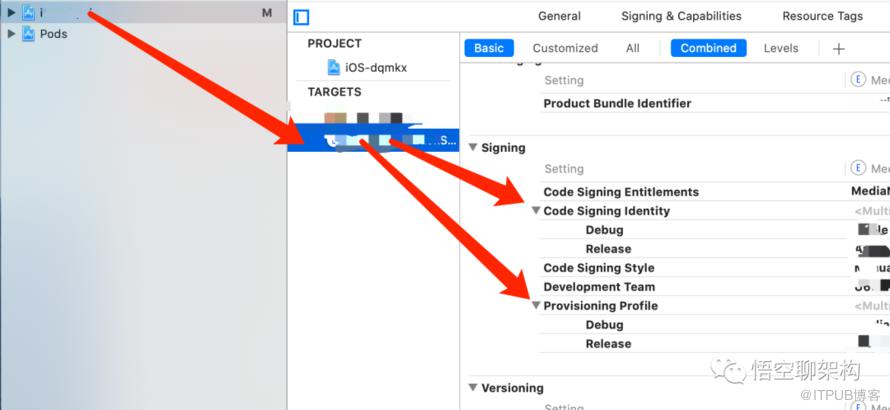
2.安装打包工具fastlane
2.1 使用RubyGems安装fastlane
$ sudo gem install fastlane -NV2.2 安装完以后初始化
$ fastlane init注意:如果有卡顿关闭当前进程然后在项目根目录下执行$ bundle update fastlane
2.3 利用fastlane 打包app
a. 编译dev环境的包 fastlane ios devb. 编译uat环境的包 fastlane ios uatc. 编译生产环境的包 fastlane ios pord_adhocd. 编译上架苹果商店的包 fastlane ios pord_store
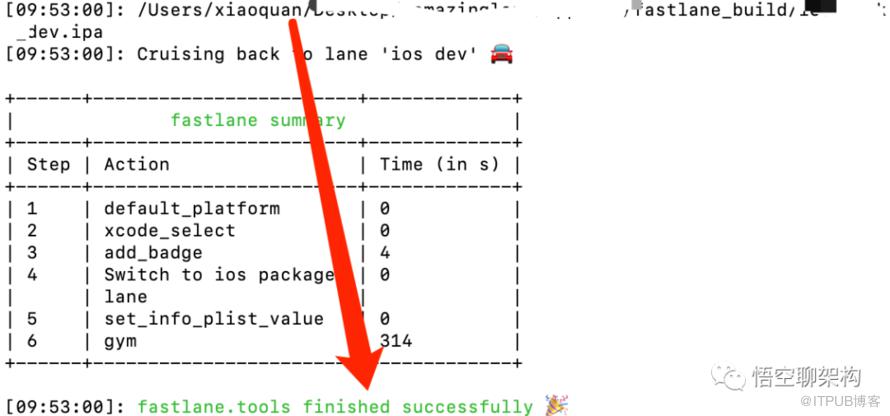
注意:如果遇到安装报错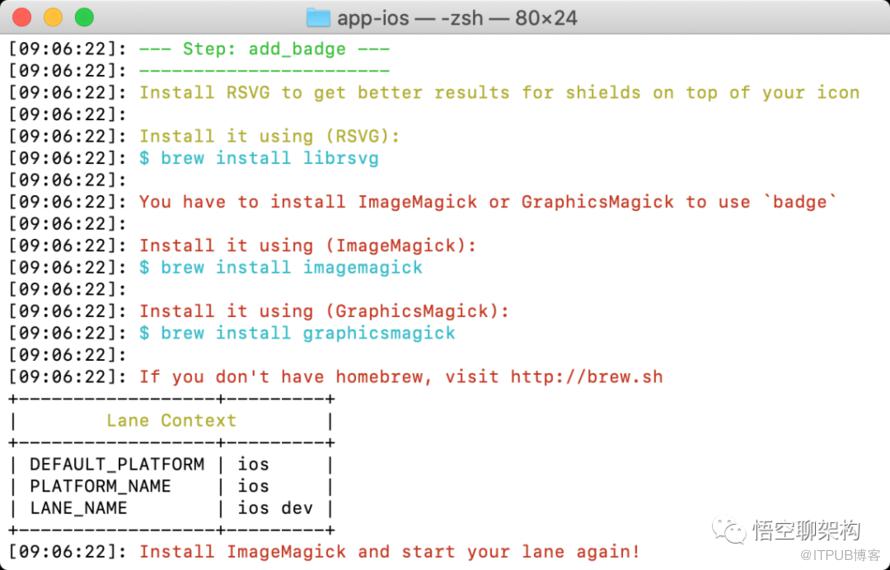
(1)先安装brew
$ /usr/bin/ruby -e "$(curl -fsSL https://raw.githubusercontent.com/Homebrew/install/master/install)"如果你等待一段时间之后遇到下面提示,就说明无法访问官方脚本地址:
curl: (7) Failed to connect to raw.githubusercontent.com port 443: Operation使用以下脚本
$ /usr/bin/ruby -e "$(curl -fsSL https://cdn.jsdelivr.net/gh/ineo6/homebrew-install/install)"如果中途遇到问题 :
==> Tapping homebrew/coreCloning into '/usr/local/Homebrew/Library/Taps/homebrew/homebrew-core'...
解决办法:
中断进程 执行以下操作:$ cd "$(brew --repo)/Library/Taps/"$ mkdir homebrew$ cd homebrew$ git clone git://mirrors.ustc.edu.cn/homebrew-core.git如果是cask 同样也有安装失败或者卡住的问题,解决方法也是一样:$ cd "$(brew --repo)/Library/Taps/"$ cd homebrew$ git clone https://mirrors.ustc.edu.cn/homebrew-cask.git
成功执行之后继续执行前文的安装命令:
$ /usr/bin/ruby -e "$(curl -fsSL https://cdn.jsdelivr.net/gh/ineo6/homebrew-install/install)"最后看到Installation successful!如下提示就说明安装成功了。
(2)安装ImageMagick 或者 GraphicsMagick
$ brew install graphicsmagick2.4 利用 build.sh 脚本打包
根目录下执行a. 编译dev环境的包 ./build.sh devb. 编译uat环境的包 ./build.sh uatc. 编译生产环境的包 ./build.sh pord_adhocd. 编译上架苹果商店的包 ./build.sh pord_store
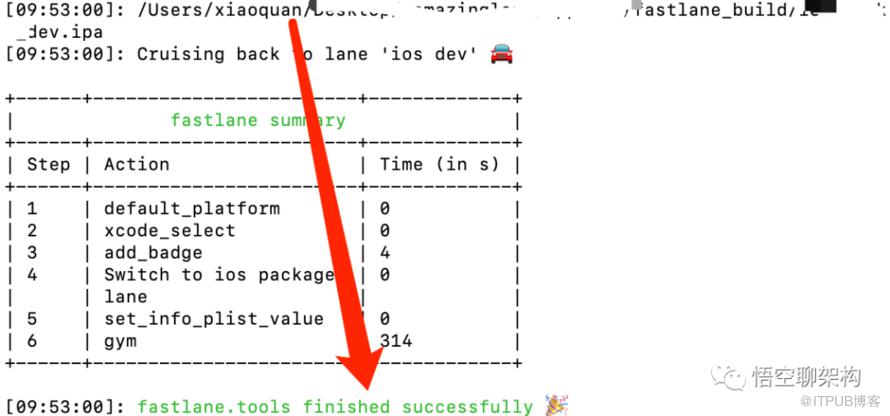
3.连接手机安装
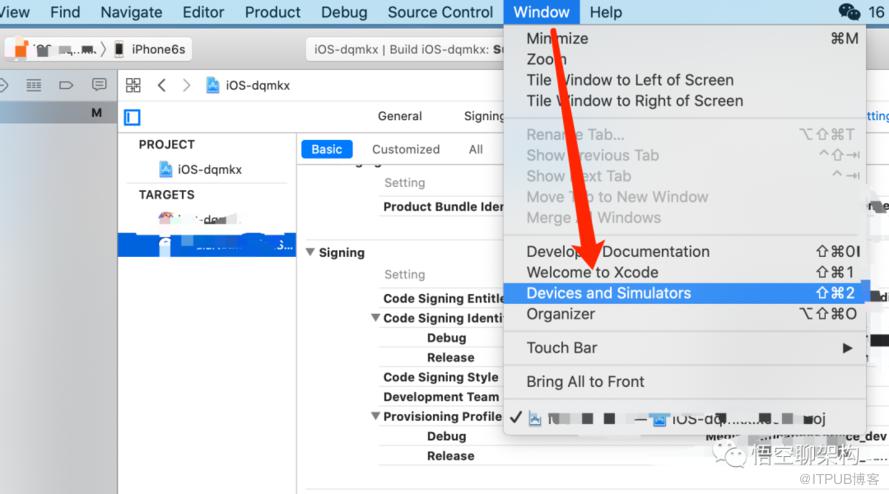
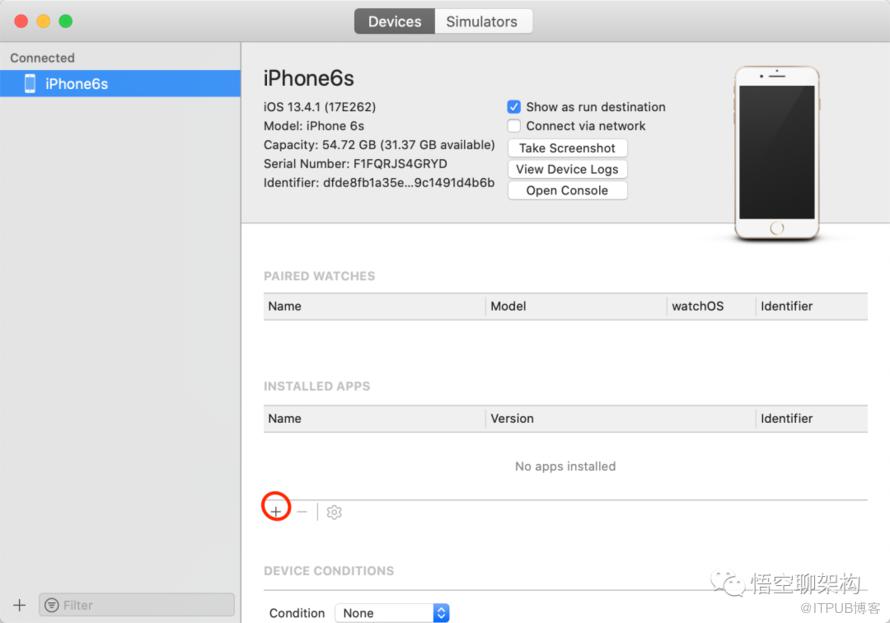
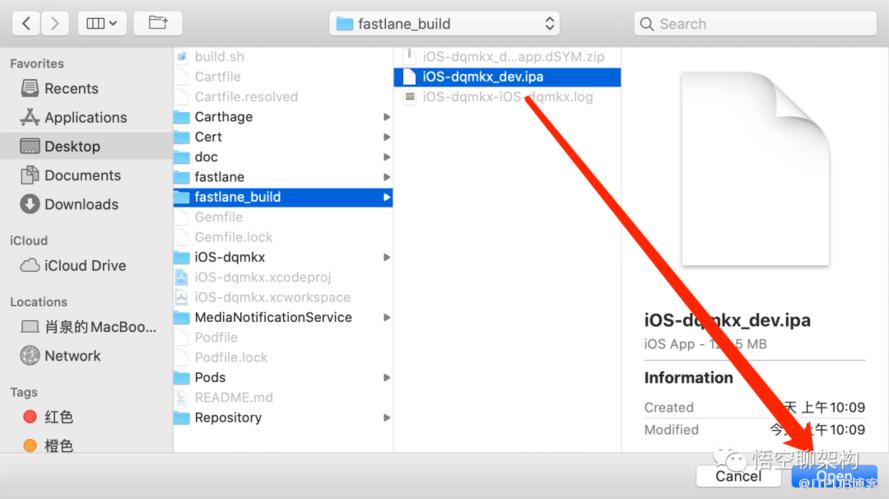
可以到手机测试了
更多内容



长按二维码关注
领取架构师资料
福利:
福利1:「精选 111 本架构师文集」回复【悟空】领书!
福利2:Java刷题神器
帅的人都点了在看! 
原文作者:悟空聊架构;如有侵权,请联系管理员删除。

请登录后发表评论
登录
全部评论
