Thingsboard 中“设备配置”和“设备”的关系是一对多的关系,通过设备配置为每个设备设置不同的配置,每个设备都会有一个与其关联的设备配置文件。等等,这不就是 TDengine 中超级表的概念:
超级表是一种特殊的表结构,用于代表一类具有相同数据模式的数据采集点。一个超级表有多个子表,一个子表只能隶属于一个超级表。
因此,将两者有机结合起来: TDengine 中创建超级表作为“设备配置”,Thingsboard 中添加设备则自动在TDengine 中创建子表,伟大的设计殊途同归。
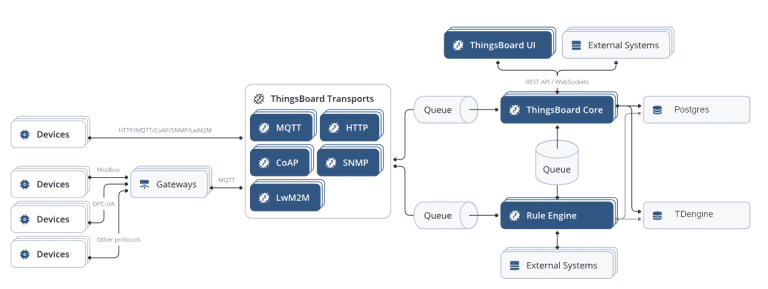
灵魂的碰撞
安装部署
安装过程可以直接参考官方安装教程: https://thingsboard.io/docs/user-guide/install/ubuntu/
但是有两点需要注意:
- 请点击 这里,联系我们获取适配版本。
- 配置文件增加 TDengine 相关连接配置:
# spring.tdengineexport TDENGINE_URL=jdbc:TAOS-RS://127.0.0.1:6041/thingsboardexport TDENGINE_USERNAME=rootexport TDENGINE_PASSWORD=taosdataexport TDENGINE_STR_LEN=1024export TDENGINE_STR_COL_MAX=65517export TDENGINE_STR_TAG_MAX=16382
操作步骤
1.创建“设备配置”
以一个车辆管理系统为例,需要记录车辆的车牌号、数据上报时间、经度、纬度、车速这几个变量。因此,我们调用接口来创建一个新的“设备配置”。
curl -X POST 'http://127.0.0.1:8080/api/deviceProfile' \--header 'Content-Type: application/json' \--header 'Authorization: Bearer $YOUR_JWT_TOKEN_HERE' \--data-raw '{ "name": "truck", "type": "DEFAULT", "image": null, "defaultQueueName": null, "transportType": "DEFAULT", "provisionType": "DISABLED", "description": "", "profileData": { "configuration": { "type": "DEFAULT" }, "transportConfiguration": { "type": "DEFAULT" }, "alarms": null, "provisionConfiguration": { "type": "DISABLED" } }, "tableInfo": { "columns": [{"name":"longtitude","type":"double","len":10},{"name":"latitude","type":"double"},{"name":"speed","type":"float"}], "tags": [{"name":"license_plate_number","type":"nchar","len":8}] }}'
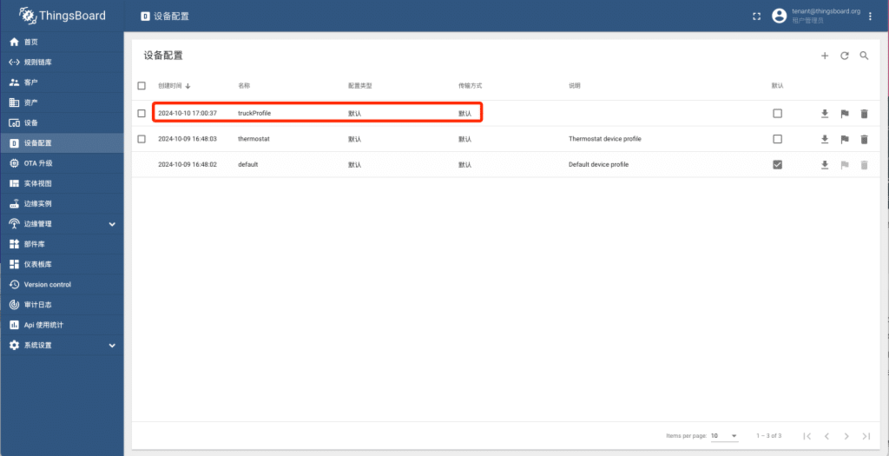
Thingsboard 中成功创建名称为“profileStable” 的“设备配置”:
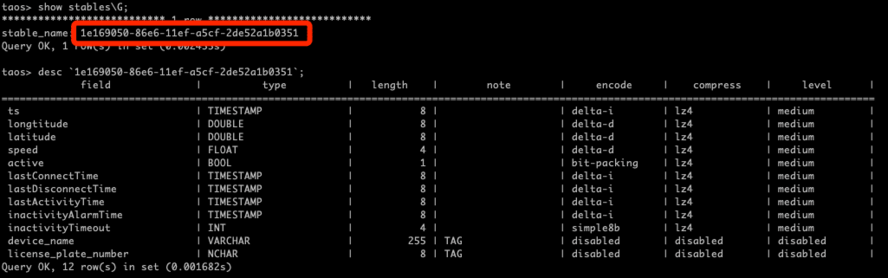
 数据库中成功创建超级表:
 2.
添加新设备
2.
添加新设备
选择已有配置“profileStable”,创建新的设备。
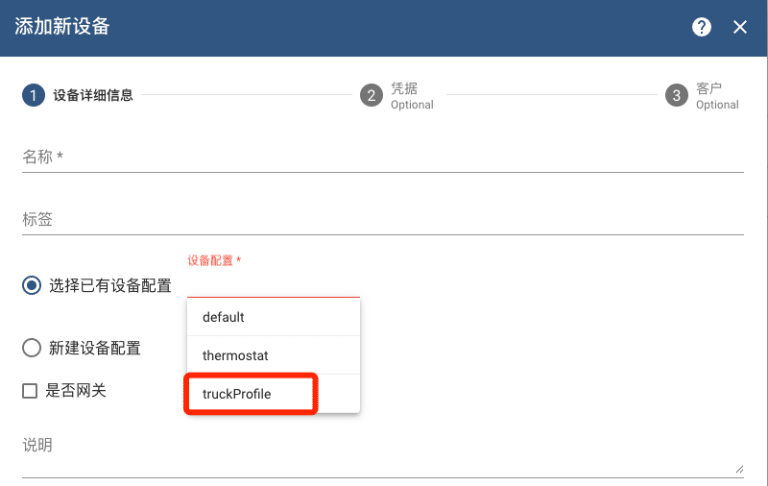
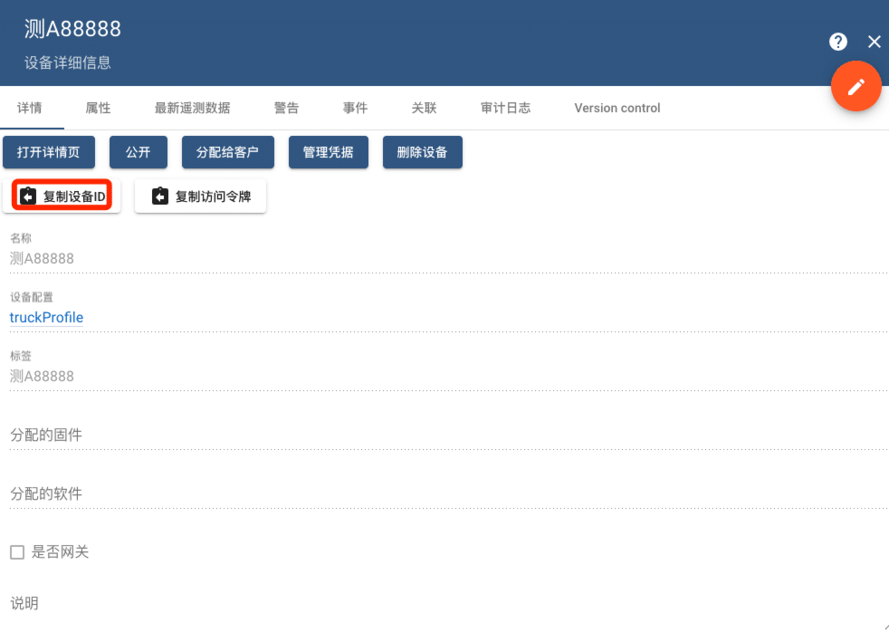
成功创建了一个名叫“测A88888″ 的设备,具体的子表名称可以通过“复制设备ID” 查看。
 3.
测试写入数据
3.
测试写入数据
直接通过访问令牌,调用接口发送数据
curl -X POST 'http://127.0.0.1:8080/api/v1/$YOU_DEVICE_TOKEN/telemetry' \--header 'Content-Type: application/json' \--data-raw '{"license_plate_number":"京A88888","longtitude":108.938744,"latitude":34.368150,"speed":60}'
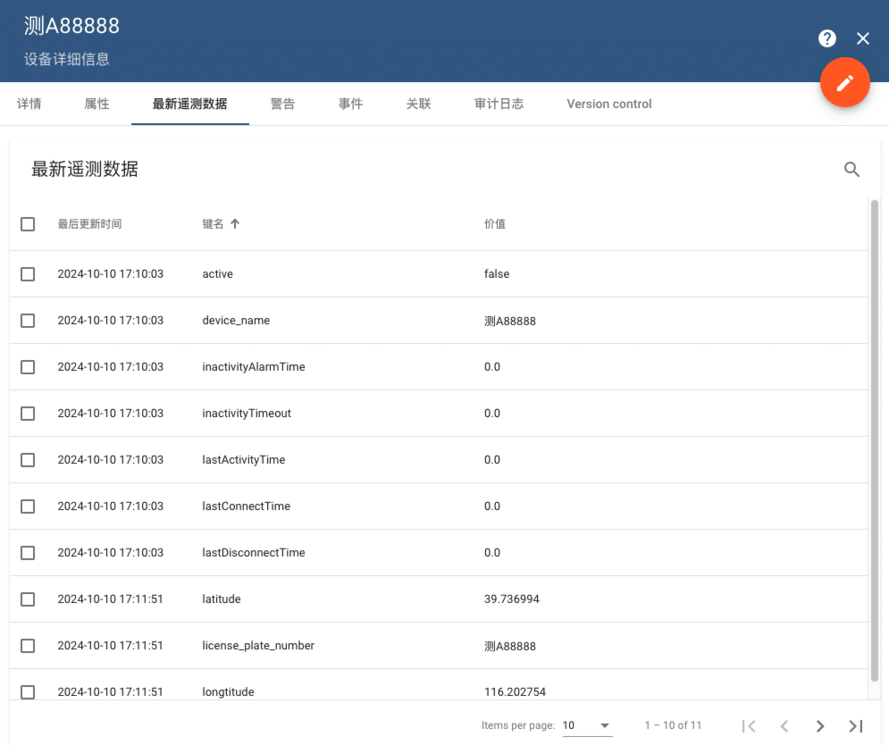
界面中更新数据
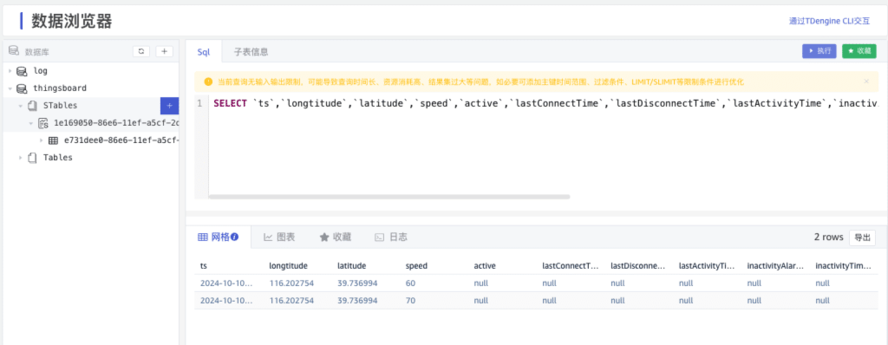
 数据库中也写入了最新的记录
业务展示
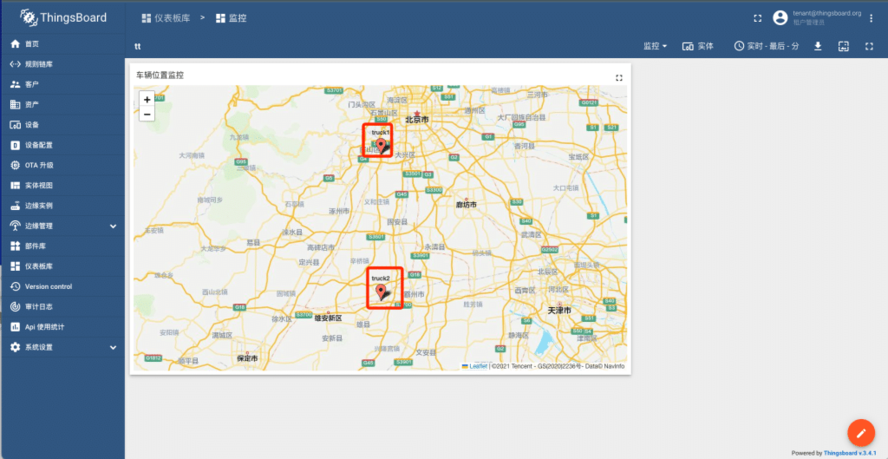
场景一:车辆实时定位追踪
- 数据采集:车辆GPS定位信息每秒传输到Thingsboard。
- 数据存储:在 TDengine中创建表存储定位数据。
- 数据展示:在Thingsboard创建地理位置图表,展示车辆实时位置。
场景二:车队维护预警
按日生成车辆每日超速次数。
- 创建流计算:在TDengine 中创建流计算
create stream high_speed fill_history 1 into high_speed subtable(concat('tb_', device_name)) asselect _wstart as 日期, count(speed) as 超速次数, device_name as 设备名称from `1e169050-86e6-11ef-a5cf-2de52a1b0351`where speed > 90 partition by device_name interval(1d);
- 查看流计算结果
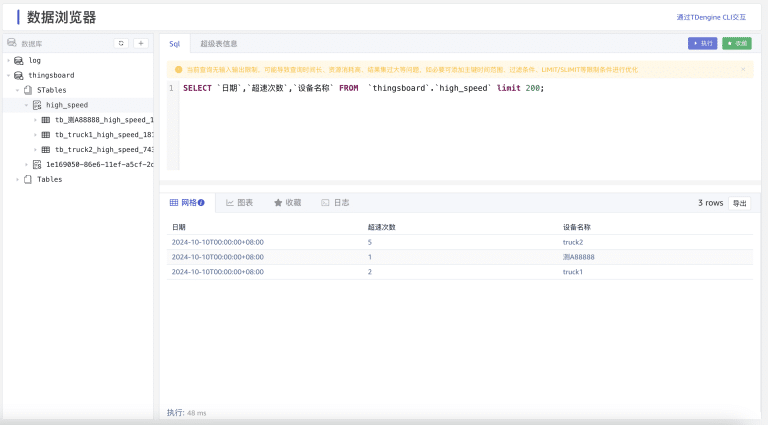
注:本次适配没有修改原有前端页面,需要调用HTTP API 来创建设备配置。感兴趣的小伙伴可以完善一下,欢迎提交代码交流。
来自 “ ITPUB博客 ” ,链接:https://blog.itpub.net/70014783/viewspace-3039783/ ,如需转载,请注明出处,否则将追究法律责任。

最新文章
- TDengine IDMP 2.0.2 发布:元素关系可视化、数据建模与联邦查询三大升级
- 栖息地 AI 超恒气候系统用 TDengine 支撑全屋环境品质实时监测与历史追溯
- 腾讯WorkBuddy x 涛思数据:TDengine 连接器与4位专家使用指南
- TDengine 亮相 ICC 2026,在北美自动化大会展示 AI 原生工业数据平台
- 万家乐用 TDengine 构建 IoT 数据底座:让数十万台热水器实现"主动售后"
- 涛思数据亮相第十二届国际智能制造暨工业AI论坛
- TDengine入驻腾讯WorkBuddy:1个连接器+4位顾问,让工业数据流AI起来
- TDengine荣获第十一届"创客中国"工业智能体大赛企业组一等奖
- 从"极速算"到"知识沉淀":工业 AI 实战直播(十三、十四期)
- 存储成本降低80%,Zendure用TDengine支撑117万台设备的能源数据分析
