TextView maxWidth、maxLines、maxLength、maxEms 的区别面纱就此揭开!掌握它们的区别对实际开发蛮有用处。若您有遇到其它相关问题。
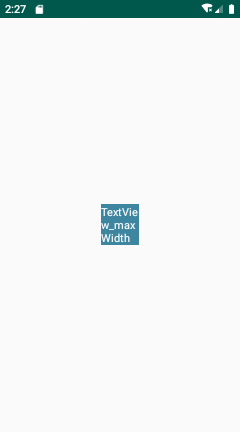
maxWidth
限制当前view的宽度,若此时高度设置为wrap_content,文字长度超过view的宽度时会自动换行
    <TextView
        android:layout_width="wrap_content"
        android:layout_height="wrap_content"
        android:background="#3E86A0"
        android:textColor="#ffffff"
        android:text="TextView_maxWidth"
        android:maxWidth="50dp"/>
maxLines
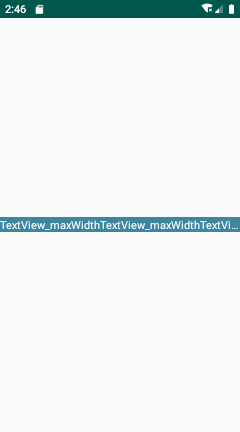
无论文字整体需要几行才可显示,最终只显示 N 行。一般配合ellipsize标签使用,它可指定在尾部添加省略号
    <TextView
        android:layout_width="wrap_content"
        android:layout_height="wrap_content"
        android:background="#3E86A0"
        android:textColor="#ffffff"
        android:text="TextView_maxWidthTextView_maxWidthTextView_maxWidth"
        android:ellipsize="end"
        android:maxLines="1"/>
maxLength
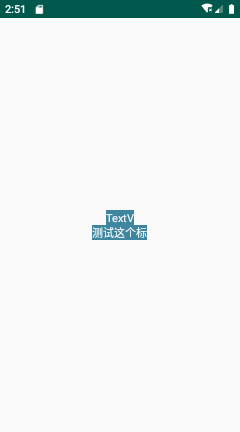
限制可显示字符数量,超出部分会被截断,设置 ellipsize 也无效,字母或汉字每个单位均记做1,
    <TextView
        android:layout_width="wrap_content"
        android:layout_height="wrap_content"
        android:background="#3E86A0"
        android:textColor="#ffffff"
        android:text="TextView_maxWidth"
        android:ellipsize="end"
        android:maxLength="5"/>
    <TextView
        android:layout_width="wrap_content"
        android:layout_height="wrap_content"
        android:background="#3E86A0"
        android:textColor="#ffffff"
        android:text="测试这个标签的作用"
        android:ellipsize="end"
        android:maxLength="5"/>
maxEms
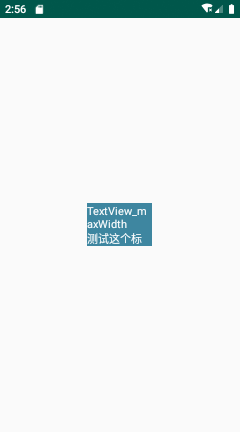
单行最多可现实的字符数量,超出限制自动换行,汉字记做2个单位,字母记做1个单位
    <TextView
        android:layout_width="wrap_content"
        android:layout_height="wrap_content"
        android:background="#3E86A0"
        android:textColor="#ffffff"
        android:text="TextView_maxWidth"
        android:maxEms="5"/>
    <TextView
        android:layout_width="wrap_content"
        android:layout_height="wrap_content"
        android:background="#3E86A0"
        android:textColor="#ffffff"
        android:text="测试这个标签的作用"
        android:maxLines="1" // 这里设置了行数限制,所以下图中的文字被截取
        android:maxEms="5"/>
若您有遇到其它相关问题,非常欢迎在评论中留言。

来自 “ ITPUB博客 ” ,链接:https://blog.itpub.net/69984284/viewspace-2723387/ ,如需转载,请注明出处,否则将追究法律责任。
上一篇:
Android四大组件之Activity

请登录后发表评论
登录
全部评论
