坚持不懈的寻找方案终于有了结果——使用GitLab CI持续集成并自动部署到FTP。
这样减少了相当多的人力工作。
主要分为两个过程
在介绍过程前还有一个更简单方便的方法可以先告诉不喜欢倒腾的,那就是IIS7服务器管理工具。
IIS7服务器管理工具可以批量管理、定时上传下载、同步操作、数据备份、到期提醒、自动更新。IIS7服务器管理工具适用于Windows操作系统和liunx操作系统;支持Ftp客户端批量操作。
官网地址:
IIS7服务器管理工具
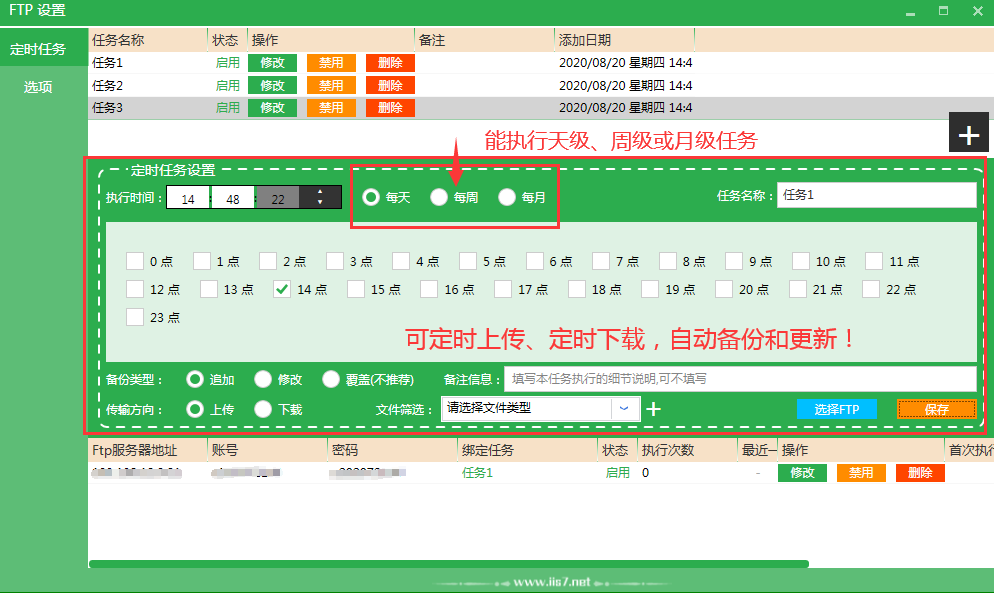
接下来是两个过程的详解
持续集成
第一步很关键,但是也很简单。创建GitLab私有仓库以后,在项目根目录添加
.gitlab-ci.yml配置文件,以便上传代码后GitLab CI使用。
其中有两个关键点。第一个是标记
expire_in,不然会自动删除的。第二个是我这里配置了分支是
master,这个依自己情况而定。
1 2 3 4 5 6 7 8 9 10 11 12 13 14 15 16 17 18 19 20 21 22 |
# This file is a template, and might need editing before it works on your project. # Full project: https://gitlab.com/pages/hexo image: node:12.14.1 cache: paths: - node_modules/ before_script: - npm install hexo-cli -g - test -e package.json && npm install - hexo generate pages: script: - hexo generate artifacts: expire_in: 3 days # <== !!! paths: - public # <== 每次会将生成的 public 文件夹当成附件,保存起来 only: - master |
自动部署
自动部署这个折腾了很久。先描述过程,后面再说自己挖的坑。
增加FTP服务器配置后,
.gitlab-ci.yml配置文件如下:
1 2 3 4 5 6 7 8 9 10 11 12 13 14 15 16 17 18 19 20 21 22 23 24 25 |
# This file is a template, and might need editing before it works on your project. # Full project: https://gitlab.com/pages/hexo image: node:12.14.1 cache: paths: - node_modules/ before_script: - npm install hexo-cli -g - test -e package.json && npm install - hexo generate pages: script: - hexo generate - apt-get update -qq && apt-get install -y -qq lftp artifacts: expire_in: 3 days # <== !!! paths: - public # <== 每次会将生成的 public 文件夹当成附件,保存起来 only: - master after_script: - lftp -c "set ftp:ssl-allow no; open -u $USERNAME,$PASSWORD $HOST; mirror -Rev public/ ./ --ignore-time --parallel=10 --exclude-glob .git* --exclude .git/" |
大致流程是先安装lftp工具,再上传。特别注意,这里为了不在代码中暴露关键信息,使用了
$USERNAME
$PASSWORD
$HOST来获取CI/CD中提前配置好的变量值。
来自 “ ITPUB博客 ” ,链接:https://blog.itpub.net/69984138/viewspace-2726613/ ,如需转载,请注明出处,否则将追究法律责任。

请登录后发表评论
登录
全部评论
