以前,直播商城源码如果要对一个界面切割,分成各个部分可能需要画好多个Layout然后include进来或者用个什么空白的ImageView去填充。V7包中有了一个更简便的实现包结构:
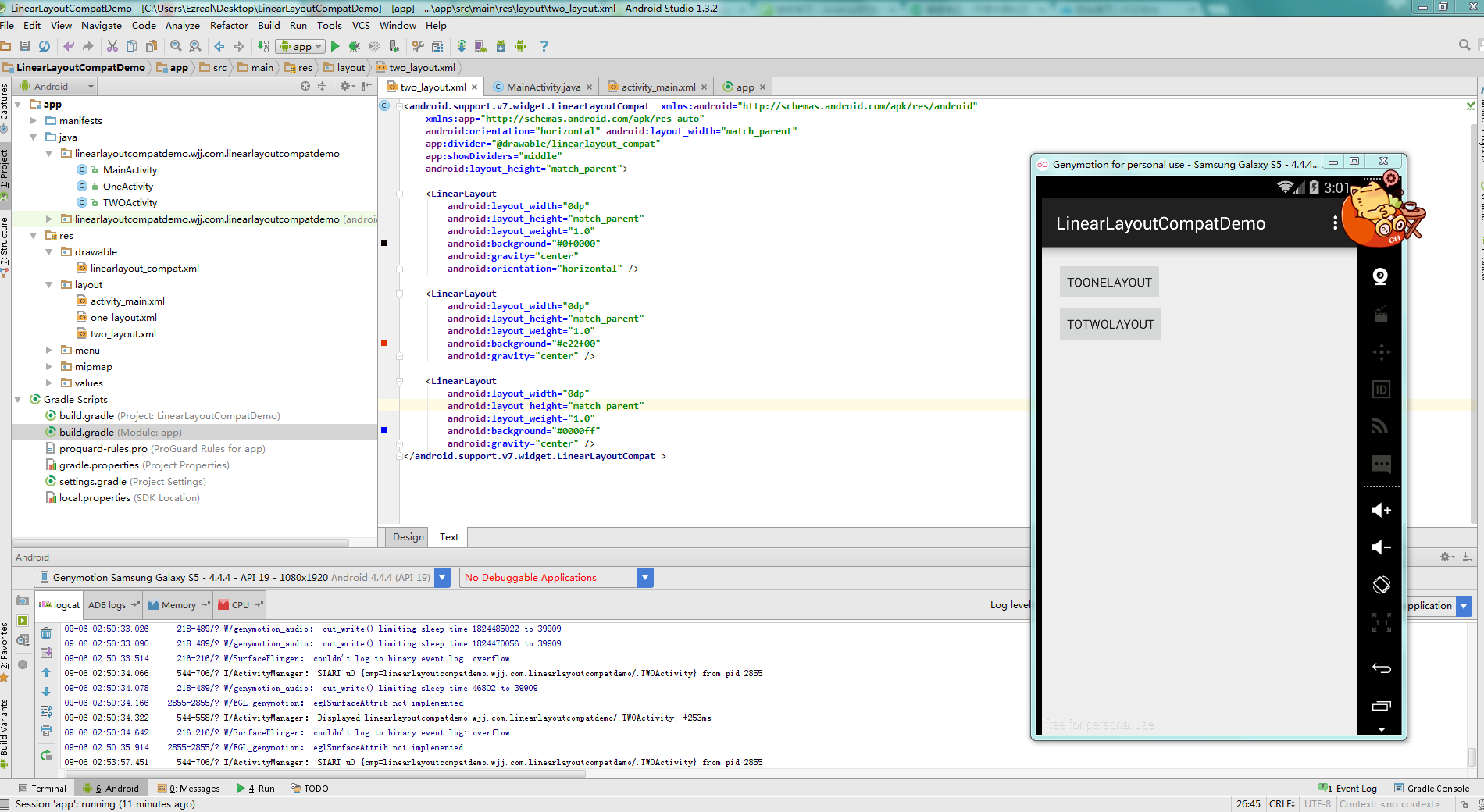

就2个按钮分别去到2个不能布局方式的layout,呈现样式不贴了,因为一模一样。。
要是直播商城源码使用LinearLayoutCompat的话需要引入
compile 'com.android.support:appcompat-v7:22.2.1'
eclipse的话去搜刮jar包就好
OneActivity的布局
<?xml version="1.0" encoding="utf-8"?>
<LinearLayout xmlns:android="http://schemas.android.com/apk/res/android"
    android:orientation="horizontal" android:layout_width="match_parent"
    android:layout_height="match_parent">
    <LinearLayout
        android:orientation="horizontal"
        android:layout_width="wrap_content"
        android:layout_height="match_parent"
        android:background="@color/background_material_dark"
        android:layout_weight="1"></LinearLayout>
    <LinearLayout
        android:orientation="horizontal"
        android:layout_width="wrap_content"
        android:layout_height="match_parent"
        android:background="@drawable/linearlayout_compat"></LinearLayout>
    <LinearLayout
        android:orientation="horizontal"
        android:layout_width="wrap_content"
        android:layout_height="match_parent"
        android:background="@color/material_blue_grey_800"
        android:layout_weight="1"></LinearLayout>
    <LinearLayout
        android:orientation="horizontal"
        android:layout_width="wrap_content"
        android:layout_height="match_parent"
        android:background="@drawable/linearlayout_compat"></LinearLayout>
    <LinearLayout
        android:orientation="horizontal"
        android:layout_width="wrap_content"
        android:layout_height="match_parent"
        android:background="@color/secondary_text_disabled_material_light"
        android:layout_weight="1"></LinearLayout>
</LinearLayout>
这还是简单的布局复杂的呢,一大堆LinearLayout
TwoActivity
<?xml version="1.0" encoding="utf-8"?>
<android.support.v7.widget.LinearLayoutCompat  xmlns:android="http://schemas.android.com/apk/res/android"
    xmlns:app="http://schemas.android.com/apk/res-auto"
    android:orientation="horizontal" android:layout_width="match_parent"
    app:divider="@drawable/linearlayout_compat"
    app:showDividers="middle"
    android:layout_height="match_parent">
    <LinearLayout
        android:layout_width="0dp"
        android:layout_height="match_parent"
        android:layout_weight="1.0"
        android:background="#0f0000"
        android:gravity="center"
        android:orientation="horizontal" />
    <LinearLayout
        android:layout_width="0dp"
        android:layout_height="match_parent"
        android:layout_weight="1.0"
        android:background="#e22f00"
        android:gravity="center" />
    <LinearLayout
        android:layout_width="0dp"
        android:layout_height="match_parent"
        android:layout_weight="1.0"
        android:background="#0000ff"
        android:gravity="center" />
</android.support.v7.widget.LinearLayoutCompat >
直播商城源码只需要引入xmlns:app=”http://schemas.android.com/apk/res-auto”就可以使用他的一些方法了。
app:divider分割线的素材
app:showDividers呈现方式以及padding等。
声明:本文由云豹科技转发自王亟亟的大牛之路博客,如有侵权请联系作者删除
来自 “ ITPUB博客 ” ,链接:https://blog.itpub.net/69982461/viewspace-2793341/ ,如需转载,请注明出处,否则将追究法律责任。

请登录后发表评论
登录
全部评论
