实现:
liunx服务器一台;
域名(可备案或无备案换个端口就行);
推流端(obs等软件都可以)
流媒体服务器(用大佬写的)
拉流端(html实现)
个人理解:
看别人的写的文章太复杂了,简单的理解为直播卖货系统的推流是输入,流媒体服务器是处理数据转换数据,拉流就是输出了。在思考大部分问题解决思路都必须是清晰的。
拉流端
obs直接获取推流:rtmp://ip:1935/live;
其他推流软件类似。
流媒体服务器
大佬文章
拉流端代码
把ip换成自己服务器ip就ok了,服务器必须绑定域名.(否则无法访问网页观看)
<!DOCTYPE html><html leng="en"><head>
    <meta charset="UTF-8">
    <title>个人网站</title>
    <meta name="viewport" content="width=device-width, initial-scale=1.0,user-scalable=0,minimal-ui">
    <script src="https://cdn.bootcss.com/jquery/3.4.1/jquery.min.js"></script>
    <link rel="stylesheet" type="text/css" href="./css/wap.css">
    <link href="https://cdn.bootcss.com/video.js/7.7.6/video-js.min.css" rel="stylesheet">
    <script src="https://cdn.bootcss.com/video.js/7.7.6/video.min.js"></script>
    <script src="https://cdn.bootcss.com/videojs-flash/2.2.1/videojs-flash.min.js"></script>

    <style>
            *{                margin:0;                padding:0;
            }            button{                margin:10px;                width:150px;                height:30px;

            }            #myvideo .vjs-big-play-button {                left: 50%;                margin-left: -2.1em;                top: 50%;                margin-top: -1.4000000000000001em;
                }            .huabu {                width: 100%;                height: 100%;                position: absolute;                background-image: linear-gradient(#44719F, #3B5169);
            }    </style></head><body>
    <div style="text-align: center;width:100%; background-image:url(./image/background.jpg);">
        <button id="a" type="button" >Android</button>
        <button id="b" type="button ">PC(需要flash插件)</button>
        <div id="c" ">当前流:RTMP</div>
        <div style="font-size:14px">两个源都支持PC,部分浏览器不支持,手机用户只能用Android.</div>
        <a href="http://wpa.qq.com/msgrd?v=3&uin=2744881984&site=qq&menu=yes" style="text-decoration:none; color:black">联系作者</a>
    </div>
    <!--播放容器-->
    <div>
     <div class="huabu" id="particles-js"></div>
    <video id='myvideo' poster="./image/background.jpg" x5-video-player-type="h5" x5-video-player-fullscreen="true" width=1200 height=540 class="video-js vjs-default-skin" controls style="margin:0 auto;"></video>
    <div>
    <script>
        //初始化视频播放器
        var video = videojs('myvideo',{},function () {            this.src({                src: "http://182.92.11.182:89/live1/index.m3u8",                type:"application/x-mpegURL"
            });            this.play();
        });
        $("#a").click(function () {
            video.src("http://182.92.11.182:89/live1/index.m3u8","application/x-mpegURL");
            $("#c").html("当前流:HTTP")
        });
        $("#b").click(function () {
            video.src("rtmp://182.92.11.182:1935/live/live1","rtmp/flv");
            $("#c").html("当前流:RTMP")
        });    </script></body>
    <script type="text/javascript" src="./js/particles.js"></script>
    <script type="text/javascript" src="./js/app.js"></script></html>

坑:
-rtmp流需要flash支持,而且手机用户不能访问,后面我加了html流,手机问题解决。 (还有一种方法写一个支持rtmp播放器)
-html流,手机PC都能看,谷歌浏览器不支持,win10自带浏览器可以看。其他没试.
-obs推流密钥问题
不需要密匙的推流就这格式:rtmp://ip:1935/live/live
需要的就rtmp://ip:1935/live,密匙live1就ok了.
-网页无法访问问题,
防火墙一定要打开,去服务器打开安全组添加,用了什么端口就打开,:89就打开89端口.
效果图:
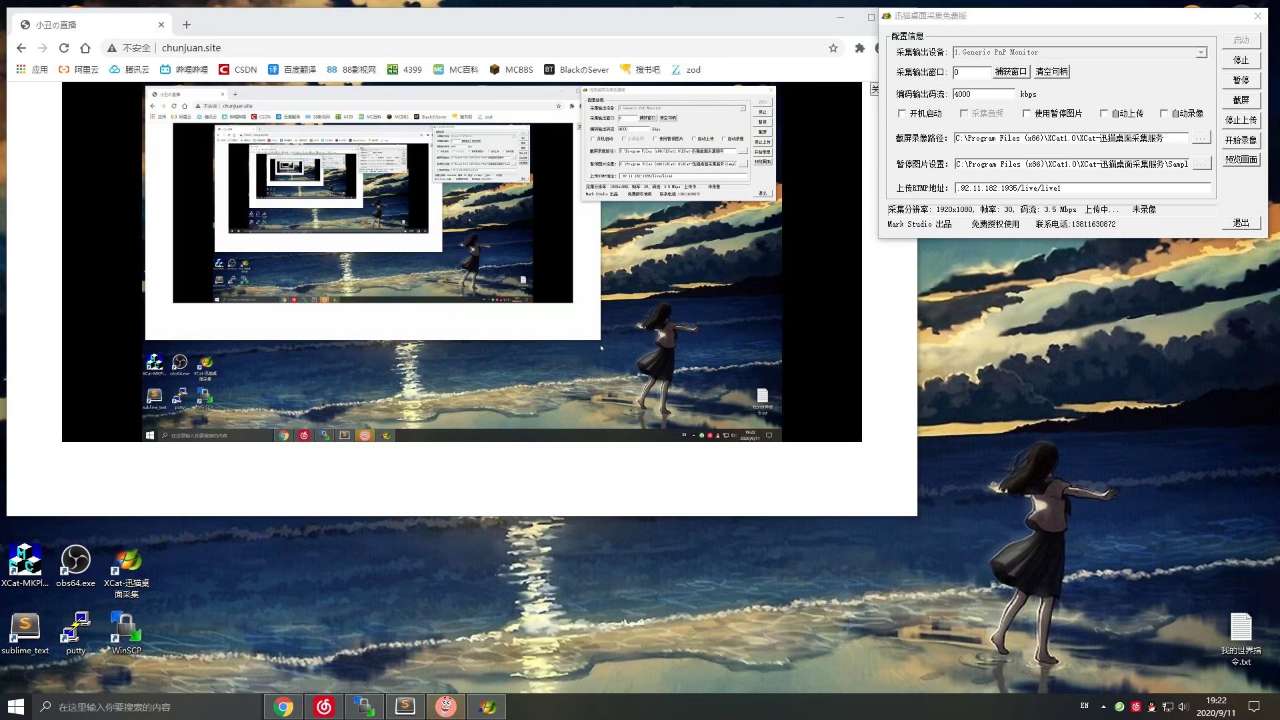
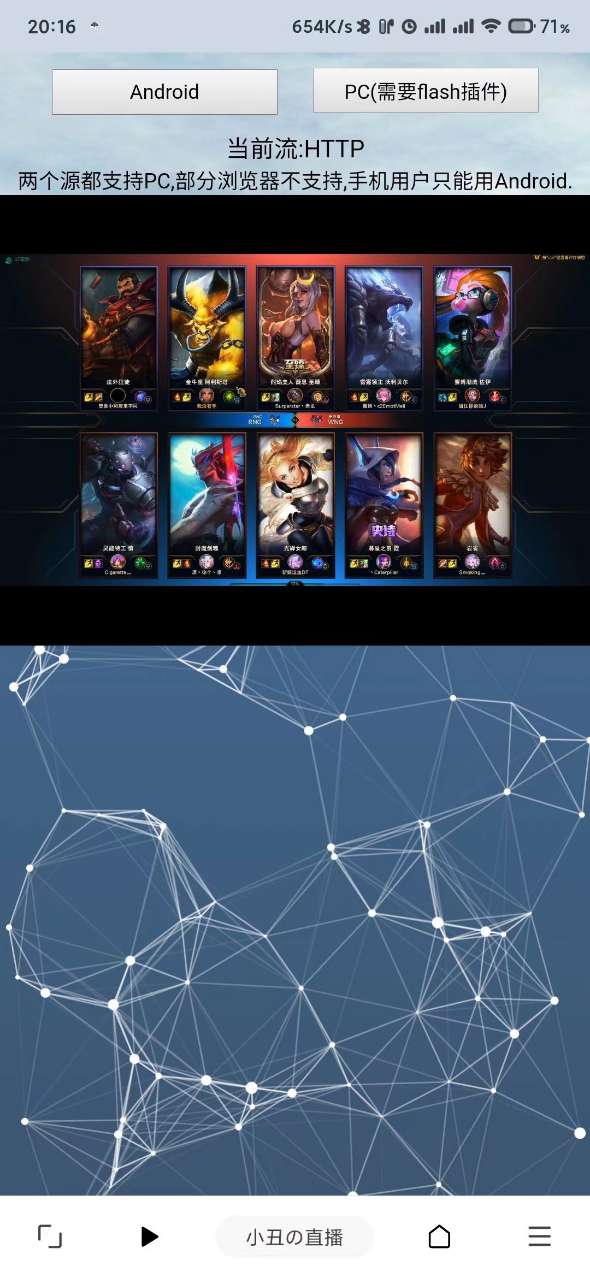
直播卖货系统的直播效果非常棒,除了延迟几秒,没啥问题。
————————————————
声明:本文由云豹科技转发自
balck_one博客,如有侵权请联系作者删除
来自 “ ITPUB博客 ” ,链接:https://blog.itpub.net/69982461/viewspace-2781537/ ,如需转载,请注明出处,否则将追究法律责任。

