CentOS7下vsftpd over SSL/TLS加密传输配置实践

之前有介绍过CentOS下搭建vsftpd服务器,可以参考如下文章
下面开启SSL/TLS用于FTP安全加密传输
1、生成自签证书
cd /etc/pki/tls/certs/
openssl req -x509 -nodes -newkey rsa:2048 -keyout vsftpd.pem -out vsftpd.pem -days 365
[root@VM_Server ~]# cd /etc/pki/tls/certs/
[root@VM_Server certs]# ll
total 12
lrwxrwxrwx. 1 root root   49 Jan  4  2020 ca-bundle.crt -> /etc/pki/ca-trust/extracted/pem/tls-ca-bundle.pem
lrwxrwxrwx. 1 root root   55 Jan  4  2020 ca-bundle.trust.crt -> /etc/pki/ca-trust/extracted/openssl/ca-bundle.trust.crt
-rwxr-xr-x. 1 root root  610 Oct 31  2018 make-dummy-cert
-rw-r--r--. 1 root root 2516 Oct 31  2018 Makefile
-rwxr-xr-x. 1 root root  829 Oct 31  2018 renew-dummy-cert
[root@VM_Server certs]# openssl req -x509 -nodes -newkey rsa:2048 -keyout vsftpd.pem -out vsftpd.pem -days 365
Generating a 2048 bit RSA private key
................+++
...........................+++
writing new private key to 'vsftpd.pem'
-----
You are about to be asked to enter information that will be incorporated
into your certificate request.
What you are about to enter is what is called a Distinguished Name or a DN.
There are quite a few fields but you can leave some blank
For some fields there will be a default value,
If you enter '.', the field will be left blank.
-----
Country Name (2 letter code) [XX]:CN
State or Province Name (full name) []:ZheJiang
Locality Name (eg, city) [Default City]:HangZhou
Organization Name (eg, company) [Default Company Ltd]:WalkingCloud
Organizational Unit Name (eg, section) []:IT
Common Name (eg, your name or your server's hostname) []:ftp.walkingcloud.cn
Email Address []:yuanfan@walkingcloud.cn
[root@VM_Server certs]# ll
total 16
lrwxrwxrwx. 1 root root   49 Jan  4  2020 ca-bundle.crt -> /etc/pki/ca-trust/extracted/pem/tls-ca-bundle.pem
lrwxrwxrwx. 1 root root   55 Jan  4  2020 ca-bundle.trust.crt -> /etc/pki/ca-trust/extracted/openssl/ca-bundle.trust.crt
-rwxr-xr-x. 1 root root  610 Oct 31  2018 make-dummy-cert
-rw-r--r--. 1 root root 2516 Oct 31  2018 Makefile
-rwxr-xr-x. 1 root root  829 Oct 31  2018 renew-dummy-cert
-rw-r--r--  1 root root 3176 Aug  8 09:01 vsftpd.pem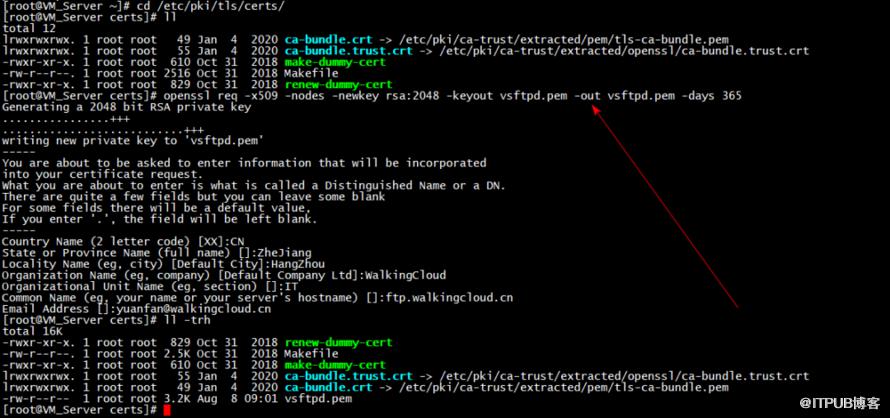
然后拷贝证书
cd /etc/vsftpd/
cp /etc/pki/tls/certs/vsftpd.pem ./
chmod 600 vsftpd.pem

2、配置vsftpd.conf
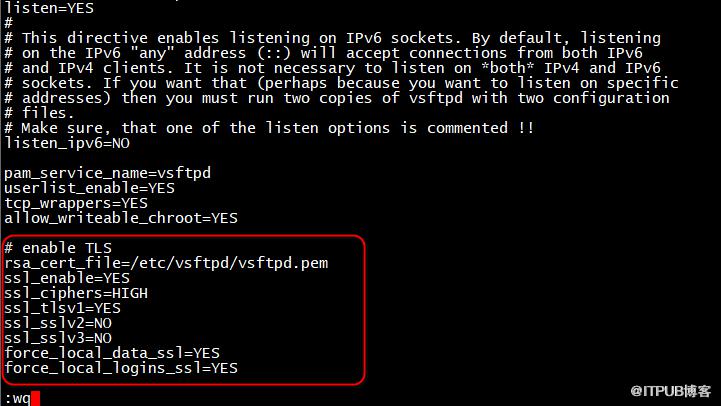
vi /etc/vsftpd/vsftpd.conf 添加如下参数
# enable TLS
rsa_cert_file=/etc/vsftpd/vsftpd.pem
ssl_enable=YES
ssl_ciphers=HIGH
ssl_tlsv1=YES
ssl_sslv2=NO
ssl_sslv3=NO
force_local_data_ssl=YES
force_local_logins_ssl=YES
3、重启vsftpd服务,安装lftp客户端工具测试
service vsftpd restart
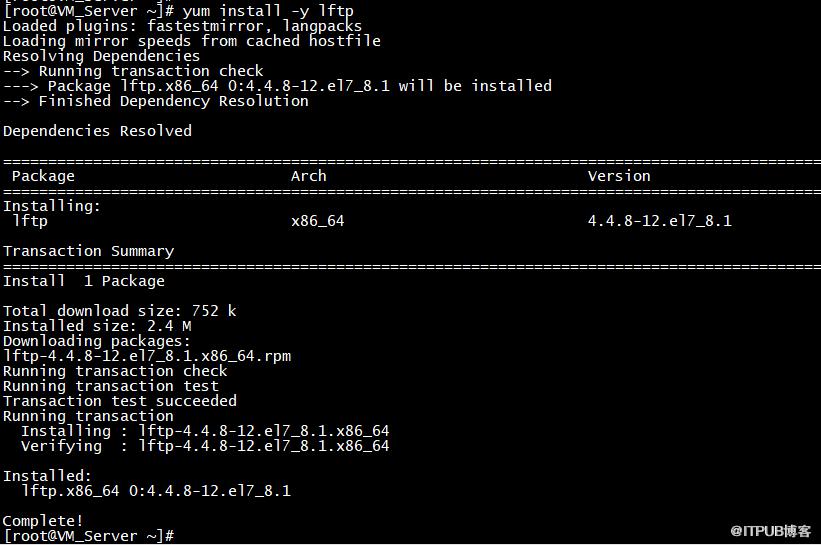
yum install -y lftp
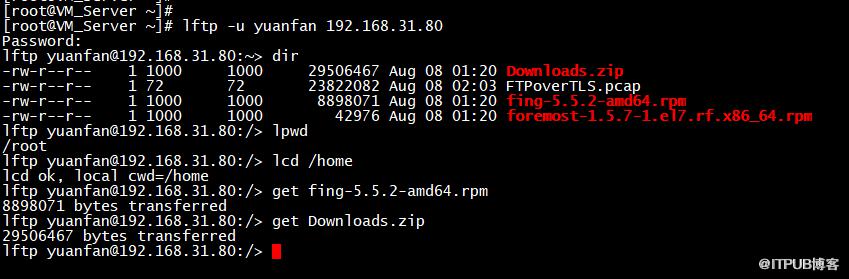
lftp -u yuanfan 192.168.31.80

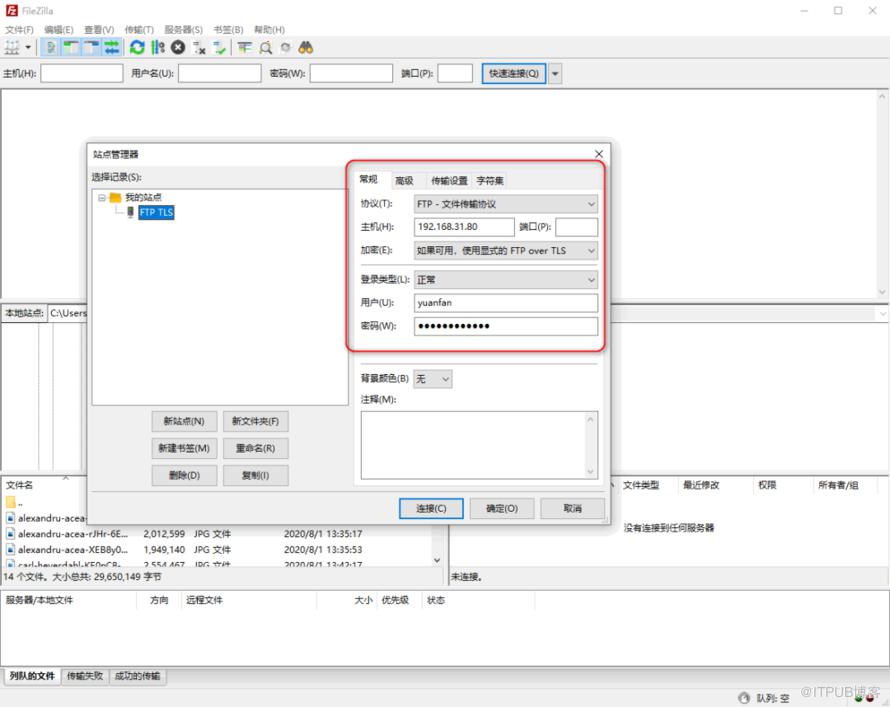
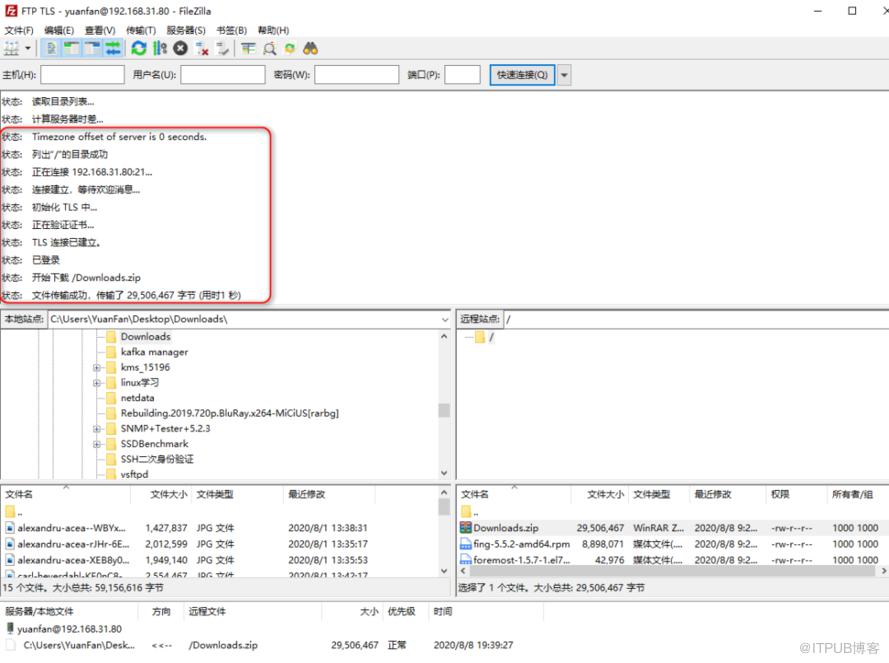
4、windows下使用Filezilla FTP客户端连接

原文作者:WalkingCloud;如有侵权,请联系管理员删除。

请登录后发表评论
登录
全部评论
最新文章
- GrayLog常见问题收录-FAQ篇
- 使用GraylogDataNode作为内置OpenSearch日志存储的GrayLog6.1.2一键安装脚本
- 开源日志平台GrayLog最新版本6.1.0的一键安装脚本
- GrayLog6.0.X通过yum方式升级到最新版本
- 专业强大好用的SSH终端/SFTP客户端工具-Xshell8+XFTP8免费版
- GrayLog对接DLP并实现数据安全告警单独发送给员工主管
- 国产免费NAS系统-飞牛私有云fnOS安装初体验
- 使用RR(Redpill Recovery)引导安装最新群晖NAS系统DSM7.2.1
- 开源日志平台GrayLog最新稳定版本6.0.5的一键安装脚本
- shell脚本+webhook实现联动一键联动删除异常大小的文件
