Zabbix是一个高度集成的网络监控解决方案,可以提供企业级的开源分布式监控解决方案,由一个国外的团队持续维护更新,软件可以自由下载使用,运作团队靠提供收费的技术支持赢利。
zabbix是一个基于Web界面的,提供分布式系统监控以及网络监视功能的企业级的开源解决方案。
本文接着上篇文章继续为大家讲解Zabbix企业级实战,阅读这篇文章之前建议先阅读:
不懂监控,何谈运维!万字Zabbix企业级实战手册(上)!
zabbix前端页面准备
#使用源码包 tar xf  zabbix-5.0.18.tar.gz
cd zabbix-5.0.18/cp -a ui/*   /app/code/zbx/chown -R  nginx.nginx /app/code/zbx/#web页面安装
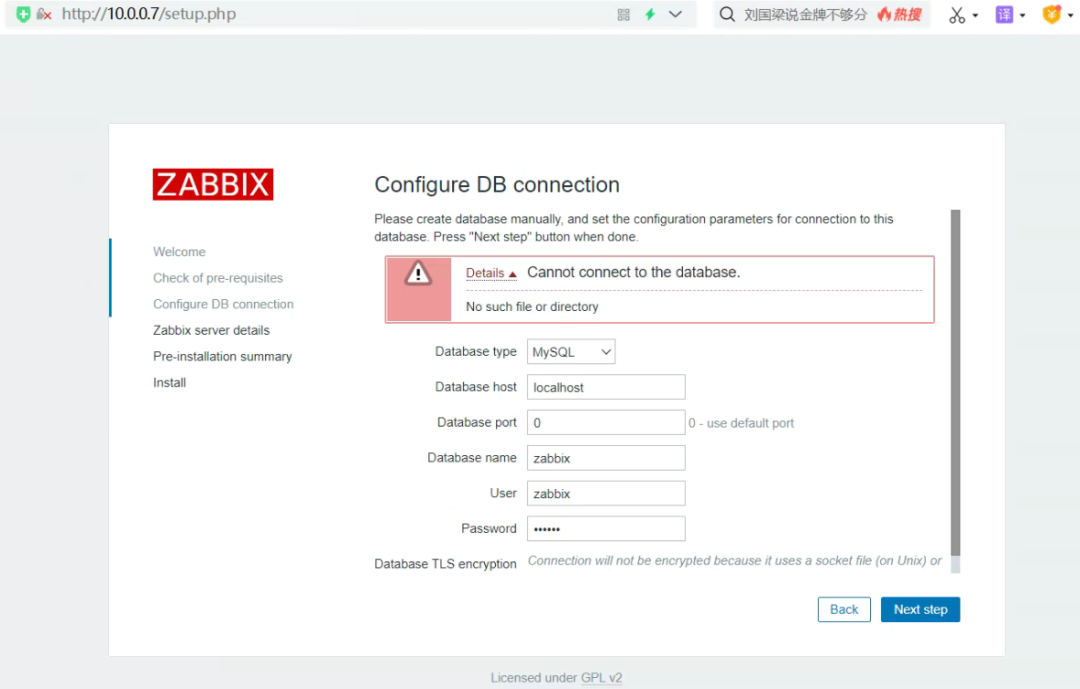
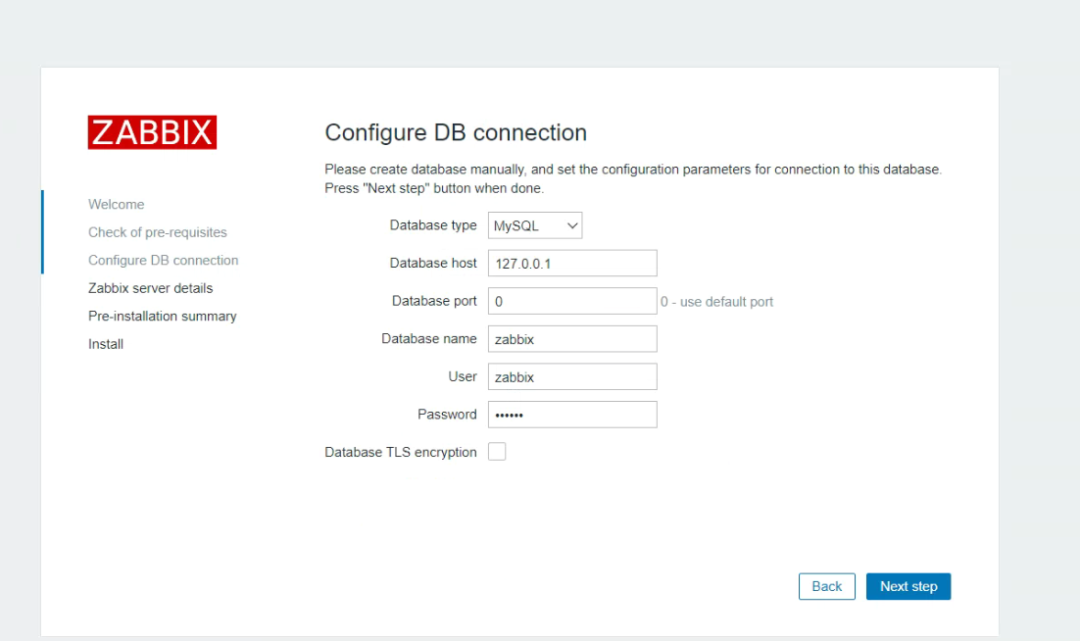
安装zabbix(zabbix 前端页面连接数据库与zabbix-server)
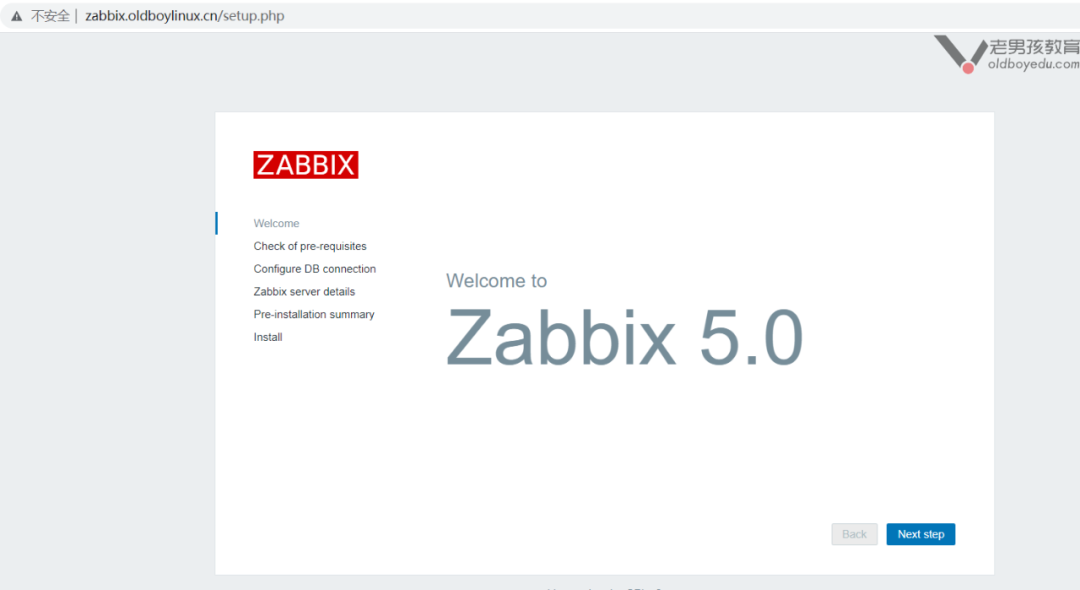
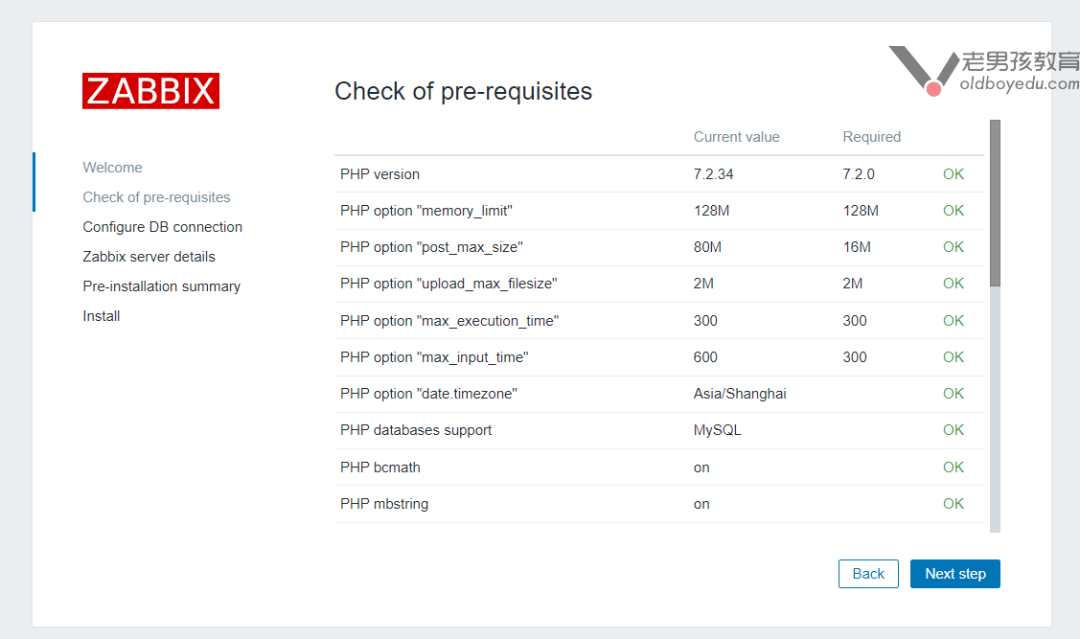
#php最后的配置 Minimum required size of PHP post is 16M (configuration option "post_max_size").Minimum required limit on execution time of PHP scripts is 300 (configuration option "max_execution_time").Minimum required limit on input parse time for PHP scripts is 300 (configuration option "max_input_time").Time zone for PHP is not set (configuration parameter "date.timezone").post_max_size  16M
max_execution_time 300max_input_time 300date.timezone
[root@m03 ~]# egrep -n '^(max_|date.timezone|post_max)'   /etc/php.ini 368:max_execution_time = 300378:max_input_time = 600656:post_max_size = 80M802:max_file_uploads = 20877:date.timezone = Asia/Shanghai[root@m03 ~]# systemctl reload php-fpm.service
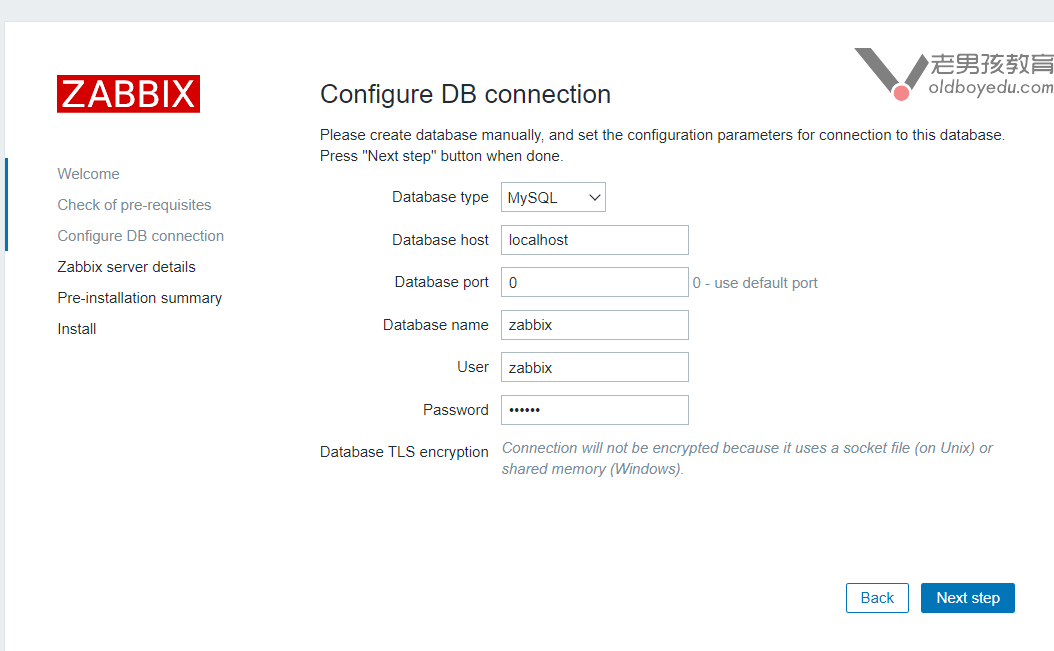
web连接数据库
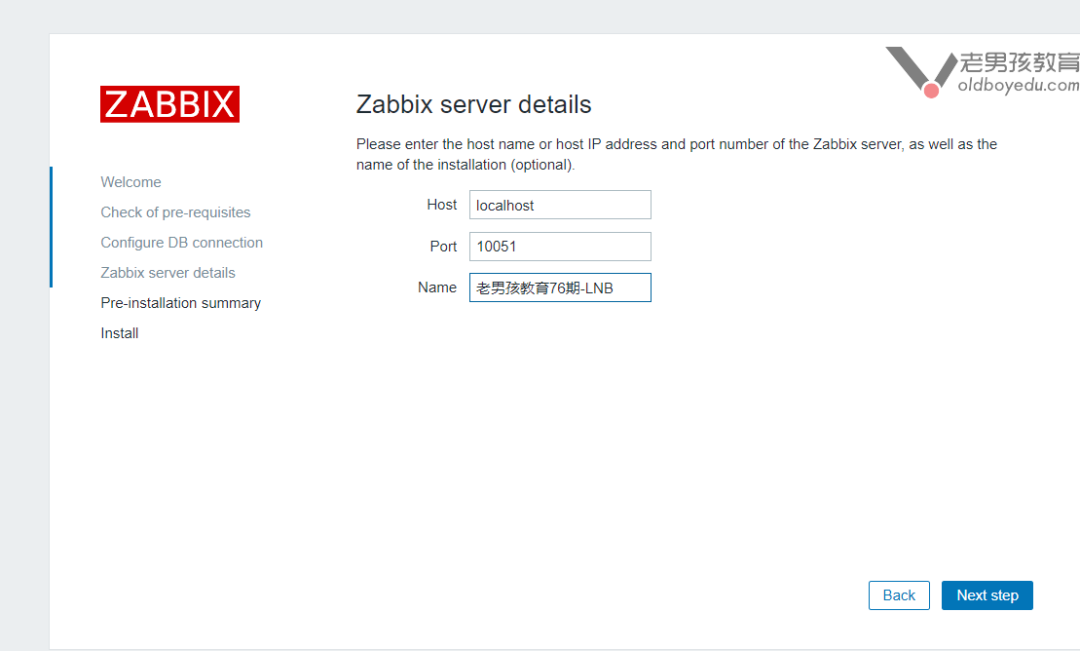
zabbix页面连接 zabbxi 服务端
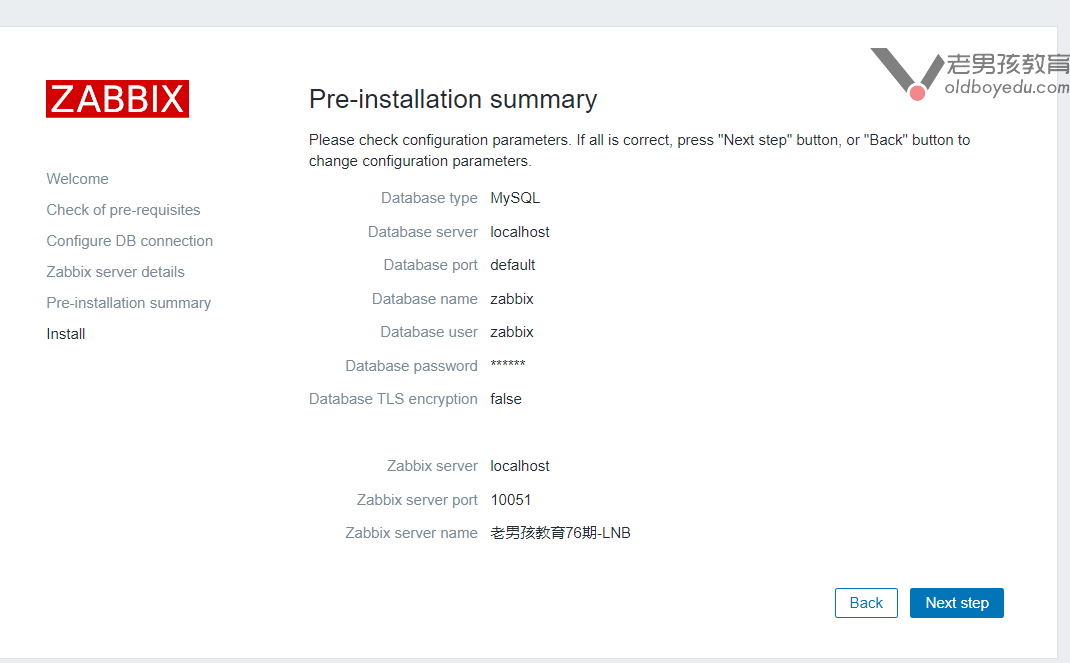
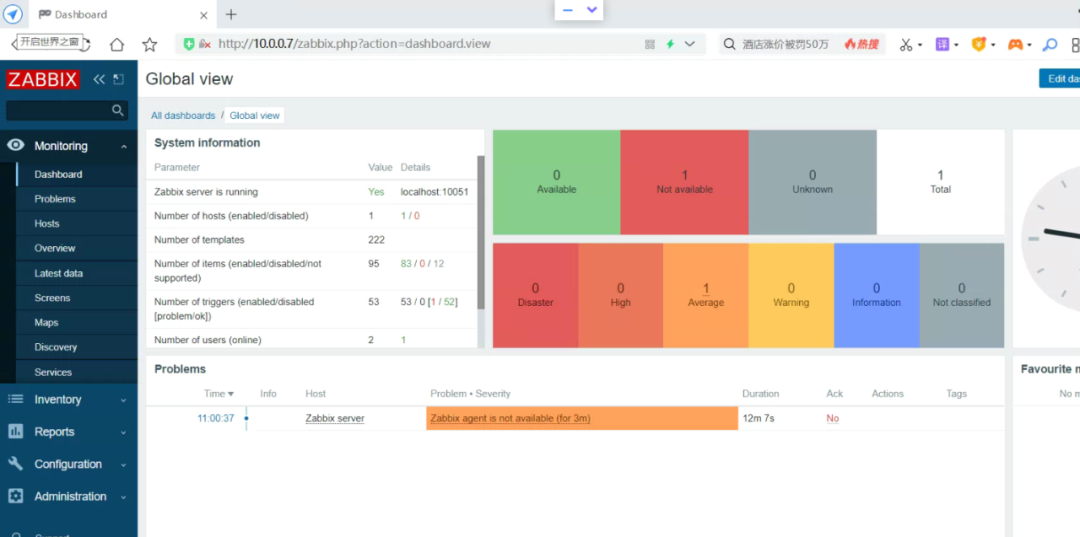
zabbix前端页面安装完成

登录 Admin: zabbix
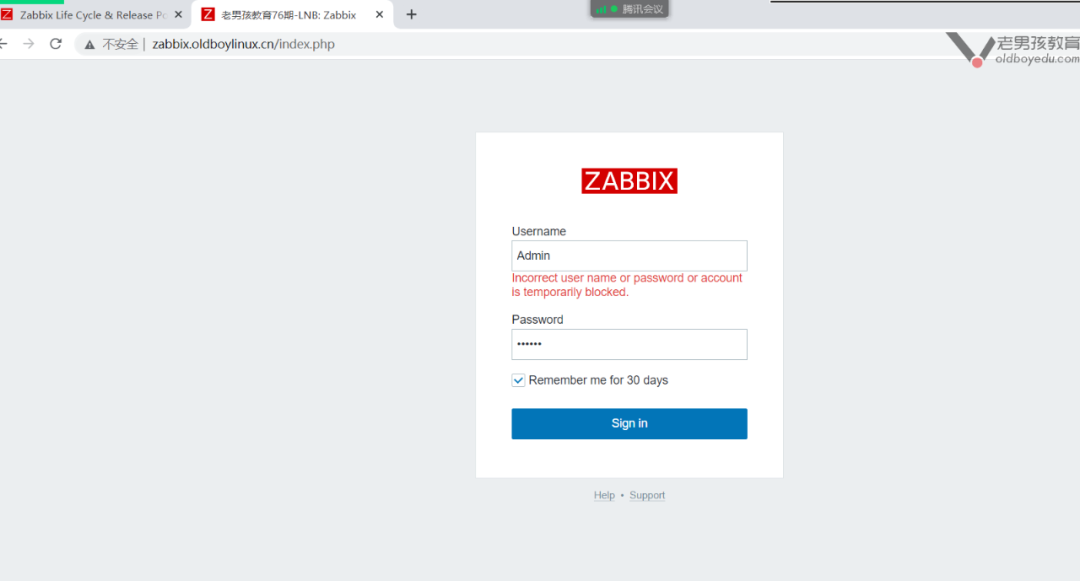
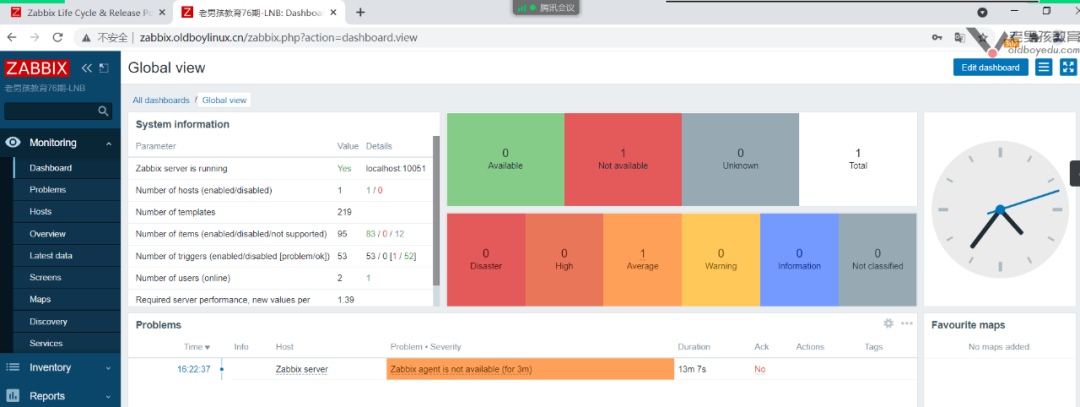
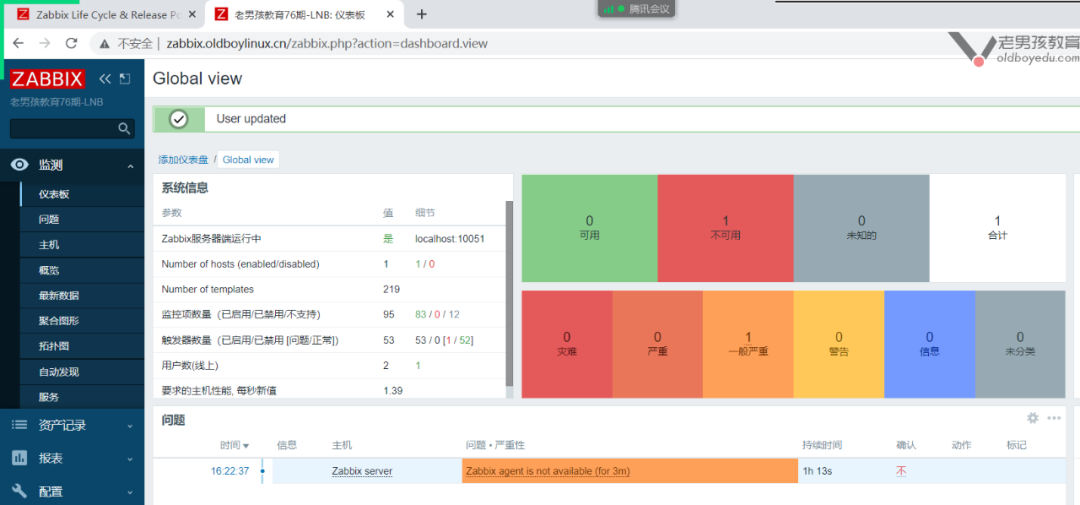
效果
CentOS 8.x
#01 nginx随意  yum一个即可 server {
   listen 80;
   server_name zabbix.oldboylinux.cn;
   root  /code/zabbix;
   location  /  {
   index  index.php;
   }
   location ~ \.php$ {
     fastcgi_pass   127.0.0.1:9000;
     fastcgi_index  index.php;
     fastcgi_param  SCRIPT_FILENAME  $document_root$fastcgi_script_name;
     include        fastcgi_params;
   }}#02 php #nginx 1.20.1   php7.2 curl -o /etc/yum.repos.d/CentOS-Base.repo http://mirrors.aliyun.com/repo/Centos-8.repo
yum install epel-release.noarch -y    #webtatic 要求 curl -o /etc/yum.repos.d/epel.repo http://mirrors.aliyun.com/repo/epel-8.repo

yum install  php-cli php-fpm php-gd php-mbstring php-bcmath php-xml php-ldap php-mysqlnd -y[root@m03 ~]# rpm -qa |egrep 'nginx|php72w'php72w-fpm-7.2.34-1.w7.x86_64
php72w-mbstring-7.2.34-1.w7.x86_64
nginx-1.20.1-2.el7.x86_64
php72w-common-7.2.34-1.w7.x86_64
php72w-pdo-7.2.34-1.w7.x86_64
php72w-mysqlnd-7.2.34-1.w7.x86_64
php72w-cli-7.2.34-1.w7.x86_64
php72w-ldap-7.2.34-1.w7.x86_64
php72w-xml-7.2.34-1.w7.x86_64
nginx-filesystem-1.20.1-2.el7.noarch
php72w-gd-7.2.34-1.w7.x86_64
php72w-bcmath-7.2.34-1.w7.x86_64#03  数据库 create database zabbix character set utf8 collate utf8_bin;grant all on zabbix.* to zabbix@'localhost' identified by '123456';##注意 mysql 8.0 坑  create database zabbix character set utf8 collate utf8_bin;mysql> create   user  zabbix@'localhost'  identified by   '123456';Query OK, 0 rows affected (0.03 sec)mysql> grant all  on zabbix.* to zabbix@'localhost';Query OK, 0 rows affected (0.01 sec)mysql> flush privileges; Query OK, 0 rows affected (0.01 sec)#04  [root@web01 code 22:49:59]# cat /code/mysql.php <?php
    $servername = "localhost";
    $username = "root";
    $password = "lzy123.com";
    // 创建连接
    $conn = mysqli_connect($servername, $username, $password);
    // 检测连接    if (!$conn) {
        die("Connection failed: " . mysqli_connect_error());
    }
    echo "小哥哥,php可以连接MySQL...";?>#  mysql 8.0 坑mysql> ALTER USER 'zabbix'@'localhost' IDENTIFIED WITH mysql_native_password BY   '123456';Query OK, 0 rows affected (0.01 sec)mysql> flush privileges; Query OK, 0 rows affected (0.02 sec)[root@web01 /application/nginx/conf/extra]#tail -f /var/log/nginx/error_zabbix.log [root@web01 /application/nginx/conf/extra]#tail -f /var/log/nginx/error_zabbix.log 2021/07/24 10:46:56 [error] 2530#2530: *7 FastCGI sent in stderr: "PHP message: PHP Warning:  mysqli_connect(): (HY000/2002): No such file or directory in /code/zabbix/mysql.php on line 6" while reading response header from upstream, client: 127.0.0.1, server: zabbix.oldboy.cn, request: "GET /mysql.php HTTP/1.1", upstream: "fastcgi://unix:/run/php-fpm/php-fpm.sock:", host: "localhost"2021/07/24 10:50:15 [error] 2530#2530: *9 FastCGI sent in stderr: "PHP message: PHP Warning:  mysqli_connect(): The server requested authentication method unknown to the client [caching_sha2_password] in /code/zabbix/mysql.php on line 6PHP message: PHP Warning:  mysqli_connect(): (HY000/2054): The server requested authentication method unknown to the client in /code/zabbix/mysql.php on line 6" while reading response header from upstream, client: 127.0.0.1, server: zabbix.oldboy.cn, request: "GET /mysql.php HTTP/1.1", upstream: "fastcgi://unix:/run/php-fpm/php-fpm.sock:", host: "localhost"#php lnmp  c8.0   error   2021/07/24 11:05:24 [error] 2530#2530: *44 FastCGI sent in stderr: "PHP message: PHP Fatal error:  Uncaught Error: Call to undefined function json_encode() in /code/zabbix/include/classes/html/CSelect.php:225Stack trace:#0 /code/zabbix/include/classes/html/CObject.php(89): CSelect->toString(false)#1 /code/zabbix/include/classes/html/CObject.php(66): unpack_object(Object(CSelect))#2 /code/zabbix/include/classes/html/CTag.php(117): CObject->addItem(Object(CSelect))#3 /code/zabbix/include/classes/html/CDiv.php(27): CTag->addItem(Object(CSelect))#4 /code/zabbix/include/classes/html/CFormList.php(66): CDiv->__construct(Object(CSelect))#5 /code/zabbix/include/classes/setup/CSetupWizard.php(235): CFormList->addRow(Object(CLabel), Object(CSelect))#6 /code/zabbix/include/classes/setup/CSetupWizard.php(160): CSetupWizard->stage2()#7 /code/zabbix/include/classes/setup/CSetupWizard.php(111): CSetupWizard->getStage()#8 /code/zabbix/include/classes/html/CTag.php(97): CSetupWizard->bodyToString()#9 /code/zabbix/include/classes/html/CObject.php(89): CTag->toString(false)#10 /" while reading response header from upstream, client: 10.0.0.1, server: zabbix.oldboy.cn, request: "POST /setup.php HTTP/1.1", upstream: "fastcgi://unix:/run/php-fpm/php-fpm.sock:", host: "10.0.0.7", referrer: "http://10.0.0.7/setup.php"server {
   listen 80;
   server_name zabbix.oldboylinux.cn;
   root  /code/zabbix;
   location  /  {
   index  index.php;
   }
   location ~ \.php$ {
     fastcgi_pass   127.0.0.1:9000;
     fastcgi_index  index.php;
     fastcgi_param  SCRIPT_FILENAME  $document_root$fastcgi_script_name;
     include        fastcgi_params;
                   fastcgi_pass    unix:/run/php-fpm/zabbix.sock;
                fastcgi_split_path_info ^(.+\.php)(/.+)$;
                fastcgi_index   index.php;
                fastcgi_param   DOCUMENT_ROOT   /usr/share/zabbix;
                fastcgi_param   SCRIPT_FILENAME /usr/share/zabbix$fastcgi_script_name;
                fastcgi_param   PATH_TRANSLATED /usr/share/zabbix$fastcgi_script_name;
                include fastcgi_params;
                fastcgi_param   QUERY_STRING    $query_string;
                fastcgi_param   REQUEST_METHOD  $request_method;
                fastcgi_param   CONTENT_TYPE    $content_type;
                fastcgi_param   CONTENT_LENGTH  $content_length;
                fastcgi_intercept_errors        on;
                fastcgi_ignore_client_abort     off;
                fastcgi_connect_timeout         60;
                fastcgi_send_timeout            180;
                fastcgi_read_timeout            180;
                fastcgi_buffer_size             128k;
                fastcgi_buffers                 4 256k;
                fastcgi_busy_buffers_size       256k;
                fastcgi_temp_file_write_size    256k;
   }}
        }
前端
监控一台服务器主机
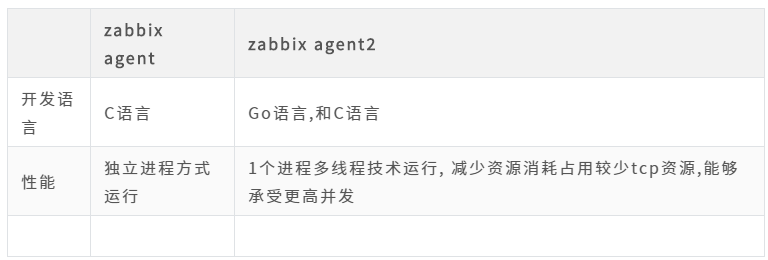
zabbix agent vs agent2
在任何一台服务器上面安装zabbix-agent、zabbix-agent2
补充:zabbix服务端与客户端配置详解
#zabbix 服务端  说明[root@m03 ~]# rpm -qa |grep zabbix zabbix-release-5.0-1.el7.noarch              #zabbix  yum源配置文件zabbix-server-mysql-5.0.13-1.el7.x86_64      #server zabbix-agent2-5.0.13-1.el7.x86_64            #agent2 #zabbix服务端 [root@m03 ~]# rpm -ql zabbix-server-mysql /etc/logrotate.d/zabbix-server                     #日志切割/etc/zabbix/zabbix_server.conf                     #zabbix服务端配置文件 /usr/lib/systemd/system/zabbix-server.service      #systemctl start/stop/restart 调用配置文件 /usr/lib/tmpfiles.d/zabbix-server.conf             #备份   /usr/lib/zabbix/alertscripts                       #报警使用的脚本   存放处/usr/lib/zabbix/externalscripts/usr/sbin/zabbix_server_mysql                      #zabbix 服务端命令/usr/share/doc/zabbix-server-mysql-5.0.13/create.sql.gz   #zabbix 建表语句  /usr/share/doc/zabbix-server-mysql-5.0.13/double.sql/usr/share/man/man8/zabbix_server.8.gz                    #帮助文件 /var/log/zabbix                                     #日志文件 /var/run/zabbix                                     #pid文件存放  #zabbix_server.conf [root@m03 ~]# grep '^[a-Z]' /etc/zabbix/zabbix_server.conf LogFile=/var/log/zabbix/zabbix_server.log           #日志文件 LogFileSize=0                                       #日志文件大小 0不限制大小  PidFile=/var/run/zabbix/zabbix_server.pid
SocketDir=/var/run/zabbix##连接数据库部分 zabbix server 连接的数据库 DBHost=localhost
DBName=zabbix
DBUser=zabbix
DBPassword=123456#SNMPTrapperFile=/var/log/snmptrap/snmptrap.log     #SNMP相关日志 Timeout=4                                          #超时时间   AlertScriptsPath=/usr/lib/zabbix/alertscripts      #告警脚本的路径 ExternalScripts=/usr/lib/zabbix/externalscripts
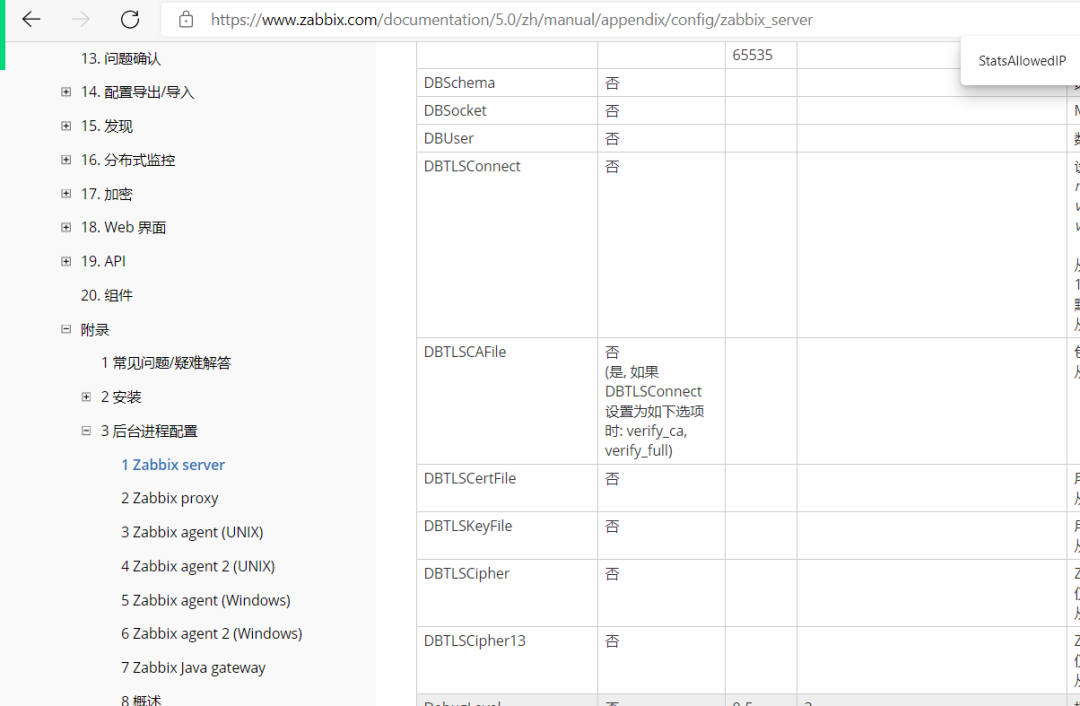
LogSlowQueries=3000                                #慢查询日志 超过3000毫秒 select   /show StatsAllowedIP=127.0.0.1                           #谁可以查看服务端状态 https://www.zabbix.com/documentation/5.0/zh/manual/appendix/config/zabbix_server
zabbix-客户端配置文件详解
[root@m03 ~]# grep '^[a-Z]' /etc/zabbix/zabbix_agent2.conf PidFile=/var/run/zabbix/zabbix_agent2.pid
LogFile=/var/log/zabbix/zabbix_agent2.log
LogFileSize=0Server=127.0.0.1                                    #zabbix 服务端ip地址 ServerActive=127.0.0.1                              #zabbix 客户端主动模式的服务端ip地址 Hostname=Zabbix server                              #客户端主机名 暂时不改 Include=/etc/zabbix/zabbix_agent2.d/*.conf          #类似于nginx incloude功能 ControlSocket=/tmp/agent.sock
监控客户端
# 1. 在web01 安装客户端agent2 #yum install -y  zabbix-agent2 #注意: 其他机器安装rpm -ivh  https://mirror.tuna.tsinghua.edu.cn/zabbix/zabbix/5.0/rhel/7/x86_64/zabbix-agent2-5.0.12-1.el7.x86_64.rpm[root@web01 /etc/yum.repos.d]# rpm -ivh  https://mirror.tuna.tsinghua.edu.cn/zabbix/zabbix/5.0/rhel/7/x86_64/zabbix-agent2-5.0.13-1.el7.x86_64.rpmRetrieving https://mirror.tuna.tsinghua.edu.cn/zabbix/zabbix/5.0/rhel/7/x86_64/zabbix-agent2-5.0.13-1.el7.x86_64.rpm
warning: /var/tmp/rpm-tmp.ZUobZE: Header V4 RSA/SHA512 Signature, key ID a14fe591: NOKEY
Preparing...                          ################################# [100%]Updating / installing...
   1:zabbix-agent2-5.0.13-1.el7       ################################# [100%][root@web01 /etc/yum.repos.d]# # 2.修改客户端配置 [root@web01 ~]# grep ^Server=  /etc/zabbix/zabbix_agent2.confServer=172.16.1.72# 3. 启动[root@web01 ~]# systemctl enable zabbix-agent2.service Created symlink from /etc/systemd/system/multi-user.target.wants/zabbix-agent2.service to /usr/lib/systemd/system/zabbix-agent2.service.[root@web01 ~]# systemctl start zabbix-agent2.service [root@web01 ~]# # 4. 检查[root@web01 ~]# ss -lntup |grep 10050 tcp    LISTEN     0      128    [::]:10050              [::]:*                   users:(("zabbix_agent2",pid=10858,fd=6))[root@web01 ~]# ps -ef |grep zabbix zabbix    10858      1  0 10:05 ?        00:00:00 /usr/sbin/zabbix_agent2 -c /etc/zabbix/zabbix_agent2.conf
root      10878  10546  0 10:05 pts/0    00:00:00 grep --color=auto zabbix[root@web01 ~]# [root@web01 ~]# telnet 172.16.1.72  10051 Trying 172.16.1.72...Connected to 172.16.1.72.Escape character is '^]'.Connection closed by foreign host.# 5. 调试命令[root@m03 ~]# yum install -y  zabbix-get  [root@m03 ~]# # zabbix_get -s 127.0.0.1 -p 10050 -k "system.cpu.load[all,avg1][root@m03 ~]# zabbix_get  -s 172.16.1.7   -k  system.hostname web01

