    <!--
        注意:这个insert/update/delete标签只是一个模板,在做操作时,其实是以SQL语句为核心的
             即在做增/删/时,insert/update/delete标签可通用,
             但做查询时只能用select标签
             我们提倡什么操作就用什么标签
    -->
Mybatis分页
分页是一个非常实用的技术点,我们也来学习一下使用Mybatis是怎么分页的...
我们的分页是需要多个参数的,并不是像我们之前的例子中只有一个参数。当需要接收多个参数的时候,我们使用Map集合来装载!
    public List  pagination(int start ,int end) throws Exception {
        //得到连接对象
        SqlSession sqlSession = MybatisUtil.getSqlSession();
        try{
            //映射文件的命名空间.SQL片段的ID,就可以调用对应的映射文件中的SQL

            /**
             * 由于我们的参数超过了两个,而方法中只有一个Object参数收集
             * 因此我们使用Map集合来装载我们的参数
             */
            Map map = new HashMap();
            map.put("start", start);
            map.put("end", end);
            return sqlSession.selectList("StudentID.pagination", map);
        }catch(Exception e){
            e.printStackTrace();
            sqlSession.rollback();
            throw e;
        }finally{
            MybatisUtil.closeSqlSession();
        }
    }
    public static void main(String[] args) throws Exception {
        StudentDao studentDao = new StudentDao();
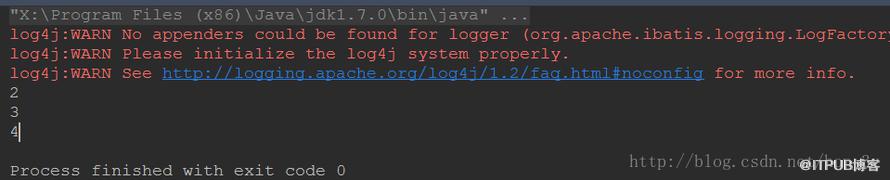
        List students = studentDao.pagination(0, 3);
        for (Student student : students) {

            System.out.println(student.getId());

        }

    }
那么在实体与表映射文件中,我们接收的参数就是map集合
<!--分页查询-->
何为动态SQL??回顾一下我们之前写的SSH项目中,有多条件查询的情况,如下图
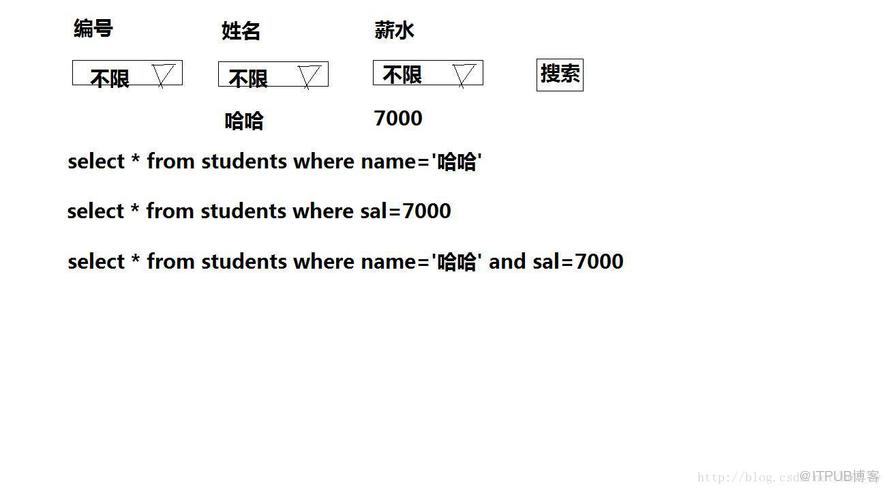
我们当时刚开始做的时候,是需要在Controller中判断SQL是否已经有条件了,因为SQL语句需要拼接起来....这样干的话,就非常容易出错的。
如下的代码,如果有多个条件的话,那么拼接起来很容易出错!
public String listUI() {
//查询语句
String hql = "FROM Info i ";
List后来,我们觉得这样不好,于是就专门写了一个查询助手类:
package zhongfucheng.core.utils;
import java.util.ArrayList;
import java.util.List;
/**
* Created by ozc on 2017/6/7.
*/
public class QueryHelper {
private String fromClause = "";
private String whereClause = "";
private String orderbyClause = "";
private List这样一来的话,我们就不用自己手动拼接了,给我们的查询助手类去拼接就好了。
而如果我们使用Mybatis的话,就可以免去查询助手类了。因为Mybatis内部就有动态SQL的功能【动态SQL就是自动拼接SQL语句】!
动态查询
<!--多条件查询【动态SQL】-->
<!--会自动组合成一个正常的WHERE字句-->
<!--name值会从map中寻找-->
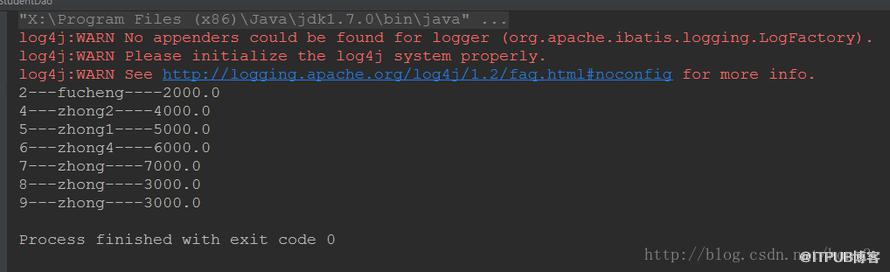
查询出来小于9000块的人
   public List findByCondition(String name,Double sal) throws Exception {
        //得到连接对象
        SqlSession sqlSession = MybatisUtil.getSqlSession();
        try{
            //映射文件的命名空间.SQL片段的ID,就可以调用对应的映射文件中的SQL
            /**
             * 由于我们的参数超过了两个,而方法中只有一个Object参数收集
             * 因此我们使用Map集合来装载我们的参数
             */
            Map map = new HashMap();
            map.put("name", name);
            map.put("sal", sal);
            return sqlSession.selectList("StudentID.findByCondition", map);
        }catch(Exception e){
            e.printStackTrace();
            sqlSession.rollback();
            throw e;
        }finally{
            MybatisUtil.closeSqlSession();
        }
    }
    public static void main(String[] args) throws Exception {
        StudentDao studentDao = new StudentDao();
        List students = studentDao.findByCondition(null,9000D);
        for (Student student : students) {
            System.out.println(student.getId() + "---" + student.getName() + "----" + student.getSal());
        }

} 
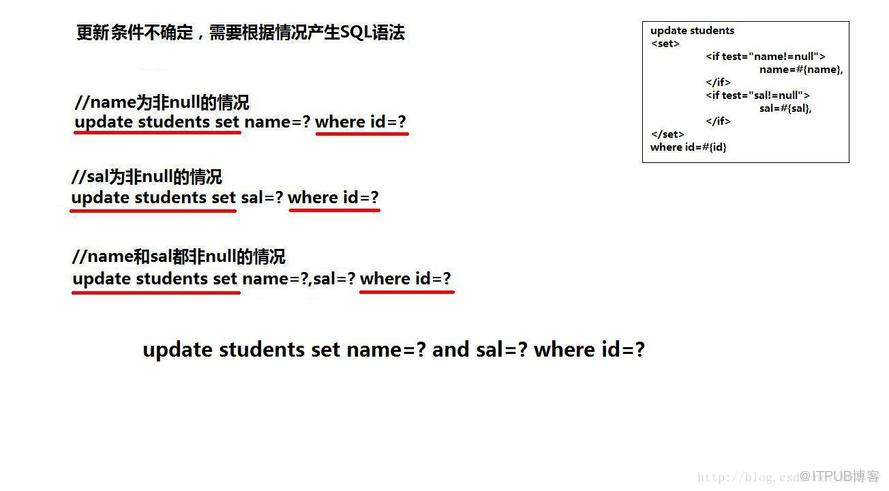
<!--动态更新-->
<!--不要忘了逗号-->
update students
name = #{name},
sal = #{sal},
给出三个更新的字段
    public void updateByConditions(int id,String name,Double sal) throws Exception {
        //得到连接对象
        SqlSession sqlSession = MybatisUtil.getSqlSession();
        try{
            //映射文件的命名空间.SQL片段的ID,就可以调用对应的映射文件中的SQL
            /**
             * 由于我们的参数超过了两个,而方法中只有一个Object参数收集
             * 因此我们使用Map集合来装载我们的参数
             */
            Map map = new HashMap();
            map.put("id", id);
            map.put("name", name);
            map.put("sal", sal);
            sqlSession.update("StudentID.updateByConditions", map);
            sqlSession.commit();
        }catch(Exception e){
            e.printStackTrace();
            sqlSession.rollback();
            throw e;
        }finally{
            MybatisUtil.closeSqlSession();
        }
    }

    public static void main(String[] args) throws Exception {
        StudentDao studentDao = new StudentDao();
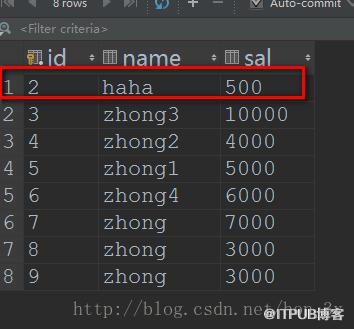
        studentDao.updateByConditions(2,"haha",500D);

} 
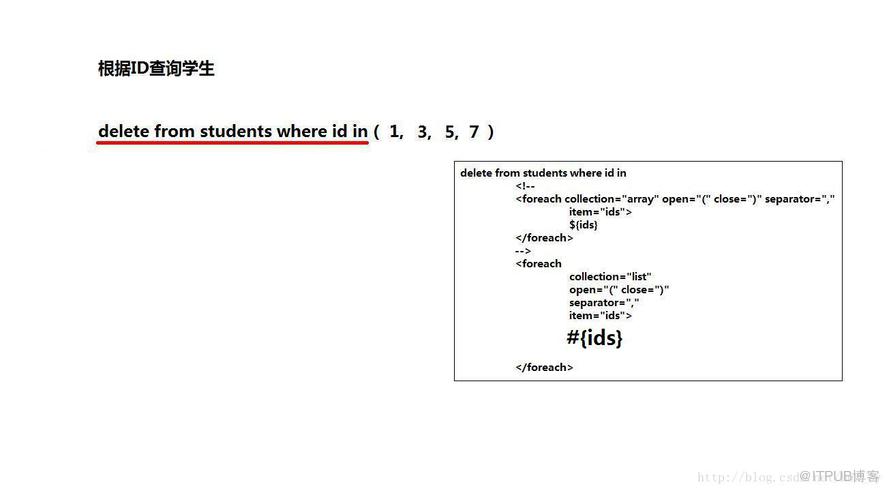
以前我们使用JDBC也好,Hibernate也好,想要批量删除的时候,总是使用的是循环删除。而我们现在使用的是Mybatis,SQL语句是自己写的。所以我们可以写下如下的SQL来进行删除
delete from students where id in (?,?,?,?);而我们的Mybatis又支持动态SQL,所以删除起来就非常方便了!
    <!-- foreach用于迭代数组元素
             open表示开始符号
             close表示结束符合
             separator表示元素间的分隔符
             item表示迭代的数组,属性值可以任意,但提倡与方法的数组名相同
             #{ids}表示数组中的每个元素值
         -->
        delete from students where id in

             #{ids}
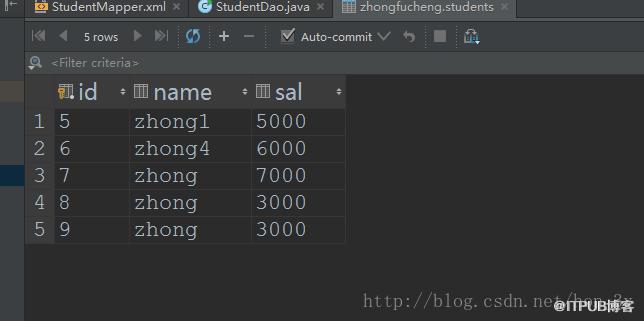
删除编号为2,3,4的记录
    public void deleteByConditions(int... ids) throws Exception {
        //得到连接对象
        SqlSession sqlSession = MybatisUtil.getSqlSession();
        try{
            //映射文件的命名空间.SQL片段的ID,就可以调用对应的映射文件中的SQL
            /**
             * 由于我们的参数超过了两个,而方法中只有一个Object参数收集
             * 因此我们使用Map集合来装载我们的参数
             */
            sqlSession.delete("StudentID.deleteByConditions", ids);
            sqlSession.commit();
        }catch(Exception e){
            e.printStackTrace();
            sqlSession.rollback();
            throw e;
        }finally{
            MybatisUtil.closeSqlSession();
        }
    }

    public static void main(String[] args) throws Exception {
        StudentDao studentDao = new StudentDao();
        studentDao.deleteByConditions(2,3,4);

    }
我们要想动态插入的话,就比其他的DML语句稍微复杂一点,因为它有两部分是不确定的,平常的SQL语句是这样的:
insert into student(id,name,sal) values(?,?,?)
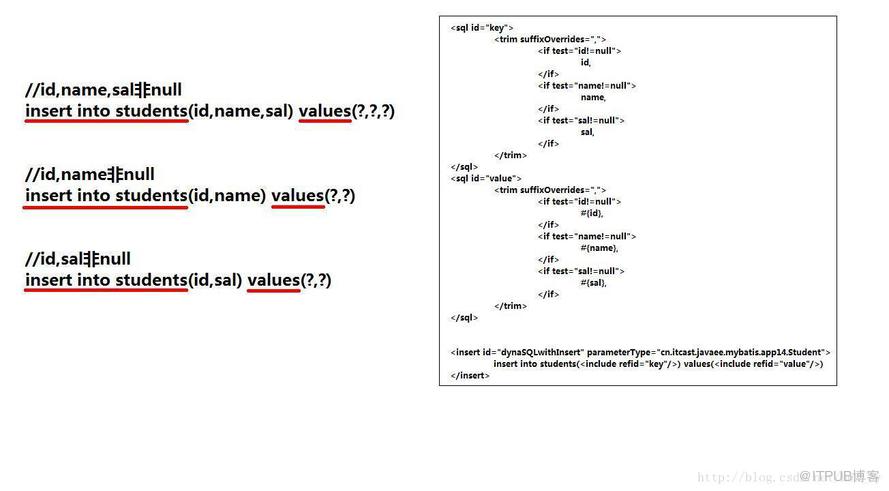
SQL代码块是不能像之前那样帮我们自动去除多余的逗号的,因此我们需要使用trim标签来自己手动去除...
编写insertSQL语句的时候,不要忘了写()括号。
<!--SQL片段默认是不帮我们自动生成合适的SQL,因此需要我们自己手动除去逗号-->
id,
name,
sal,
#{id},
#{name},
#{sal},
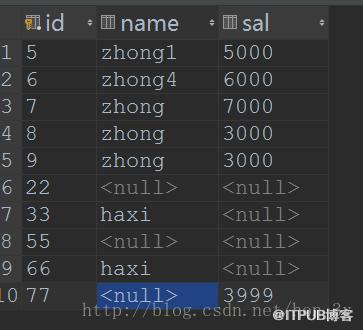
insert into students ( 测试三个不同内容的数据
    public void insertByConditions(Student student) throws Exception {
        //得到连接对象
        SqlSession sqlSession = MybatisUtil.getSqlSession();
        try{
            //映射文件的命名空间.SQL片段的ID,就可以调用对应的映射文件中的SQL
            sqlSession.insert("StudentID.insertByConditions", student);
            sqlSession.commit();
        }catch(Exception e){
            e.printStackTrace();
            sqlSession.rollback();
            throw e;
        }finally{
            MybatisUtil.closeSqlSession();
        }
    }

    public static void main(String[] args) throws Exception {
        StudentDao studentDao = new StudentDao();
        studentDao.insertByConditions(new Student(55, null, null));//name和sal为空

        studentDao.insertByConditions(new Student(66, "haxi", null));//sal为空
        studentDao.insertByConditions(new Student(77, null, 3999d));//name为空

    }
- Mybatis的准备工作与Hibernate差不多,都需要一个总配置文件、一个映射文件。
- Mybatis的SQLSession工具类使用ThreadLocal来对线程中的Session来进行管理。
- Mybatis的事务默认是开启的,需要我们手动去提交事务。
- Mybatis的SQL语句是需要手写的,在程序中通过映射文件的命名空间.sql语句的id来进行调用!
- 在Mybatis中,增删改查都是需要我们自己写SQL语句的,然后在程序中调用即可了。SQL由于是我们自己写的,于是就相对Hibernate灵活一些。
- 如果需要传入多个参数的话,那么我们一般在映射文件中用Map来接收。
- 由于我们在开发中会经常用到条件查询,在之前,我们是使用查询助手来帮我们完成对SQL的拼接的。而Mybatis的话,我们是自己手写SQL代码的。
- Mybatis也支持一些判断标签,于是我们就可以通过这些标签来完成动态CRUD的操作了。
- 值得注意的是,我们的sql片段代码是需要我们自己手动去分割,号的。
来自 “ ITPUB博客 ” ,链接:https://blog.itpub.net/4615/viewspace-2799812/ ,如需转载,请注明出处,否则将追究法律责任。

