vmware vCenter common logging service健康状况警报
Vmware vCenter - Common Logging Service Health Alarm
Vmware vCenter – Common Logging Service Health Alarm
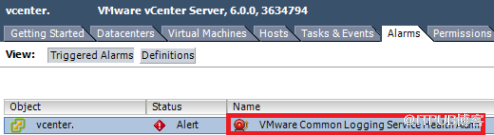
Vmware vCenter – Common Logging Service Health Alarm
Thats means that:
Service Common Logging Service (VMware-syslog) is stopped (not my case)
on /storage/logs is out of space
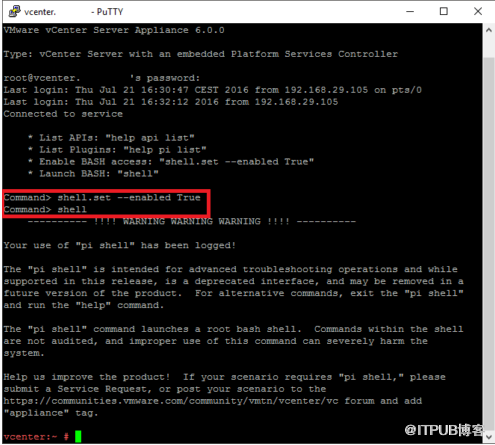
First of all, you need verify, free space on /storage/log. So run SSH service on your vCenter and use putty to log on in via root account.
|
shell.set --enabled true s hell e nable shell |
|
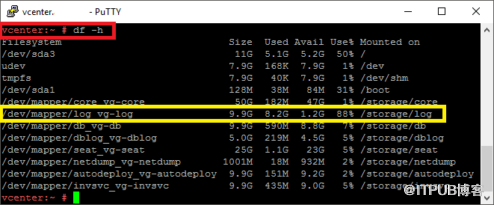
with df -h command verify, which disc has a capacity problems – /storage /log – we see that it is used on 88%, so we will increase it.
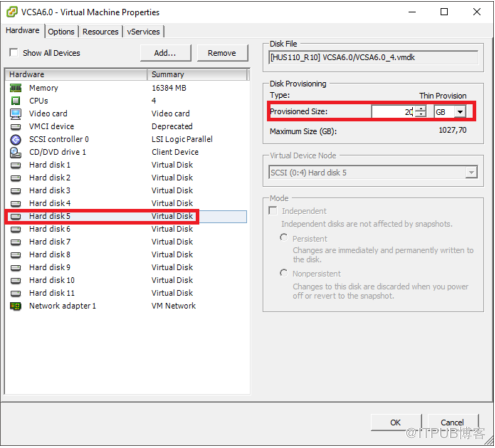
We will use the vSphere Client or vSphere Web Client and increase capacity on the virtual disk 5 for 10 GB.

vpxd_servicecfg storage lvm autogrow
Returning back to the SSH console and run the above command – he has the task to scan disks, and if necessary increase of the capacity available. If the operation succeeded, we should see the message „ VC_CFG_RESULT = 0 “
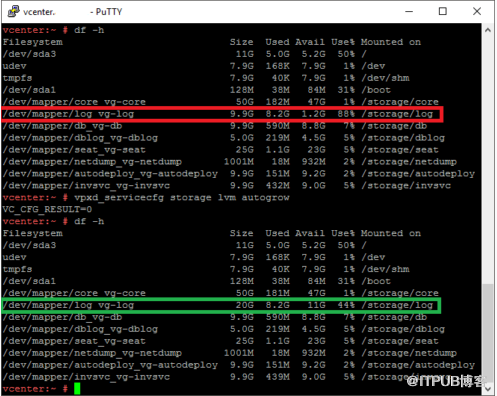
We have increased. now is used only 44% of capacity..
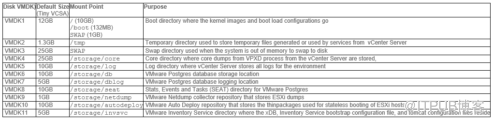
VMware vCenter Appliance – VM disks
来自 “ ITPUB博客 ” ,链接:https://blog.itpub.net/31520497/viewspace-2657903/ ,如需转载,请注明出处,否则将追究法律责任。

