nginx之 [error] 6702#0:XXX is forbidden (13: Permission denied)
问题描述: 配置完 nginx 两个虚拟机后,客户端能够访问原始的server ,新增加的 server 虚拟机 不能够访问,报错如下页面
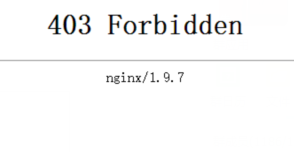
解决过程:
1. 查看报错日志
[root@mysql03 nginx]# cat logs/error.log
2017/06/15 04:00:57 [error] 6702#0: *14 "/root/html/index.html" is forbidden (13: Permission denied), client: 10.219.24.1, server: request: "GET / HTTP/1.1", host: ""
[root@mysql03 logs]# date
Thu Jun 15 04:01:27 CST 2017
2. 检查权限
[root@mysql03 ~]# ll
drwxr-xr-x. 2 root root 4096 Jun 15 03:59 html
[root@mysql03 html]# ll
total 8
-rw-r--r--. 1 root root 537 Jun 15 03:59 50x.html
-rw-r--r--. 1 root root 616 Jun 15 03:51 index.html
说明:发现目录权限没有问题
3. 检查nginx启动进程
[root@mysql03 logs]# ps anx|grep nginx
6546 ? Ss 0:00 nginx: master process ./sbin/nginx
6702 ? S 0:00 nginx: worker process
6726 pts/1 S+ 0:00 grep nginx
说明:发现nginx的work process是nobody的
4. 修改 nginx.conf 文件
打开nginx.conf文件所在的目录,查看文件的属性 (root root)
[root@mysql03 nginx]# ll
drwxr-xr-x. 2 root root 4096 Jun 15 04:08 conf
在nginx.conf文件的第一行加上 user root root;
[root@mysql03 nginx]# cat conf/nginx.conf
user root root;
5. 重新 reload nginx进程
[root@mysql03 nginx]# ./sbin/nginx -s reload
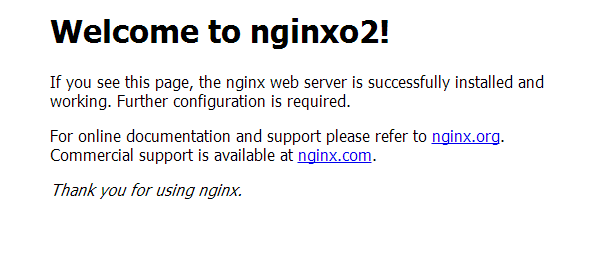
6. 再次访问,成功!
补充:如果配置不能正常访问, 试参考 http://blog.csdn.NET/zhang123456456/article/details/73252148
来自 “ ITPUB博客 ” ,链接:https://blog.itpub.net/31383567/viewspace-2140751/ ,如需转载,请注明出处,否则将追究法律责任。

最新文章
- Xtrabackup 2.4.18:Unable to obtain lock. Please try again later.
- 单表文件大小文件系统限制后删除部分数据仍无法插入新数据,报the table is full ...
- MySQL ib_logfile current_lsn < page_lsn 导致一查询就崩,如何恢复
- MySQL[bug] 子查询含用户变量,派生条件下推将导致不同版本的查询结果不一致
- MySQL 一个select把实例搞崩了,原来是表数据异常
- MySQL 8.0.25 Bug 报"MY-013132 The table ...is full"
- MySQL 8.x ,查询performance_schema.data_locks造成整个实例 hang了?
- 在启用所有PS性能模式工具的情况下,性能损耗过高,怎么办
- MySQL 如何重建/恢复删除的 sys Schema
- MySQL innodb buffer pool 命中率以及缓存了哪些 InnoDB Table
