1、下载Mysql5.7 RPM包
打开mysql官网下载页面: https://dev.mysql.com/downloads/mysql/
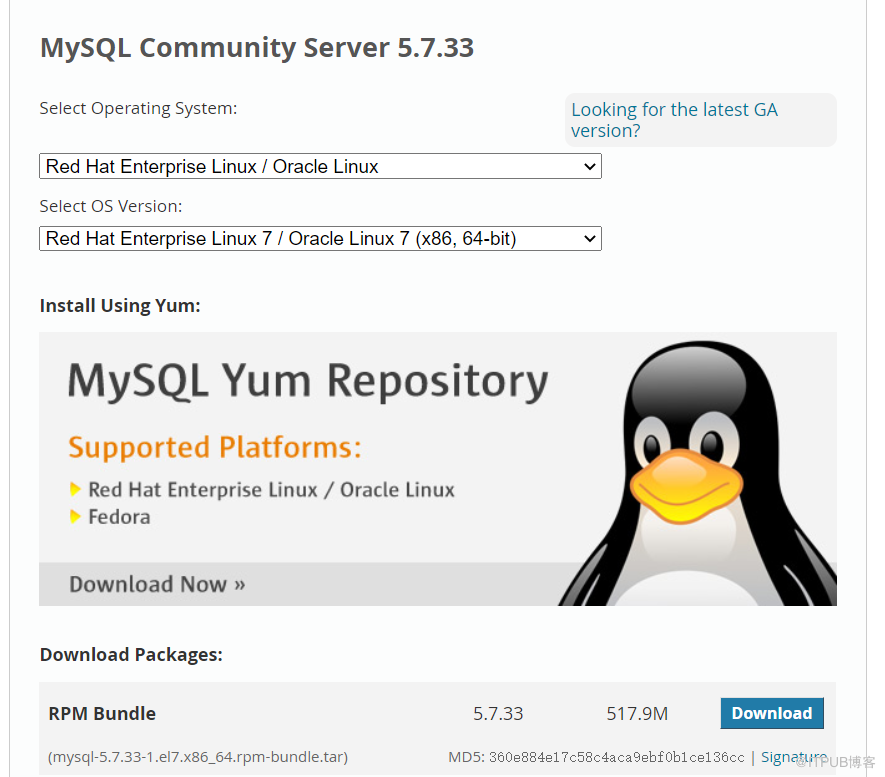
2、查看是否有冲突的包并卸载,解压安装包
shell> rpm -qa|grep -i mysql
shell> rpm -qa|grep -i mariadb
mariadb-libs-5.5.56-2.el7.x86_64
shell> rpm -e mariadb-libs-5.5.56-2.el7.x86_64 --nodeps
shell> tar -xvf mysql-5.7.33-1.el7.x86_64.rpm-bundle.tar
3、初始化MySQL
进入解压目录后初始化
shell> rpm -ivh mysql-community-common-5.7.33-1.el7.x86_64.rpm mysql-community-libs-5.7.33-1.el7.x86_64.rpm mysql-community-devel-5.7.33-1.el7.x86_64.rpm mysql-community-client-5.7.33-1.el7.x86_64.rpm mysql-community-server-5.7.33-1.el7.x86_64.rpm
4、启停MySQL
shell> service mysqld start     //启动mysql
shell> service mysqld status    //查看启动状态
shell> service mysqld stop      //停止mysql
5、修改root用户密码并登录
shell> more /etc/my.cnf
log-error=/var/log/mysqld.log
shell> more /var/log/mysqld.log
2021-03-04T01:41:46.623514Z 1 [Note] A temporary password is generated for root@localhost: wtld>*tOu0aI
shell> mysqladmin -uroot -p"wtld>*tOu0aI" password "Abcd321#"
shell> mysql -uroot -pAbcd321#
来自 “ ITPUB博客 ” ,链接:https://blog.itpub.net/30310891/viewspace-2767132/ ,如需转载,请注明出处,否则将追究法律责任。

请登录后发表评论
登录
全部评论
