OracleRAC添加asm磁盘组并设置归档位置
VMware Server2+RHEL4+ASM+10gRAC
添加共享磁盘


编辑rac1节点的.vmx文件,添加红色字体部分
disk.locking = "FALSE"
disklib.dataCacheMaxSize = "0"
disklib.dataCacheMaxReadAheadSize = "0"
disklib.dataCacheMinReadAheadSize = "0"
disklib.dataCachePageSize = "4096"
disklib.maxUnsyncedWrites = "0"
scsi1:0.deviceType = "disk"
scsi1:1.deviceType = "disk"
scsi1:2.deviceType = "disk"
scsi1:3.deviceType = "disk"
scsi1:4.deviceType = "disk"
scsi1:5.deviceType = "disk"
编辑rac2节点的.vmx文件,添加红色字体部分
disk.locking = "FALSE"
disklib.dataCacheMaxSize = "0"
disklib.dataCacheMaxReadAheadSize = "0"
disklib.dataCacheMinReadAheadSize = "0"
disklib.dataCachePageSize = "4096"
disklib.maxUnsyncedWrites = "0"
scsi1:0.deviceType = "disk"
scsi1:1.deviceType = "disk"
scsi1:2.deviceType = "disk"
scsi1:3.deviceType = "disk"
scsi1:4.deviceType = "disk"
scsi1:5.deviceType = "disk"
scsi1:5.present = "TRUE"
scsi1:5.fileName = "E:\Virtual Machines\ShareStorage\arvhice.vmdk"
scsi1:5.writeThrough = "TRUE"
scsi1:5.mode = "independent-persistent"
启动两个节点rac1,rac2
在rac1节点上
[root@rac1 ~]# fdisk -l
… … … …
Disk /dev/sdg: 8589 MB, 8589934592 bytes
255 heads, 63 sectors/track, 1044 cylinders
Units = cylinders of 16065 * 512 = 8225280 bytes
Disk /dev/sdg doesn't contain a valid partition table
[root@rac1 ~]# fdisk /dev/sdg
Device contains neither a valid DOS partition table, nor Sun, SGI or OSF disklabel
Building a new DOS disklabel. Changes will remain in memory only,
until you decide to write them. After that, of course, the previous
content won't be recoverable.
The number of cylinders for this disk is set to 1044.
There is nothing wrong with that, but this is larger than 1024,
and could in certain setups cause problems with:
1) software that runs at boot time (e.g., old versions of LILO)
2) booting and partitioning software from other OSs
(e.g., DOS FDISK, OS/2 FDISK)
Warning: invalid flag 0x0000 of partition table 4 will be corrected by w(rite)
Command (m for help): n
Command action
e extended
p primary partition (1-4)
p
Partition number (1-4): 1
First cylinder (1-1044, default 1):
Using default value 1
Last cylinder or +size or +sizeM or +sizeK (1-1044, default 1044):
Using default value 1044
Command (m for help): w
The partition table has been altered!
Calling ioctl() to re-read partition table.
Syncing disks.
查看rac2节点的磁盘分区情况
[root@rac2 ~]# fdisk -l
… … … …
Disk /dev/sdg: 8589 MB, 8589934592 bytes
255 heads, 63 sectors/track, 1044 cylinders
Units = cylinders of 16065 * 512 = 8225280 bytes
Device Boot Start End Blocks Id System
/dev/sdg1 1 1044 8385898+ 83 Linux
在rac1节点上创建asm磁盘
[root@rac1 ~]# service oracleasm createdisk VOL4 /dev/sdg1
Marking disk "VOL4" as an ASM disk: [ OK ]
[root@rac1 ~]# service oracleasm listdisks
VOL1
VOL2
VOL3
VOL4
重新配置下rac2节点的asm
[root@rac2 ~]# service oracleasm configure
Configuring the Oracle ASM library driver.
This will configure the on-boot properties of the Oracle ASM library
driver. The following questions will determine whether the driver is
loaded on boot and what permissions it will have. The current values
will be shown in brackets ('[]'). Hitting
answer will keep that current value. Ctrl-C will abort.
Default user to own the driver interface [oracle]:
Default group to own the driver interface [dba]:
Start Oracle ASM library driver on boot (y/n) [y]:
Scan for Oracle ASM disks on boot (y/n) [y]:
Writing Oracle ASM library driver configuration: done
Initializing the Oracle ASMLib driver: [ OK ]
Scanning the system for Oracle ASMLib disks: [ OK ]
[root@rac2 ~]# service oracleasm listdisks
VOL1
VOL2
VOL3
VOL4
下面添加asm磁盘组
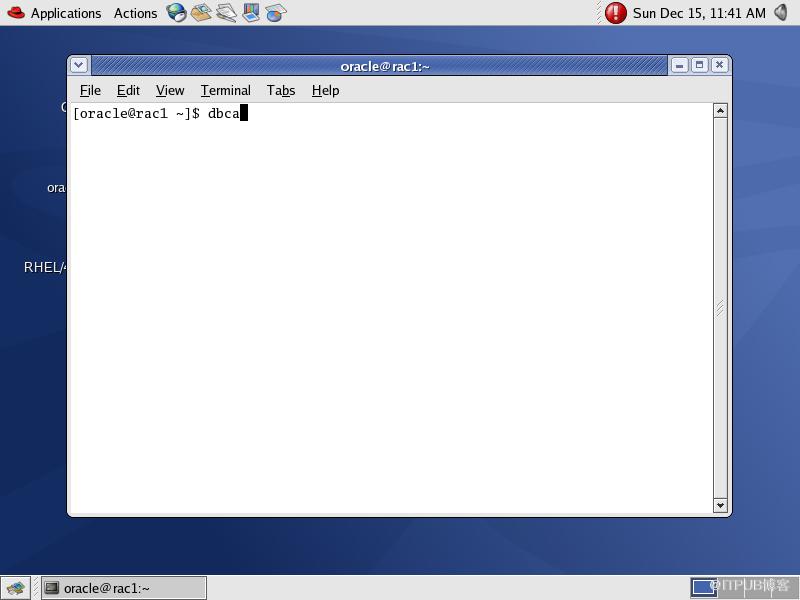


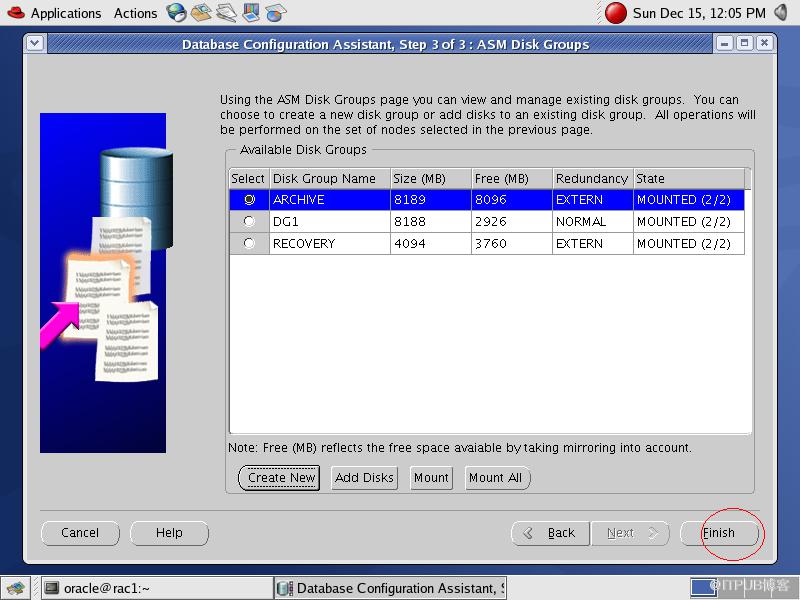
在rac1节点上
[root@rac1 ~]# su - oracle
[oracle@rac1 ~]$ export ORACLE_SID=+ASM1
[oracle@rac1 ~]$ asmcmd
ASMCMD> lsdg
State Type Rebal Unbal Sector Block AU Total_MB Free_MB Req_mir_free_MB Usable_file_MB Offline_disks Name
MOUNTED EXTERN N N 512 4096 1048576 8189 8096 0 8096 0 ARCHIVE/
MOUNTED NORMAL N N 512 4096 1048576 8188 5852 0 2926 0 DG1/
MOUNTED EXTERN N N 512 4096 1048576 4094 3760 0 3760 0 RECOVERY/
可以看到rac1节点的asm已经加了archive磁盘组,并且自动mount上该磁盘组
在rac2节点上查看下,也可以看到archive磁盘组添加成功并mount状态
[root@rac2 ~]# su - oracle
[oracle@rac2 ~]$ export ORACLE_SID=+ASM2
[oracle@rac2 ~]$ asmcmd
ASMCMD> lsdg
State Type Rebal Unbal Sector Block AU Total_MB Free_MB Req_mir_free_MB Usable_file_MB Offline_disks Name
MOUNTED EXTERN N N 512 4096 1048576 8189 8096 0 8096 0 ARCHIVE/
MOUNTED NORMAL N N 512 4096 1048576 8188 5852 0 2926 0 DG1/
MOUNTED EXTERN N N 512 4096 1048576 4094 3760 0 3760 0 RECOVERY/
关掉rac1和rac2两个实例
[oracle@rac1 ~]$ sqlplus / as sysdba
SQL*Plus: Release 10.2.0.1.0 - Production on Sun Dec 15 16:16:52 2013
Copyright (c) 1982, 2005, Oracle. All rights reserved.
Connected to:
Oracle Database 10g Enterprise Edition Release 10.2.0.1.0 - Production
With the Partitioning, Real Application Clusters, OLAP and Data Mining options
SQL> shutdown immediate;
Database closed.
Database dismounted.
ORACLE instance shut down.
[oracle@rac2 ~]$ sqlplus / as sysdba
SQL*Plus: Release 10.2.0.1.0 - Production on Sun Dec 15 16:18:19 2013
Copyright (c) 1982, 2005, Oracle. All rights reserved.
Connected to:
Oracle Database 10g Enterprise Edition Release 10.2.0.1.0 - Production
With the Partitioning, Real Application Clusters, OLAP and Data Mining options
SQL> shutdown immediate;
Database closed.
Database dismounted.
ORACLE instance shut down.
启动rac1实例,数据库到mount状态
SQL> startup mount;
ORACLE instance started.
Total System Global Area 285212672 bytes
Fixed Size 1218992 bytes
Variable Size 104859216 bytes
Database Buffers 176160768 bytes
Redo Buffers 2973696 bytes
Database mounted.
查看实例的归档状态
SQL> archive log list;
Database log mode No Archive Mode
Automatic archival Disabled
Archive destination USE_DB_RECOVERY_FILE_DEST
Oldest online log sequence 5
Current log sequence 6
在rac1实例上设置归档位置
SQL> alter system set log_archive_dest_1='location=+archive/' sid='*';
System altered.
在rac1实例上切换归档模式
SQL> alter database archivelog;
Database altered.
在rac1实例上打开数据库到open状态
SQL> alter database open;
Database altered.
在rac1实例上查看归档模式
SQL> archive log list;
Database log mode Archive Mode
Automatic archival Enabled
Archive destination +ARCHIVE
Oldest online log sequence 5
Next log sequence to archive 6
Current log sequence 6
打开rac2实例并查看归档状态
SQL> startup
ORACLE instance started.
Total System Global Area 285212672 bytes
Fixed Size 1218992 bytes
Variable Size 121636432 bytes
Database Buffers 159383552 bytes
Redo Buffers 2973696 bytes
Database mounted.
Database opened.
SQL> archive log list;
Database log mode Archive Mode
Automatic archival Enabled
Archive destination +ARCHIVE
Oldest online log sequence 2
Next log sequence to archive 3
Current log sequence 3
在rac1和rac2实例上分别手动归档在线日志文件
在rac1实例上
SQL> alter system archive log current;
System altered.
在rac2实例上
SQL> alter system archive log current;
System altered.
在rac1实例上进行查看验证
SQL> exit
Disconnected from Oracle Database 10g Enterprise Edition Release 10.2.0.1.0 - Production
With the Partitioning, Real Application Clusters, OLAP and Data Mining options
[oracle@rac1 ~]$ export ORACLE_SID=+ASM1
[oracle@rac1 ~]$ asmcmd
ASMCMD> lsdg
State Type Rebal Unbal Sector Block AU Total_MB Free_MB Req_mir_free_MB Usable_file_MB Offline_disks Name
MOUNTED EXTERN N N 512 4096 1048576 8189 8076 0 8076 0 ARCHIVE/
MOUNTED NORMAL N N 512 4096 1048576 8188 5852 0 2926 0 DG1/
MOUNTED EXTERN N N 512 4096 1048576 4094 3760 0 3760 0 RECOVERY/
ASMCMD> cd +archive/prod/archivelog/2013_12_15
ASMCMD> ls
thread_1_seq_6.256.834252029
thread_1_seq_7.259.834252109
thread_2_seq_3.257.834252091
thread_2_seq_4.258.834252105
可以看到刚刚归档的两个节点的归档日志,Oracle RAC的归档模式就切换完毕了。
来自 “ ITPUB博客 ” ,链接:https://blog.itpub.net/26613085/viewspace-1063313/ ,如需转载,请注明出处,否则将追究法律责任。

