Today my colleague tells me with one tip regarding Eclipse auto completion setting, which I think is useful in my daily life.
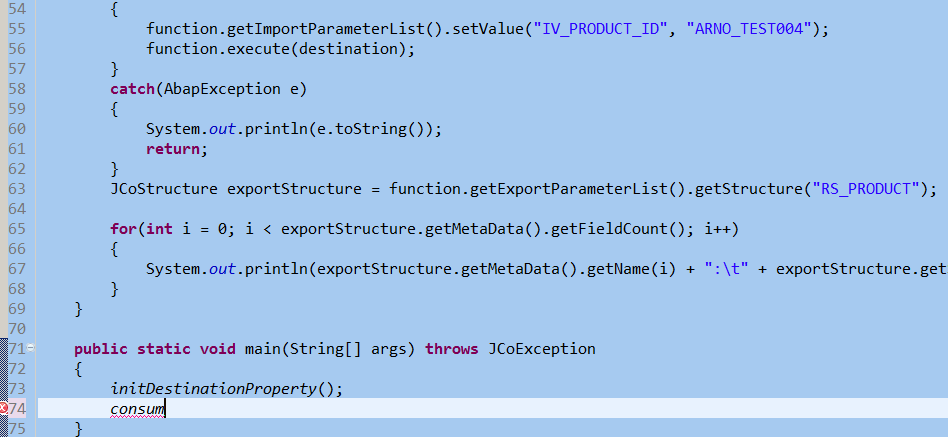
There are lots of standard classes and those class/method created on my own, however when I type some characters there is no auto completion drop down list. For example I have already created one method named “consumeABAPFM”, however even after I type “consum”, there is still not any auto completion function provided.
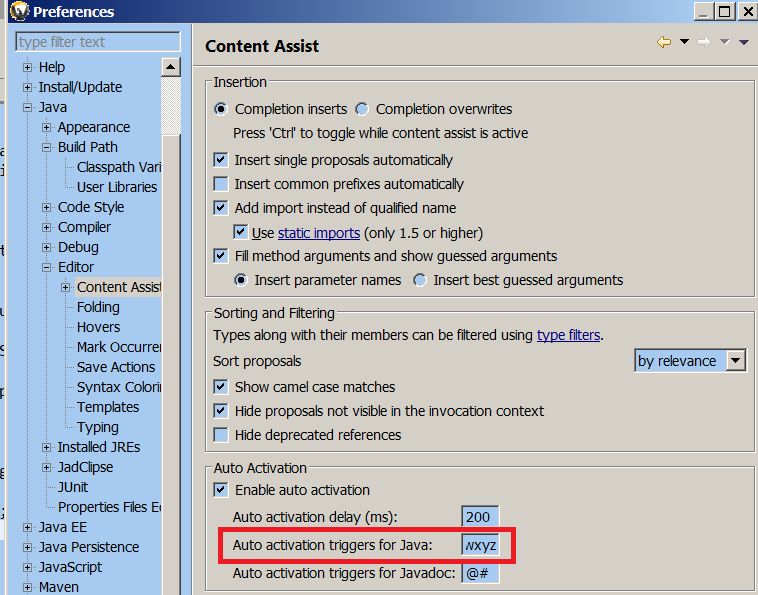
However, by choosing “Windows->Preference->Java->Editor->Content Assistant”, we can achieve what we expect. Maintain “Auto activation triggers for JAVA” with value “.ABCDEFGHIJKLMNOPQRSTUVWXYZabcdefghijklmnopqrstuvwxyz”.
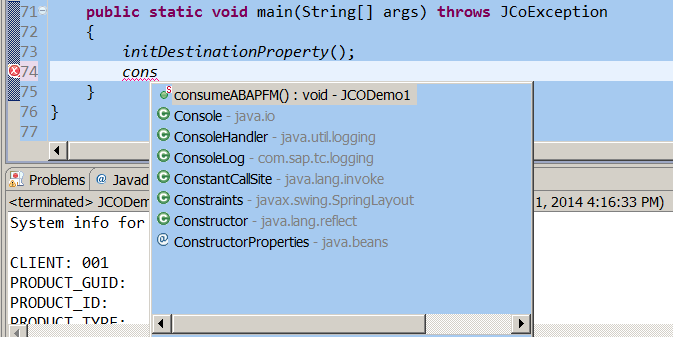
After that whenever we type some characters the auto completion drop down list will be there and refreshed with 200 ms.
要获取更多Jerry的原创文章,请关注公众号"汪子熙":

来自 “ ITPUB博客 ” ,链接:https://blog.itpub.net/24475491/viewspace-2717551/ ,如需转载,请注明出处,否则将追究法律责任。

