Example: click F4 on ID Type field, in value help window there are several entries:
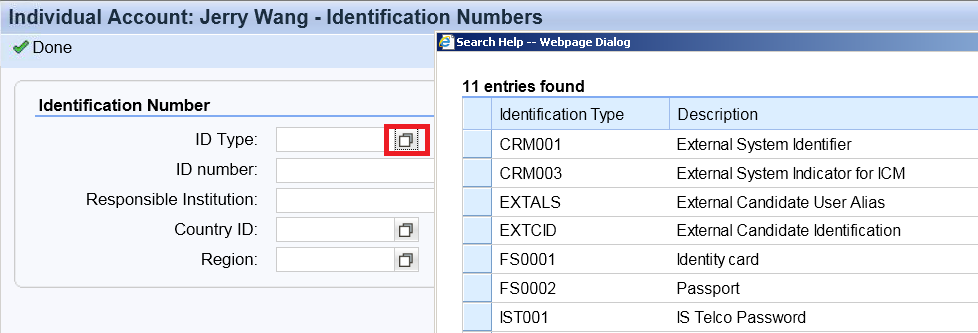
we need to find the customizing in the backend where we could maintain more entries for the value list.
Approach1
click F2 on the field to figure out the technical information:

we know the value help is implemented in GET_V method, so double click on it:
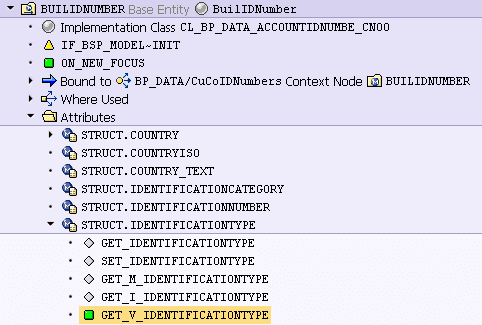
The value help is implemented via callback class CL_CRM_UIU_BP_IDTYPE_1_F4:

Open the class method, we find the persistent table to store identification id information:

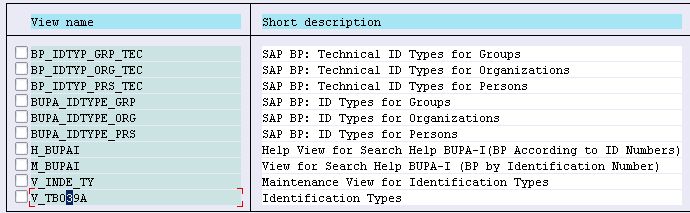
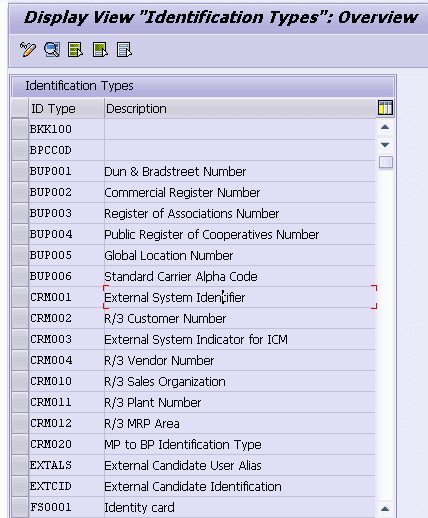
use where used list on the table, then we found the maintenance view:
Approach2
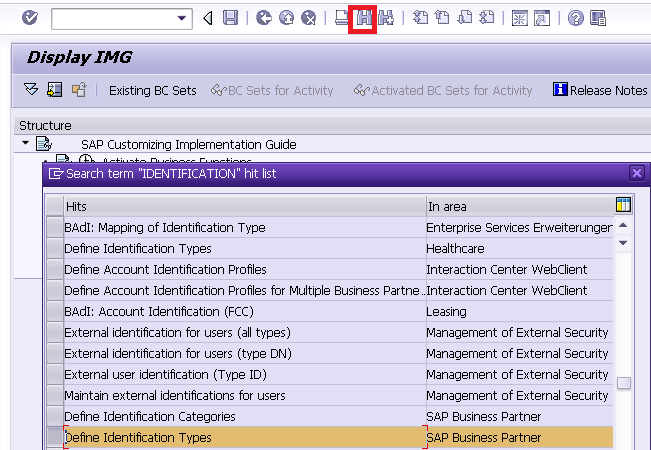
we can directly use the search function in SPRO by clicking search button with search keyword “identification”:
There are lots of results however we could only check those in area “SAP Business Partner”. It is quite easy to find the correct one in this case:
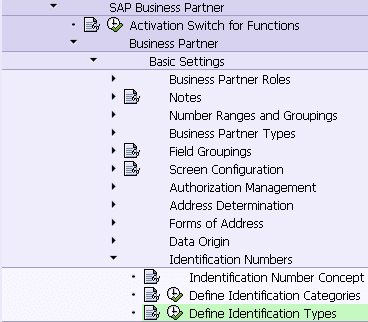
Mark the search result, the target customizing activity will be automatically located.
要获取更多Jerry的原创文章,请关注公众号"汪子熙":

来自 “ ITPUB博客 ” ,链接:https://blog.itpub.net/24475491/viewspace-2717424/ ,如需转载,请注明出处,否则将追究法律责任。

