Created by Jerry Wang on Jan 10, 2016
In order to run product related scenario like search, create and modify, you need to assign related business role, for example TPM_PRO, to your own user:
(1) define Organization Assignment via customizing below:
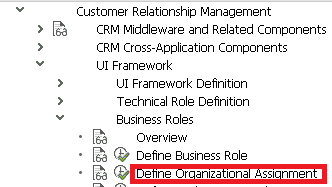
Find your user and create a new position for him ( or assign an existing user if any)
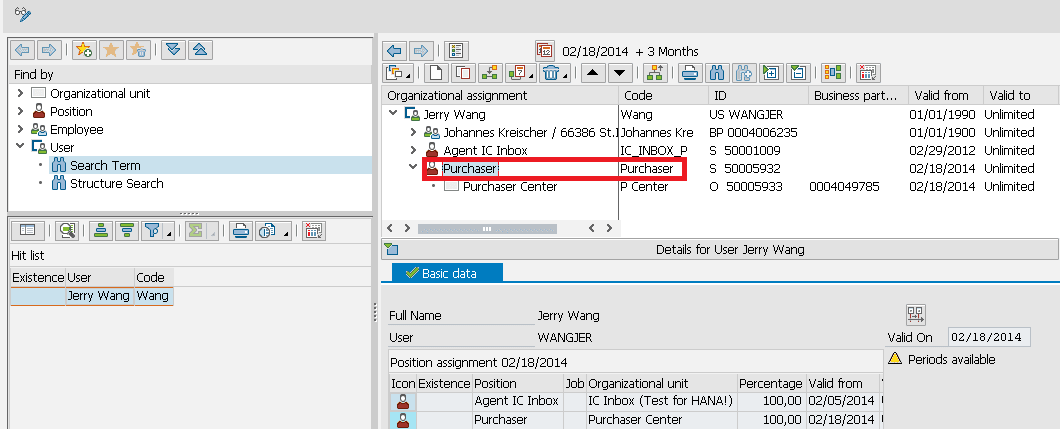
(2) double click on assigned position, choose menu Goto->Detail object->Enhanced object description:
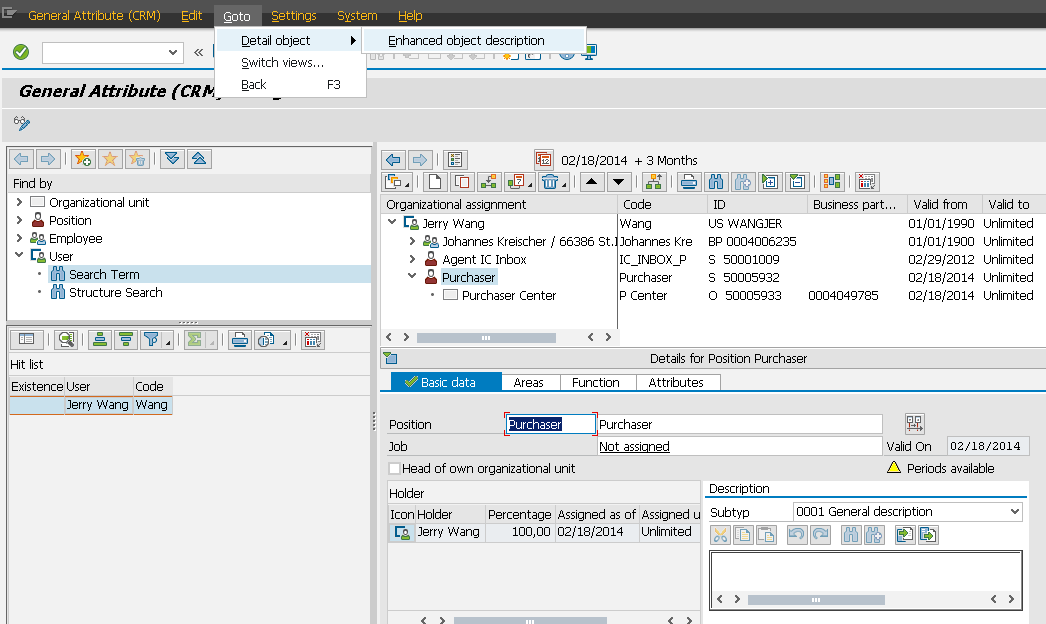
Choose "Business Role" from Active tab, click Edit->Create infortype:
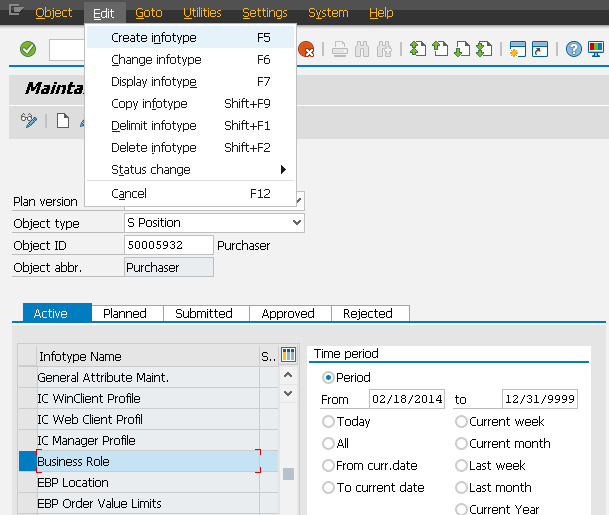
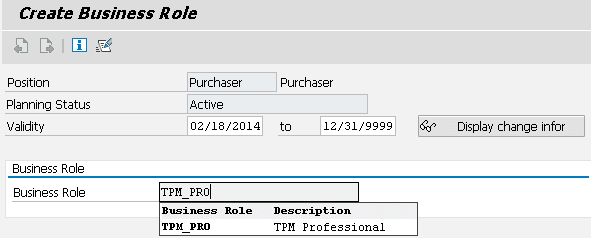
Maintain business role TPM_PRO here:
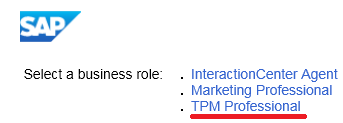
(3) log on crm webclient ui, now you should see the business role TPM available:
要获取更多Jerry的原创文章,请关注公众号"汪子熙":
来自 “ ITPUB博客 ” ,链接:https://blog.itpub.net/24475491/viewspace-2717420/ ,如需转载,请注明出处,否则将追究法律责任。

