My series of Cloud Application Studio Blogs
- How to detect EditMode in an Embedded Component
- Step by step to enable your custom BO with attachment upload functionality
- Step by step to create an Adobe Print form in Cloud application Studio
- How to render PDF which displays picture from the image attachment of your custom BO
- How to get current logged on business user’s employee information and assigned organization unit via ABSL
- How to implement dynamic access control based on custom BO using OWL
- How to make Code List Restriction work when control field and restricted field are not on the same BO
- How to implement custom number range using custom business object
- Two approaches to create Code List in Cloud Studio
- Create Dynamic Code List via Custom Business Object Association
- Step by step to develop Thing Type based navigation and BO Object based navigation
- Put Extension field into embedded component and make it visible in Standard UI
- One possible cause that embedded component fails to display in UI
- Step by step to create HTML Mashup and make it visible in UI
- Step by step to enable Text Collection for your custom BO
- Automatically send an Email notification to line manager via Workflow in Account application
- Step by step to create Object Value Selector in Cloud Application Studio
Recently I meet with an issue that although I assume I have made all necessary settings for a given embedded component in UI Designer,
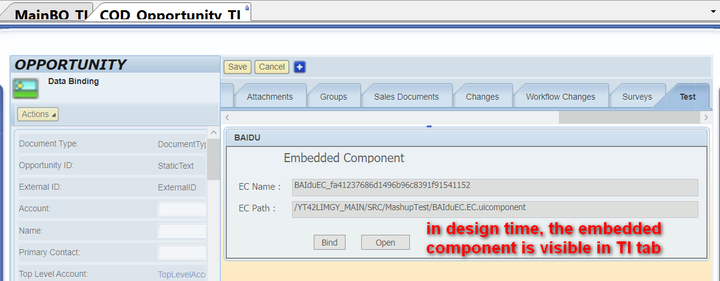
still the content I put into the embedded component is NOT displayed in the runtime in UI.
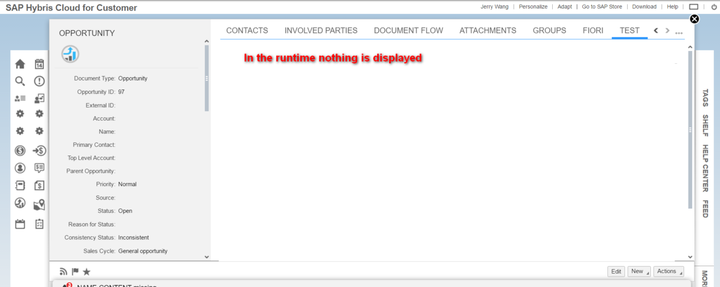
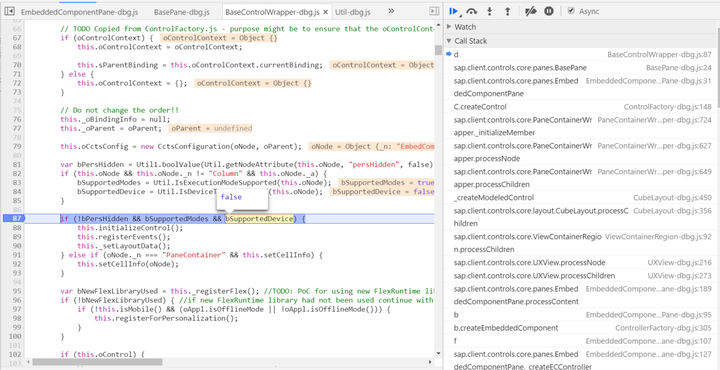
Then I use the tips introduced in two of my blogs below to find out the exact position where the embedded component is initialized:
- Chrome Development Tool tips used in my daily work
- My UI5 debugging tips and experience collection – how to resolve UI5 issues through debugging by yourself
And via debugging I realized that it is because bSupportedDevice equals to false, so the necessary code to make embedded component visible in line 88 never has chance to execute.
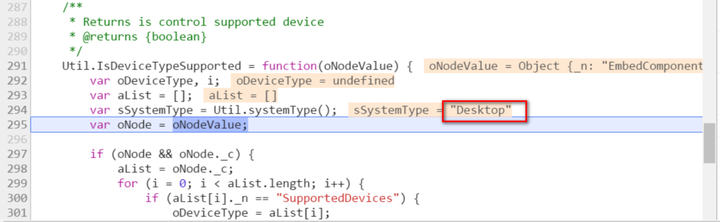
Then I debug the logic how bSupportedDevice is filled in line 84:
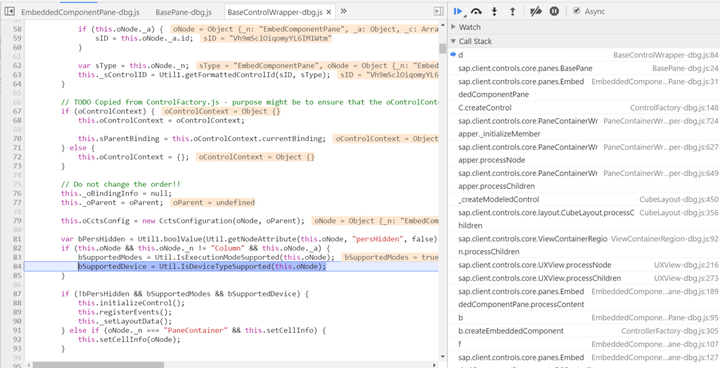
Currently I am using C4C in PC( Desktop ):
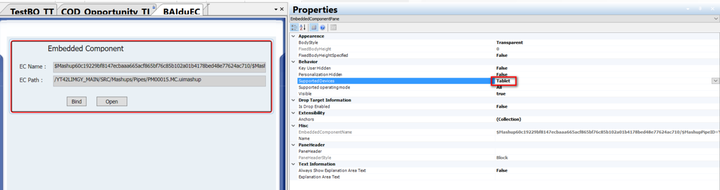
However the embedded component is marked by mistake as only Tablet supported:

After I change this wrong setting to All,
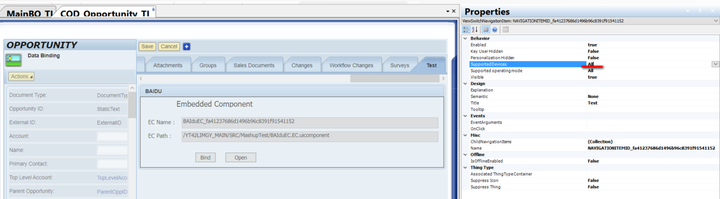
The embedded component is displayed as expected:

来自 “ ITPUB博客 ” ,链接:https://blog.itpub.net/24475491/viewspace-2715806/ ,如需转载,请注明出处,否则将追究法律责任。

