SAP Cloud for Customer CLR(Code List Restriction)的一种高级用法
My series of Cloud Application Studio Blogs
- How to detect EditMode in an Embedded Component
- Step by step to enable your custom BO with attachment upload functionality
- Step by step to create an Adobe Print form in Cloud application Studio
- How to render PDF which displays picture from the image attachment of your custom BO
- How to get current logged on business user’s employee information and assigned organization unit via ABSL
- How to implement dynamic access control based on custom BO using OWL
- How to make Code List Restriction work when control field and restricted field are not on the same BO
- How to implement custom number range using custom business object
Customer has requirement that code list for field Function in Contact creation page should be restricted based on the role code in Account TI.
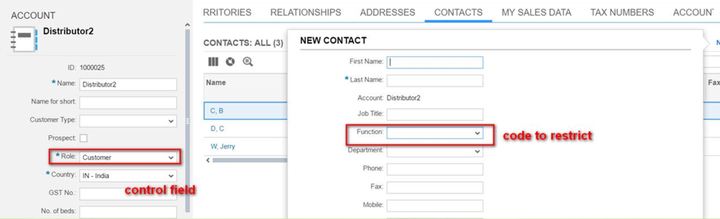
Technically the control field above is modeled in this field as below: ( in BO BusinessPartner )
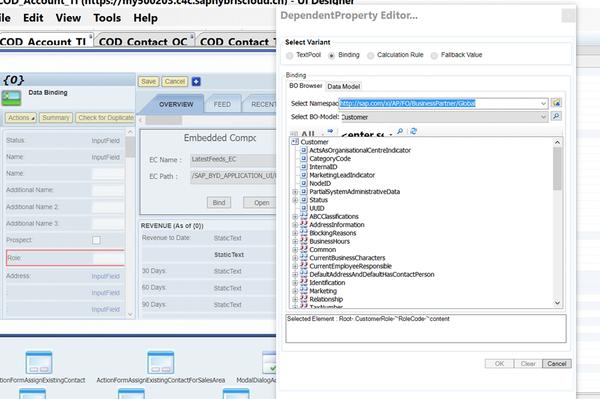
And the restricted field Function is in another BO: BusinessPartnerRelationship
In this case it is not possible to use the RoleCode field to control the Function field.
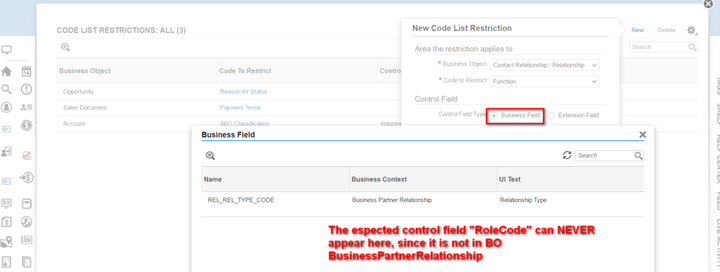
Fortunately besides Business Field, it is supported to use an extension field to perform CLR( Code List Restriction ) as well. Here below are detailed steps:
(1) Create an extension field with indicator data type on Root node of BusinessPartnerRelationship:
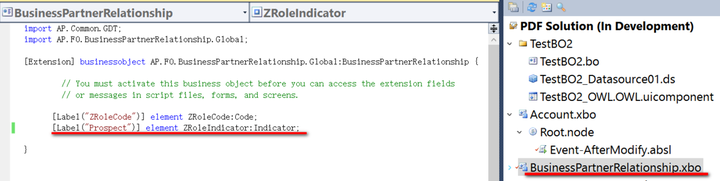
(2) Create an AfterModify event implementation to manually copy the value of RoleCode from BusinessPartner BO to the indicator extension field:
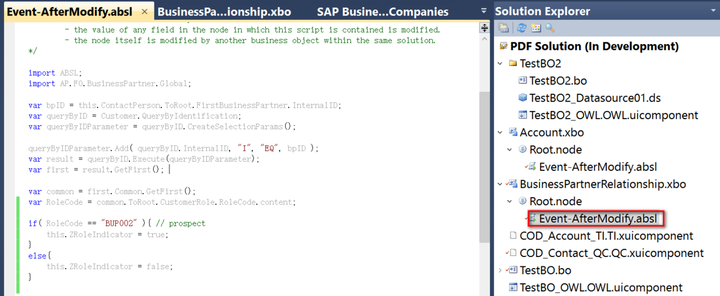
import ABSL;import AP.FO.BusinessPartner.Global;var bpID = this.ContactPerson.ToRoot.FirstBusinessPartner.InternalID;var queryByID = Customer.QueryByIdentification;var queryByIDParameter = queryByID.CreateSelectionParams();queryByIDParameter.Add( queryByID.InternalID, "I", "EQ", bpID );var result = queryByID.Execute(queryByIDParameter);var first = result.GetFirst(); var common = first.Common.GetFirst();var RoleCode = common.ToRoot.CustomerRole.RoleCode.content;if( RoleCode == "BUP002" ){ // prospect    this.ZRoleIndicator = true;}else{
    this.ZRoleIndicator = false;}
(3) Add this extension field to Quick Creation UI via Extensibility Explorer:
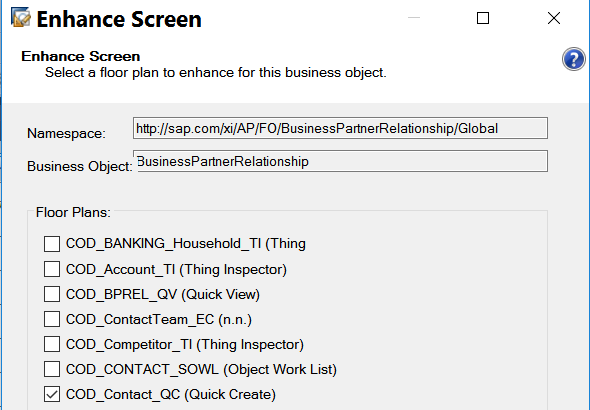
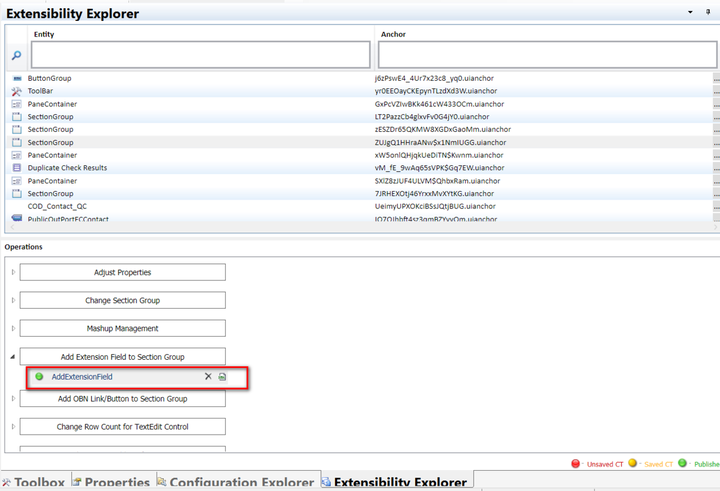
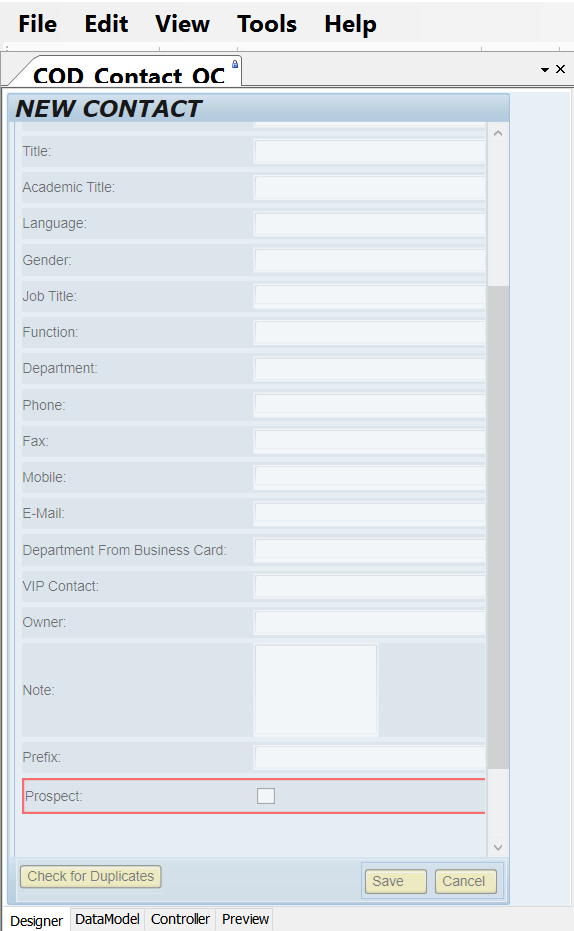
(4) Now it is ready to create a code list restriction based on this indicator extension field: it is now available in Control Field drop down list:
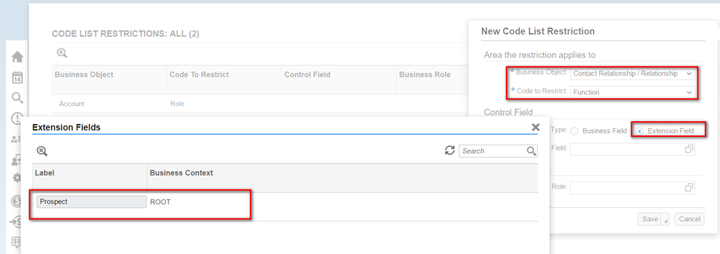
Just define corresponding value for Prospect ( indicator equals to true ) and Customer ( indicator equals to false ):
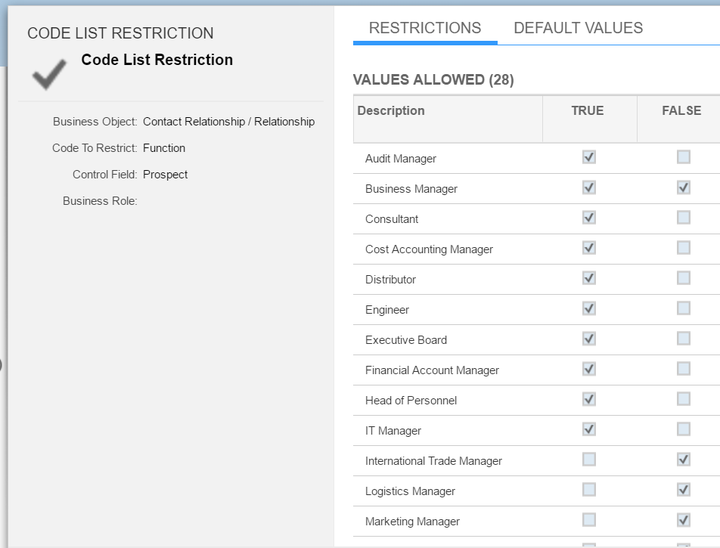
And it works in the runtime: in contact creation page, only a subset of specified entries in CLR maintenance UI is displayed.
要获取更多Jerry的原创文章,请关注公众号"汪子熙":

来自 “ ITPUB博客 ” ,链接:https://blog.itpub.net/24475491/viewspace-2715427/ ,如需转载,请注明出处,否则将追究法律责任。

