Saved query is a feature which enables customer to customized query according to their special business requirement.
Saved Query in C4C
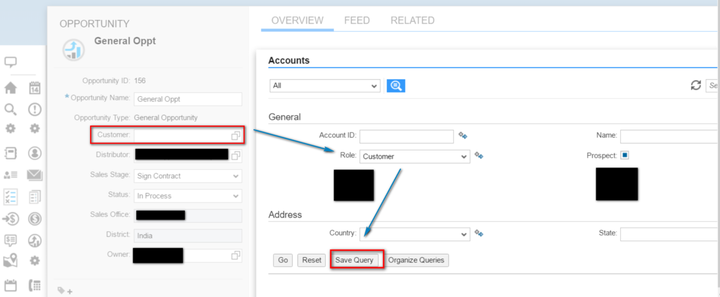
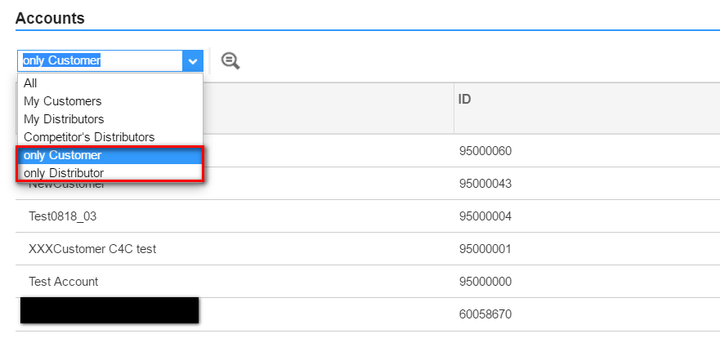
In C4C suppose I would like to make the value help for UI field “customer” to issue query with search parameter “Role” equals to “Customer” by default, I can simply choose “Customer” from drop down list and click button “Save Query”.
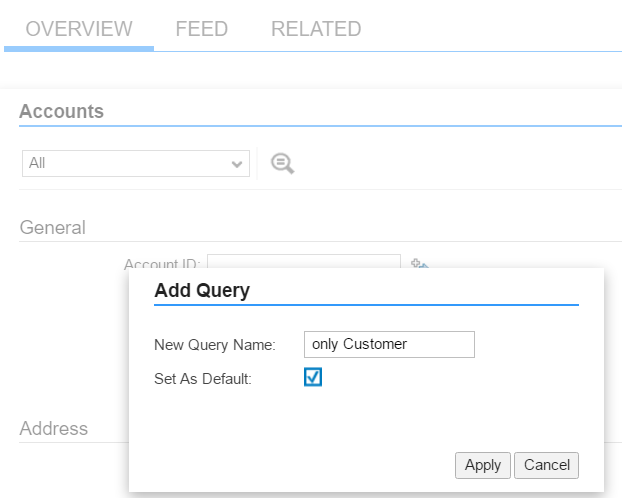
In Add Query dialog, type a name for this saved query and set it as default query.
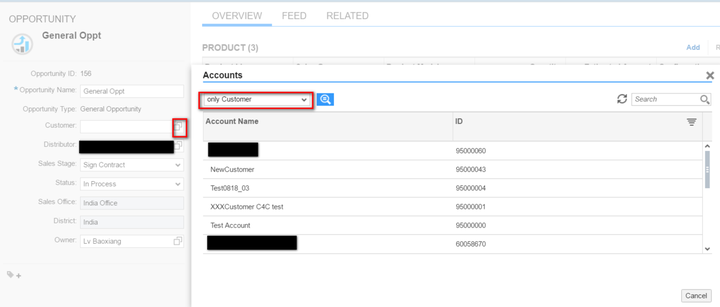
Next time I click F4 on “Customer” UI field, this saved query will be issued by default as expected.
By following the same approach I add another saved query “only Distributor” for UI field “Distributor”:
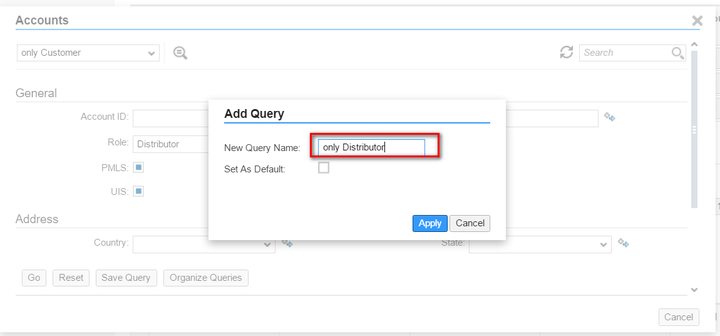
And Now I can switch between different saved query for different UI field.
Saved query in CRM
The idea in CRM is exactly the same as in C4C.
Specify the required search parameter value, choose a name for this saved query and click Save button.
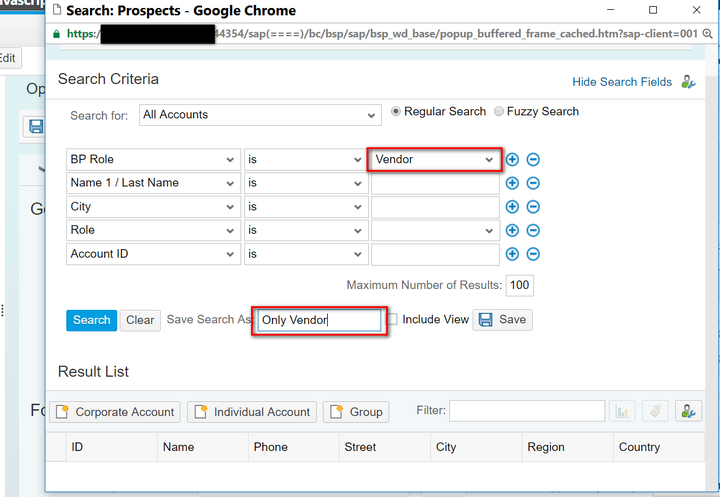
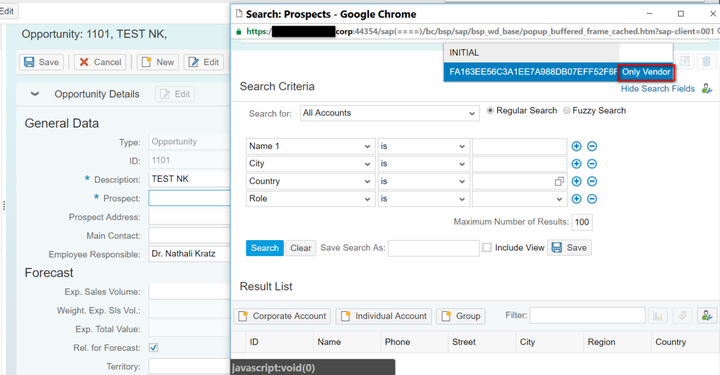
Once done, next time after you open the value help, you could load your saved query from drop down list:
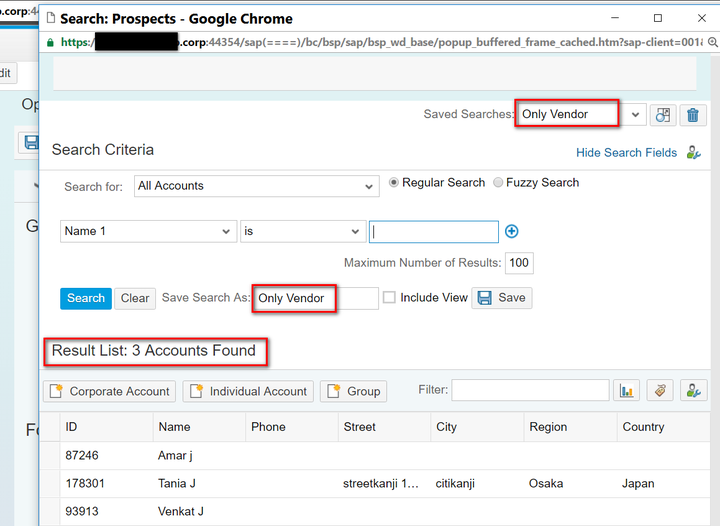
And the saved query will be launched with specified search parameter maintained previously.
Saved Query in S/4 HANA
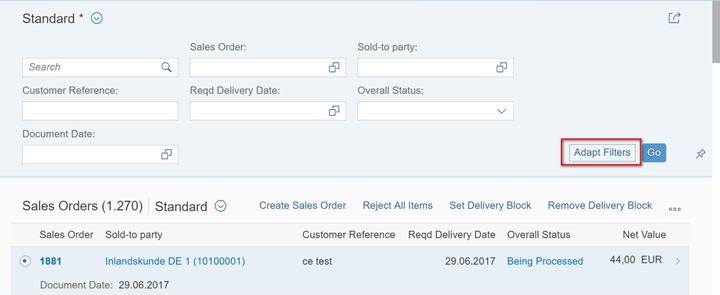
Again the same idea here. Click “Adapt Filters” button to enter the UI where you can specify your own Saved query:
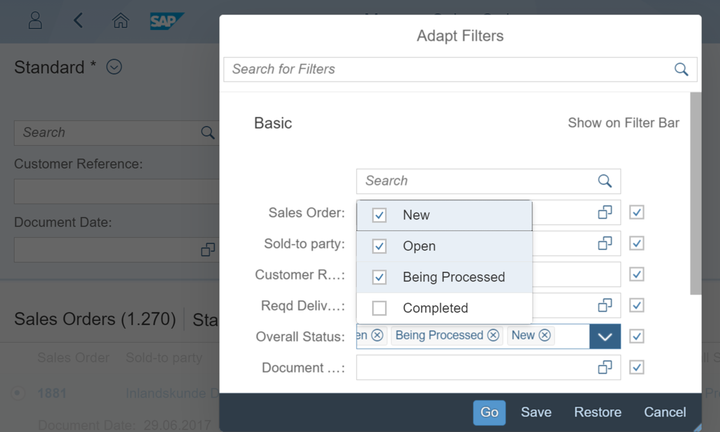
Here I plan to model a Saved Query for “Not Closed” Sales Orders:
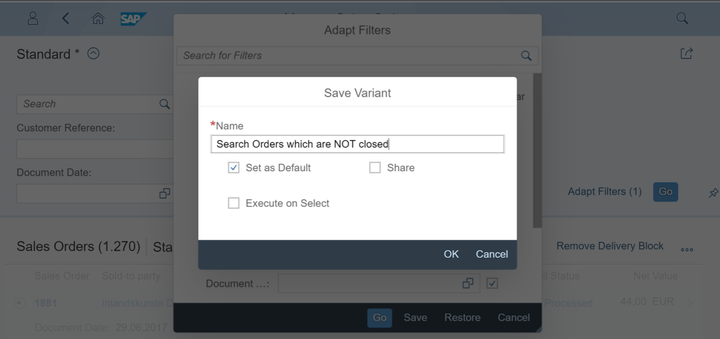
And save this query as a variant:
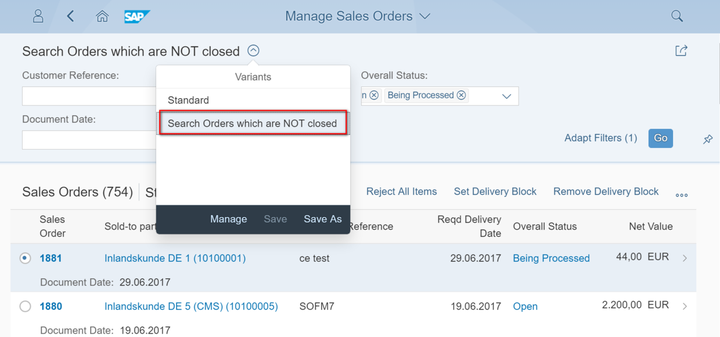
Next time when I perform Sales Order search, I can then switch between standard query and my saved query from drop down list:
Further reading
Jerry’s blogs regarding the comparison how CRM and Cloud for Customer implement a given feature using different approaches:
- OData Service backend implementation in C4C, CRM and S4 HANA
- Excel export in CRM and C4C
- Saved query in C4C, CRM and S/4 HANA
- Direct navigation in CRM WebUI, CRM Fiori and C4C
- Formatted Text Edit in CRM and Cloud for Customer
- How Table column resize works in CRM and Cloud for Customer
要获取更多Jerry的原创文章,请关注公众号"汪子熙":
来自 “ ITPUB博客 ” ,链接:https://blog.itpub.net/24475491/viewspace-2715420/ ,如需转载,请注明出处,否则将追究法律责任。

