There is an excellent blog Cross-domain communications with ABAP and JSONP written by Alessandro Spadoni. And in this blog, I just record down my own study experience about how to achieve cross domain request in ABAP and Java.
Cross Domain Request in ABAP
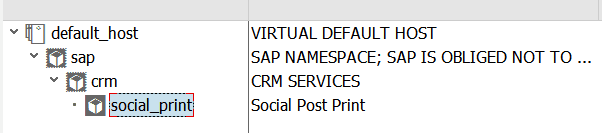
Create a new ICF node in tcode SICF, implement the following source code in its handler class.4
METHOD if_http_extension~handle_request.
   DATA: lv_text TYPE string value 'hello world'.
   server->response->append_cdata(
                        data   = lv_text
                        length = strlen( lv_text ) ).
  ENDMETHOD.
Access the url in browser, and it works as expected.

And now try to access the url by AJAX in jQuery:
function getPostByAJAX(requestURL){
   var html = $.ajax({
    url: requestURL,
    async: false}).responseText;
   debugger;
   return html;}
You will get the following error message in browser: No ‘Access-Control-Allow-Origin’ header is present on the requested resource. Origin ‘null’ is therefore not allowed access.

The request fails to finish due to same origin policy.
One remedy is to use Cross-Origin Resource Sharing.
Add a few more codes in the ICF handler class:
METHOD if_http_extension~handle_request.
    DATA: lv_text TYPE string VALUE 'hello world'.
    CONSTANTS: cv_white_id TYPE string VALUE 'i042416'.
    DATA(lv_origin) = server->request->get_header_field( 'origin' ).
    DATA(lv_userid) = server->request->get_form_field( 'userId' ).
    IF lv_userid = cv_white_id.
      server->response->set_header_field(
         EXPORTING
           name  = 'Access-Control-Allow-Origin'
           value = lv_origin ).
    ENDIF.
    server->response->append_cdata(
                         data   = lv_text
                         length = strlen( lv_text ) ).
  ENDMETHOD.
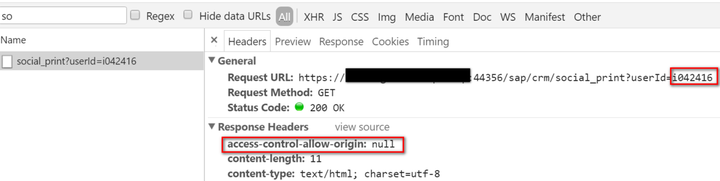
And when requesting the resource again but this time with a hard coded user id which acts a a simulation of white list, the request can be successfully processed this time thanks to CORS:
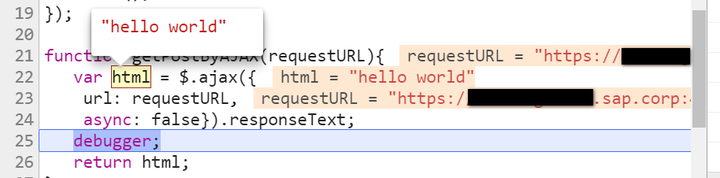
The response is available in JavaScript code:
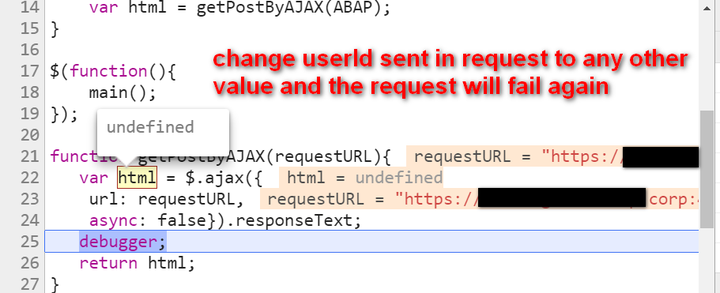
Change the user id to any other one and the request will fail again:

Cross Domain Request in Java
The similar logic as in ABAP. Create a dynamic web project in Java with a servlet named “HelloWorldServlet”:
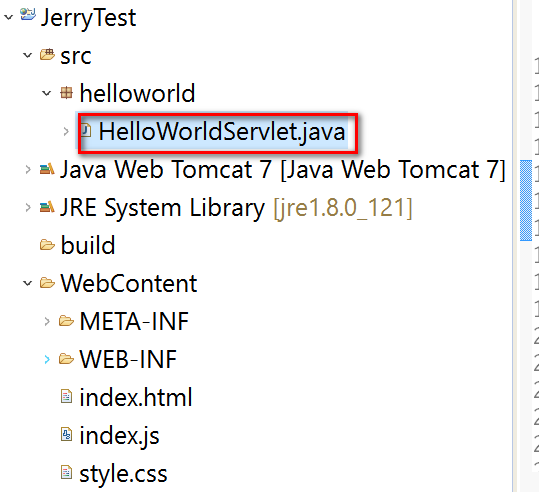
Copy the following implementation source code into the Servlet:
public class HelloWorldServlet extends HttpServlet {
    private static final long serialVersionUID = 1L;
    public HelloWorldServlet() {
        super();
    }
    protected void doGet(HttpServletRequest request, HttpServletResponse response) throws ServletException, IOException {
        List<String> allowedUserId = Arrays.asList(getServletContext().getInitParameter("userIds").trim().split(","));
        String clientOrigin = request.getHeader("origin");
        String ipAddress = request.getHeader("x-forwarded-for");
        if (ipAddress == null) {
            ipAddress = request.getRemoteAddr();
        }
        String userId = request.getParameter("userId");
        if( userId != null)
            userId = userId.trim();
        if( allowedUserId.contains(userId)){
            response.setHeader("Access-Control-Allow-Origin", clientOrigin);
        }
        if( ipAddress.equals("0:0:0:0:0:0:0:1"))
            response.getWriter().println("local one");
        else
            response.getWriter().println("Hello World!");
    }
    protected void doPost(HttpServletRequest request, HttpServletResponse response) throws ServletException, IOException {
        doGet(request, response);
    }}
The web.xml in folder WEB-INF, which the allowed user ids are listed in node .
<?xml version="1.0" encoding="UTF-8"?><web-app xmlns:xsi="http://www.w3.org/2001/XMLSchema-instance"
    xmlns="http://java.sun.com/xml/ns/javaee"
    xsi:schemaLocation="http://java.sun.com/xml/ns/javaee http://java.sun.com/xml/ns/javaee/web-app_2_5.xsd"
    id="WebApp_ID" version="2.5">
    <display-name>JerryTest</display-name>
    <welcome-file-list>
        <welcome-file>Hello</welcome-file>
        <welcome-file>index.html</welcome-file>
    </welcome-file-list>
    <context-param>
        <param-name>userIds</param-name>
        <param-value>i042416,i042417,i042418</param-value>
    </context-param>
    <servlet>
        <description></description>
        <display-name>HelloWorldServlet</display-name>
        <servlet-name>HelloWorldServlet</servlet-name>
        <servlet-class>helloworld.HelloWorldServlet</servlet-class>
    </servlet>
    <servlet-mapping>
        <!-- http://stackoverflow.com/questions/4140448/difference-between-and-in-servlet-mapping-url-pattern -->
        <servlet-name>HelloWorldServlet</servlet-name>
        <url-pattern>/Hello</url-pattern>
    </servlet-mapping></web-app>
Now access the servlet with user id which is not included in the list, and the request fails:

And perform positive test via an allowed user id specified in request:
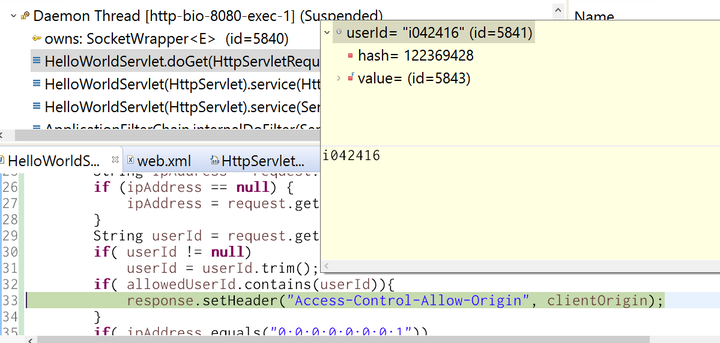
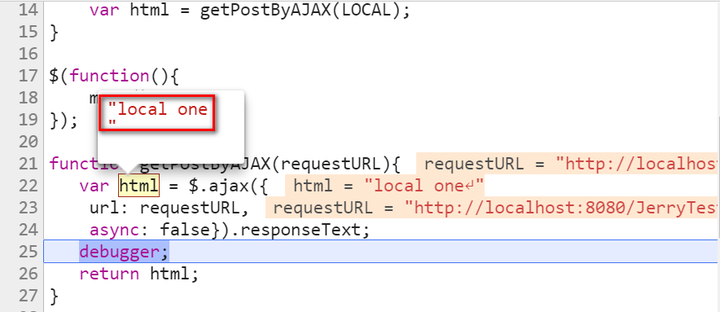
Request is successfully handled and returned to browser:
Client side workaround
Sometimes for development purpose we would like to bypass the limitation of same origin policy, and here below are two approaches I used in my daily work.
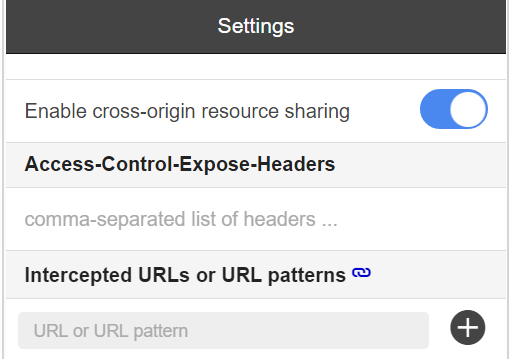
workaround 1: use Chrome extension “Allow-Control-Allow-Origin”
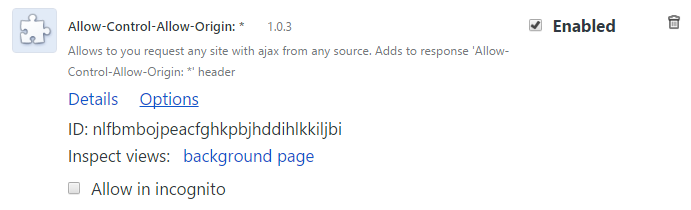
Once installed, just switch on CORS via checkbox:
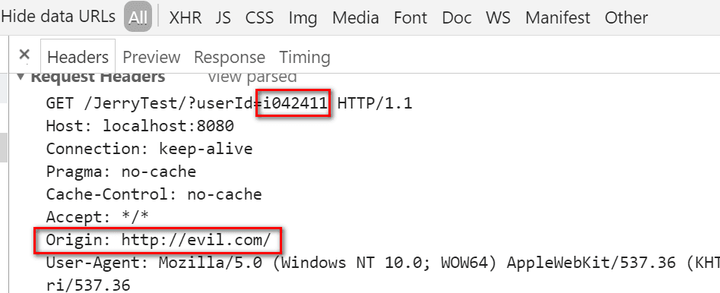
This extension will automatically add a new field in request header to do the magic:
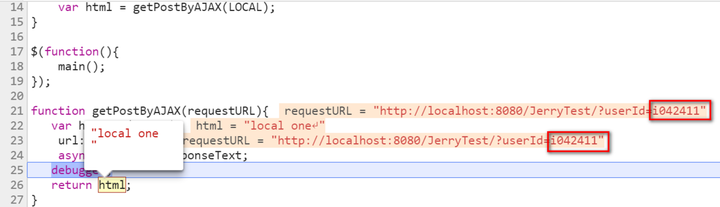
Now the response is available with the help of this extension, even the requested user id is not in allowed list:
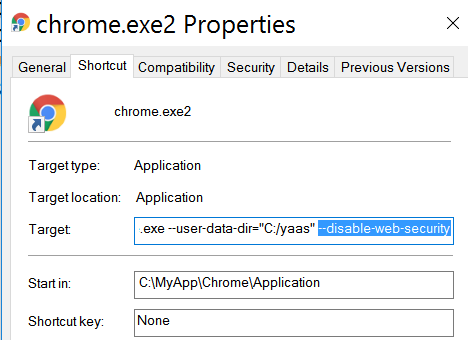
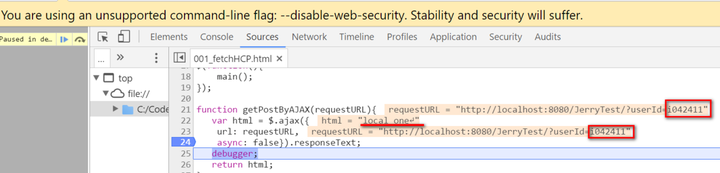
workaround 2: disable same origin policy via Chrome start command argument –disable-web-security
Create a new shortcut and add the argument –disable-web-security
request detail:
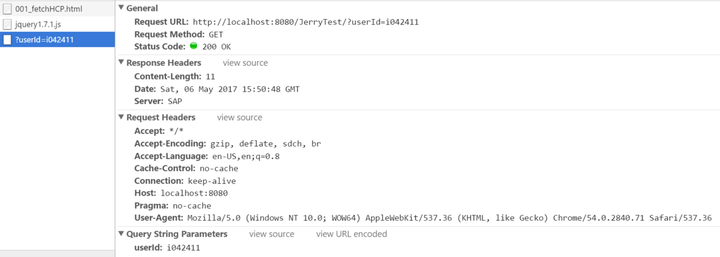
This time the request is still successfully handled – you will see a warning “Stability and security will suffer.” in Chrome.
要获取更多Jerry的原创文章,请关注公众号"汪子熙":
来自 “ ITPUB博客 ” ,链接:https://blog.itpub.net/24475491/viewspace-2715054/ ,如需转载,请注明出处,否则将追究法律责任。

