In tcode SWO1 we can find for example business object BUS1178 has defined several events.
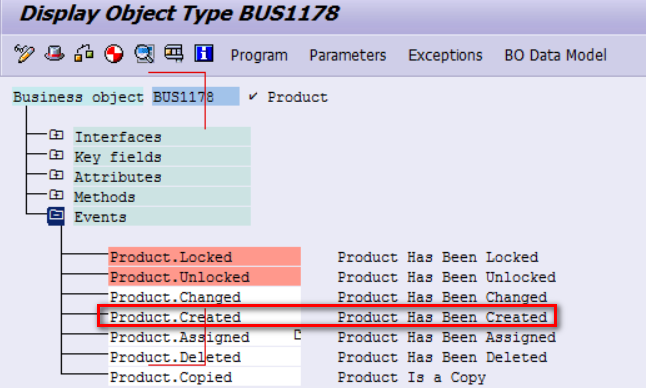
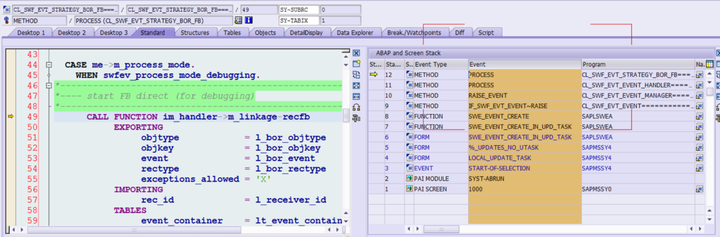
When you create a new product and save it from WebClient UI, this BOR type will be raised in the following callstack:
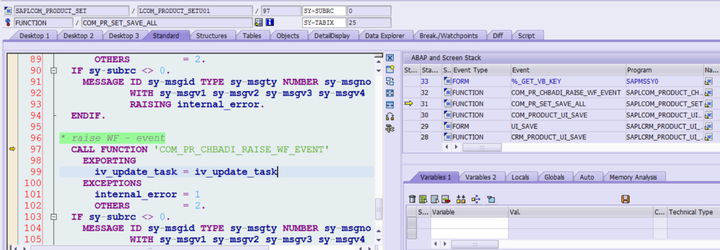
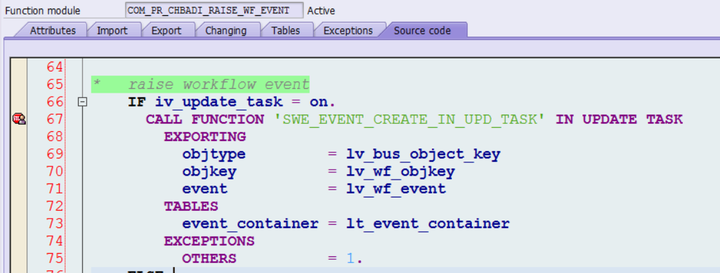
COM_PR_CHBADI_RAISE_WF_EVENT will call SWE_EVENT_CREATE_IN_UPD_TASK in update task.
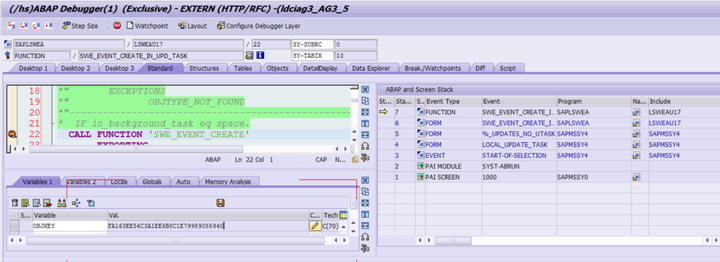
In update task execution, BOR event will be raised by SWE_EVENT_CREATE. The guid of created product is available in variable objkey.
So how to react to this BOR event published by function module SWE_EVENT_CREATE? tcode SWE2, just create a new entry for this BOR event:

Maintain a function module as event listener:
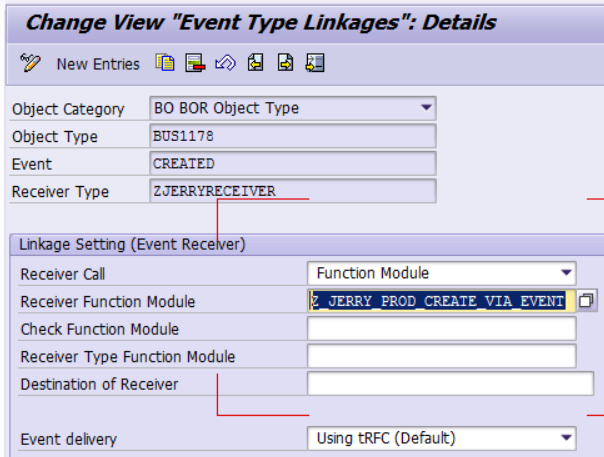
As I would like to send a mail to my inbox every time a new product is created, so I implement the following source code:
FUNCTION z_jerry_prod_create_via_event.*"----------------------------------------------------------------------*"*"Local Interface:*"  IMPORTING*"     VALUE(EVENT) LIKE  SWETYPECOU-EVENT*"     VALUE(RECTYPE) LIKE  SWETYPECOU-RECTYPE*"     VALUE(OBJTYPE) LIKE  SWETYPECOU-OBJTYPE*"     VALUE(OBJKEY) LIKE  SWEINSTCOU-OBJKEY*"     VALUE(EXCEPTIONS_ALLOWED) LIKE  SWEFLAGS-EXC_OK DEFAULT SPACE*"  EXPORTING*"     VALUE(REC_ID) LIKE  SWELOG-RECID*"  TABLES*"      EVENT_CONTAINER STRUCTURE  SWCONT*"  EXCEPTIONS*"      READ_FAILED*"      CREATE_FAILED*"----------------------------------------------------------------------
  DATA: lo_recipient TYPE REF TO cl_cam_address_bcs.
  DATA: lt_body    TYPE bcsy_text,
        lv_prod_id TYPE comm_product-product_id,
        lt_send_to TYPE string_table.
  APPEND 'XXXX@sap.com' TO lt_send_to.
  data(ls_line) = value SOLI( line = `It's important to realize that using the in-development REPL, Project Kulla, is not for the faint of heart. Kulla, aka JShell, isn't part of the JDK 9 preview bundle at the time of writing` ).
  APPEND ls_line TO lt_body.
  SELECT SINGLE product_id INTO lv_prod_id FROM comm_product where product_guid = objkey.
  IF sy-subrc = 0.
     ls_line-line = '*'.
     APPEND ls_line TO lt_body.
     ls_line-line = | Created Product ID: { lv_prod_id } |.
     APPEND ls_line TO lt_body.
  ENDIF.
  TRY.
      DATA(lo_send_request) = cl_bcs=>create_persistent( ).
      DATA: lv_len TYPE so_obj_len VALUE 0.
      LOOP AT lt_body ASSIGNING FIELD-SYMBOL(<line>).
        lv_len = lv_len + strlen( <line> ).
      ENDLOOP.
      DATA(lo_document) = cl_document_bcs=>create_document(
                      i_type    = 'RAW'
                      i_text    = lt_body
                      i_length  = lv_len
                      i_subject = CONV #( 'Java9 is coming!' ) ).
      lo_send_request->set_document( lo_document ).
      DATA(lo_sender) = cl_cam_address_bcs=>create_internet_address( 'XXXX@sap.com' ).
      lo_send_request->set_sender( lo_sender ).
      LOOP AT lt_send_to ASSIGNING FIELD-SYMBOL(<lv_send_to>).
        lo_recipient = cl_cam_address_bcs=>create_internet_address( CONV #( <lv_send_to> ) ).
        lo_send_request->set_send_immediately( i_send_immediately = 'X' ).
        lo_send_request->add_recipient( i_recipient = lo_recipient i_express   = 'X' ).
      ENDLOOP.
      lo_send_request->send( i_with_error_screen = 'X' ).
      COMMIT WORK AND WAIT.
    CATCH cx_bcs INTO DATA(lo_bcs_exception).
      DATA(lv_message) = lo_bcs_exception->get_text( ).
      WRITE:/ lv_message.
      RETURN.
  ENDTRY.ENDFUNCTION.
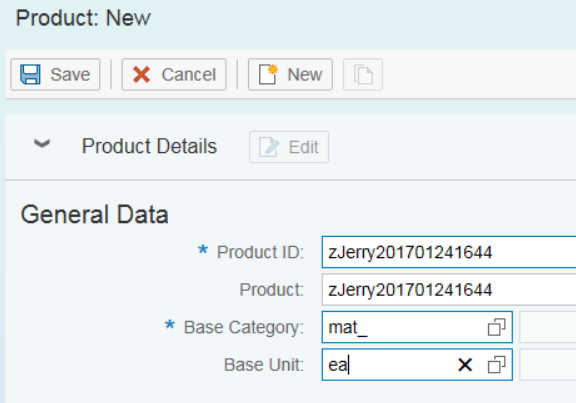
After that I create a new product and save it:
Then I will receive a mail in my inbox immediately:

How to debug the event listener
If you set a breakpoint within the event listener function module it will never get triggered, as it is called via transaction RFC as default maintained in tcode SWE2. If you write an “ASSERT 1 = 0” in it, you can observe that it is executed with user WF-BATCH which is not a dialog user so you cannot debug directly.
The solution for debug is rather simple, before the event is really raised, set the value of me->m_process_mode to “D” ( debug mode ) in method below:
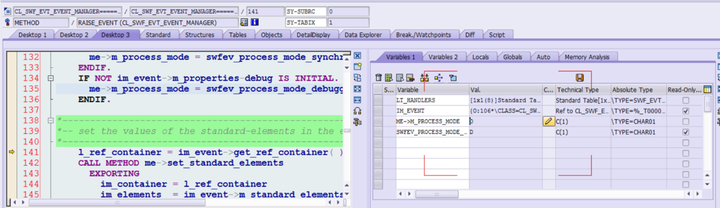
After that your listener function module will be executed via normal way instead of tRFC, you can then now directly click F5 to debug into the function module.
要获取更多Jerry的原创文章,请关注公众号"汪子熙":

来自 “ ITPUB博客 ” ,链接:https://blog.itpub.net/24475491/viewspace-2713819/ ,如需转载,请注明出处,否则将追究法律责任。

