You can choose to let the system determine the product ID automatically according to number range or you can choose to assign the product ID manually. a. If you would like to go with the number range way for all new products belonging to product category MAT_:
(1) try with this customizing:
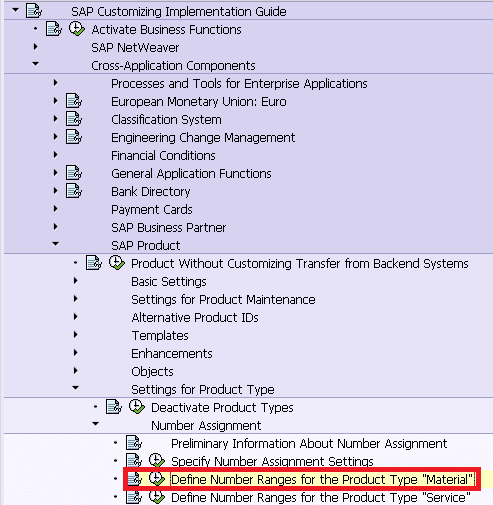
click maintain Groups:
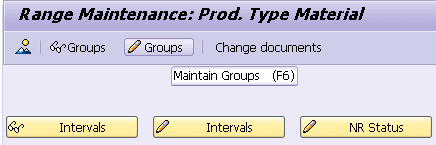
Create a new group:
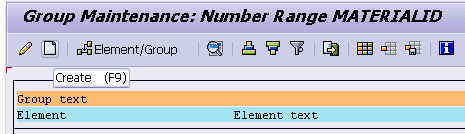
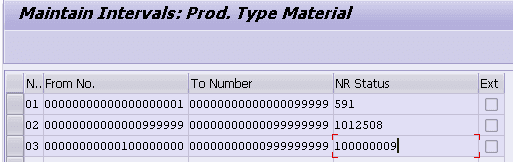
maintain the from and to number for the new group:
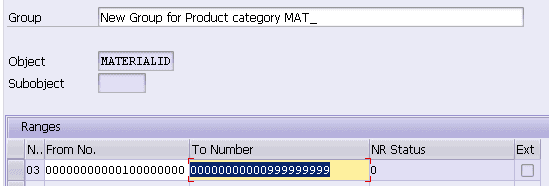
in case there are already other groups in the system, please ensure the number settings of your new group does not overlap with existing ones.
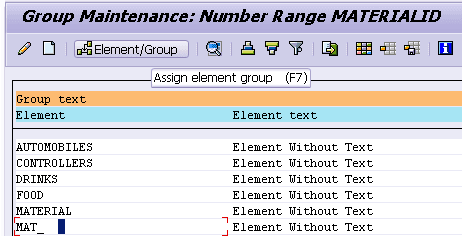
(2) go back to group overview page, select the product category MAT_, click button “Assign element group”:
select your new group and click enter key:
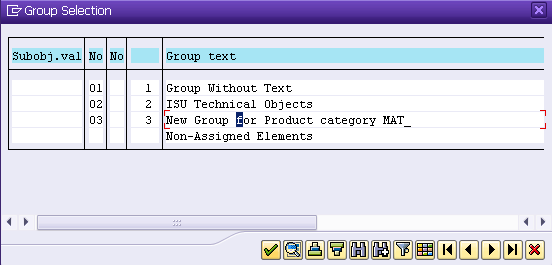
now the product category MAT_ is put under your new group:

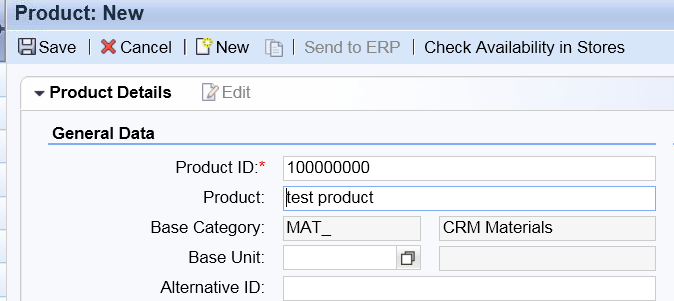
(3) test in UI by creating a new product:
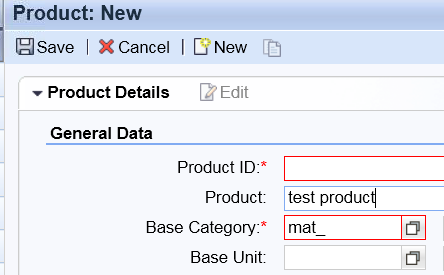
after you maintain MAT_ as product category, you observe that the product ID is automatically generate with number range settings you have just maintained:
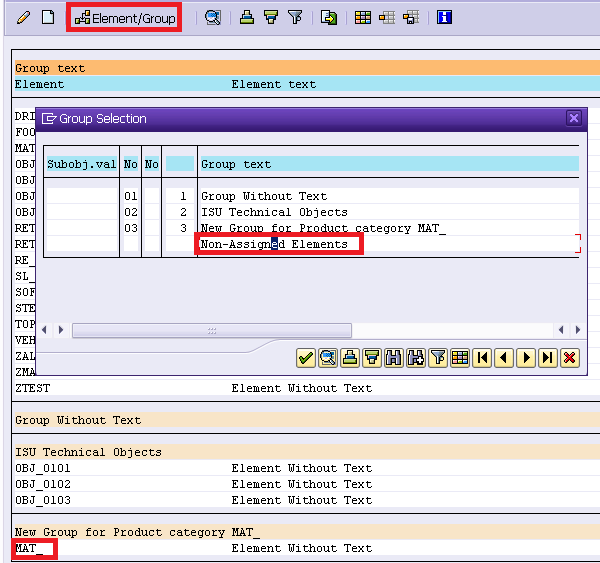
If you would like to manually maintain the product ID yourself: just move the MAT_ back to group “Non-Assigned Elements”:
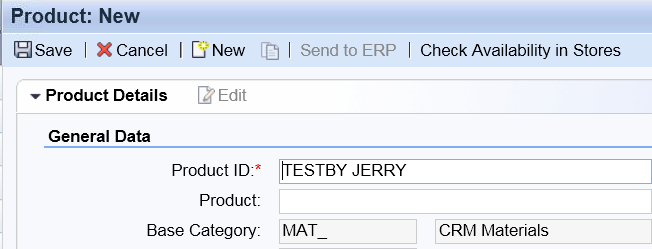
Now you could maintain the product id yourself in UI:
来自 “ ITPUB博客 ” ,链接:https://blog.itpub.net/24475491/viewspace-2713223/ ,如需转载,请注明出处,否则将追究法律责任。

