SAP云平台部署应用时遇到的502 Updating service failed - Bad Gateway
我在SAP云平台的WebIDE里创建了一个新的UI5应用,添加了一个HTML5 module:
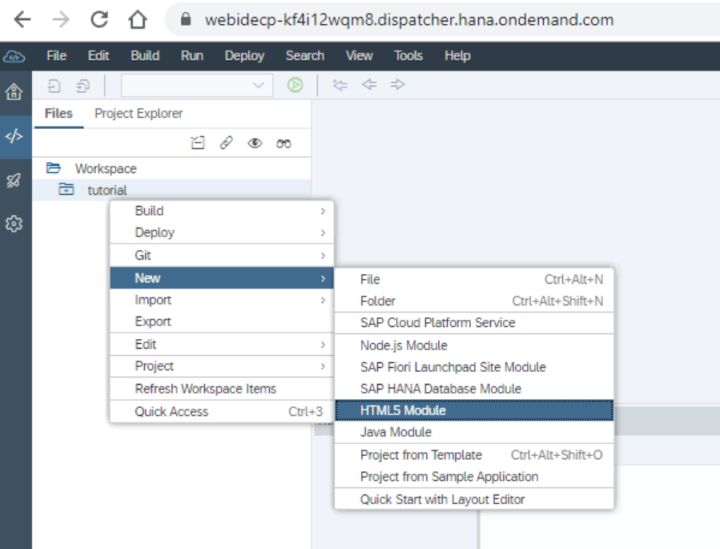
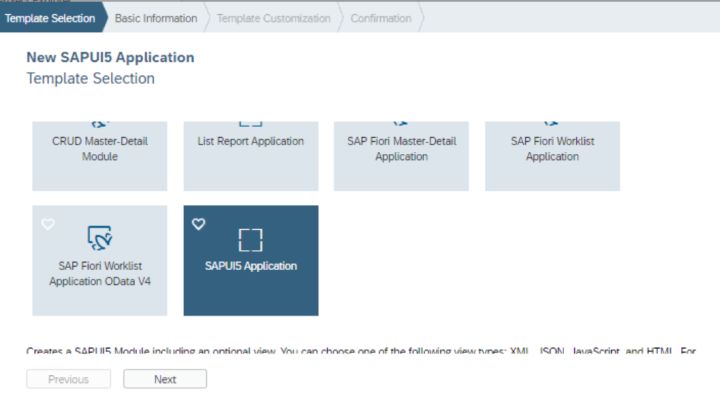
试图将其部署到SAP云平台时,
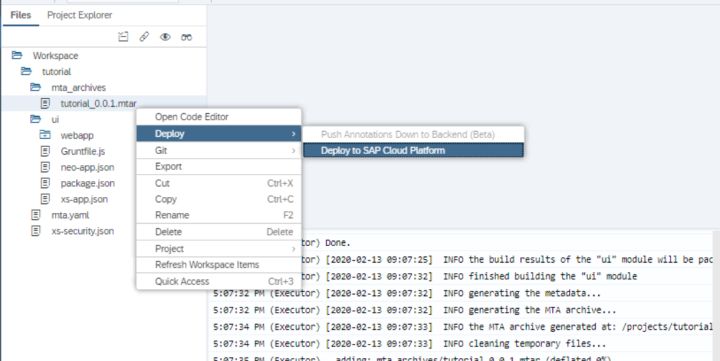
遇到如下错误:
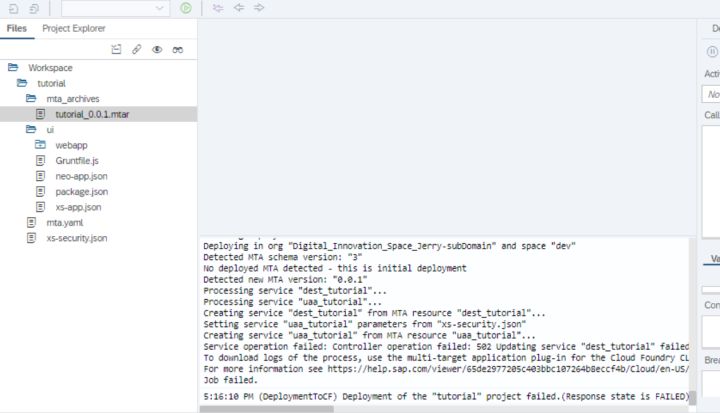
> Service operation failed: Controller operation failed: 502 Updating service "dest_tutorial" failed: Bad Gateway:
> Error creating service "dest_tutorial" from offering "destination" and plan "lite": Service broker error: Service broker destination-service-broker failed with: Quota limit exceeded. Instance creation not allowed. To download logs of the process, use the multi-target application plug-in for the Cloud Foundry CLI command "cf dmol -i 4dd8405e-4e41-11ea-a7fb-eeee0a981a17" directly in your Cloud Foundry space.For more information see SAP Help Portal failed.
我的mta.yaml文件如下:
```yaml
ID: tutorial
_schema-version: '2.1'
version: 0.0.1
modules:
 - name: ui
   type: html5
   path: ui
   parameters:
      disk-quota: 256M
      memory: 256M
   build-parameters:
      builder: grunt
   requires:
    - name: uaa_tutorial
    - name: dest_tutorial
resources:
 - name: uaa_tutorial
   parameters:
      path: ./xs-security.json
      service-plan: application
      service: xsuaa
   type: org.cloudfoundry.managed-service
 - name: dest_tutorial
   parameters:
      service-plan: lite
      service: destination
   type: org.cloudfoundry.managed-service
```
错误消息的核心是这一行:
> Service broker destination-service-broker failed with: Quota limit exceeded.
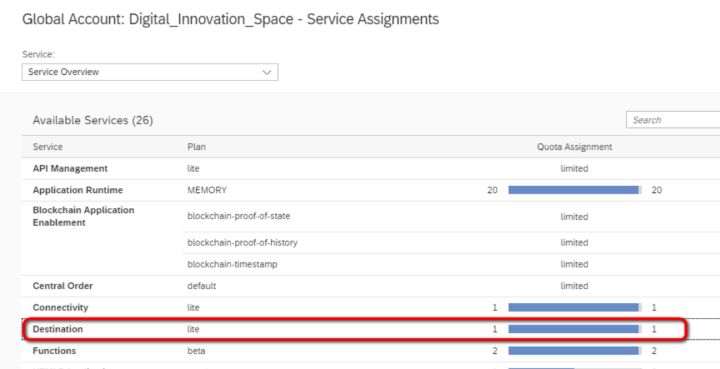
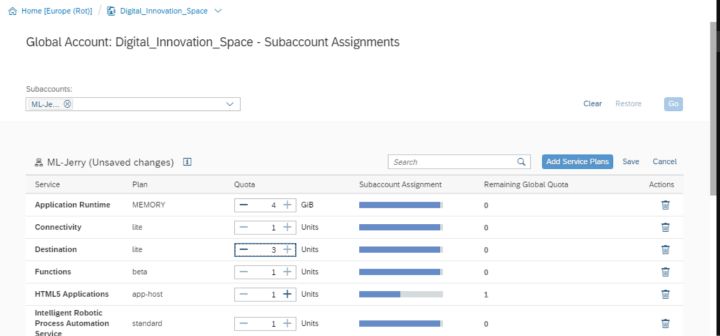
在quota分配里,增加Destination service的quota即可:
来自 “ ITPUB博客 ” ,链接:https://blog.itpub.net/24475491/viewspace-2676893/ ,如需转载,请注明出处,否则将追究法律责任。

