如何让SAP S/4HANA的Material Fiori应用配置到Fiori Launchpad里
The PFCG role SAP_BR_PRODMASTER_SPECIALIST in UXT/928 is for S4 on premise usage and does not exist in some sandbox system.
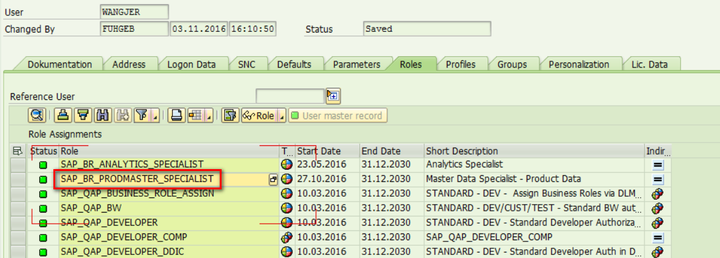
In this case, in order to test Product Master application in those system, you need to create a new PFCG role and assign to your user manually. However, how could you know which Fiori catalog you need to assign to this PFCG role?
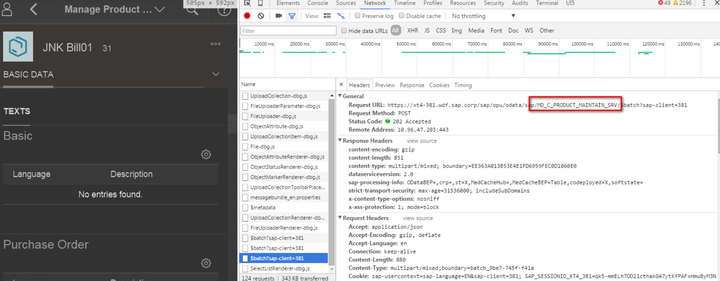
(1) log on to another system like UXT/928 to find out the OData service name which product master Fiori application is based on.
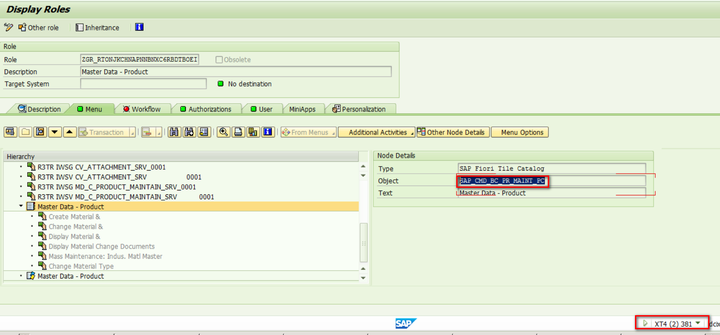
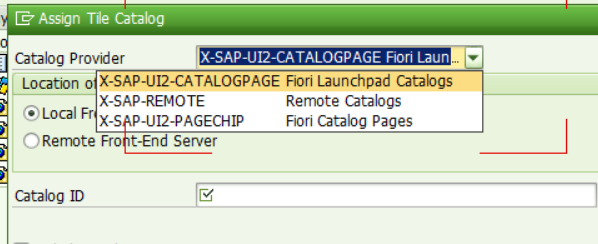
(2) find the corresponding Fiori catalog ID: SAP_CMD_BC_PR_MAINT_PC
(3) Create a new PFCG role via tcode PFCG in QJ3/500:
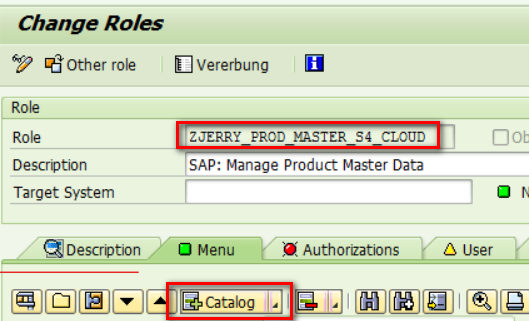
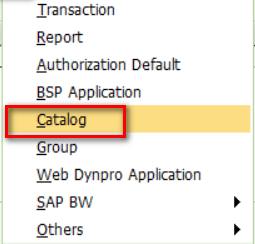
Choose Catalog:
Maintain SAP_CMD_BC_PR_MAINT_PC as ID:
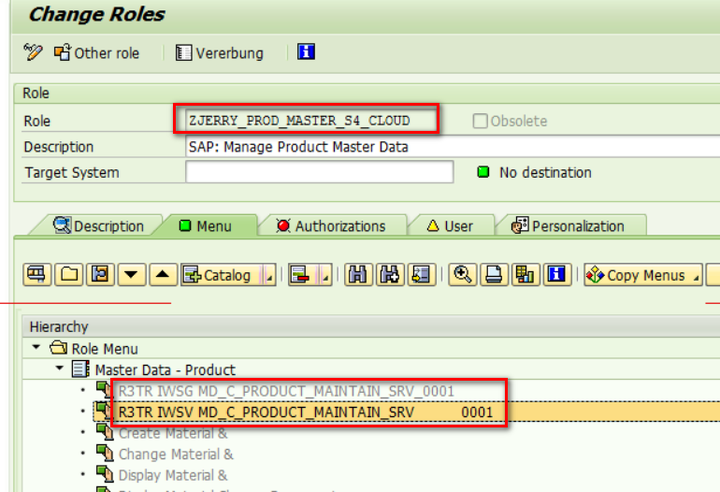
Done: now the new PFCG role could access Product Master Odata service:
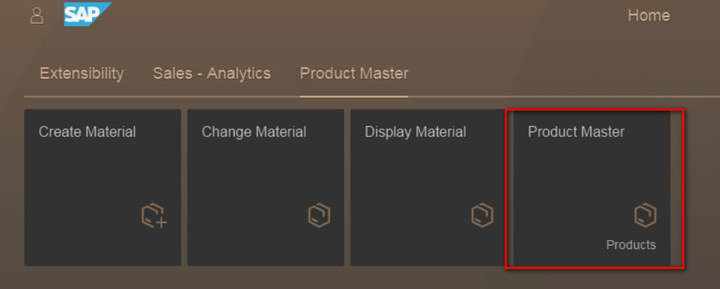
(4) assign this new role to your user, and now Product master Fiori application is visible in launchpad.
来自 “ ITPUB博客 ” ,链接:https://blog.itpub.net/24475491/viewspace-2675534/ ,如需转载,请注明出处,否则将追究法律责任。

