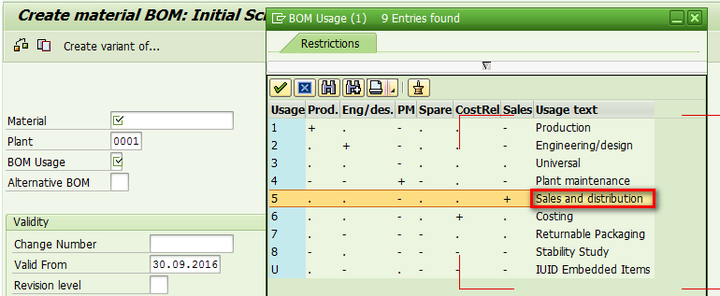
In ERP, create a sales BOM via tcode CS01, BOM type choose 5 - Sales BOM
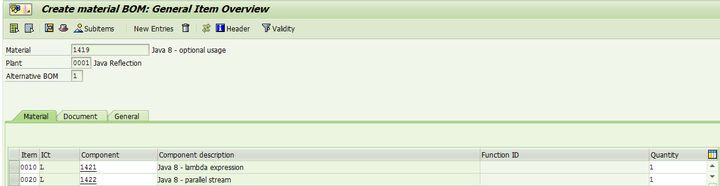
For BOM header, choose material 1419. Maintain two component material 1421 and 1422, save the BOM.
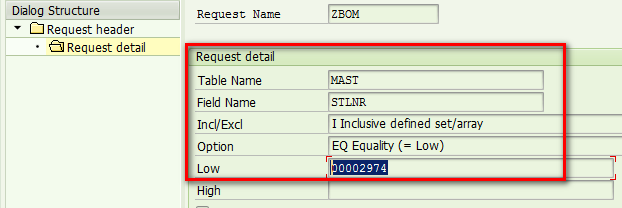
From table MAST you can find the BOM id from field STLAN: 2974

In CRM, create a download request by specifying filter id = BOM id 2974 found in previous step:
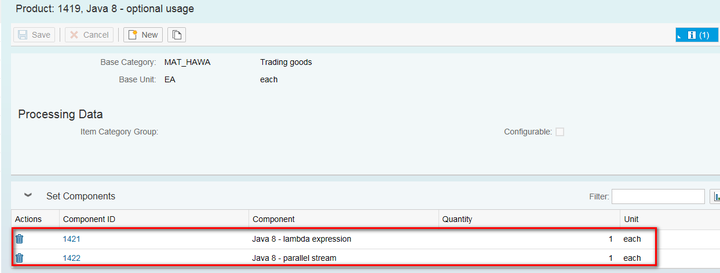
After this BOM is downloaded to CRM, you open parent product 1419 and could find its two components in assignment block "Set Components".
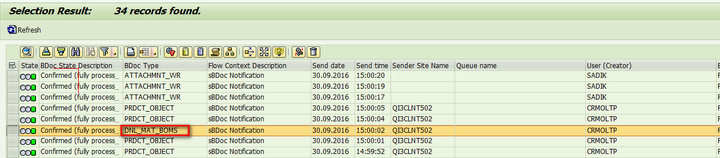
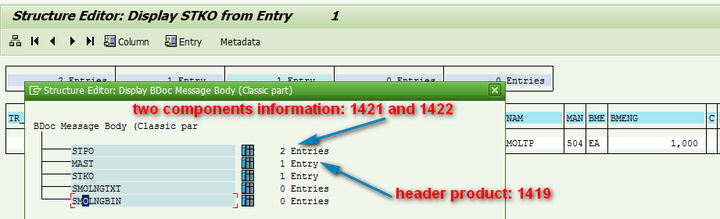
Via tcode SMW01, you can find detail data being downloaded from ERP:
For more information, see SAP help:
Replication of Sales Bills of Material from SAP ERP (Structured Products) to SAP CRM
来自 “ ITPUB博客 ” ,链接:https://blog.itpub.net/24475491/viewspace-2674692/ ,如需转载,请注明出处,否则将追究法律责任。

