1 安装 benchmark
https://codeload.github.com/obpilot/benchmarksql-5.0/zip/refs/heads/master
unzip benchmarksql-5.0.zip
cp -r datax/plugin/reader/oceanbasev10reader/libs ./lib/oceanbase /
初始化配置文件
目录为 /opt/software/benchmarksql-5.0/run
vi
runB
enchmark.sh
|
#!/usr/bin/env bash
|
vi props.ob
|
db=oracle
|
创建 tpcc 数据库
obclient -h127.0.0.1 -uroot@ob_tent_ygb#obdemo -P2883 -p111111 -A -c
create database tpcc;
create user tpcc identified by ‘ 111111 ’;
grant all privileges on tpcc.* to tpcc ;
运行建表语句
sh runSQL.sh props.ob sql.common/tableCreates.sql
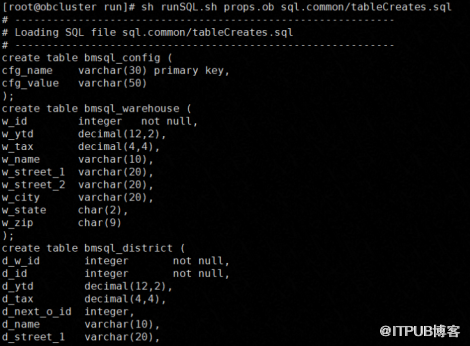
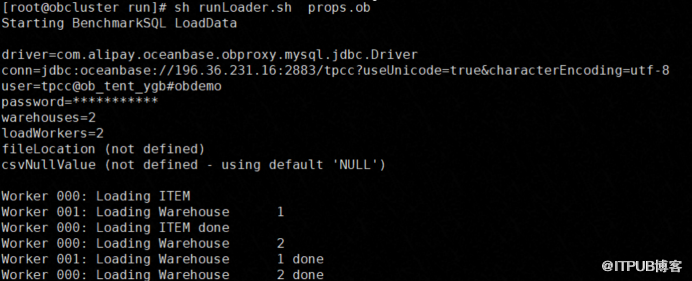
插入数据
sh runLoader.sh props.ob
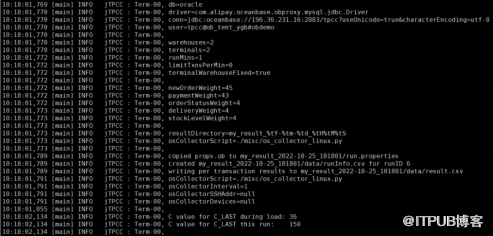
执行压测
sh runBenchmark.sh props.ob
查看执行计划
SELECT /*+ PARALLEL(15)*/ avg_exe_usec,tenant_id,plan_id, svr_ip, svr_port, sql_id,db_id,query_sql FROM oceanbase.gv$plan_cache_plan_stat where
db_id='18446744073709551615' ORDER BY avg_exe_usec DESC LIMIT 3;
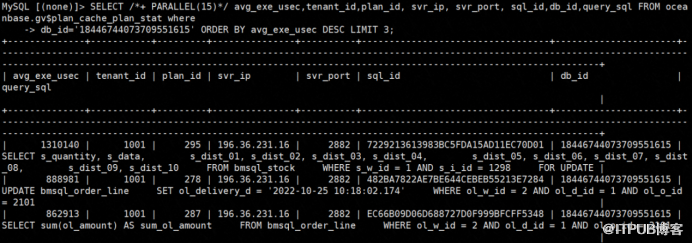
查看SQL 执行计划 结果不是很清楚需要再研究
1.
SELECT ip, plan_depth, plan_line_id,operator,name,rows,cost,property from oceanbase.gv$plan_cache_plan_explain WHERE tenant_id=1001 AND ip = ' 127.0.0.1 ' AND port=2882 AND plan_id= 295 \G;
2.
SELECT ip, plan_depth, plan_line_id,operator,name,rows,cost,property from oceanbase.gv$plan_cache_plan_explain WHERE tenant_id=1001 AND ip = ' 127.0.0.1 ' AND port=2882 AND plan_id= 278 \G;
3.
SELECT ip, plan_depth, plan_line_id,operator,name,rows,cost,property from oceanbase.gv$plan_cache_plan_explain WHERE tenant_id=1001 AND ip = ' 127.0.0.1 ' AND port=2882 AND plan_id= 287 \G;
来自 “ ITPUB博客 ” ,链接:https://blog.itpub.net/22333459/viewspace-2928961/ ,如需转载,请注明出处,否则将追究法律责任。

