这是一个asp.net普通javascript的练习,是使用javascript去获取DropDownList Selected 选项的信息,如text,value和index等。
Insus.NET在.aspx.cs内准备好一些数据,是有关浏览器相关信息的,并写在泛型Dictionary


private DictionaryGetBrowser() { Dictionary dict = new Dictionary (); dict.Add("google", "chrome"); dict.Add("Mozilla", "firefox"); dict.Add("microsoft", "ie"); dict.Add("opera", "opera"); dict.Add("safari", "apple"); return dict; }
View Code
在网页中,拉(PULL)DropDownList控件入网页.aspx中。
View Code
去.aspx.cs为DropDownList控件绑定数据: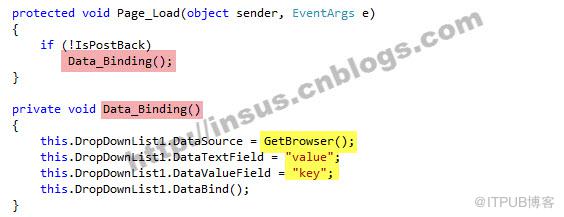
写Javascript脚本:
function GetSelectedInfo() { var ddl = document.getElementById(''); var info = " The value is: " + ddl.options[ddl.selectedIndex].value + ".nr text is: " + ddl.options[ddl.selectedIndex].text + ".nr option index is: " + ddl.selectedIndex; alert(info); }
View Code

为了能执行上面的javascript脚本,Insus.NET在网页拉一个Button,然后让这个Button 执行一个OnClientClick客户端事件。
OK,试运行看看: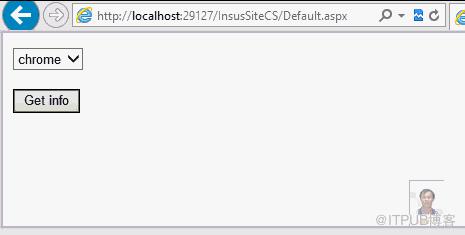
来自 “ ITPUB博客 ” ,链接:https://blog.itpub.net/1830/viewspace-2812626/ ,如需转载,请注明出处,否则将追究法律责任。
上一篇:
ExtAspNet v2.1.3
下一篇:
递归

请登录后发表评论
登录
全部评论
