1 Oracle Database 11.2.0.3.0 RAC On Oralce Linux 6.5 使用-安装网格基础设施
使两个虚拟机正常启动,以oracle用户登录到ol6-112-rac1结点。
使用SecureFX以oracle用户将解压后的grid安装包拷贝到ol6-112-rac1结点的/home/oracle目录下


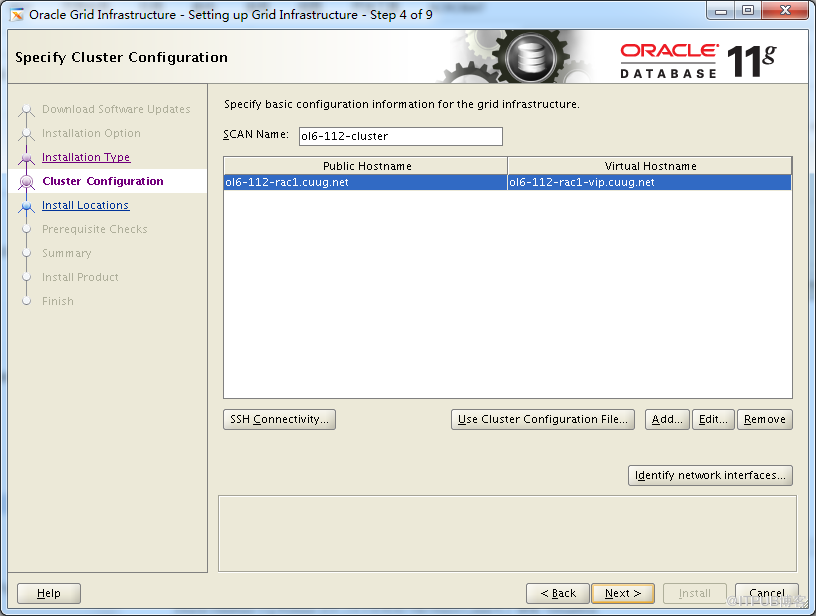
更改SCAN Name = ol6-112-scan
点击add添加第2个结点


点击 Identify
network interface,检查公有和私有网络并进行正确地指定。
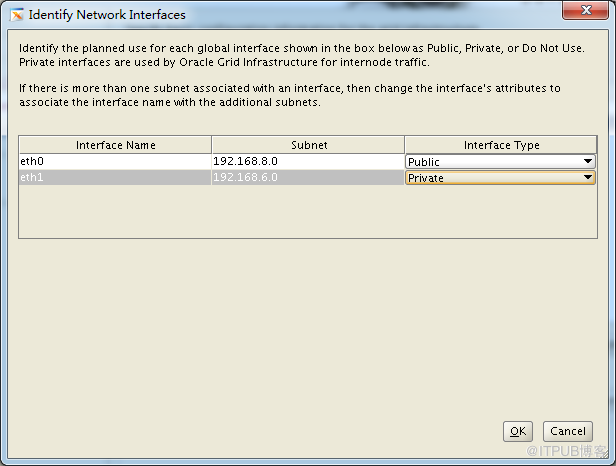
确定没有问题后,点击OK返回上一界面。
点击SSH Connectivity

点击setup进行安装
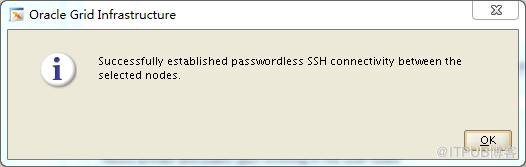
成功后,点击OK返回上一界面,点击Next
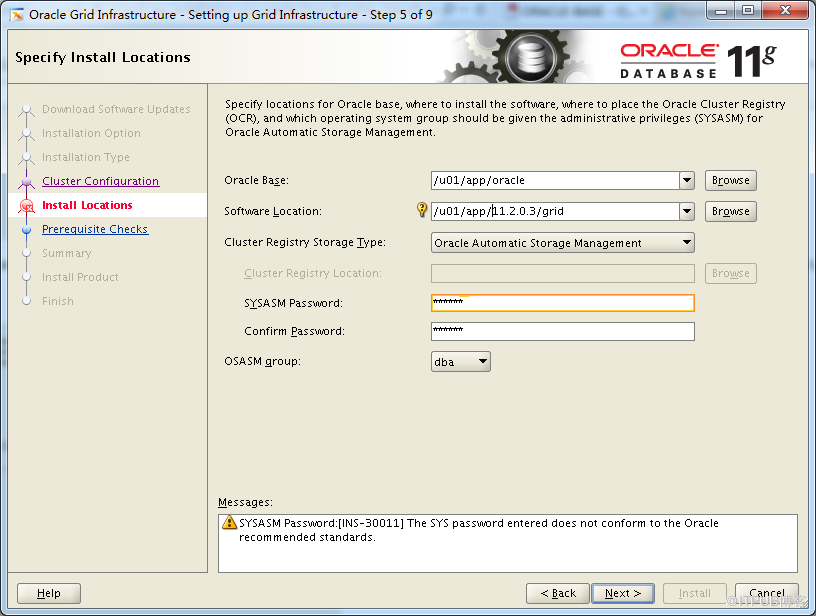
点击Next
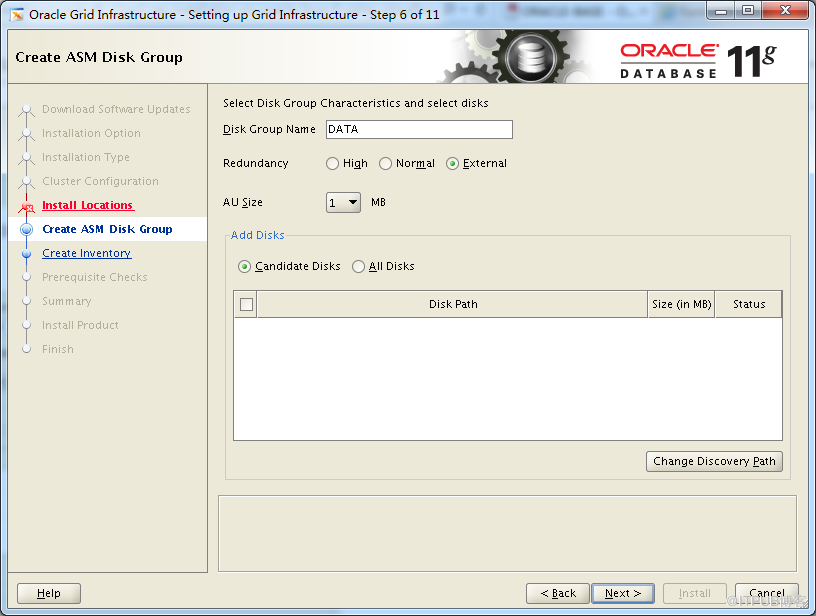
点击Change Discovery
Path
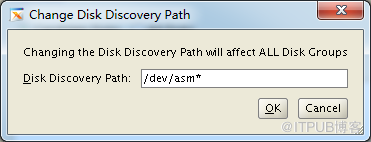
点击OK

选中4个ASM磁盘,点击Next

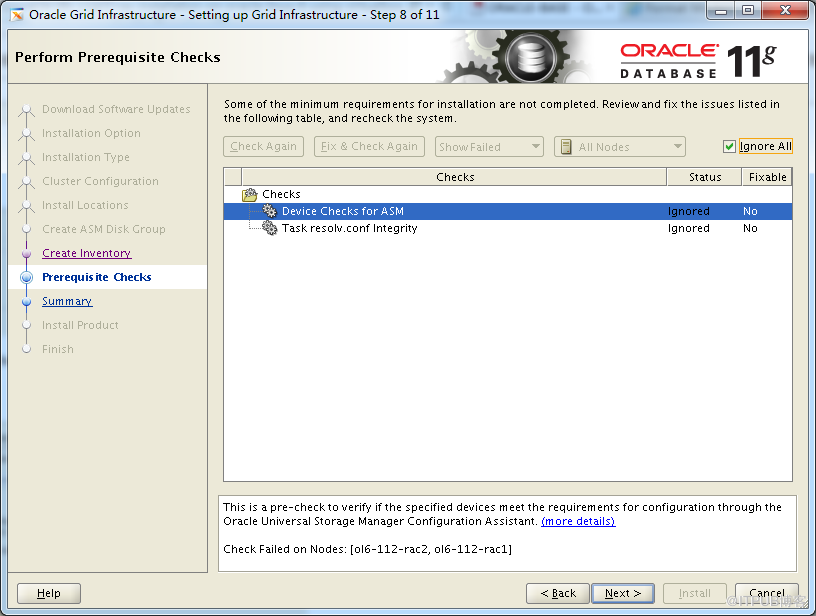
选择Ignore All,点击Next
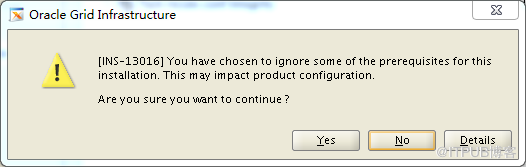
点击Yes

点击Install
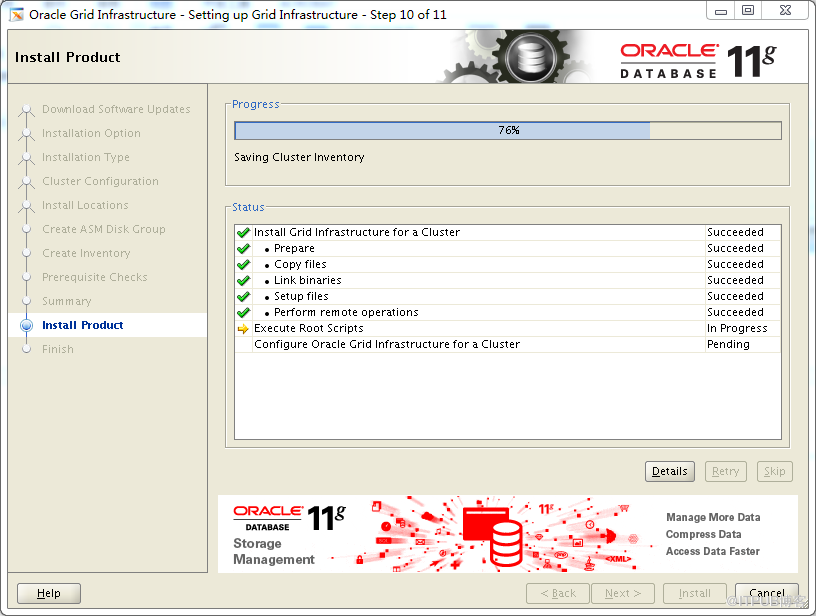

|
# 在ol6-112-rac1结点执行第1个脚本 root@ol6-112-rac1.cuug.net:/root>$ cd /u01/app/oraInventory/ root@ol6-112-rac1.cuug.net:/u01/app/oraInventory>$ ./orainstRoot.sh Changing permissions of /u01/app/oraInventory. Adding read,write permissions for group. Removing read,write,execute permissions for world.
Changing groupname of /u01/app/oraInventory to oinstall. The execution of the script is complete.
# 在ol6-112-rac1结点执行第2个脚本 root@ol6-112-rac1.cuug.net:/u01/app/oraInventory>$ cd /u01/app/11.2.0.3/grid root@ol6-112-rac1.cuug.net:/u01/app/11.2.0.3/grid>$ ./root.sh Performing root user operation for Oracle 11g
The following environment variables are set as: ORACLE_OWNER= oracle ORACLE_HOME= /u01/app/11.2.0.3/grid
Enter the full pathname of the local bin directory: [/usr/local/bin]: Copying dbhome to /usr/local/bin ... Copying oraenv to /usr/local/bin ... Copying coraenv to /usr/local/bin ...
Creating /etc/oratab file... Entries will be added to the /etc/oratab file as needed by Database Configuration Assistant when a database is created Finished running generic part of root script. Now product-specific root actions will be performed. Using configuration parameter file: /u01/app/11.2.0.3/grid/crs/install/crsconfig_params Creating trace directory User ignored Prerequisites during installation OLR initialization - successful root wallet root wallet cert root cert export peer wallet profile reader wallet pa wallet peer wallet keys pa wallet keys peer cert request pa cert request peer cert pa cert peer root cert TP profile reader root cert TP pa root cert TP peer pa cert TP pa peer cert TP profile reader pa cert TP profile reader peer cert TP peer user cert pa user cert Adding Clusterware entries to upstart
CRS-2672: Attempting to start 'ora.mdnsd' on 'ol6-112-rac1' CRS-2676: Start of 'ora.mdnsd' on 'ol6-112-rac1' succeeded CRS-2672: Attempting to start 'ora.gpnpd' on 'ol6-112-rac1' CRS-2676: Start of 'ora.gpnpd' on 'ol6-112-rac1' succeeded CRS-2672: Attempting to start 'ora.cssdmonitor' on 'ol6-112-rac1' CRS-2672: Attempting to start 'ora.gipcd' on 'ol6-112-rac1' CRS-2676: Start of 'ora.cssdmonitor' on 'ol6-112-rac1' succeeded CRS-2676: Start of 'ora.gipcd' on 'ol6-112-rac1' succeeded CRS-2672: Attempting to start 'ora.cssd' on 'ol6-112-rac1' CRS-2672: Attempting to start 'ora.diskmon' on 'ol6-112-rac1' CRS-2676: Start of 'ora.diskmon' on 'ol6-112-rac1' succeeded CRS-2676: Start of 'ora.cssd' on 'ol6-112-rac1' succeeded
ASM created and started successfully.
Disk Group DATA created successfully.
clscfg: -install mode specified Successfully accumulated necessary OCR keys. Creating OCR keys for user 'root', privgrp 'root'.. Operation successful. CRS-4256: Updating the profile Successful addition of voting disk 9b8acbdd7f274f28bf25ec73f407ed3c. Successfully replaced voting disk group with +DATA. CRS-4256: Updating the profile CRS-4266: Voting file(s) successfully replaced ## STATE File Universal Id File Name Disk group -- ----- ----------------- --------- --------- 1. ONLINE 9b8acbdd7f274f28bf25ec73f407ed3c (/dev/asm-disk1) [DATA] Located 1 voting disk(s). CRS-2672: Attempting to start 'ora.asm' on 'ol6-112-rac1' CRS-2676: Start of 'ora.asm' on 'ol6-112-rac1' succeeded CRS-2672: Attempting to start 'ora.DATA.dg' on 'ol6-112-rac1' CRS-2676: Start of 'ora.DATA.dg' on 'ol6-112-rac1' succeeded Configure Oracle Grid Infrastructure for a Cluster ... succeeded
# 在ol6-112-rac2结点执行第1个脚本 root@ol6-112-rac2.cuug.net:/root>$ cd /u01/app/oraInventory/ root@ol6-112-rac2.cuug.net:/u01/app/oraInventory>$ ./orainstRoot.sh Changing permissions of /u01/app/oraInventory. Adding read,write permissions for group. Removing read,write,execute permissions for world.
Changing groupname of /u01/app/oraInventory to oinstall. The execution of the script is complete.
# 在ol6-112-rac2结点执行第2个脚本 root@ol6-112-rac2.cuug.net:/u01/app/oraInventory>$ cd /u01/app/11.2.0.3/grid root@ol6-112-rac2.cuug.net:/u01/app/11.2.0.3/grid>$ ./root.sh Performing root user operation for Oracle 11g
The following environment variables are set as: ORACLE_OWNER= oracle ORACLE_HOME= /u01/app/11.2.0.3/grid
Enter the full pathname of the local bin directory: [/usr/local/bin]: Copying dbhome to /usr/local/bin ... Copying oraenv to /usr/local/bin ... Copying coraenv to /usr/local/bin ...
Creating /etc/oratab file... Entries will be added to the /etc/oratab file as needed by Database Configuration Assistant when a database is created Finished running generic part of root script. Now product-specific root actions will be performed. Using configuration parameter file: /u01/app/11.2.0.3/grid/crs/install/crsconfig_params Creating trace directory User ignored Prerequisites during installation OLR initialization - successful Adding Clusterware entries to upstart CRS-4402: The CSS daemon was started in exclusive mode but found an active CSS daemon on node ol6-112-rac1, number 1, |
来自 “ ITPUB博客 ” ,链接:https://blog.itpub.net/17013648/viewspace-1078716/ ,如需转载,请注明出处,否则将追究法律责任。

最新文章
- 2015.09.18 网络公开课 《Oracle 11G OCP试题精讲(4)》
- 2015 最新OCM 10g考试资料汇总 Skillset 7(1)
- 2015 最新OCM 10g考试资料汇总 Skillset 6(2)
- 2015 最新OCM 10g考试资料汇总 Skillset 6(1)
- 2015.05.15 网络公开课 《Oracle 11G RAC深入探索之RAC和RAC One Node之间的切换》
- 2015 最新OCM 10g考试资料汇总 Skillset 5(5)
- 2015 最新OCM 10g考试资料汇总 Skillset 5(3)
- 2015 最新OCM 10g考试资料汇总 Skillset 5(2)
- 2015.04.10 网络公开课 《玩转DG系列之-使用RMAN创建物理DG》
- 2015 最新OCM 10g考试资料汇总 Skillset 5(1)
