Oracle Database Cloud - Database as a Service Quick Start
Invoking the Create Database Cloud Service Wizard
Log in to the Oracle Database Cloud Service (DBaaS) console using the credentials provided by your Oracle Cloud account administrator. For details on accessing the console, see the documentation on Accessing the Database Cloud Service (DBaaS) Console .
- Your administrator may provide you a link to the My Services console, from which you can choose Oracle Database Cloud Service (DBaaS).
- Or, your administrator may provide you a direct link to the Oracle Database Cloud Service (DBaaS) console.
-
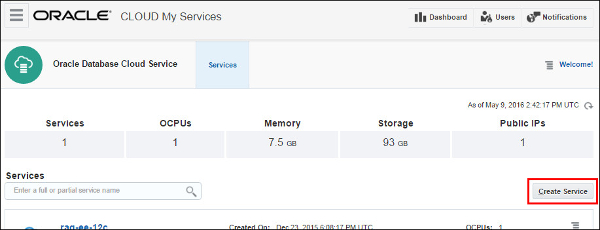
To create a new database instance, in the Database Cloud Service console click Create Service .
-
The Create Database Cloud Service Instance wizard is invoked, displaying the Subscription Type page.

来自 “ ITPUB博客 ” ,链接:https://blog.itpub.net/14377/viewspace-2286264/ ,如需转载,请注明出处,否则将追究法律责任。

请登录后发表评论
登录
全部评论
