最近,“从删库到跑路”的话题热度攀升,今天就教你如何进行Oracle 删库!
DBCA启动图形界面

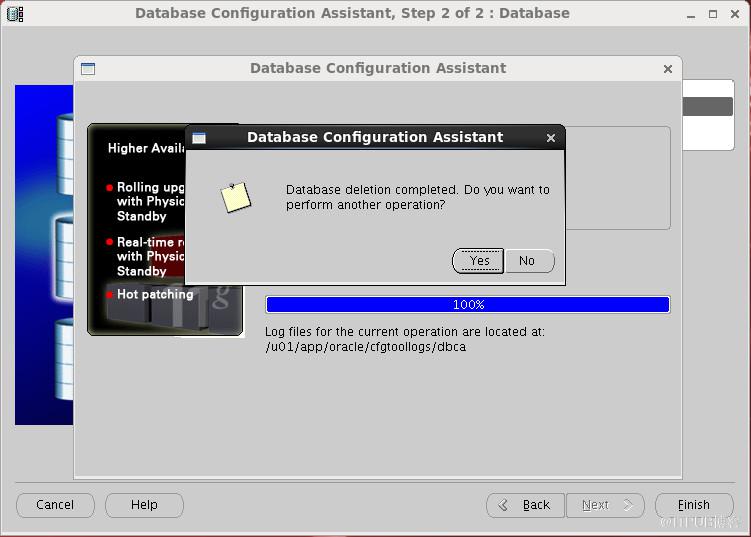
选择要删除的DB,点击finish按钮即可。

半杯茶的工夫,删库完成!比安装EZ很多~~
附1. 手工创建的数据库注册到DBCA(添加到最后一行):
附2. DBCA静默安装的样例:
DBCA启动图形界面

选择要删除的DB,点击finish按钮即可。

半杯茶的工夫,删库完成!比安装EZ很多~~
附1. 手工创建的数据库注册到DBCA(添加到最后一行):
-
[oracle@db01 ~]$ vi /etc/oratab
-
#
-
-
-
-
# This file is used by ORACLE utilities. It is created by root.sh
-
# and updated by either Database Configuration Assistant while creating
-
# a database or ASM Configuration Assistant while creating ASM instance.
-
-
# A colon, ':', is used as the field terminator. A new line terminates
-
# the entry. Lines beginning with a pound sign, '#', are comments.
-
#
-
# Entries are of the form:
-
# $ORACLE_SID:$ORACLE_HOME:<N|Y>:
-
#
-
# The first and second fields are the system identifier and home
-
# directory of the database respectively. The third filed indicates
-
# to the dbstart utility that the database should , "Y", or should not,
-
# "N", be brought up at system boot time.
-
#
-
# Multiple entries with the same $ORACLE_SID are not allowed.
-
#
-
#
-
ORCL:/u01/app/oracle/product/11.2.0/db_1:N
- PROD:/u01/app/oracle/product/11.2.0/db_1:N
附2. DBCA静默安装的样例:
点击(此处)折叠或打开
-
-
[oracle@db01 ~]$ dbca -silent -createDatabase -templateName $ORACLE_HOME/assistants/dbca/templates/General_Purpose.dbc -gdbname PROD -sid PROD -characterSet ZHS16GBK
-
Enter SYS user password:
-
-
Enter SYSTEM user password:
-
-
Copying database files
-
1% complete
-
3% complete
-
37% complete
-
Creating and starting Oracle instance
-
40% complete
-
45% complete
-
50% complete
-
55% complete
-
56% complete
-
60% complete
-
62% complete
-
Completing Database Creation
-
66% complete
-
70% complete
-
73% complete
-
85% complete
-
96% complete
-
100% complete
- Look at the log file "/u01/app/oracle/cfgtoollogs/dbca/PROD/PROD.log" for further details.
来自 “ ITPUB博客 ” ,链接:https://blog.itpub.net/12707874/viewspace-2144581/ ,如需转载,请注明出处,否则将追究法律责任。

请登录后发表评论
登录
全部评论
