双飞翼布局和圣杯布局其实是一样的,只不过在写法上有些不同,其布局都是左右固定宽度,中间宽度自适应。
圣杯布局
html结构
centerleftright
css
先写出大概的样式
.article{    height: 300px;    padding: 0 200px;
}.article .left{    width: 200px;    height: 100px;    background: blue;    float: left;
}.article .right{    width: 200px;    background: #ccc;    height: 100px;    float: right;
}.article .center{    background: yellow;    width: 100%;    height: 100%;    float: left;
}
现在的布局是这样的
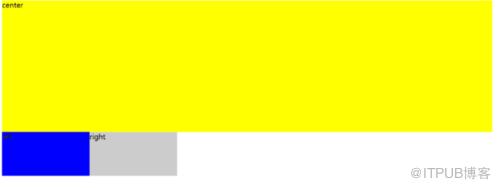
image.png
在.left中添加
margin-left: -100%;
在.right中添加
margin-left: -200px;
布局就变成了
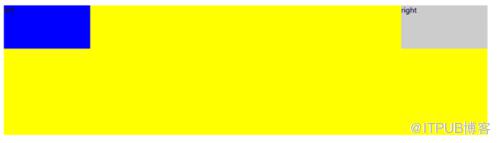
image.png
最后,在.left中添加
position: relative;
left: -100%;
在.right中添加
position: relative;
right: -200px;
大功告成
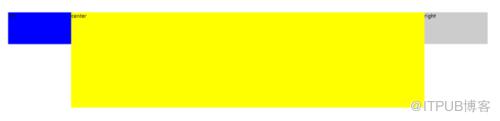
image.png
完整代码
html>圣杯布局 centerleftright
双飞翼布局
双飞翼布局是在圣杯布局基础上改的
html结构改成了
centerleftright
css结构改成了
.article{    height: 300px;    overflow: hidden;
}.article .left{    width: 200px;    height: 100px;    background: blue;    float: left;    /*position: relative;
    left: -200px;*/
    margin-left: -100%;
}.article .right{    width: 200px;    background: #ccc;    height: 100px;    float: left;    /*position: relative;
    right: -200px;*/
    margin-left: -200px;
}.article .center{    background: yellow;    width: 100%;    height: 100%;    float: left;
}.center .inner{    margin-left: 200px;    margin-right: 200px;
}
页面是这样的
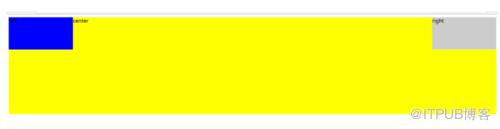
image.png
因为高度不一样所以会显得很难看,要想不固定高度,加上以下代码
.center,.left,.right{    padding-bottom: 9999px;    margin-bottom: -9999px;
}
大功告成
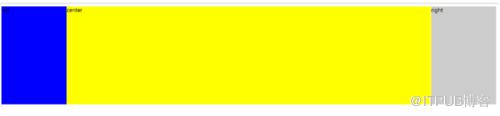
image.png
完整代码
html>双飞翼布局 centerleftright
作者:我竟无言以对_1202
链接:https://www.jianshu.com/p/cfed3eaa19fa
来自 “ ITPUB博客 ” ,链接:https://blog.itpub.net/964/viewspace-2812753/ ,如需转载,请注明出处,否则将追究法律责任。
下一篇:
adnroid性能调优

请登录后发表评论
登录
全部评论
