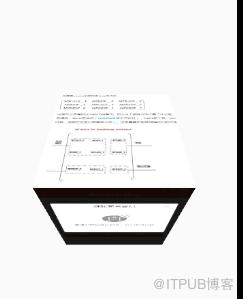
1初始化的时候Scroller来来测量滚动,使用滚动更加圆滑
private void init() {
mCamera = new Camera();
mMatrix = new Matrix();
if (mScroller == null){
mScroller = new Scroller(getContext(),new
LinearInterpolator());
}
}
2生成一些布局参数:
@Override
protected LayoutParams generateDefaultLayoutParams() {
return new MarginLayoutParams
(LayoutParams.MATCH_PARENT, LayoutParams.MATCH_PARENT);
}
3(1)测量布局:目的给每一个子view布局
int measureWidth = MeasureSpec.getSize(widthMeasureSpec);
int measureHeight = MeasureSpec.getSize
(heightMeasureSpec);
setMeasuredDimension(measureWidth,measureHeight);
给父布局测量
当精确布局的时候,减掉他们的Margin,然后布局
measureChildren(childWidthMeasureSpec,childHeightMeasureSpec);
布局完的时候获取控件的高
4重点介绍一下onLayout方法,这个是布局的关键;
for (int i = 0; i View child = getChildAt(i); if (child.getVisibility() != GONE){ if (i==0){ childTop+=params.topMargin; } child.layout(params.leftMargin, childTop, child.getMeasuredWidth() + params.leftMargin, childTop + child.getMeasuredHeight()); childTop = childTop + child.getMeasuredHeight (); } } 先是在childTop的大小, 布局后,再获取下一个 childTop = childTop + child.getMeasuredHeight(); 然后给一一次循环使用 5dispatchDraw() 这个是才是重点的方法 final int height = getHeight();获取当前view的高度,即时一个 view显示的高度 final int scrollHeight = screen * height; final int scrollY = this.getScrollY(); 偏移量。 这里主要是判断哪几个子view需要进行3D效果的显示 接下来是显示 final int faceIndex = screen; final float currentDegree = getScrollY() * (angle / getMeasuredHeight()); final float faceDegree = currentDegree - faceIndex * angle; if (faceDegree > 90 || faceDegree return; } 这个可以显示 接下来根据滚动的距离,确定围绕的旋转点,进行围绕X旋转 final float centerY = (scrollHeight + height : scrollHeight; final float centerX = getWidth() / 2; final Camera camera = mCamera; final Matrix matrix = mMatrix; canvas.save(); camera.save(); camera.rotateX(faceDegree); camera.getMatrix(matrix); camera.restore(); matrix.preTranslate(-centerX, -centerY); matrix.postTranslate(centerX, centerY); canvas.concat(matrix); 6接下来是事件分发机制的点击事件,这里的拦截只是简单的拦截。 (1)VelocityTracker创建, mTracker.addMovement(event);将事件 传入,在手指弹起的时候,判断是否有一定的滑动距离的速度; 从而进行滑动 (2)先进行down的判断 并且如果Scroller的滚动计量没有结束的话,接着进行滚动,让滚动停 止,停留在上次的位置,并且记录Y的位置,留给下一个动作使用 (3)Move的操作 Log.i("mo","onTouchEvent-move"); int disY = (int) (mDownY - y); mDownY = y; if (mScroller.isFinished()){ //每次的滚动结束后的处理 recycleMove(disY); } break; 每次完成上一次滚动后进行的操作 来看一下 recycleMove(int delta)方法 delta = delta % mHeight; delta = (int) (delta / resistance);//阻力后实际滑动的 经过阻力计算后,获取实际要移动的距离 scrollBy(0, delta); if (getScrollY() setPre(); scrollBy(0, mHeight); } 当滚动到一定距离的时候,进行操作 setPre 设置子view的 (4) mTracker.computeCurrentVelocity(1000); float velocitY = mTracker.getYVelocity(); 根据传入的单位计算速率 //滑动的速度大于规定的速度,或者向上滑动时,上一页页面展现出 的高度超过1/2。则设定状态为STATE_PRE if(velocitY > standerSpeed || ((getScrollY() + mHeight / 2) / mHeight STATE = STATE_PRE; }else if(velocitY ((getScrollY() + mHeight / 2) / mHeight > mStartScreen)){ //滑动的速度大于规定的速度,或者向下滑动时 ,下一页页面展现出的高度超过1/2。则设定状态为STATE_NEXT STATE = STATE_NEXT; }else{ STATE = STATE_NORMAL; } 根据不同的速度,以及位置的时候,判定距离 int startY; int delta; int duration; STATE = STATE_PRE; //增加新的页面 setPre(); //mScroller开始的坐标 startY = getScrollY() + mHeight; setScrollY(startY); //mScroller移动的距离 delta = -(startY - mStartScreen * mHeight); duration = (Math.abs(delta)) * 2; mScroller.startScroll(0, startY, 0, delta, duration); 滚动到前一个页面 @Override public void computeScroll() { if (mScroller.computeScrollOffset()) { scrollTo(mScroller.getCurrX(), mScroller.getCurrY()); postInvalidate(); } }
来自 “ ITPUB博客 ” ,链接:https://blog.itpub.net/834/viewspace-2814151/ ,如需转载,请注明出处,否则将追究法律责任。

